Google Gemini integration
What is Google Gemini?
Google Gemini is a family of large language models from Google, and Antigravity is Google's agentic coding platform built on top of them - an agent that can read, write, and refactor code from natural-language prompts.
By integrating Buddy with Google Gemini you can add the Antigravity action to your pipelines and let the agent review code, generate changes, or automate routine engineering tasks on every push, on a schedule, or on demand.
Setting up Google Gemini integration
Go to the Integrations tab and click New integration.
Look up and click Google Gemini.
A configuration window will show up. Here you provide:
- Name and ID of the integration
- Scope - whether the integration is available across the whole Workspace, a single Project, or a specific Environment
- Authorization - a Google Gemini API key (see below)
- Once done, click Add a new integration to finish configuration.
Authorization
Authorize with a Google Gemini API key.
To obtain the key:
- Go to https://aistudio.google.com/api-keys (also linked as Get API key in the form).
- Click Create API key, name the key and pick a Google Cloud project.
Image loading...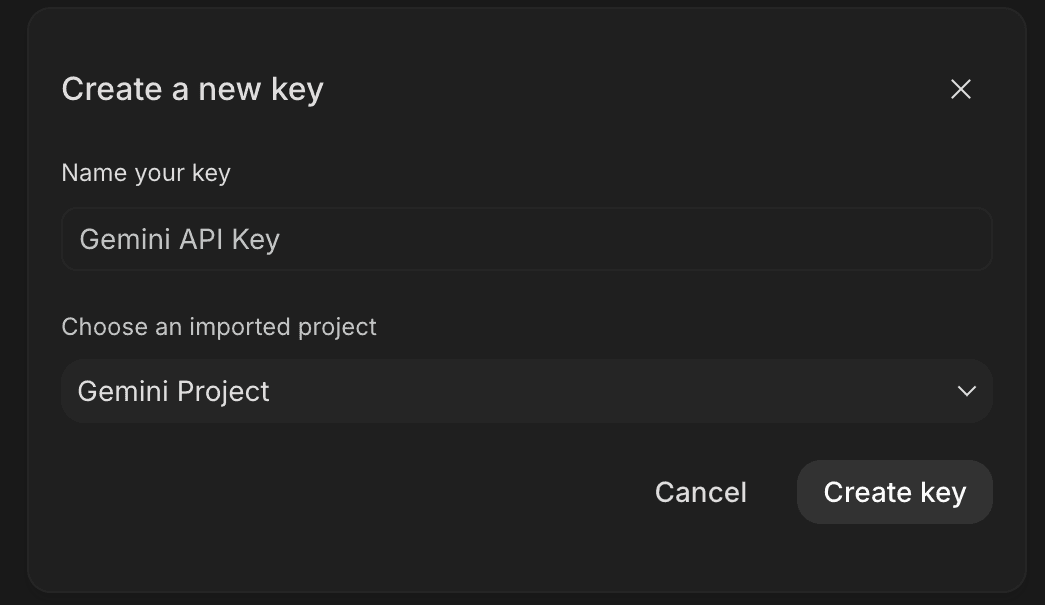
- Copy the generated key value from the API key details window.
Image loading...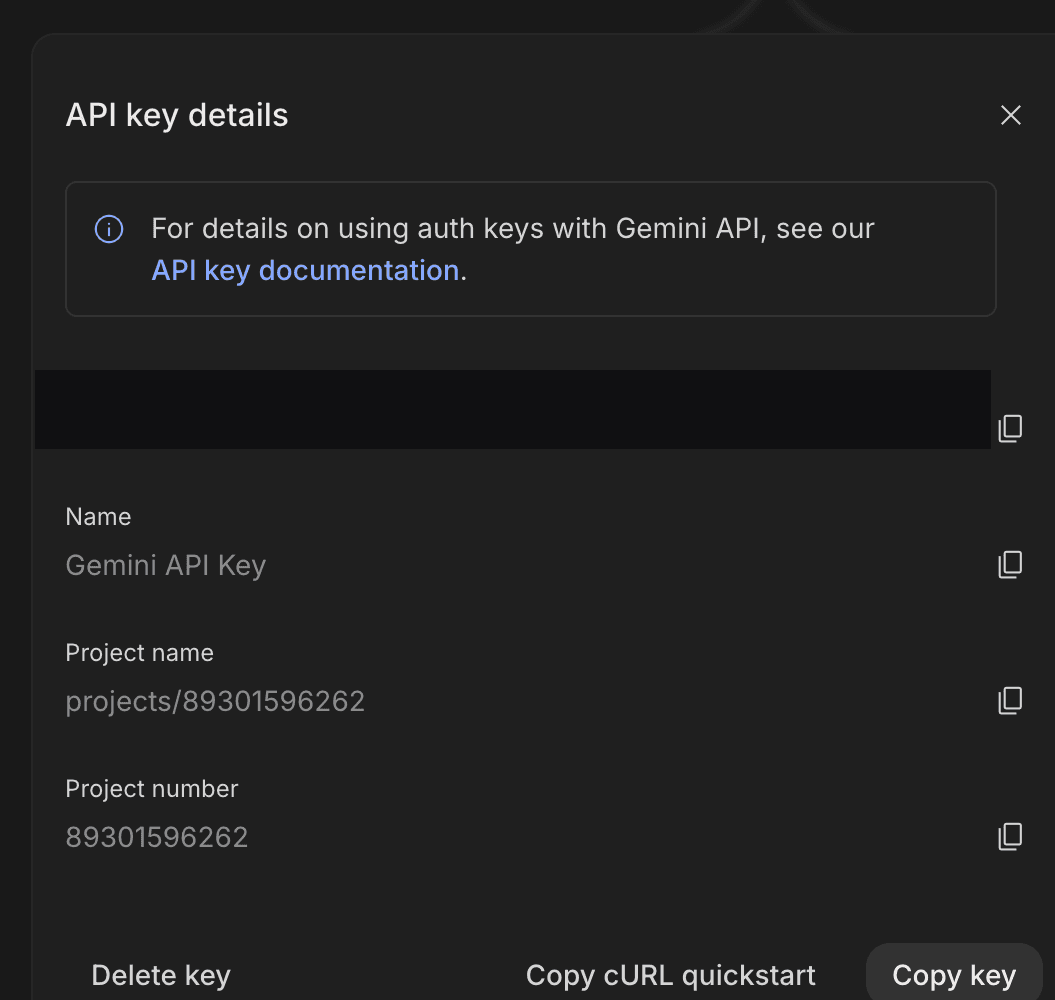
- Paste it into the API KEY field in Buddy and click Add a new integration. The key is stored as an encrypted secret and passed to the pipeline as a secure environment variable, never saved in plain text in your repository.
Image loading...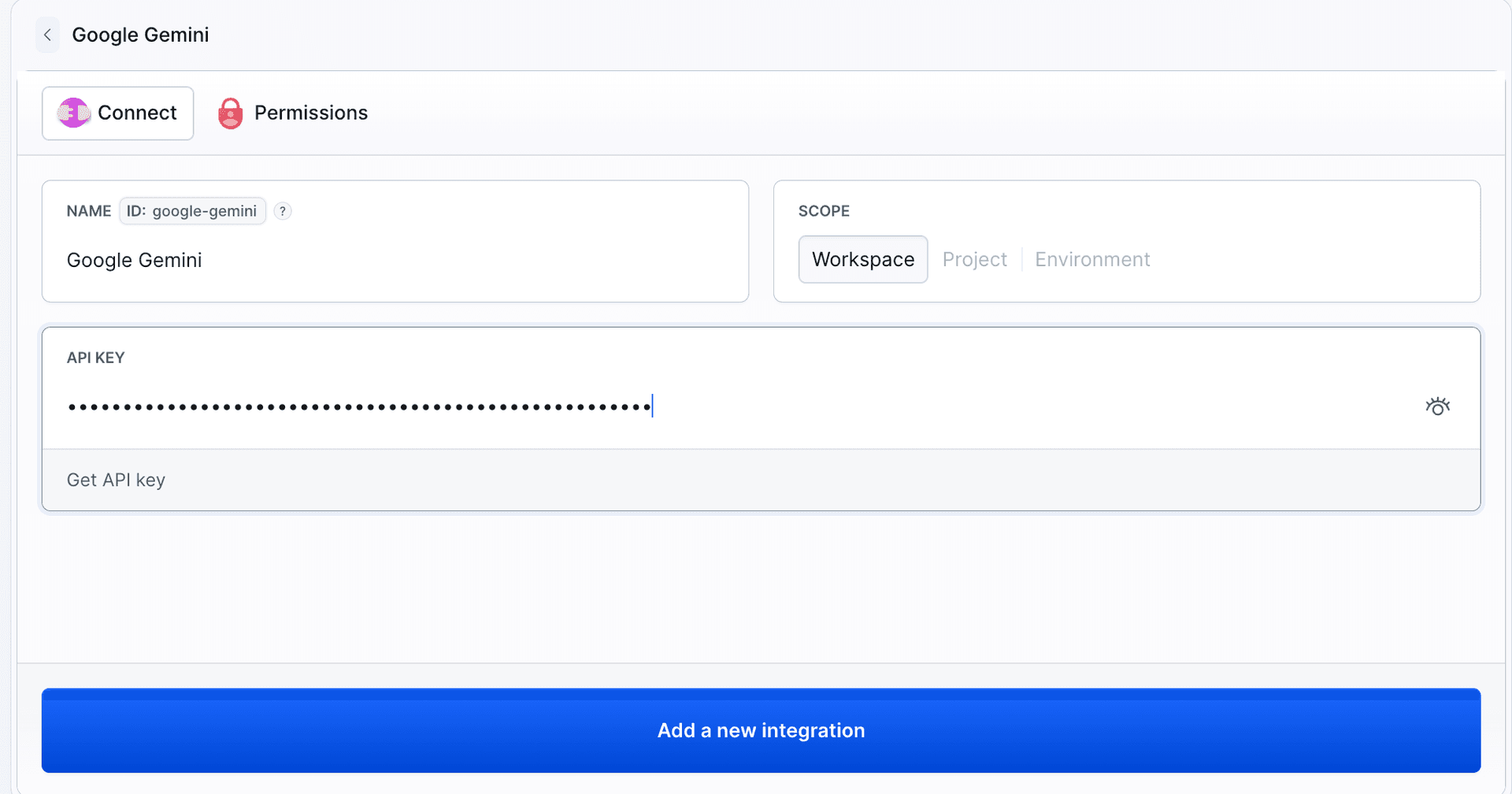
Once the integration is added, you can use the Antigravity action in your pipeline and reference the integration by its ID.
Last modified on Aug 10, 2026