Run agents in a pipeline
Buddy pipelines can run an AI coding agent as a build action, so you can automate agent work on events - open a pull request and have an agent review it, forward an email and have an agent act on it, or kick off an agent whenever a new error shows up in Sentry.
An agent action runs inside the pipeline with access to everything the pipeline has: your code, artifacts, environment variables, integrations, and the filesystem - the same context as any other action.
Available agents
Available as pipeline actions today:
Coming soon:
- OpenCode
What you can automate
- Pull request review - trigger on an opened PR and have the agent review the diff and leave comments.
- PR descriptions - when a PR is created, have the agent summarize the branch's changes and write them into the pull request description.
- Release notes & blog posts - generate a changelog or a blog article straight from a changeset, grouping new features, improvements, and bugfixes.
- Email-driven tasks - forward an email to the pipeline and let the agent act on the request.
- Sentry issues - run when a new issue appears in Sentry so the agent can investigate and propose a fix.
- Deployment failures - on a failed deploy, have the agent read the logs and open a fix.
- Scheduled maintenance - on a cron schedule, let the agent bump dependencies, refresh docs, or triage the backlog.
- New issue triage - when an issue is filed, have the agent label it and draft a first response.
Defining the action
Add the agent action to a pipeline the same way as any other - pick it from the action list, then set the prompt, model, and options:
Image loading...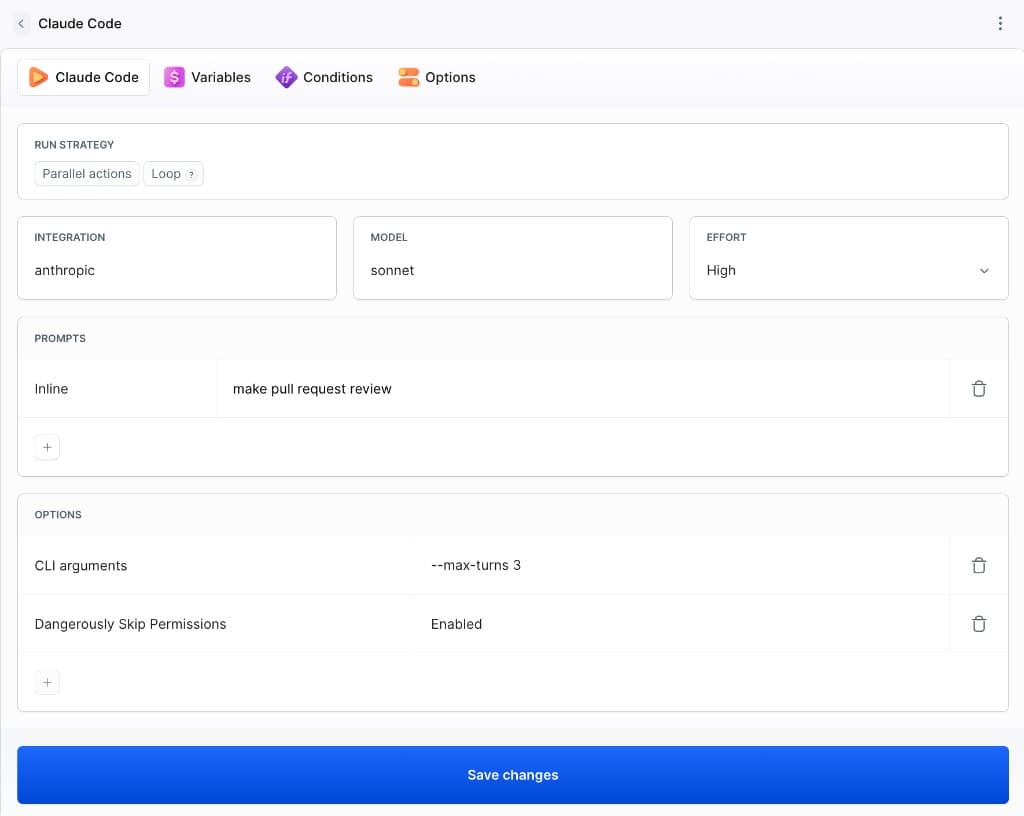
Every agent action shares the same three settings at the top - here shown on the Codex CLI action:
Image loading...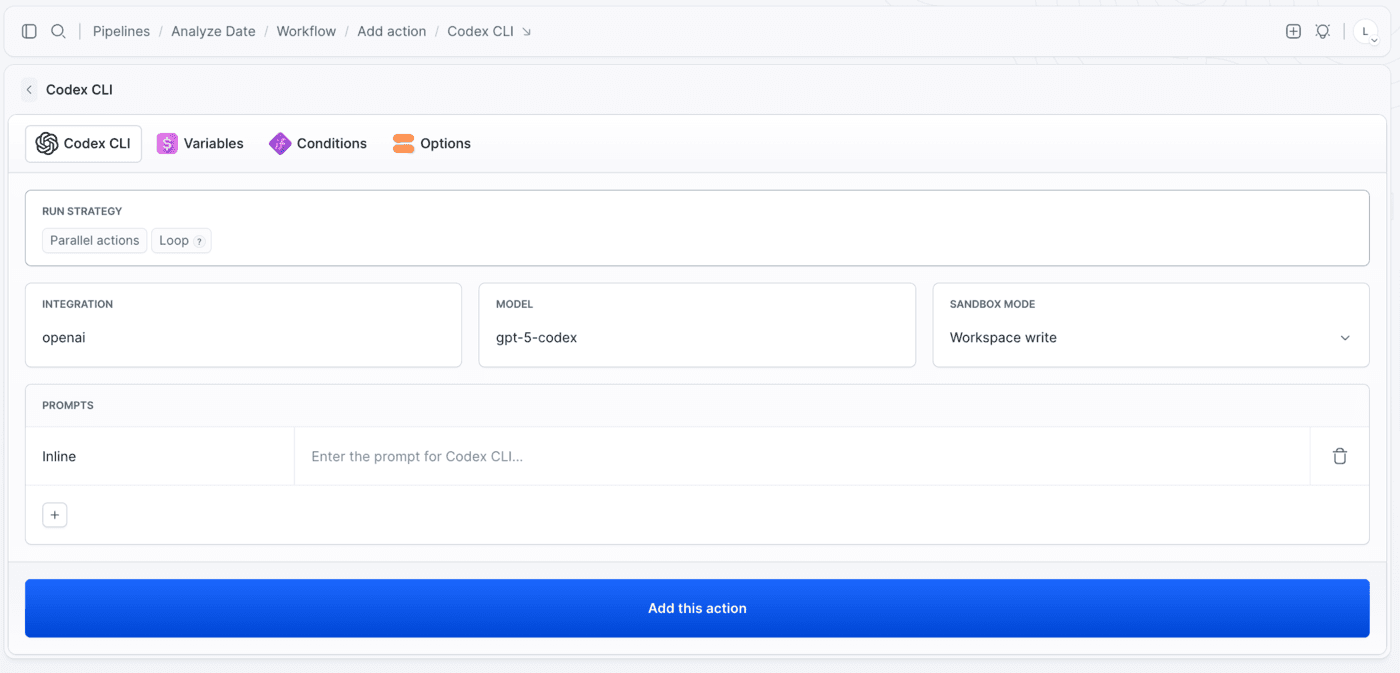
- Integration - the credentials the agent runs with. Set it up before the first run: Anthropic for Claude Code, Google Gemini for Antigravity, OpenAI for Codex CLI, Cursor for Cursor, Grok for Grok.
- Model - the model the agent uses. The list is provider-specific and always shows what the integration can currently reach.
- Sandbox mode (Codex CLI) - how much the agent is allowed to touch in the pipeline filesystem.
Image loading...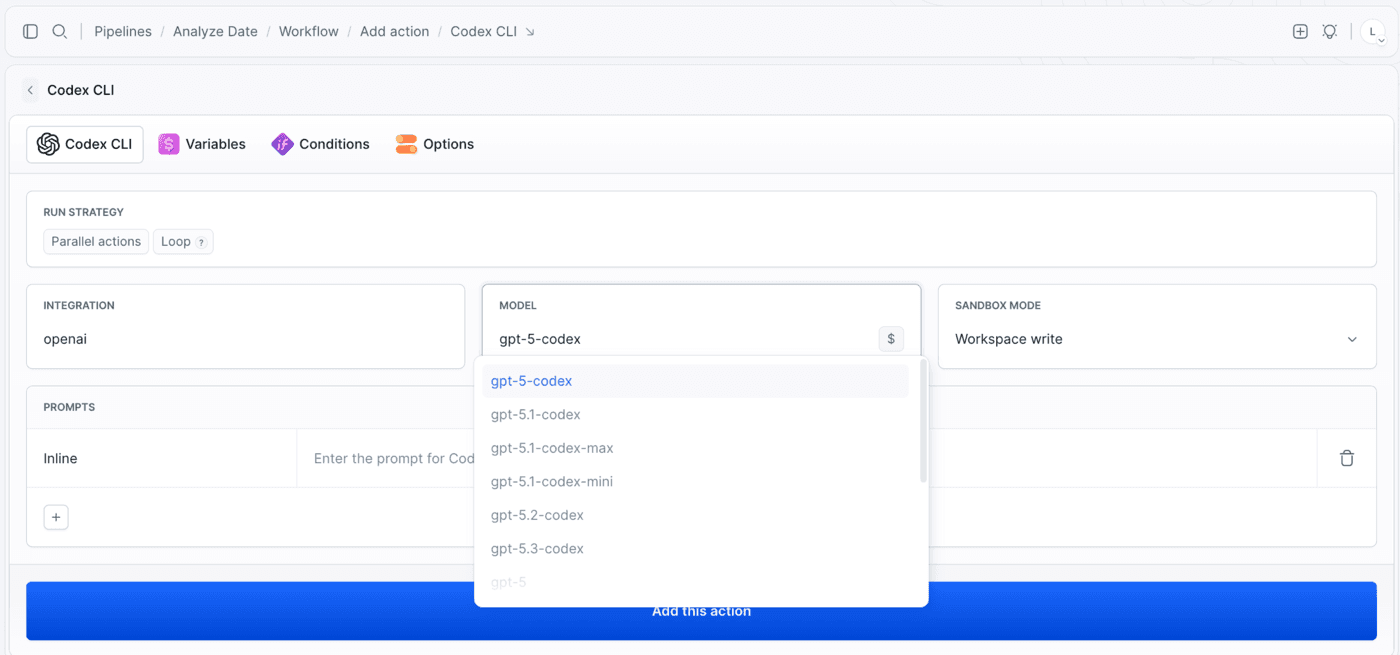
The Cursor action follows the same shape - an integration, a model, and a list of prompts. Its model list covers Cursor's own composer models alongside the third-party ones your account can reach, plus auto-smart and default if you'd rather let Cursor pick:
Image loading...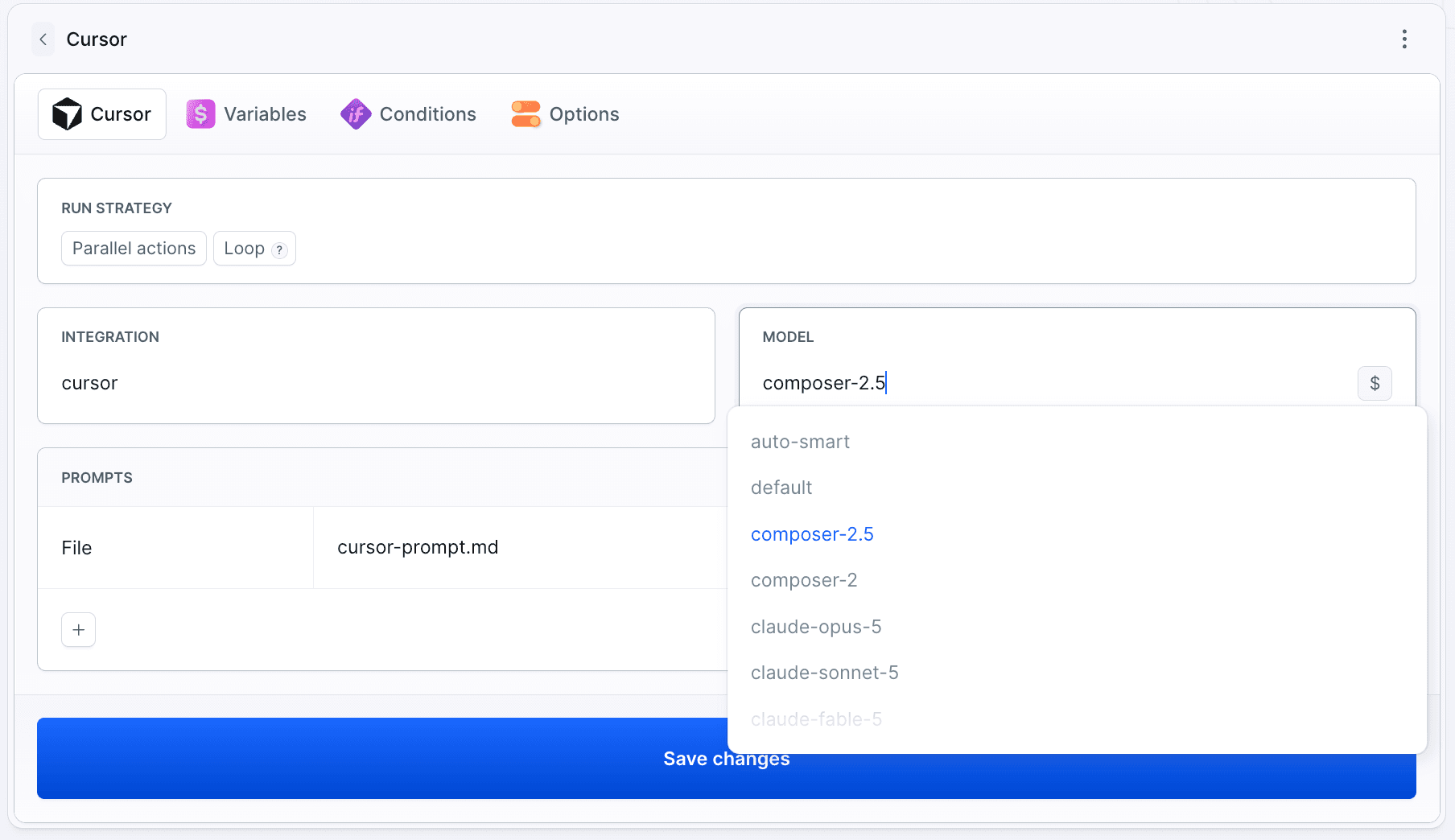
The Grok action works the same way. Pick grok-build-0.1 for coding work, or one of the general grok-4.x models:
Image loading...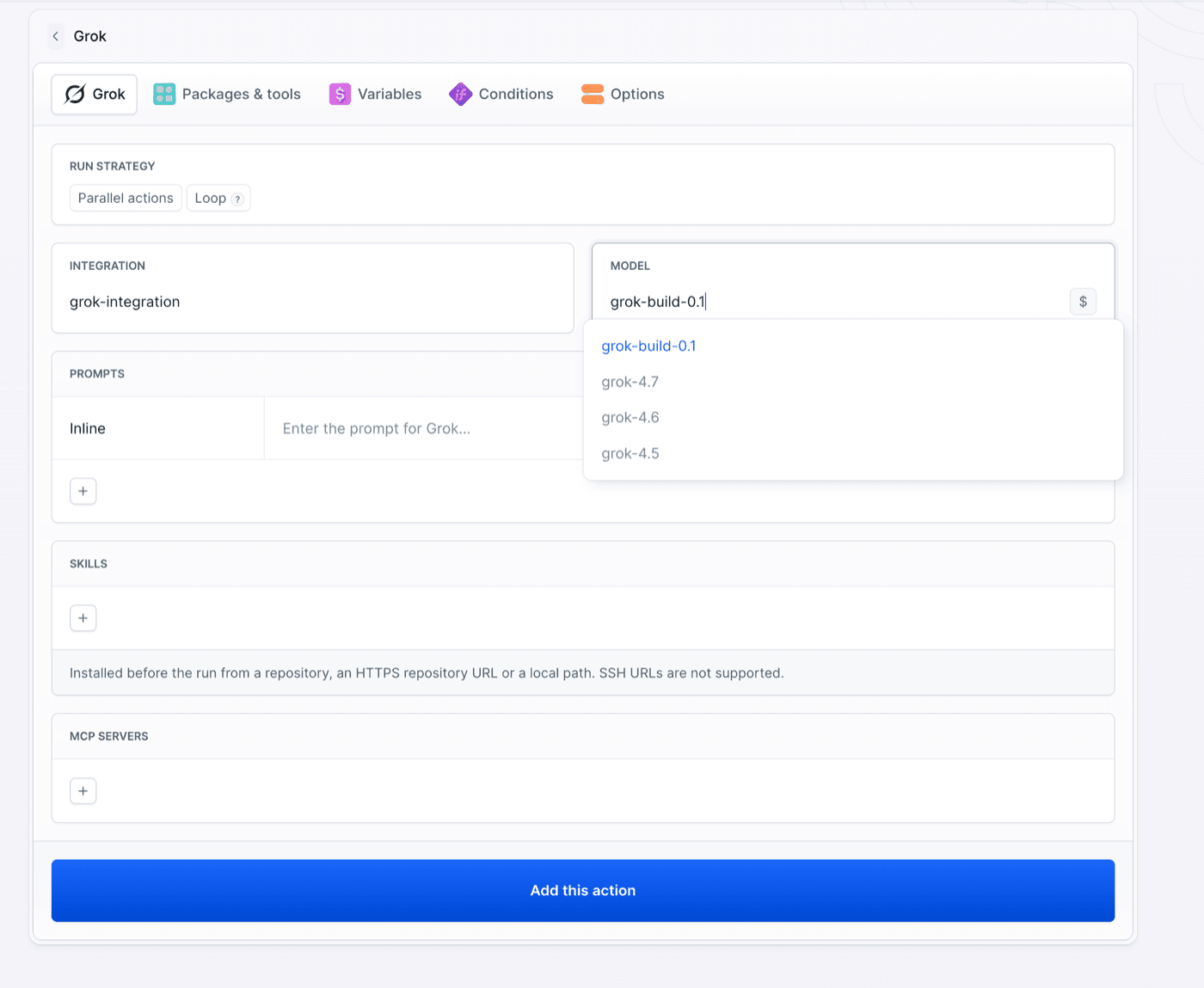
Sandbox mode
Codex CLI runs with one of three access levels:
| Mode | What the agent can do |
|---|---|
| Read only | Read the filesystem, run no writes. Good for reviews and analysis. |
| Workspace write | Read and write inside the pipeline filesystem. The default - enough for code changes, refactors, and generated files. |
| Full access | Read and write anywhere in the container, including outside the workspace. |
Image loading...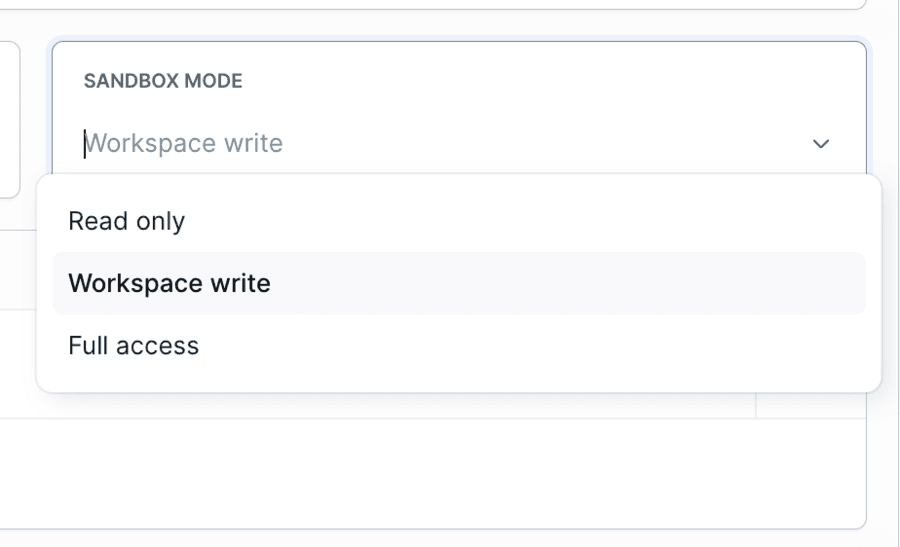
Prompts
An agent action takes one or more prompts, executed in order. Each one is either:
- Inline - typed straight into the action.
- File - read from a path in the repository, e.g.
.buddy/codex-prompt.md. Use this to version your prompts alongside the code and reuse them across pipelines.
Image loading...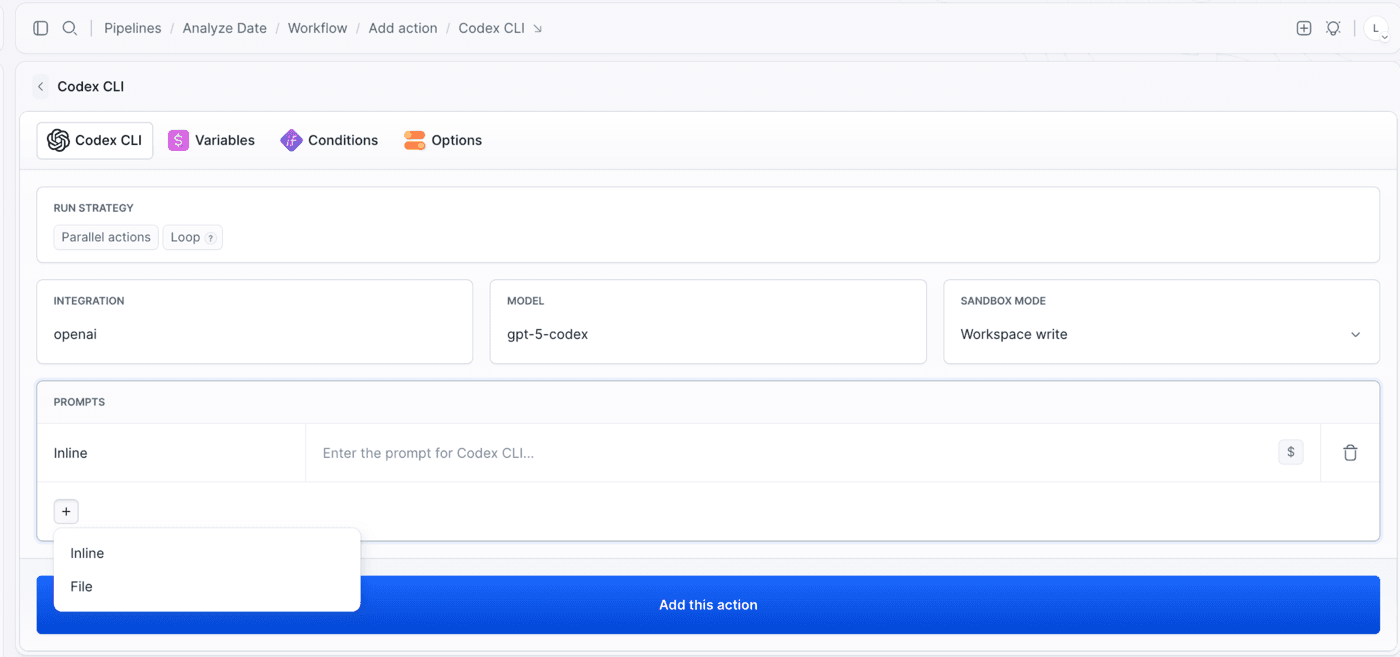
Prompts support environment variables, so you can pass the branch, the commit range, or the output of a previous action into the agent.
Example
This pipeline runs a Claude Code review whenever a pull request targets master:
- pipeline: on-pull-request
  events:
  - type: PULL_REQUEST
    branches:
    - master
  actions:
  - action: Claude Code
    type: CLAUDE_CODE
    integration: anthropic
    prompts:
    - make pull request review
    model: sonnet
    claude_args: --max-turns 3
    dangerously_skip_permissions: true
Key fields:
type- the agent action type (CLAUDE_CODE).integration- the integration that provides the agent's credentials (e.g.anthropic). Set it up before the first run: Anthropic for Claude Code, Google Gemini for Antigravity, OpenAI for Codex CLI, Cursor for Cursor, Grok for Grok.prompts- one or more prompts the agent runs.model- the model to use (e.g.sonnet).claude_args- extra CLI flags passed to the agent (e.g.--max-turns 3).dangerously_skip_permissions- runs the agent without permission prompts so it can act unattended.
dangerously_skip_permissions: true lets the agent run every tool without asking. Only use it in pipelines you trust, and scope the integration and pipeline variables to what the agent actually needs.
The same pipeline with Codex CLI instead - the fields map one to one, with sandbox_mode in place of the Claude permission flag:
- pipeline: on-pull-request
  events:
  - type: PULL_REQUEST
    branches:
    - master
  actions:
  - action: Codex CLI
    type: CODEX_CLI
    integration: openai
    prompts:
    - make pull request review
    - file: .buddy/codex-prompt.md
    model: gpt-5-codex
    sandbox_mode: WORKSPACE_WRITE
See Codex CLI with YAML for the full field reference.
And the same pipeline with Cursor - only type, integration, and the model naming change:
- pipeline: on-pull-request
  events:
  - type: PULL_REQUEST
    branches:
    - master
  actions:
  - action: Cursor
    type: CURSOR
    integration: cursor
    prompts:
    - make pull request review
    - file: .buddy/cursor-prompt.md
    model: auto-smart
Once added, the action shows up in the pipeline like any other:
Image loading...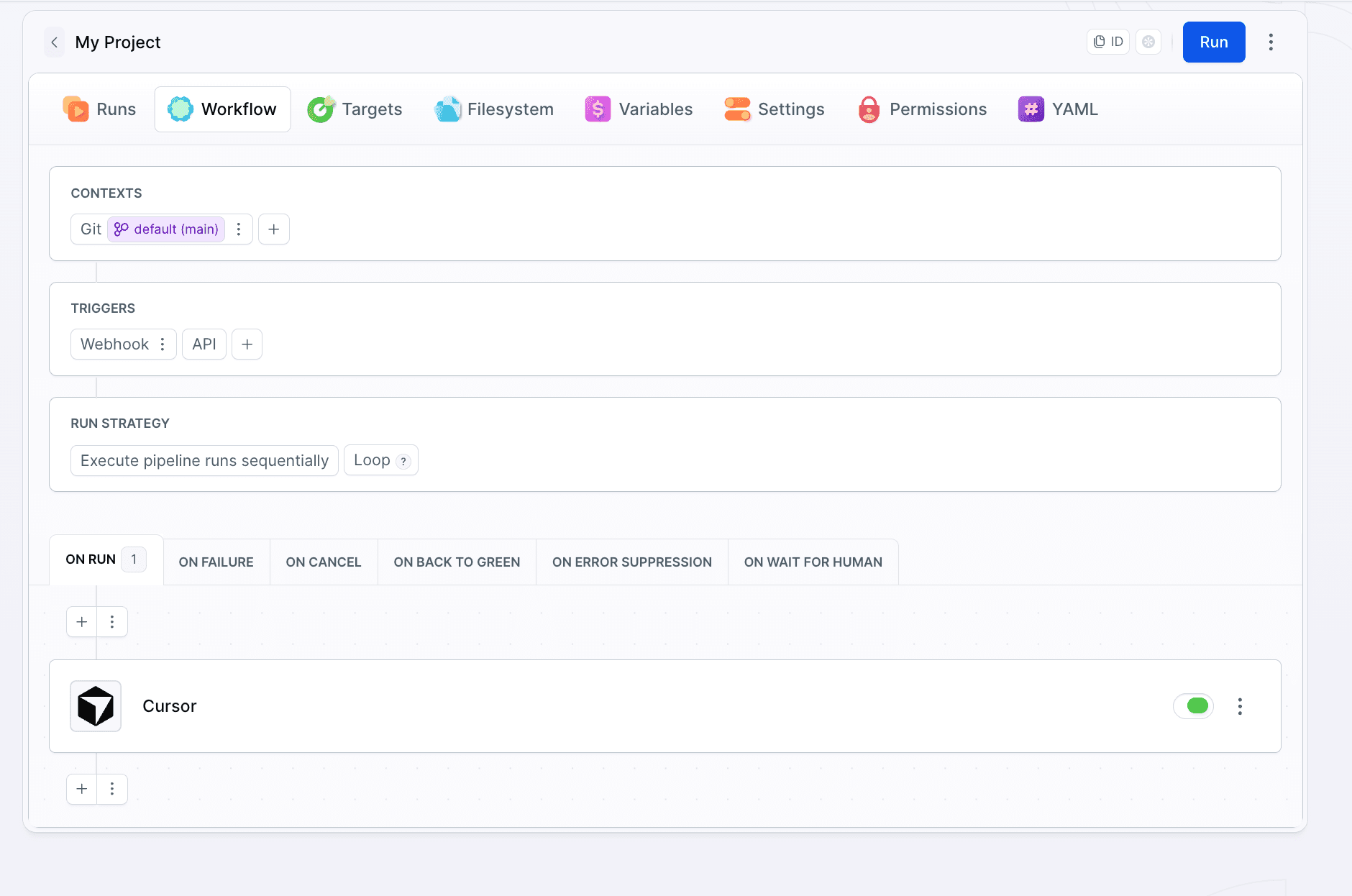
See Cursor with YAML for the full field reference.
And with Grok:
- pipeline: on-pull-request
  events:
  - type: PULL_REQUEST
    branches:
    - master
  actions:
  - action: Grok
    type: GROK
    integration: grok
    prompts:
    - make pull request review
    - file: .buddy/grok-prompt.md
    model: grok-build-0.1
On top of prompts, the Grok action takes skills (installed before the run from a repository or a local path starting with ./) and mcp_servers (stdio, HTTP, or SSE servers the agent can call):
Image loading...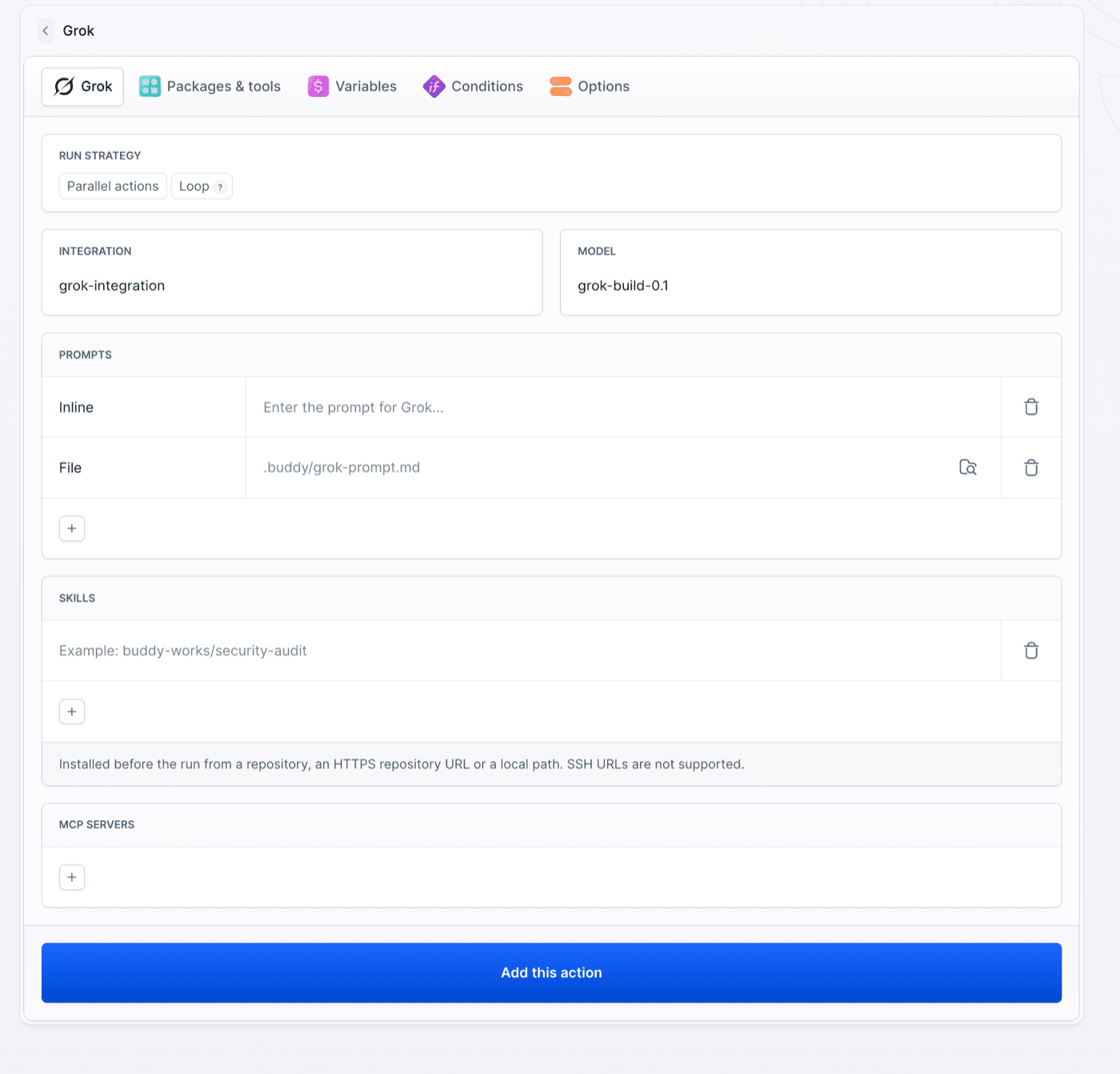
Image loading...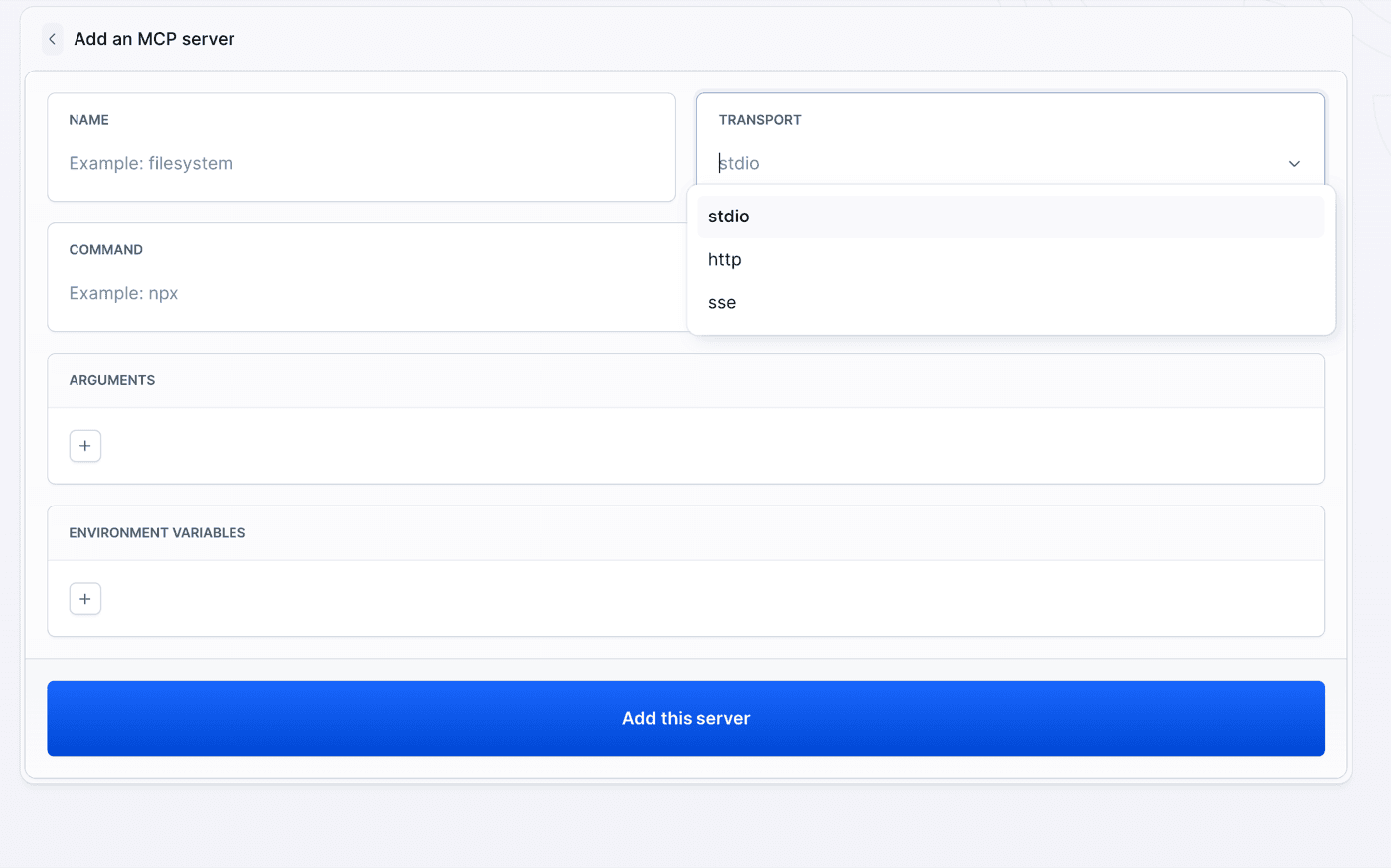
See Grok with YAML for the full field reference.
Action outputs
After the agent runs, the action exposes a set of output variables - plus a session file - that later actions in the same pipeline can read:
OUTPUT_CLAUDE_EXECUTION_FILE    /buddy/monitoring/claude-output/execution-output-zs1vr0jkq4ecxa.json
OUTPUT_CLAUDE_SESSION_ID        a5d070a0-ba29-404d-a103-f9f27fe81e4e
OUTPUT_CLAUDE_RESULT            Hey! How can I help you today?
OUTPUT_CLAUDE_CONCLUSION        success
OUTPUT_CLAUDE_EXECUTION_FILE- path to a JSON file with the full session transcript and execution details.OUTPUT_CLAUDE_SESSION_ID- the agent session ID, useful for referencing or resuming the run.OUTPUT_CLAUDE_RESULT- the agent's final text response.OUTPUT_CLAUDE_CONCLUSION- the outcome of the run (e.g.success).
Downstream actions can branch on OUTPUT_CLAUDE_CONCLUSION, post OUTPUT_CLAUDE_RESULT to Slack, or parse the execution file for the full transcript.
The Cursor action exposes the same shape under its own prefix:
BUDDY_ACTION_CURSOR_CONCLUSION      success
BUDDY_ACTION_CURSOR_SESSION_ID      agent-25176025-8137-48a9-b720-35c3a6cae26b
BUDDY_ACTION_CURSOR_RESULT          There is no index.html in this repository. The only HTML file is page.html...
BUDDY_ACTION_CURSOR_OUTPUT_FILE     .buddy/output/cursor/report_1_lp6umx6jtxkz3u.json
BUDDY_ACTION_CURSOR_OUTPUT_FILES    .buddy/output/cursor/report_1_lp6umx6jtxkz3u.json
BUDDY_ACTION_CURSOR_RUN_FILE        .buddy/output/cursor/report_1_lp6umx6jtxkz3u.json
BUDDY_ACTION_CURSOR_CONCLUSION- the outcome of the run (e.g.success).BUDDY_ACTION_CURSOR_SESSION_ID- the agent session ID, useful for referencing or resuming the run.BUDDY_ACTION_CURSOR_RESULT- the agent's final text response.BUDDY_ACTION_CURSOR_OUTPUT_FILE/BUDDY_ACTION_CURSOR_OUTPUT_FILES/BUDDY_ACTION_CURSOR_RUN_FILE- the JSON report written to.buddy/output/cursor/in the pipeline filesystem, with the full session transcript and execution details. The plural variant holds every report when the action runs multiple prompts.
The Grok action follows the same pattern:
BUDDY_ACTION_GROK_CONCLUSION      success
BUDDY_ACTION_GROK_SESSION_ID      9f8c1e2a-4b7d-4c31-8e5a-2d6f0b1c7e94
BUDDY_ACTION_GROK_RESULT          Fixed the failing test in UserServiceTest and updated the changelog.
BUDDY_ACTION_GROK_OUTPUT_FILE     .buddy/output/grok/report_7_rstp9m80ju4juy.json
BUDDY_ACTION_GROK_CONCLUSION- the outcome of the run (successorfailure). Exported also when the action fails.BUDDY_ACTION_GROK_SESSION_ID- the agent session ID, usable to resume the conversation in a later action.BUDDY_ACTION_GROK_RESULT- the agent's final text response.BUDDY_ACTION_GROK_OUTPUT_FILE- the JSON session report written to.buddy/output/grok/in the pipeline filesystem.
Reference any output variable with a $ prefix. For example, add a Slack action after the agent to post its result:
  - action: Send notification
    type: SLACK
    content: "PR review complete:\n$OUTPUT_CLAUDE_RESULT"
    integration: 5dd50bd38c7dd93b96897d2e
    channel: releases
See Output variables for how they're passed between actions.
Learn more
- Run agents in a sandbox - run an agent in an isolated environment from your terminal.
- Pipelines - triggers, events, and everything else you can wire an agent action into.
Last modified on Oct 15, 2026