On artifact event
Artifact event triggers let you run a pipeline when something happens to an artifact version in your workspace. Buddy starts all pipelines whose trigger matches the artifact - for example, deploy a container image as soon as its version is published, or clean up when a version is deleted.
There are three artifact event types:
- Artifacts: Created - triggered when a new artifact version is created, before it is published.
- Artifacts: Published - triggered when an artifact version is published and becomes available for download.
- Artifacts: Deleted - triggered when an artifact version is deleted.
Configure trigger
- Open your pipeline and go to the Workflow tab.
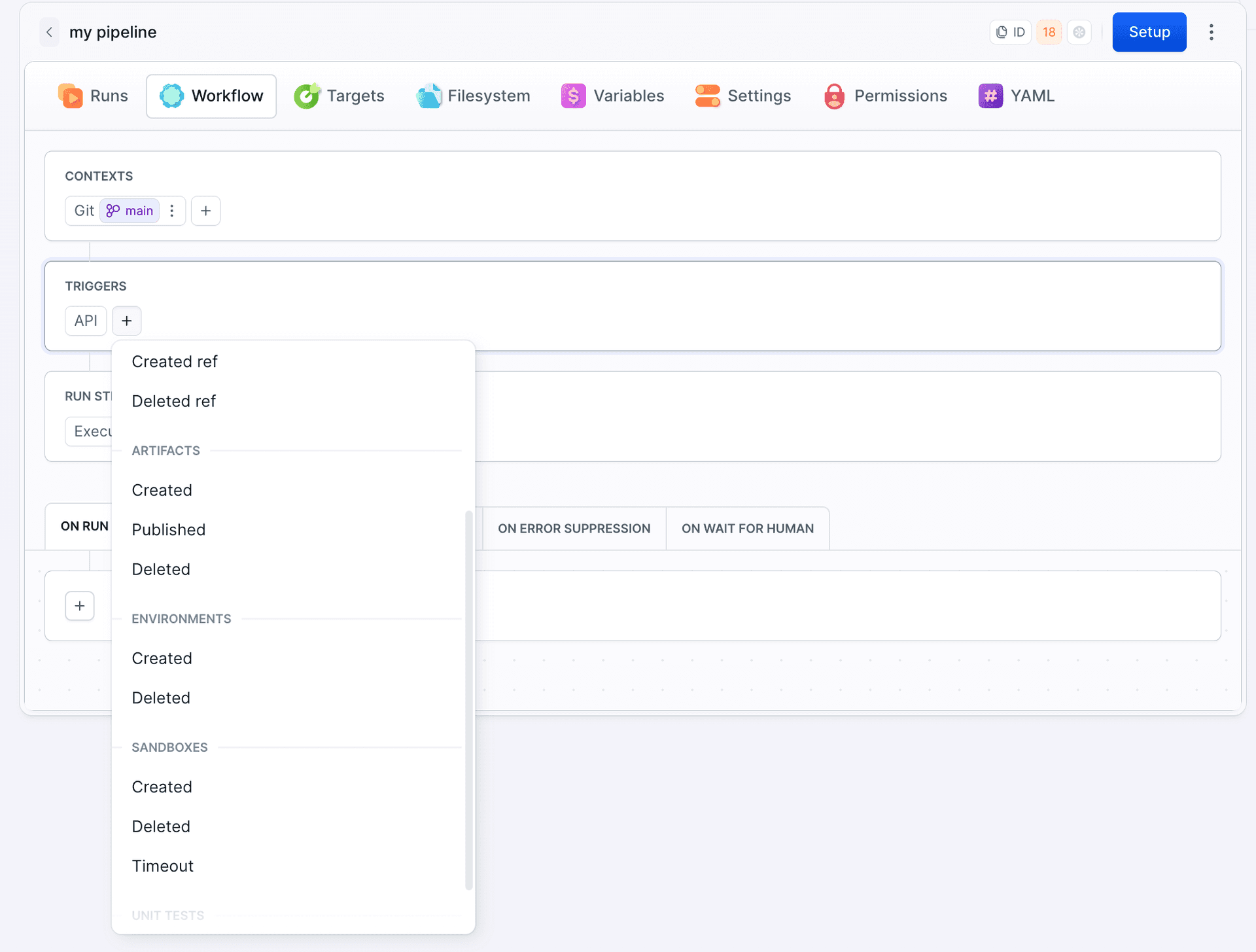
Click + in the Triggers section and select Created, Published, or Deleted in the Artifacts group.
Image loading...
- Pick the artifacts that should start the pipeline, or tick All artifacts.
- Click Apply.
The trigger appears in the Triggers section with the selected artifacts and matching filters:
Image loading...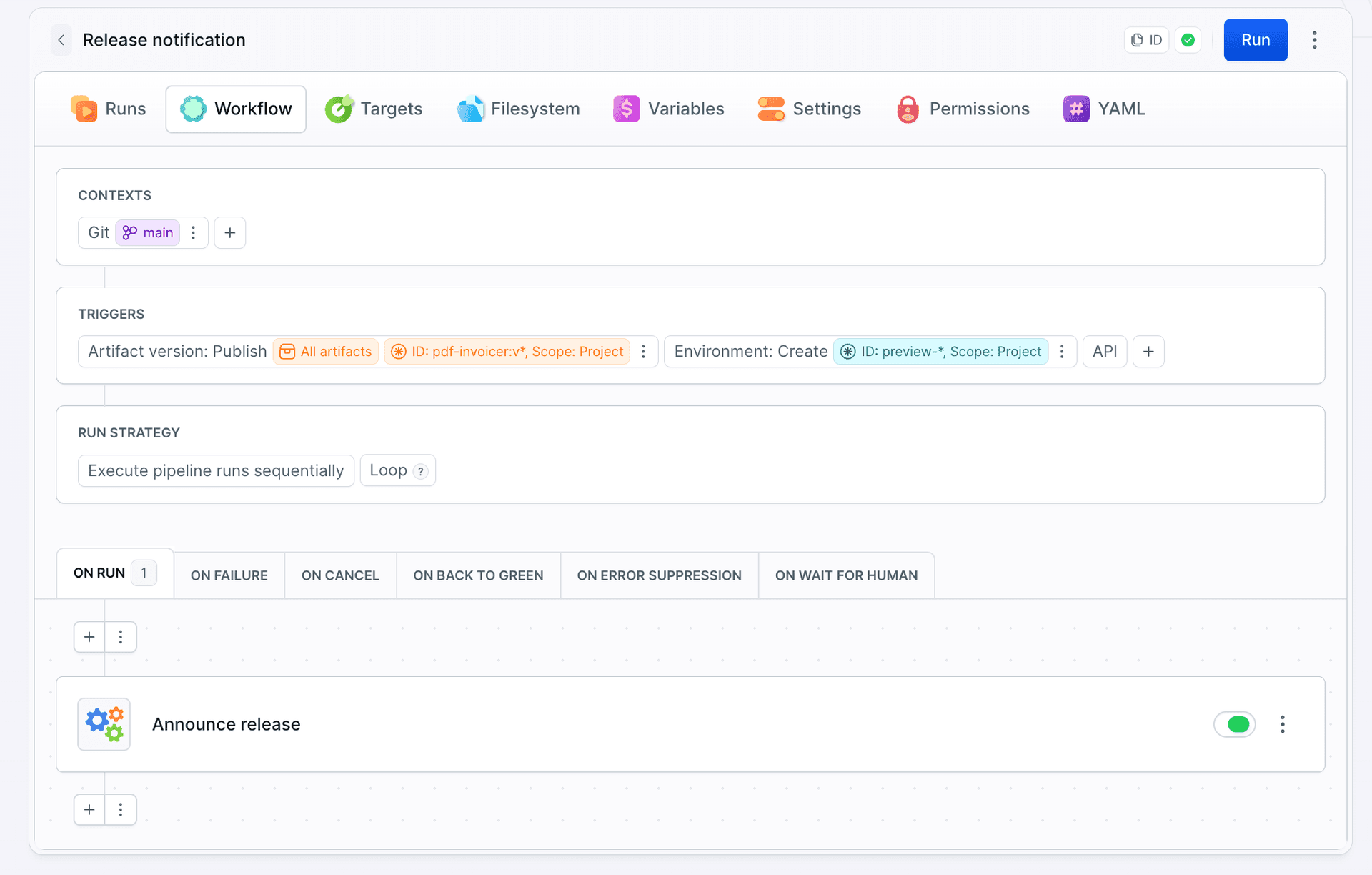
Filters
The trigger fires when the artifact version matches at least one of the entries in the popup.
Image loading...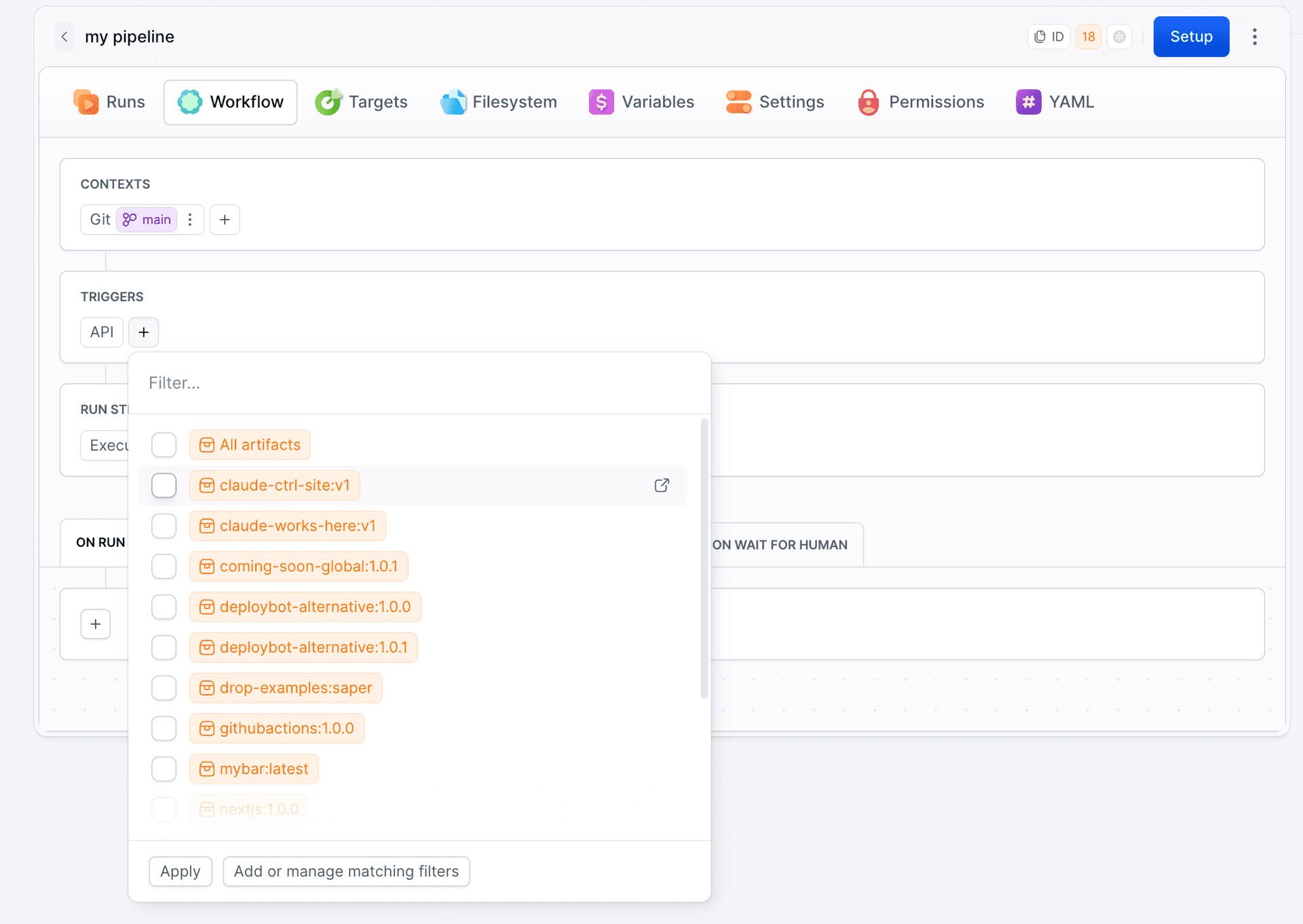
- Artifacts - existing artifact versions listed as
name:version. Use the filter box to narrow the list and tick the versions that should start the pipeline. - All artifacts - reacts to every artifact version in the workspace. In YAML this is stored as
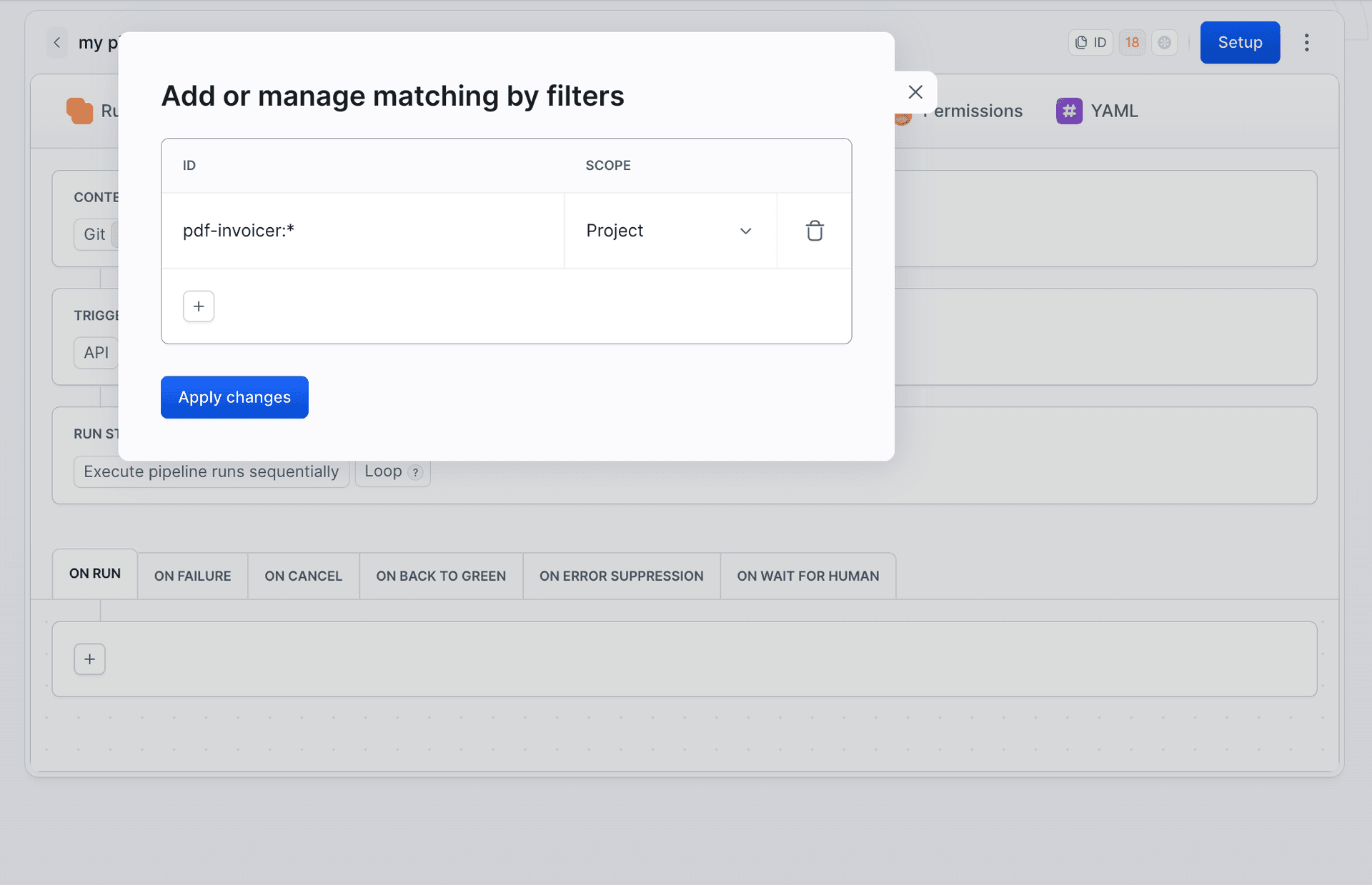
'*'. Add or manage matching filters - opens a modal where you define patterns instead of picking specific versions:
- ID - an artifact identifier pattern in the
name:versionformat with wildcards, e.g.pdf-invoicer:v*matches every version ofpdf-invoicerstarting withv. - Scope - where the artifact lives: Any, Workspace, Project, or Environment.
Image loading...
- ID - an artifact identifier pattern in the
Specific artifacts, All artifacts, and matching filters can be combined in a single trigger. Each artifact event type (Created, Published, Deleted) is a separate trigger with its own filters.
YAML
The event types are CREATE_ARTIFACT_VERSION, PUBLISH_ARTIFACT_VERSION, and DELETE_ARTIFACT_VERSION. The artifacts list accepts '*' for all artifacts, specific name:version identifiers, and objects with identifier and scope:
yaml- pipeline: "Release notification"
  refs:
    - "refs/heads/master"
  events:
    - type: "PUBLISH_ARTIFACT_VERSION"
      artifacts:
        - "*"
        - identifier: "pdf-invoicer:v*"
          scope: "PROJECT"
  actions:
    - action: "Announce release"
      type: "BUILD"
      docker_image_name: "library/ubuntu"
      docker_image_tag: "22.04"
      commands: |-
        echo "New release of pdf-invoicer is ready"
scope takes ANY, WORKSPACE, PROJECT, or ENVIRONMENT. This pipeline removes a deployed image whenever one of its versions is deleted from the workspace:
yaml- pipeline: "Clean up removed image"
  refs:
    - "*"
  events:
    - type: "DELETE_ARTIFACT_VERSION"
      artifacts:
        - identifier: "api-image:*"
          scope: "WORKSPACE"
  actions:
    - action: "Remove image from server"
      type: "SSH_COMMAND"
      target: "prod-server"
      commands:
        - "docker image prune -af"
See also
Last modified on Sep 22, 2026