Submodules
Sometimes you may want to use an external project from within your main repository, e.g. a library which generates code in your web app. Git addresses this issue with submodules that allow you to deploy changes from both main and external repositories.
Repository
The repository is cloned to the filesystem on two occasions:
- during the first pipeline run
- on the first run after clearing the pipeline's cache
Info
Any other run only fetches the latest changes.
Supported protocols
If you use submodules in your project, Buddy will fetch them alongside the main repository. Currently, the following protocols are supported:
- HTTPS protocol
- SSH protocol – upon authorizing the Buddy Key
Warning
For HTTPS submodules, make sure that the submodule is a repository within the same integration, or it will not work. In other words, if your repository is hosted on GitHub, you can only use repositories from the currently synchronized GitHub account.
Enabling submodules
By default, submodule deployments are disabled in Buddy. To enable them:
- Go to Project Settings in the left column.
- Scroll down to the OPTIONS section.
- Select the Fetch submodules defined in .gitmodules during the pipeline run option.
- (Optional) Select an SSH key from the SSH KEY FOR SUBMODULE AUTHENTICATION dropdown if your submodules require authentication.
Image loading...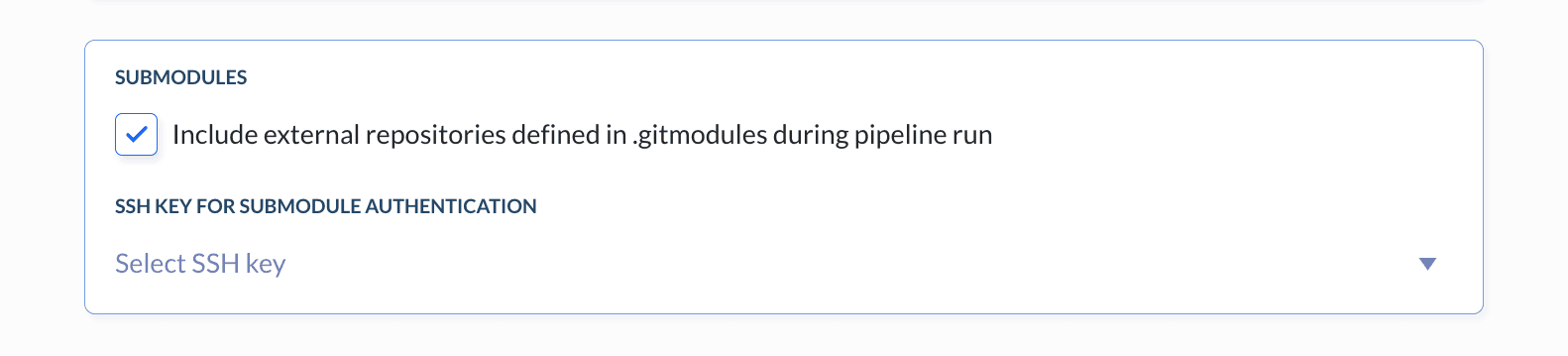
Info
If your submodules use SSH protocol and require authentication, you need to select an SSH key. You can use Buddy's public key or create your own private SSH key in Variables, Keys & Assets.
Last modified on Apr 22, 2026