Email Trigger
Email trigger lets you run pipelines by simply sending an email. No API calls, no complex setup - just send an email and your pipeline starts.
Why Use Email Triggers?
Perfect for scenarios where you need to trigger deployments from external systems, mobile devices, or when you want to give team members the ability to start pipelines. You can also include parameters directly in the email address to customize the run.
Configuring Email in Pipeline
To configure an email trigger in Pipeline, go to the Workflow tab when creating a new pipeline.
In the TRIGGERS section, click the + icon, then select Email from the dropdown menu.
Image loading...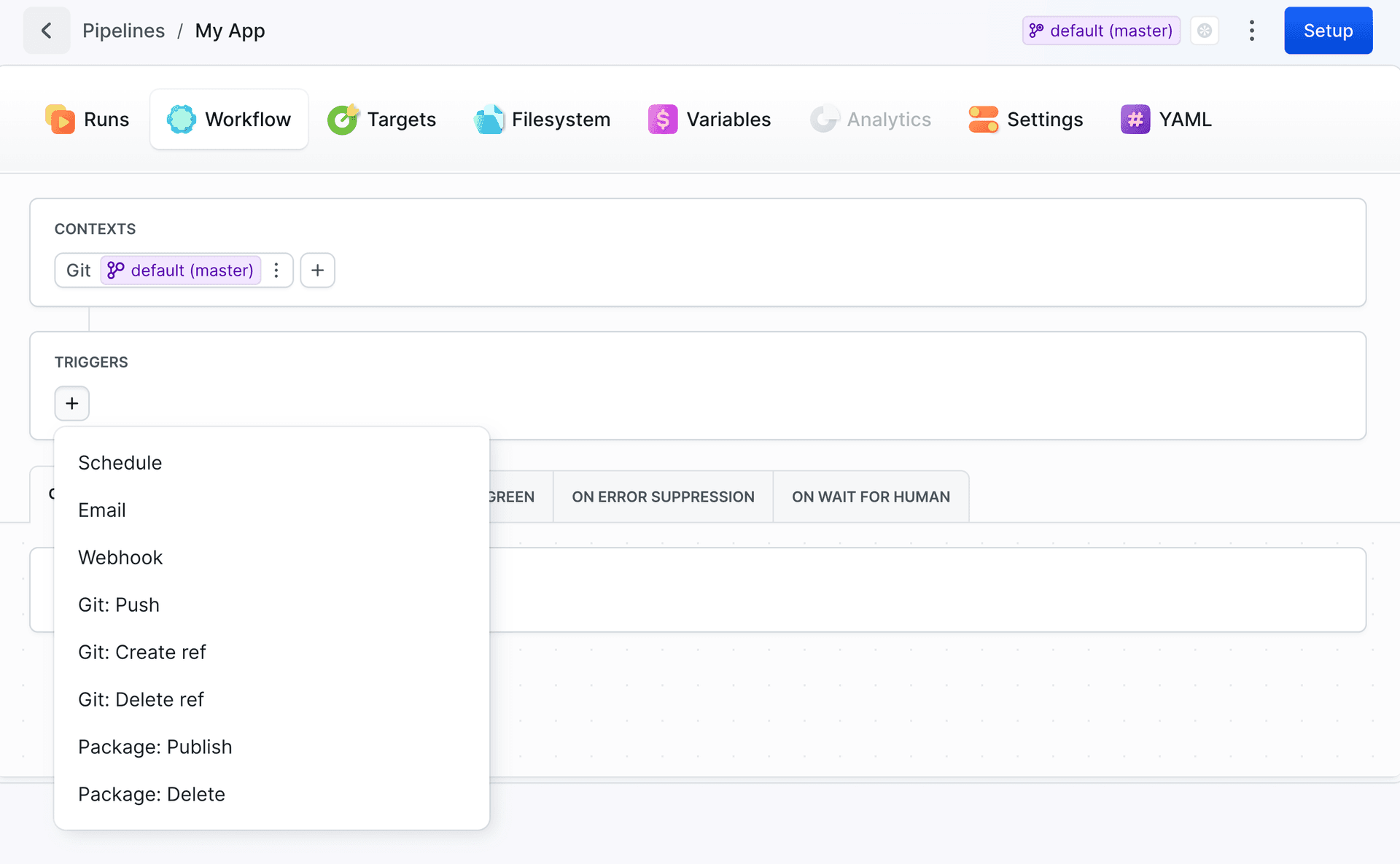
After selecting the email trigger, in the Settings tab you can configure basic email settings:
Image loading...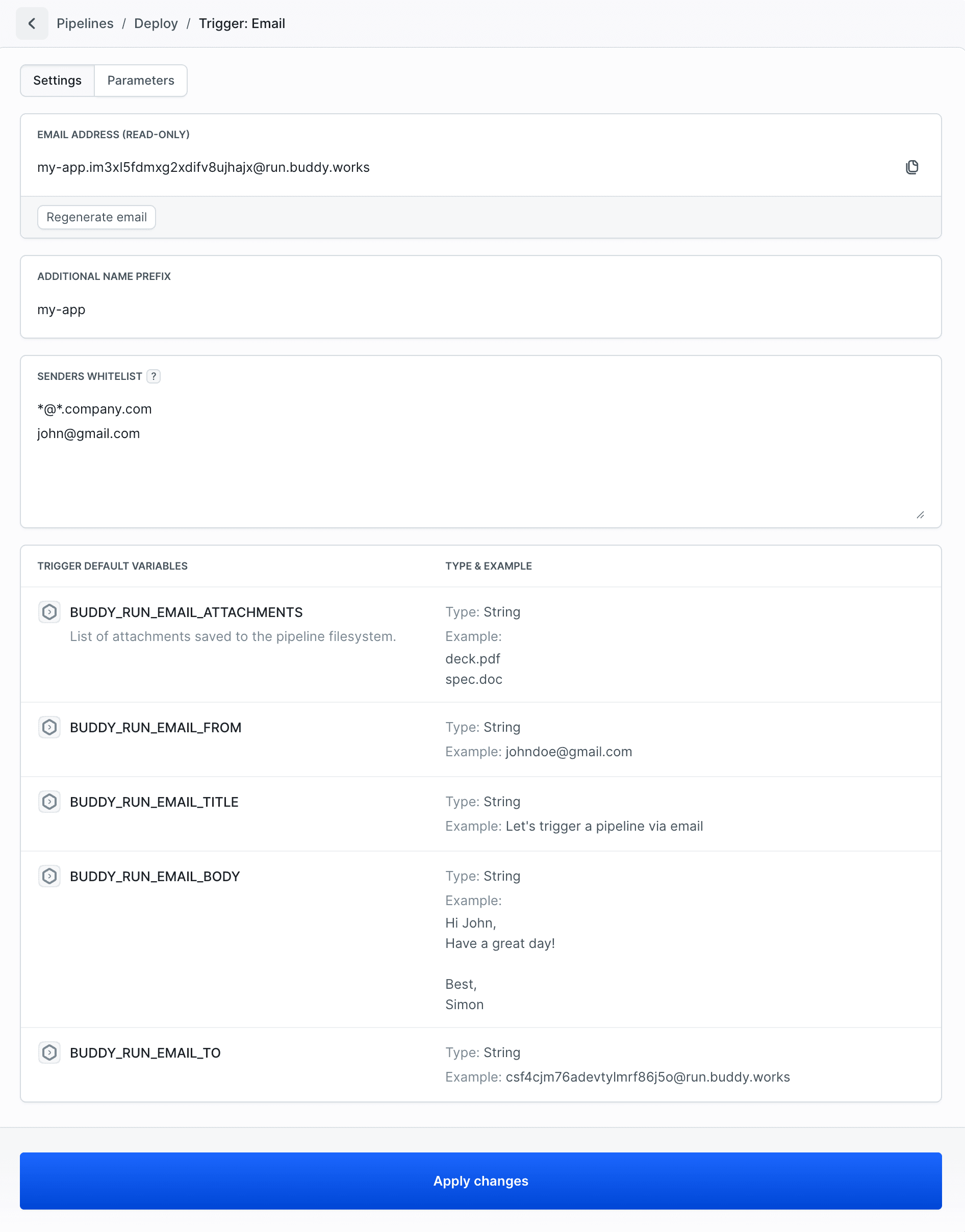
- Email Address - Each email trigger is assigned a unique email address that serves as the entry point for triggering pipeline runs. This address is automatically generated.
Additional Name Prefix - optional prefix that will be added to the generated email address.
Senders Whitelist - optional list of email addresses or domains that are allowed to trigger the pipeline. Supported formats:
john@buddy.works- specific email addressbuddy.works- entire domain*@*.buddy.works- wildcard pattern for subdomains
Email Parameters
Image loading...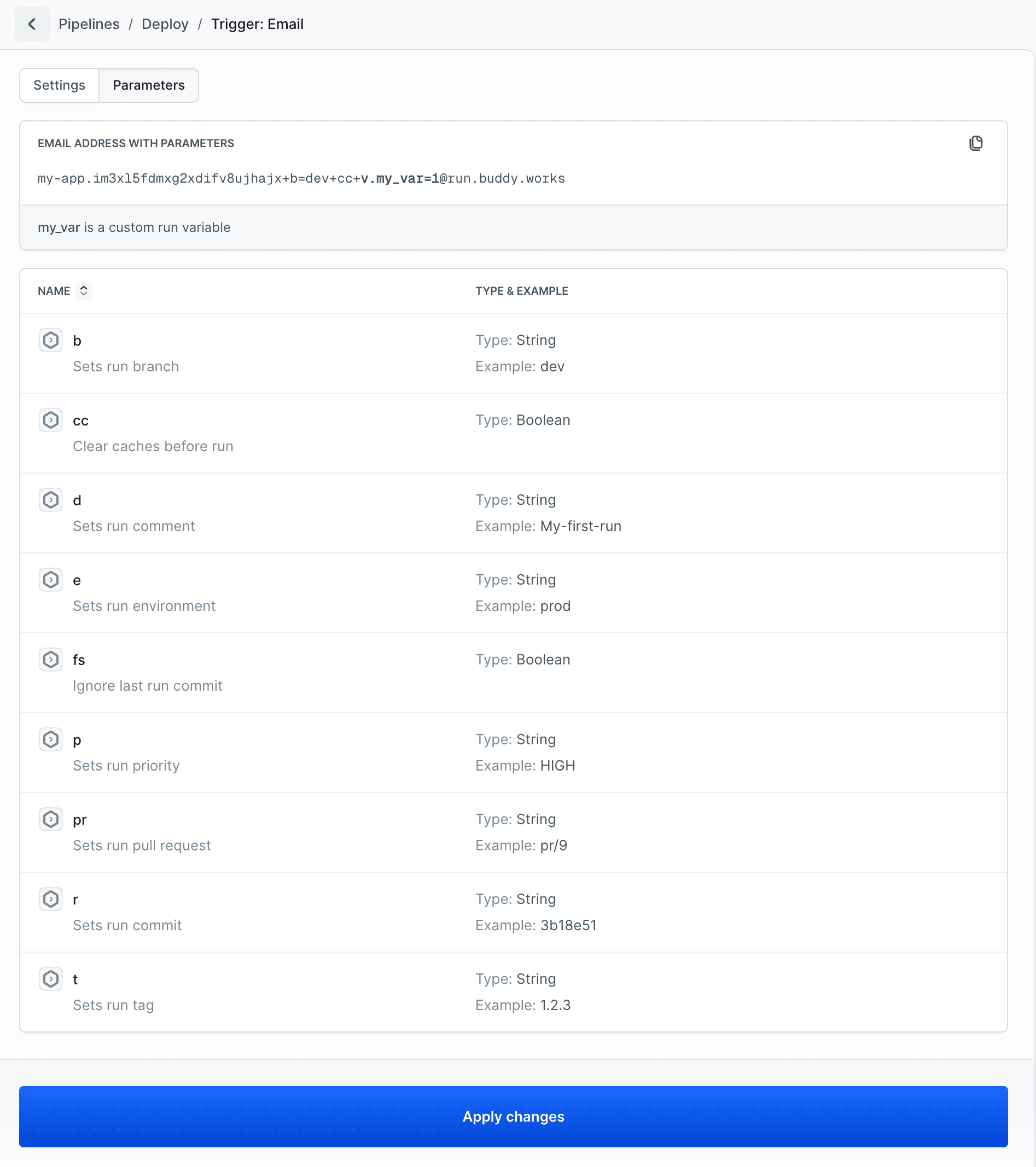
Email address with parameters
hs0bpmw50el3pvk4kcrqennl+b=dev+cc+d=desc+v.my_var=1@run.buddy.works
| Parameter | Type and Example |
|---|---|
b Sets run branch | Type: String Example: master |
cc Clears cache before run | Type: Boolean Example: true |
d Sets run comment | Type: String Example: My_first_email_run |
e Sets run environment | Type: String Example: my-env |
fs Ignores last run commit | Type: Boolean Example: true |
p Sets run priority | Type: String Example: HIGH |
pr Sets run pull request | Type: String Example: pr/12 |
r Sets run commit | Type: String Example: b9e511d1287e2e11015ef4191f4917c14c79301c |
t Sets run tag | Type: String Example: 1.2.3 |
v.my_var Sets run variable | Type: String Example: my_value |
Usage Examples
Basic Email Trigger
Send an email to the configured email address to trigger the pipeline:
To: hs0bpmw50el3pvk4kcrqennl@run.buddy.works
Subject: Deploy to production
Body: Please deploy the latest changes to production environment.
Email with Parameters
Include parameters in the email address to customize the pipeline run:
To: rocket.hs0bpmw50el3pvk4kcrqennl+b=master+p=HIGH+d=Deploying_latest_changes+v.deployment_type=hotfix@run.buddy.works
Subject: Deploy to production
Body: Please deploy the latest changes to production environment.
Prefix info:
rocket.- custom prefix added to the email address
Parameter explanation:
b=master- set branch to masterp=HIGH- set priority to HIGHd=Deploying_latest_changes- set commentv.deployment_type=hotfix- set custom variabledeployment_type
Email with Attachments
Attach files to the email - they will be available in the pipeline filesystem:
To: hs0bpmw50el3pvk4kcrqennl@run.buddy.works
Subject: Deploy with configuration
Body: Please deploy with the attached configuration file.
Attachments: `config.json`, `client-icon.png`
Additional Resources:
- Event schema - YAML event schema documentation
- API Create Pipeline - API event schema documentation
- Pipeline Filesystem - Learn about artifacts and file storage
FAQ
How to trigger Buddy pipeline via email?
Send an email to the configured email address. Include parameters in the address (e.g., hs0bpmw50el3pvk4kcrqennl+b=dev+cc+d=Deploying_latest_changes@run.buddy.works) to customize the pipeline run.
How to secure email triggers in Buddy?
Configure the Senders Whitelist to restrict which email addresses can trigger the pipeline. You can whitelist specific emails, domains, or use wildcard patterns.
Can I use email attachments in the pipeline?
Yes, attachments are automatically saved in the pipeline filesystem and remain available between runs until the cache is cleared.
What if my email doesn't trigger the pipeline?
Check that you're using the correct email address, your sender is in the whitelist, the pipeline is active, and you have permission to run it. Also verify that the pipeline has commits available to run.
Last modified on Apr 22, 2026