Pipeline notes for teams and AI agents
You open a pipeline. Its name suggests one thing, but the actions alone do not tell you whether it deploys to production, follows additional constraints, or actually serves a different purpose. It might be a test environment URL, the required command order before a build, or a warning not to retry a failed deployment.
Pipeline notes in Buddy keep this context directly on the pipeline. The note field is for teammates, while agent_note provides instructions for AI agents. Both fields are part of the pipeline definition, so you can manage them in the dashboard, read or update them through the Buddy API, or store them in YAML in your repository.
Image loading...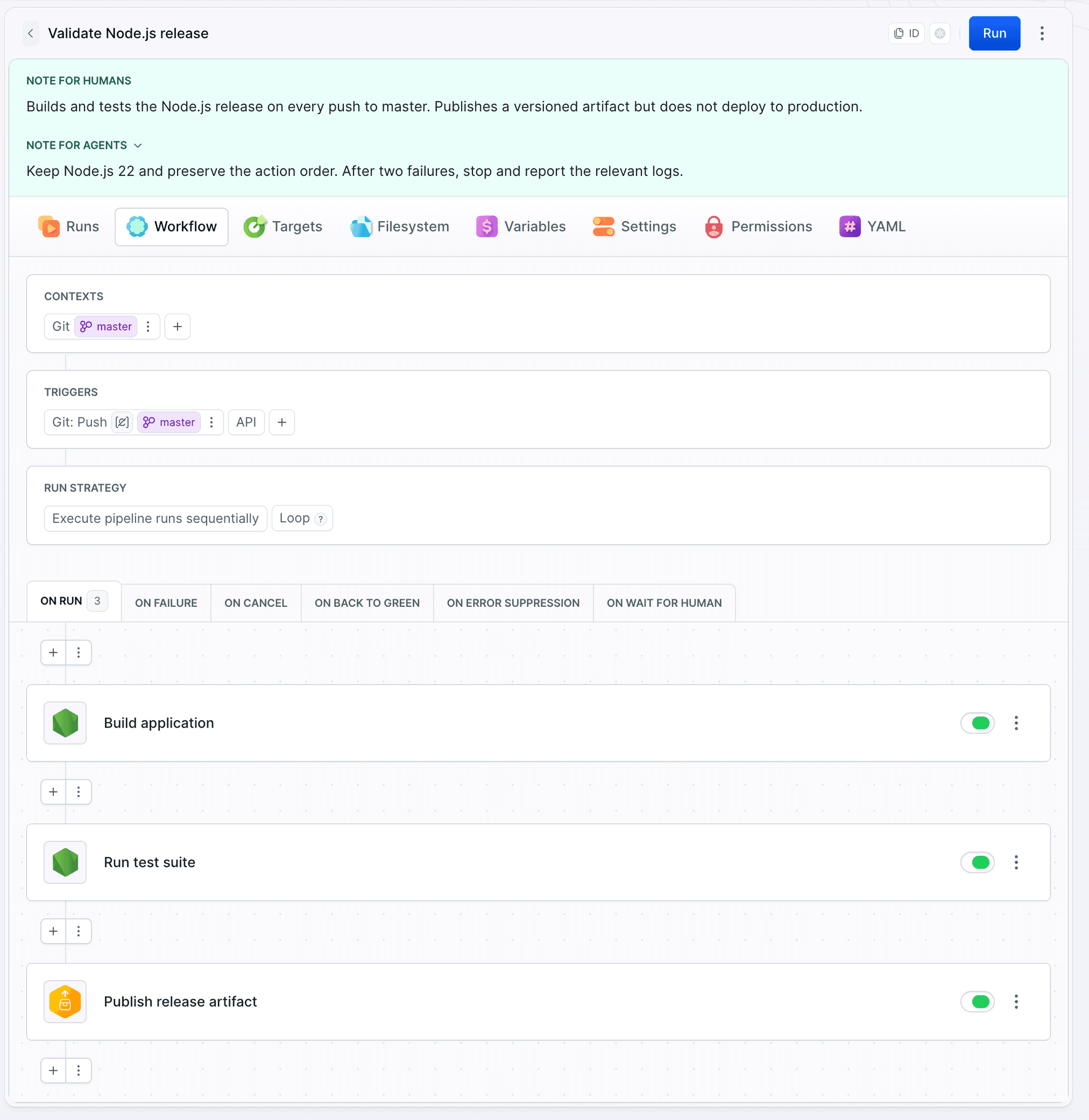
Choose the right note
- Note for humans gives teammates the context they need to understand and operate the pipeline.
- Note for agents provides operational instructions that AI agents should follow before working with the pipeline.
Add a note in the dashboard
To add a note, open the pipeline, expand the menu in the upper-right corner, and select Add note.
Image loading...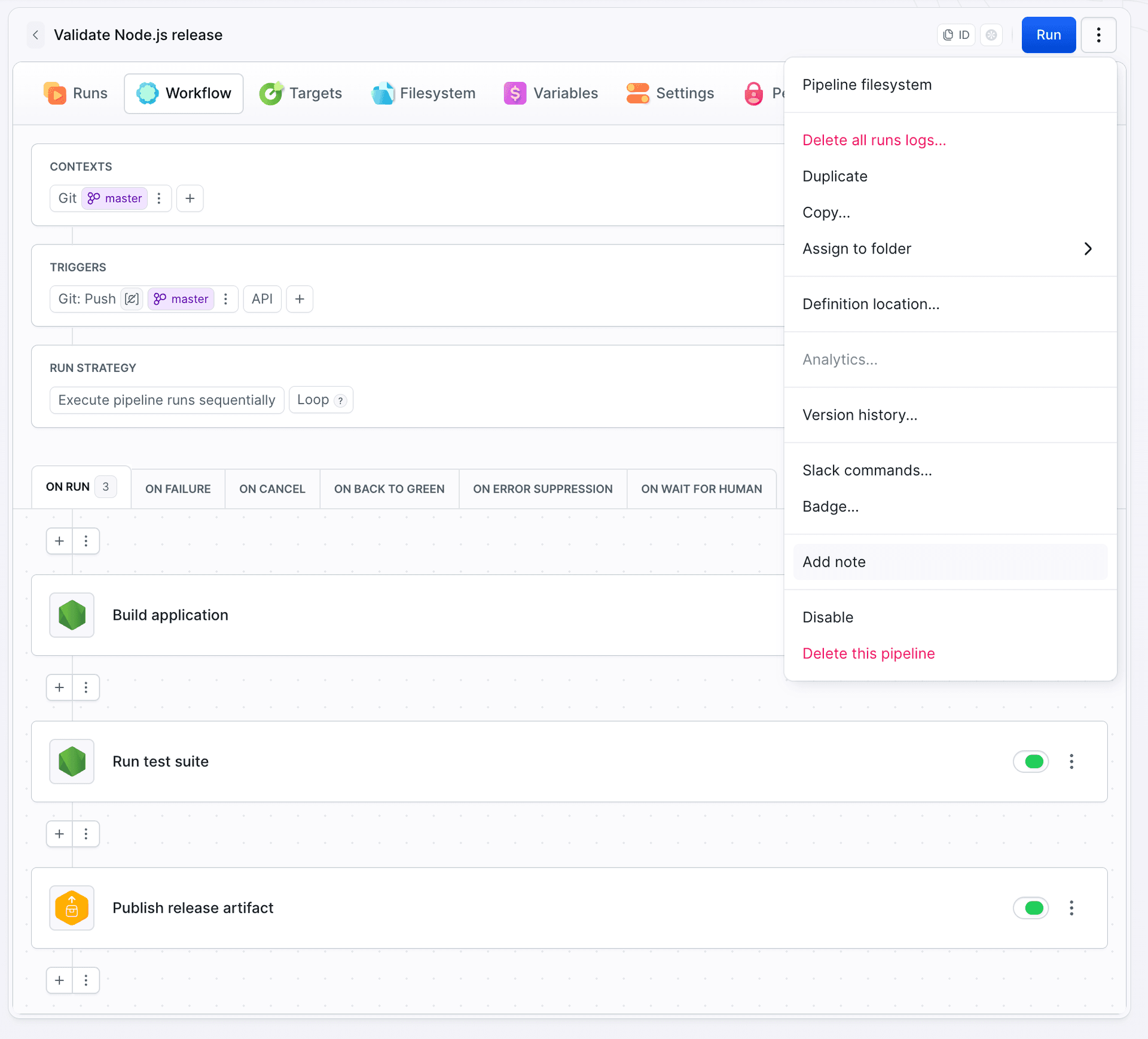
Fill in Note for humans, Note for agents, or both fields. Then click Add note.
Once saved, the notes appear above the pipeline tabs. The instructions are visible before anyone starts a run or changes the configuration.
Edit pipeline notes
You can update saved instructions at any time. Expand the pipeline menu, select Edit note, make your changes, and click Save changes.
Image loading...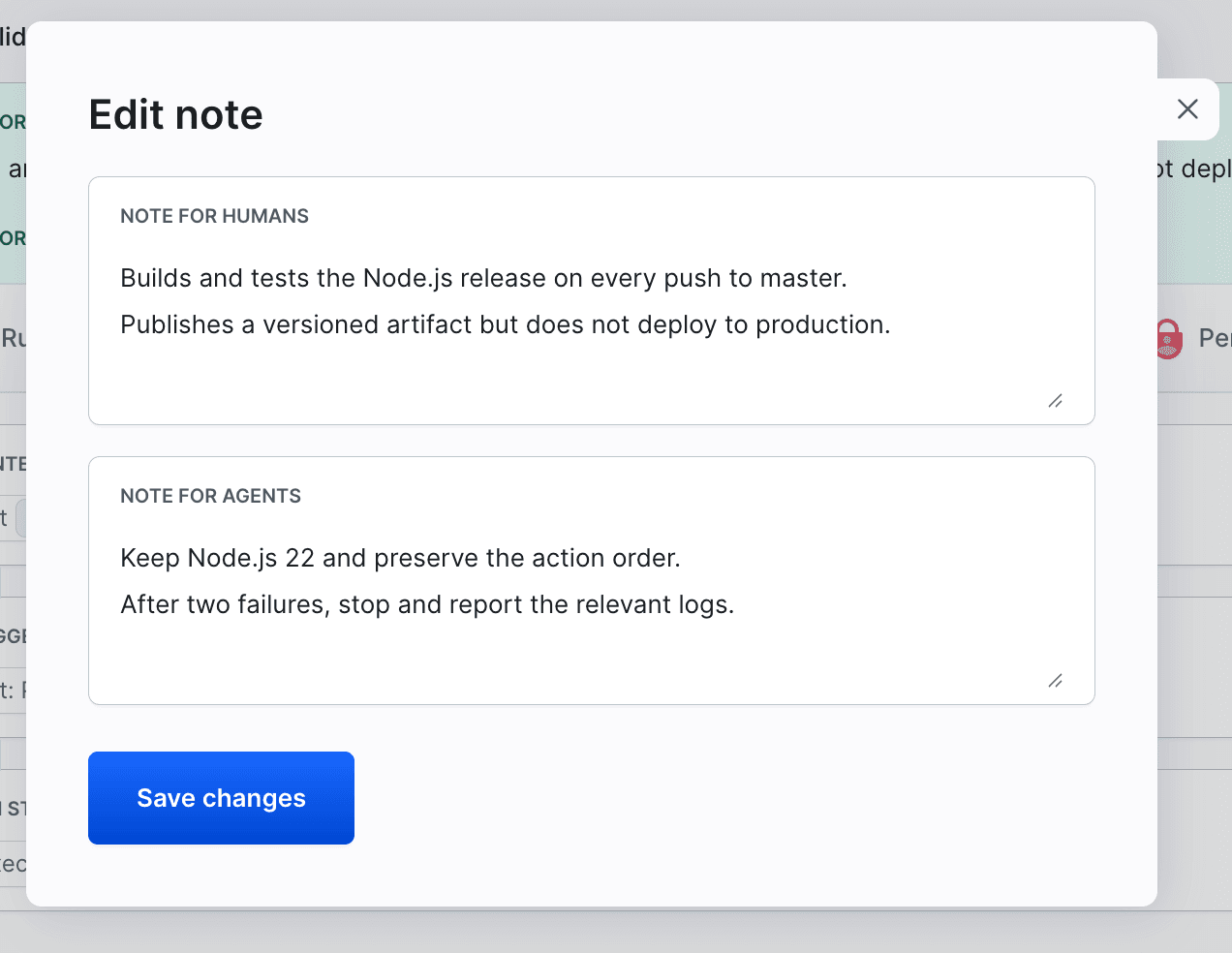
Configure pipeline notes in YAML
In a YAML definition, add the note and agent_note fields at the pipeline level:
yaml- pipeline: validate-node-release
  name: Validate Node.js release
  refs:
  - refs/heads/main
  events:
  - type: PUSH
    refs:
    - refs/heads/main
  note: |
    Builds and tests the Node.js release on every push to main.
    Publishes a versioned artifact but does not deploy to production.
  agent_note: |
    Keep Node.js 22 and preserve the action order.
    After two failures, stop and report the relevant logs.
  actions:
  - action: Build application
    type: BUILD
    working_directory: /buddy/git-repo
    commands: |-
      npm ci
      npm run build
    shell: BASH
    docker_image_name: library/node
    docker_image_tag: "22"
  - action: Run test suite
    type: BUILD
    working_directory: /buddy/git-repo
    commands: npm test
    shell: BASH
    docker_image_name: library/node
    docker_image_tag: "22"
  - action: Publish release artifact
    type: PUBLISH_ARTIFACT_VERSION
    local_path: /
    remote_path: /
    deployment_excludes:
    - node_modules/
    - coverage/
    - tests/
    - .env
    - .env.local
    input_type: BUILD_ARTIFACTS
    versions:
    - 1.0.0
    artifact: my-artifact-bundle
What to include in pipeline notes
- commands required before a build or deployment
- branch, environment, or sandbox constraints
- which logs and artifacts to check first
- conditions that require a human decision
- instructions not to automatically retry operations that may modify data
The same fields are available on other Buddy resources, including targets, sandboxes, and variables. If you run AI agents as actions, see Running AI agents in Buddy pipelines.
Related documentation
Last modified on Sep 9, 2026