Passing variables
Actions
- The first action builds the application and saves the log output to
logs.txt:
Image loading...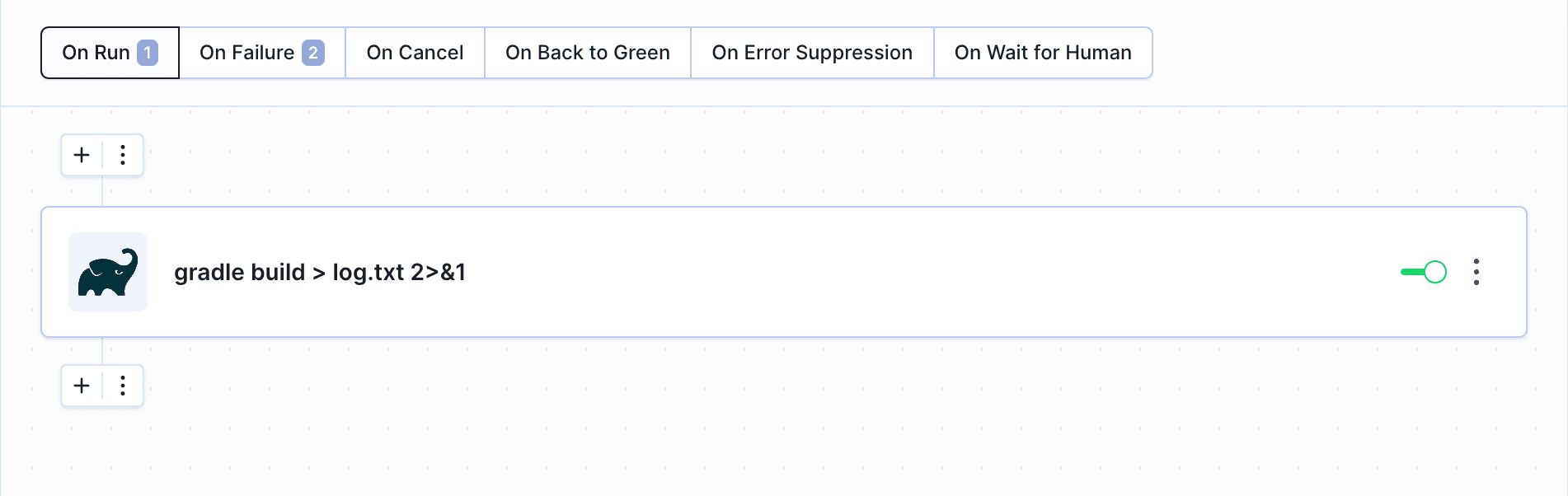
- In case the build fails, the Local Shell action assigns the content of
logs.txtto a variable usingexport LOGS=$(cat logs.txt). The logs are then sent to a Slack channel with$LOGSas the message content:
Image loading...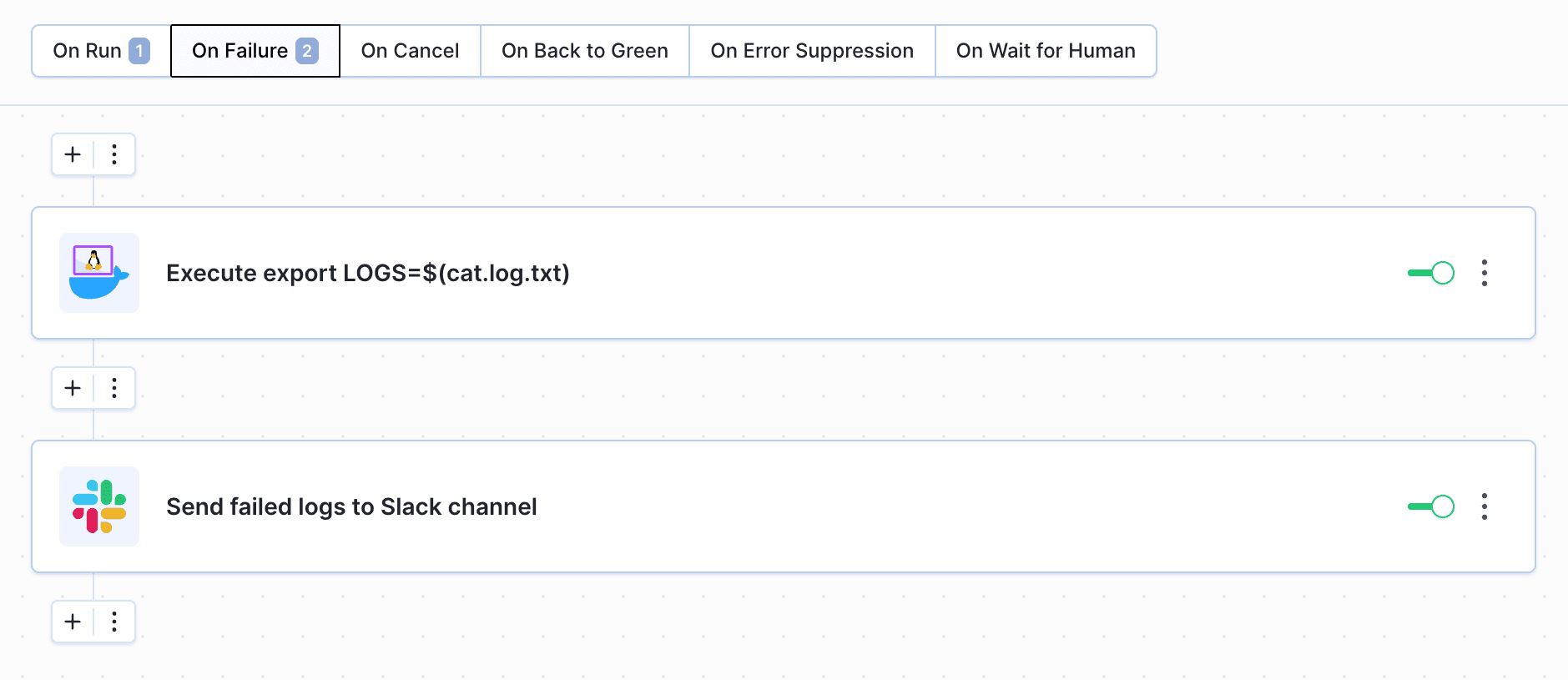
$BUDDY_FAILED_ACTION_LOGS instead of exporting the logs to a file manually.
Pipeline runs
You can pass the values of variables between pipeline runs as well. The values can be saved in one run and then used in another one, e.g. you can set a variable with the version type and increment it in every run.
Pipelines
You can pass a variable between pipelines using the Trigger pipeline action:
- Go to the Variables tab in the action details.
- Define the name of the variable and the value to pass:
Image loading...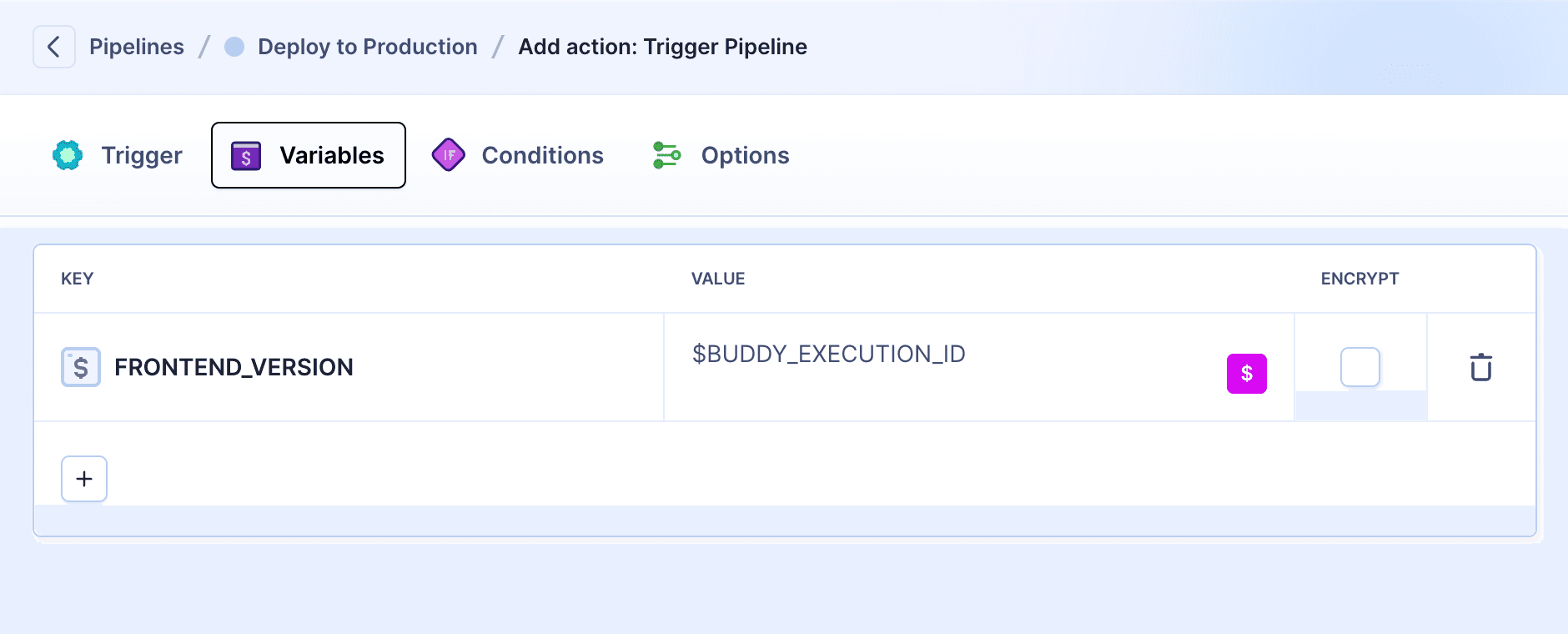
Resetting
To reset settable variables between pipeline runs, you can add an action with a command that will clear the value of the variable (preferably at the beginning or at the end of the pipeline):
bashexport mySettableEnv=$
Image loading...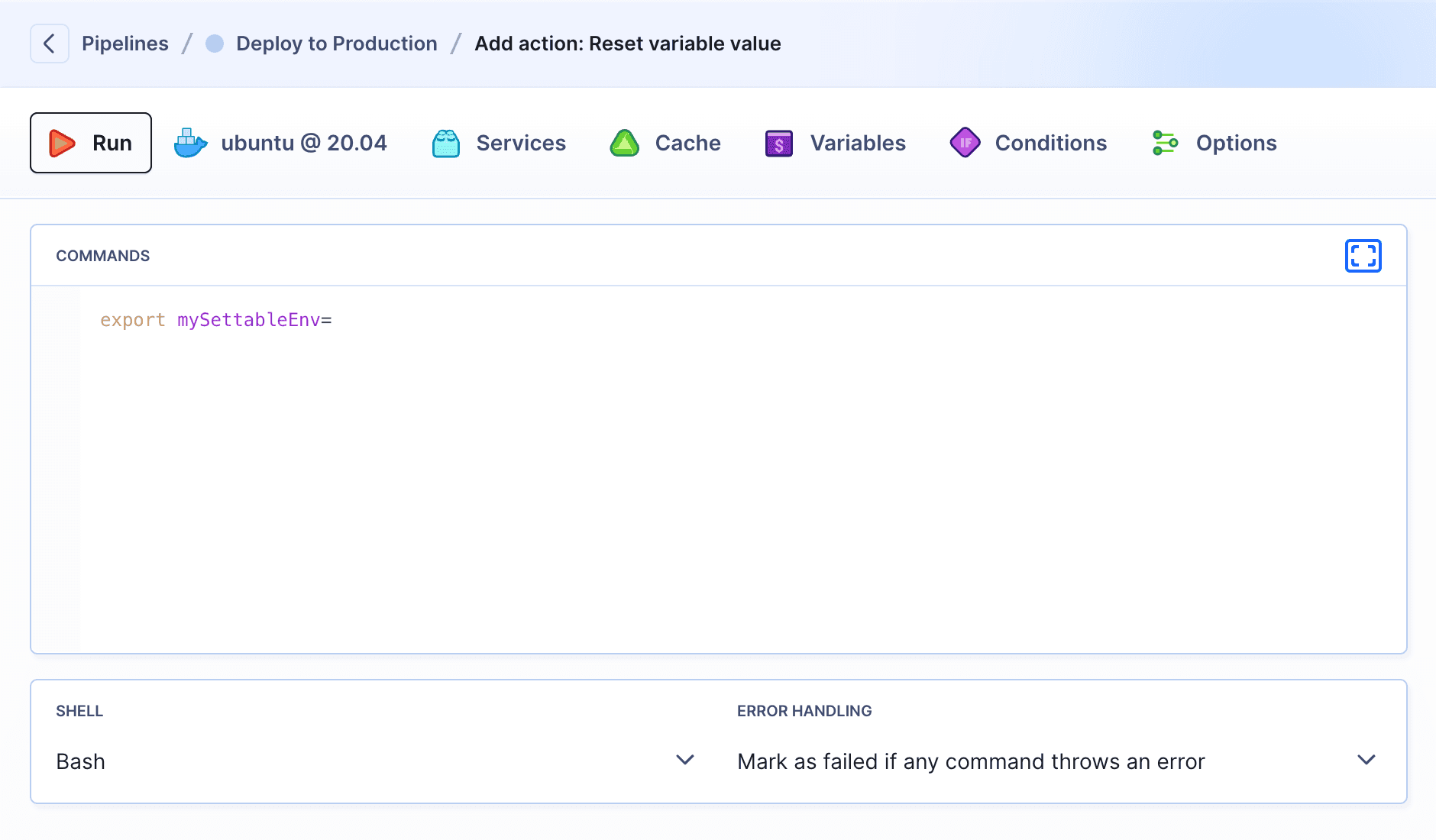
On pipeline start
You can parameterize your run using the Pass arguments action. It will pause the pipeline and wait for your input to proceed:
Image loading...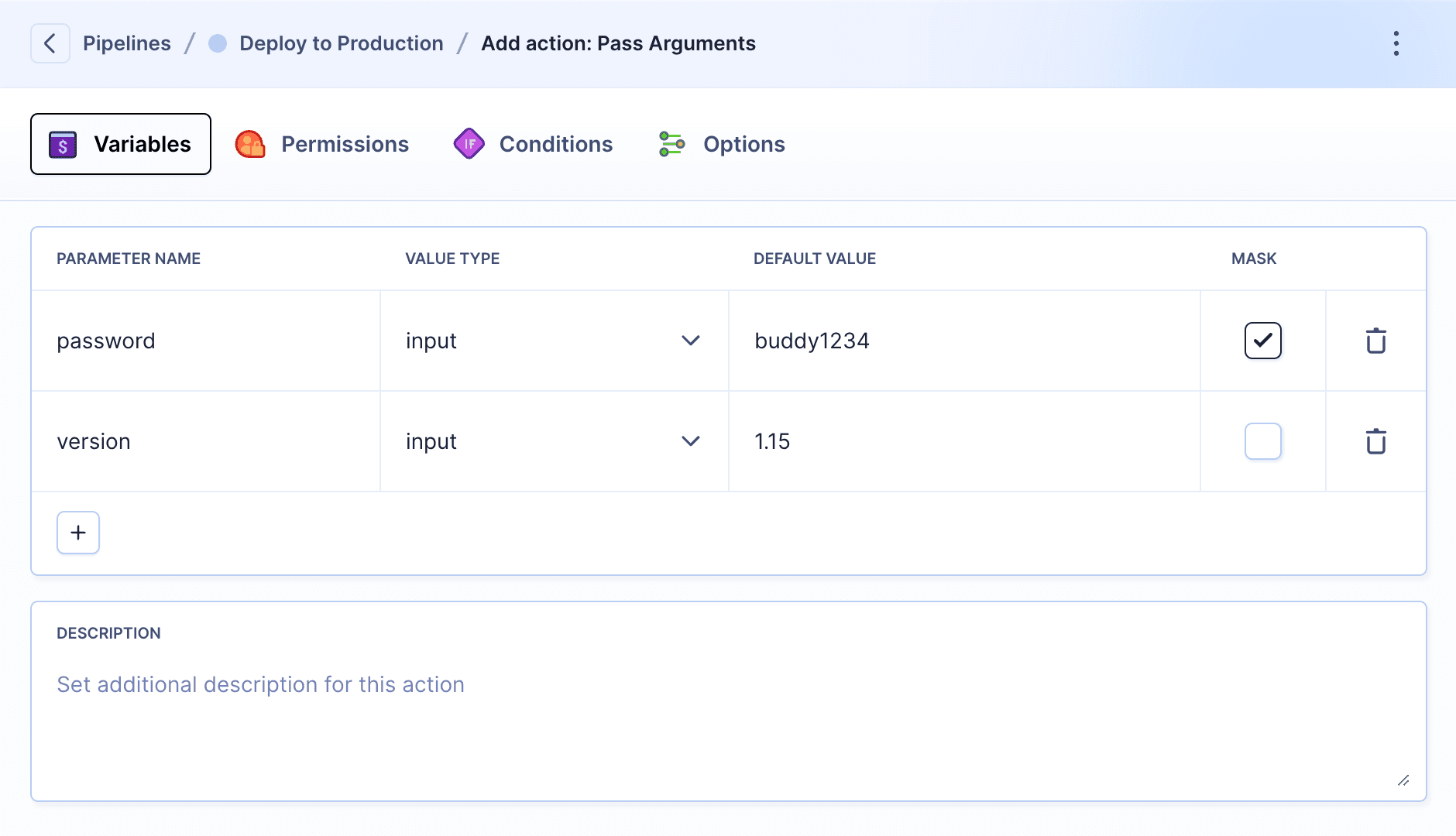
Output variables
In build, SSH, Sandbox, and PowerShell actions, you can create variables with the OUTPUT_* prefix. These variables are automatically exported from the container and become available to subsequent actions in the pipeline.
bashexport OUTPUT_VERSION="1.2.3" export OUTPUT_STATUS="ok"$$
When configuring a later action, variables and files exported by previous actions are available in the action setup and autocomplete.
Example – passing version numbers and statuses between steps:
yaml- pipeline: example_action_outputs
  name: Example – Action outputs (export)
  refs:
  - refs/heads/main
  events:
  - type: PUSH
  fail_on_prepare_env_warning: true
  actions:
  - action: Build App
    type: BUILD
    docker_image_name: buddy/localshell
    docker_image_tag: ubuntu_24.04
    commands:
    - VERSION=$(date +'%Y.%m.%d')-build-$BUDDY_RUN_ID
    - ./build.sh --version "$VERSION"
    - export OUTPUT_APP_VERSION="$VERSION"
    shell: BASH
  - action: Run tests
    type: BUILD
    docker_image_name: buddy/localshell
    docker_image_tag: ubuntu_24.04
    commands:
    - ./run-tests.sh --version "$OUTPUT_APP_VERSION"
    - ' export OUTPUT_TEST_STATUS="passed"'
    shell: BASH
  - action: Deploy
    type: BUILD
    docker_image_name: buddy/localshell
    docker_image_tag: ubuntu_24.04
    commands:
    - ./deploy.sh --version "$OUTPUT_APP_VERSION"
    - export OUTPUT_DEPLOY_ENV="staging"
    shell: BASH
Image loading...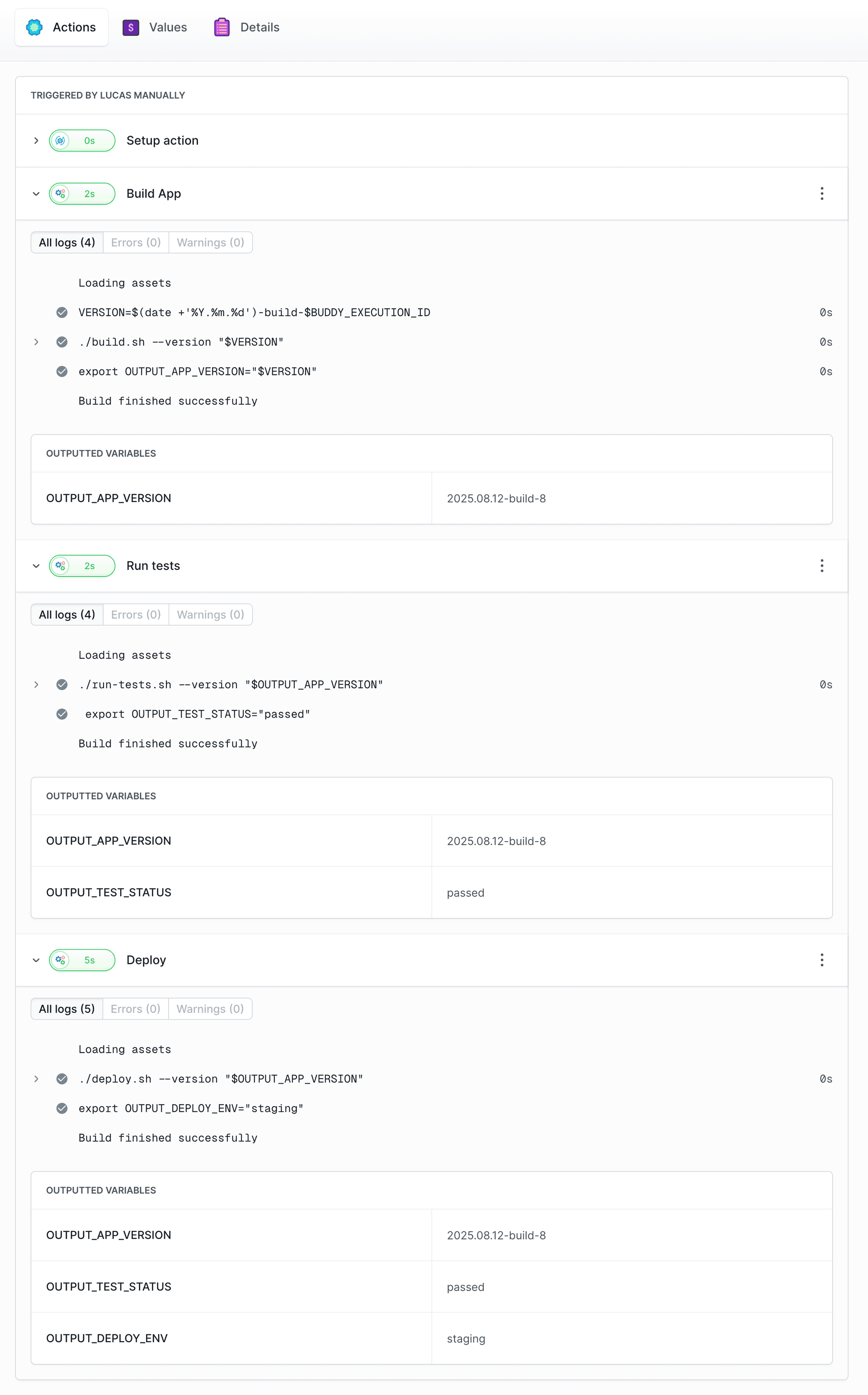
How it works:
- Build App generates a version and exports OUTPUT_APP_VERSION (visible in the “Output Variables” section).
- Run tests uses this version and adds OUTPUT_TEST_STATUS (both variables are now available).
- Deploy uses the version and adds OUTPUT_DEPLOY_ENV (all three variables are now available).
Each action can see all previously exported variables in the “Output Variables” section and use them in its commands.
Action output files
Actions that produce report files, such as AI agent and test actions, expose their paths as output variables so subsequent actions can read or publish them:
..._OUTPUT_FILE- the first report file produced by the action...._OUTPUT_FILES- all report files produced by the action.
Both are exposed once per action, under the action's own prefix (for example BUDDY_ACTION_CURSOR_OUTPUT_FILE and BUDDY_ACTION_CURSOR_OUTPUT_FILES). Actions no longer publish indexed variants such as ..._OUTPUT_FILE_1 and ..._OUTPUT_FILE_2 - if a pipeline referenced those, switch it to the consolidated names above.
See AI agents in pipelines for a worked example of consuming an agent's report in a downstream action.
Exporting variables via $BUDDY_VAR
$BUDDY_VAR is an alternative to the OUTPUT_* prefix for passing values between actions in the same pipeline run. It points to a file. Each line appended in KEY=VALUE format is exported as a variable for subsequent actions.
bash# In action A: compute and export a value BUILD_ID=$(date +%s) echo "APP_BUILD_ID=$BUILD_ID" >> "$BUDDY_VAR"$$$
bash# In action B (later in the same pipeline run): use it echo "Deploying build $APP_BUILD_ID"$$
Keys must match ^[a-zA-Z_][a-zA-Z0-9_]*$ - Latin letters, digits, and underscores, not starting with a digit. Lines with an invalid key are skipped, and a message is written to the action logs:
Variable "X" was not exported - the key contains invalid characters. Only letters, digits, and underscores are allowed (e.g. TEST_VAR).
Variables exported this way live only within the current pipeline run. To persist values across runs or share them between pipelines, use settable variables.
Last modified on Oct 22, 2026