On sandbox event
Sandbox event triggers let you automate pipelines based on sandbox lifecycle events. When a sandbox is created, deleted, or times out, Buddy automatically runs all pipelines whose Sandbox Scope matches the sandbox.
There are three sandbox event types:
- Sandboxes Created - triggered when a new sandbox is created
- Sandboxes Deleted - triggered when a sandbox is deleted
- Sandboxes Timeout - triggered when a sandbox times out
Image loading...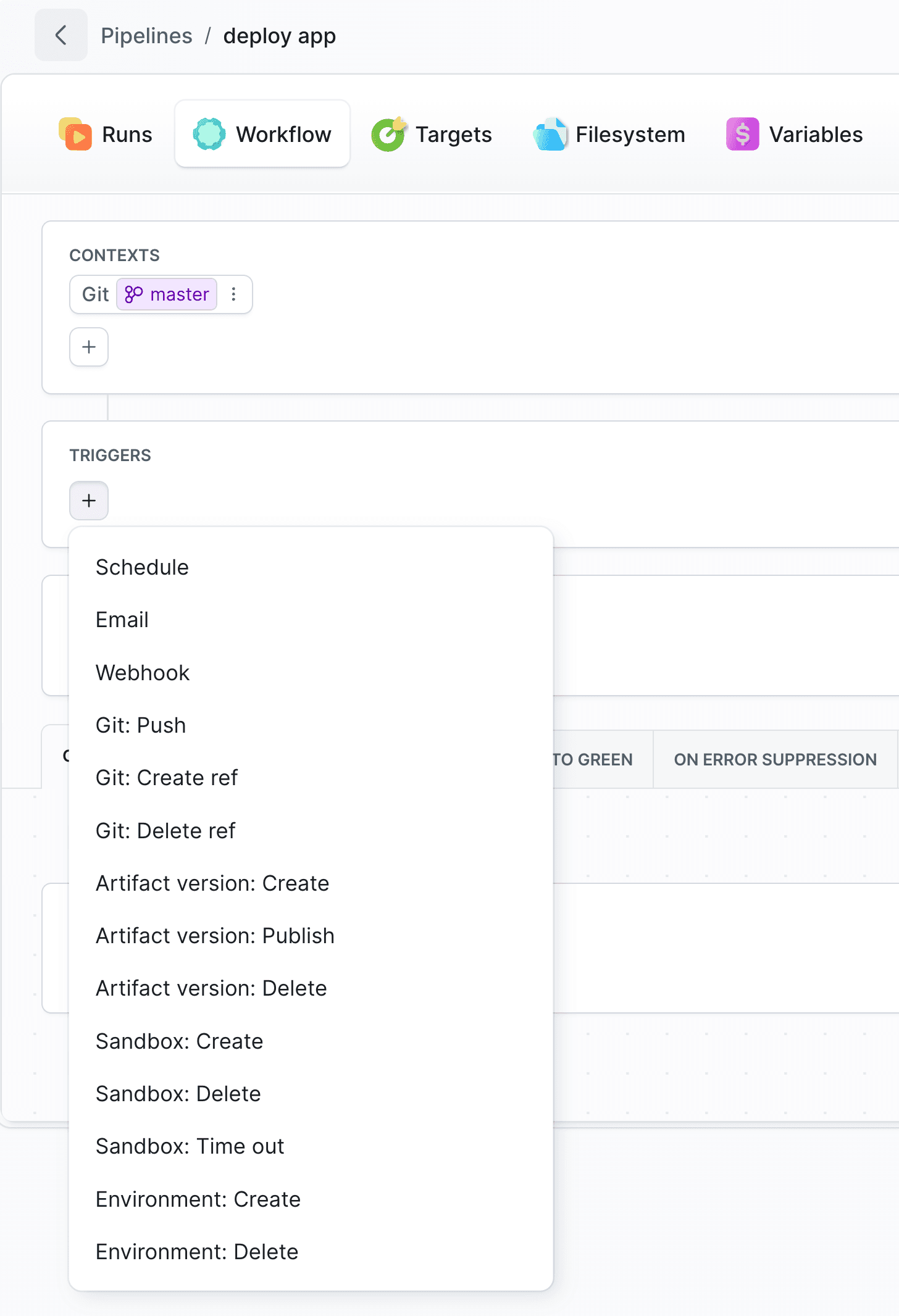
Configure trigger
- Open your pipeline and go to the Workflow tab.
- Click + in the Triggers section and select one of the sandbox events: Sandbox: Create, Sandbox: Delete, or Sandbox: Time out.
- Configure Sandbox Scope to control which sandboxes can start the pipeline.
- Click Save.
Sandbox Scope
Each sandbox trigger includes a Sandbox Scope section that controls which sandboxes can activate the pipeline. By default, the scope is set to ID: *, meaning the trigger fires for all sandboxes.
Click + to add a scope entry and choose between two modes:
- Sandbox - select one or more specific sandboxes from a searchable list of existing sandboxes in the workspace.
- Match by filters - define a filter manually using:
- ID - a sandbox identifier pattern that supports wildcards (e.g.,
my-sandbox-*). Leave empty or use*to match any sandbox. - Tags - one or more tags the sandbox must have.
- ID - a sandbox identifier pattern that supports wildcards (e.g.,
Multiple scope entries are evaluated with OR logic - the trigger fires if any entry matches the sandbox. All three event types (Create, Delete, Time out) use the same Sandbox Scope configuration.
Examples
ID: preview-*- matches all sandboxes whose name starts withpreview-Tags: staging- matches only sandboxes tagged asstagingID: *+Tags: production- matches all sandboxes, or only those taggedproduction(OR logic)
Info
Sandbox triggers are available when your workspace has at least one sandbox. See Sandboxes to learn how to create one.
See also
Last modified on Sep 22, 2026