Unit Tests Overview
Unit Tests in Buddy provide a comprehensive testing solution that gives you live results while the tests are running, eliminating the need to wait until the entire test suite has finished.
Benefits of Unit Tests in Buddy
- Get live results while tests are running - no need to wait for the entire run to finish
- No more parsing raw logs - results are displayed in a clean, organized interface
- Detect flaky and slow tests - automatic identification of problematic tests
- GitHub checks for every commit/PR - see test status directly in your pull requests
- Full test history - track test performance over time
- Run from anywhere - Buddy pipelines, GitHub Actions, or your local machine
Conceptual Flow
The hierarchy of Unit Tests in Buddy works as follows:
- Suite - You create a test suite in the project, which groups all your tests. Each suite has its own configuration (timeout, slow threshold, error patterns).
- Session - Each test run creates a new session. A session represents a single execution of the entire test suite at a specific moment (for example, after a commit, in a PR, or locally).
- Tests - Each session contains all the test cases that were executed. Every test case has its own status (passed/failed/skipped), execution time, and any associated errors.
- Analytics - Buddy analyzes all sessions and provides insights into test performance over time, identifies flaky tests, and displays trends and statistics.
Key Concepts
Suite
A test suite is a collection of test cases grouped together. Each suite has its own configuration, including error patterns, timeout settings, and slow-test thresholds.
Image loading...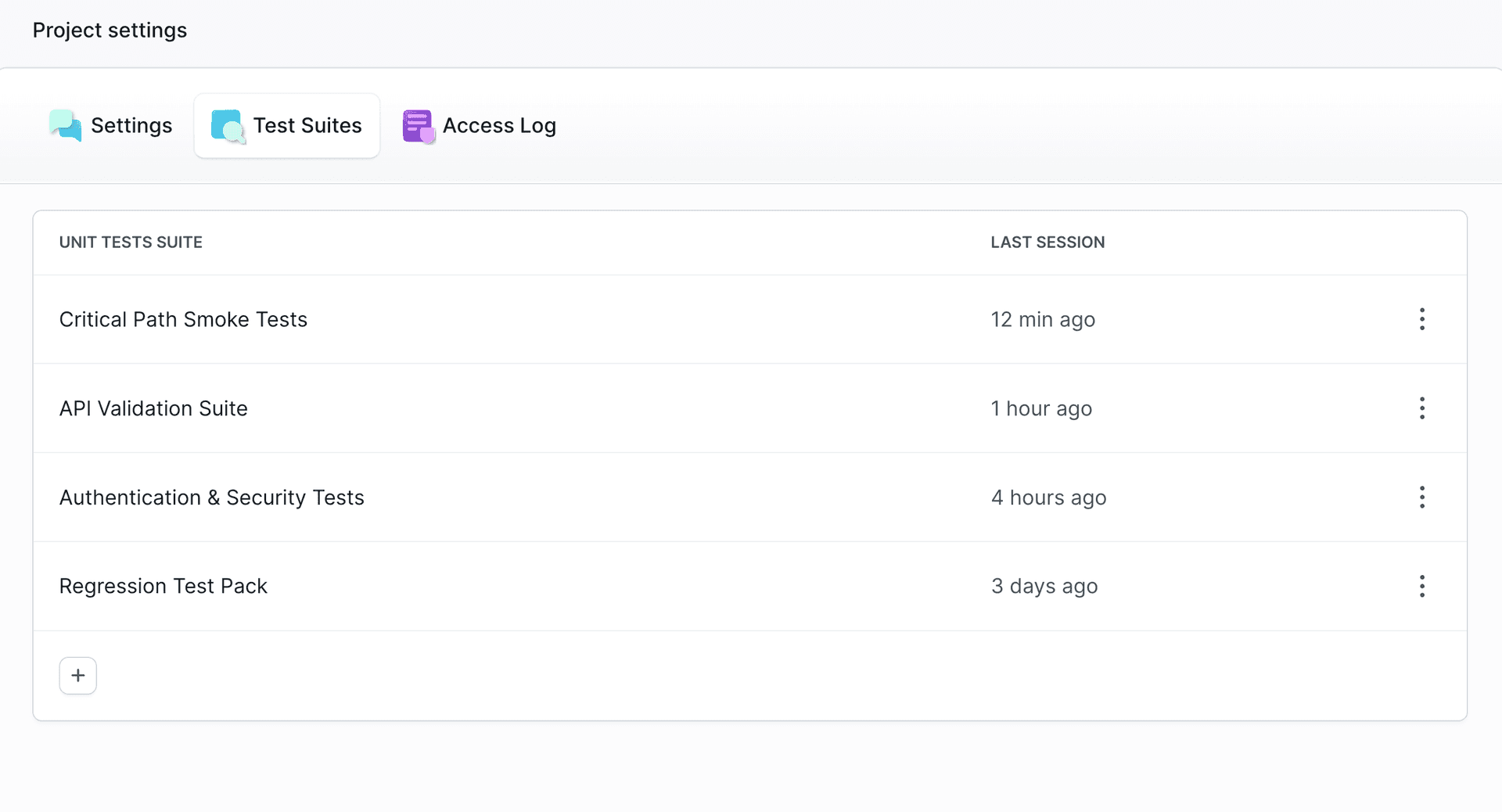
Session
Each test run creates a session. A session represents a single execution of your test suite and contains all test cases from that run along with their status (passed/failed/skipped), duration, and any errors.
Image loading...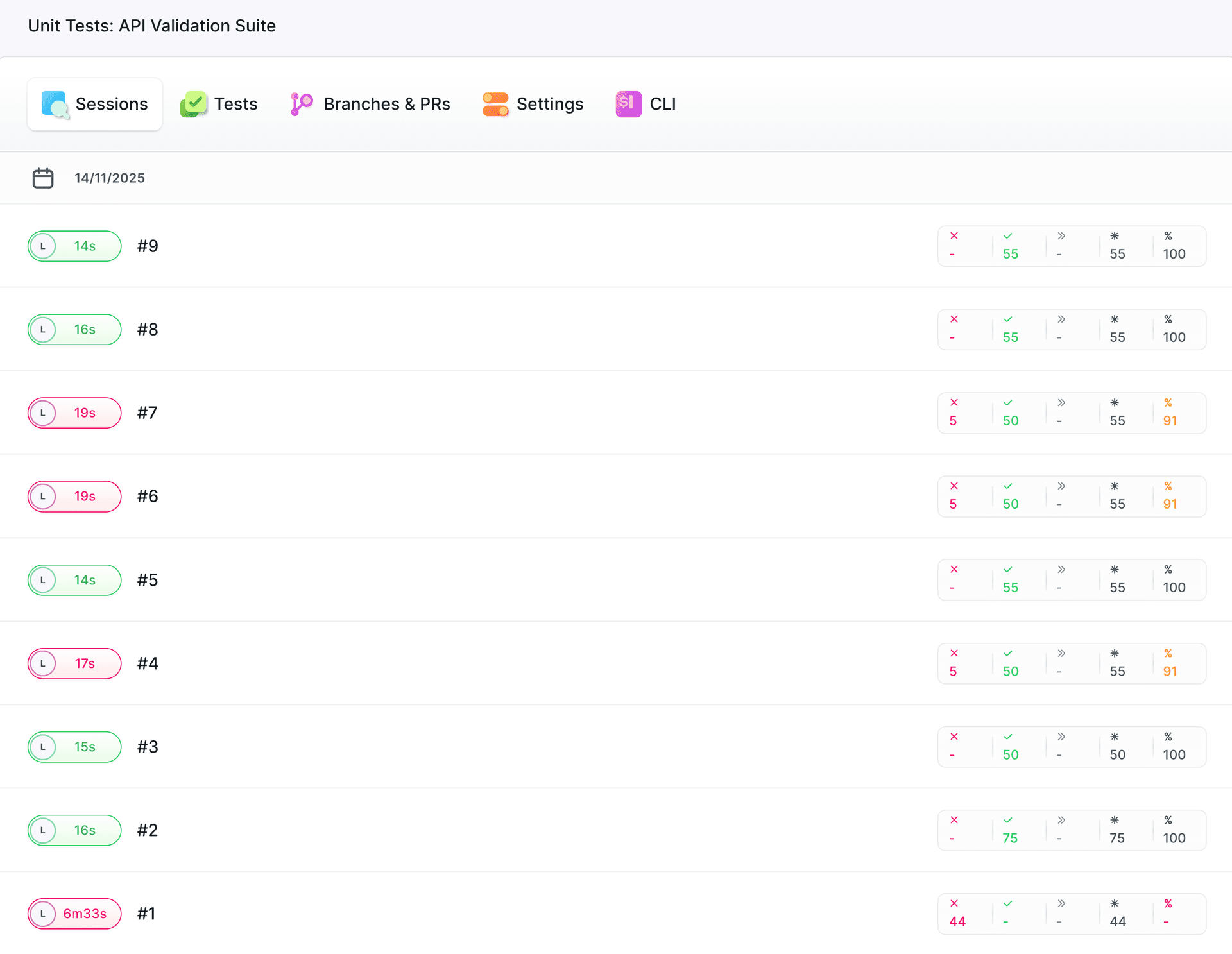
Test Case
Individual test cases within a session. Each test case has a status, duration, and optional error messages.
Flaky/Slow Detection
Buddy automatically identifies problematic tests, helping you maintain the reliability of your test suite:
- Flaky tests: Buddy analyzes the last 10 sessions. If a test changes its status 3 or more times (excluding skipped), it is marked as
Flaky. - Slow tests: Any test that exceeds the configured slow-test threshold is marked as
Slow.
Test groups
Tests are grouped not only as individual cases, but also based on a common path, class or suite. Test results reflect the actual project structure. Depending on frameworkd used, tests can be grouped by:
- Test file(path) - for example in JavaScript (Jest) tests
- Test class - common for Java (JUnit) or PHP (PHPUnit)
- Suite or logic block
Tests for the same file, class or suite are presented as a single logic group.
Image loading...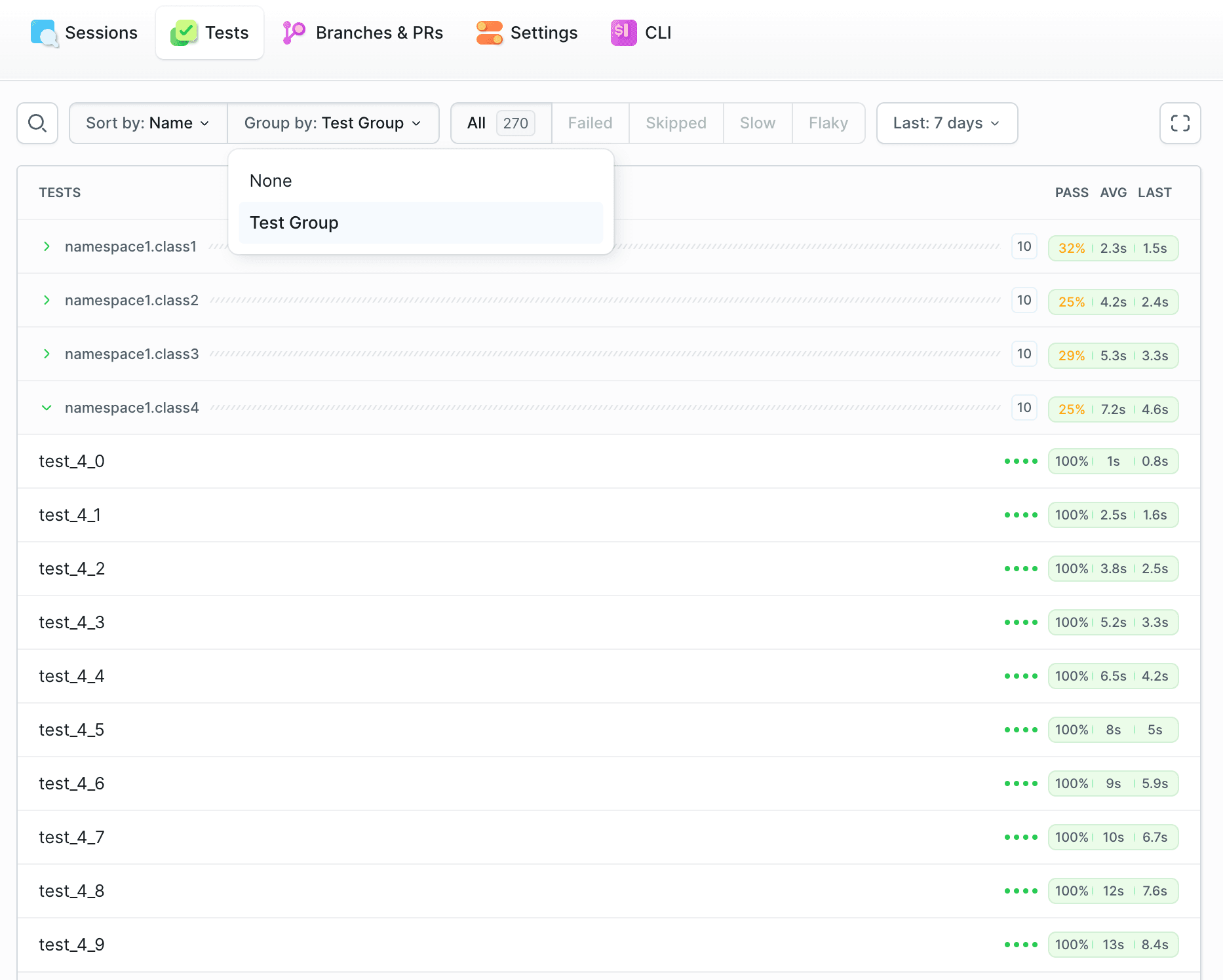
Last modified on Jul 13, 2026