Snapshots
A snapshot is a saved state of a Sandbox at a point in time - the filesystem with everything installed and configured in it.
Snapshots do the job of custom container images on other platforms. Instead of writing a Dockerfile, building it, and pushing it to a registry, you prepare a Sandbox once, save it, and start new machines from that state.
Using a snapshot as a base image
A common pattern:
- Create a Sandbox and set it up completely - system packages, language runtimes, tooling, cloned repositories, warmed dependency caches.
- Save a snapshot and give it a meaningful name, for example
node-app-base. - Create every new Sandbox from that snapshot.
New machines skip installation entirely and are ready the moment they boot.
In the UI
Creating a snapshot
Open the three-dot menu on a Sandbox row, or work from inside the Sandbox, and choose Create snapshot. Name it and confirm.
Image loading...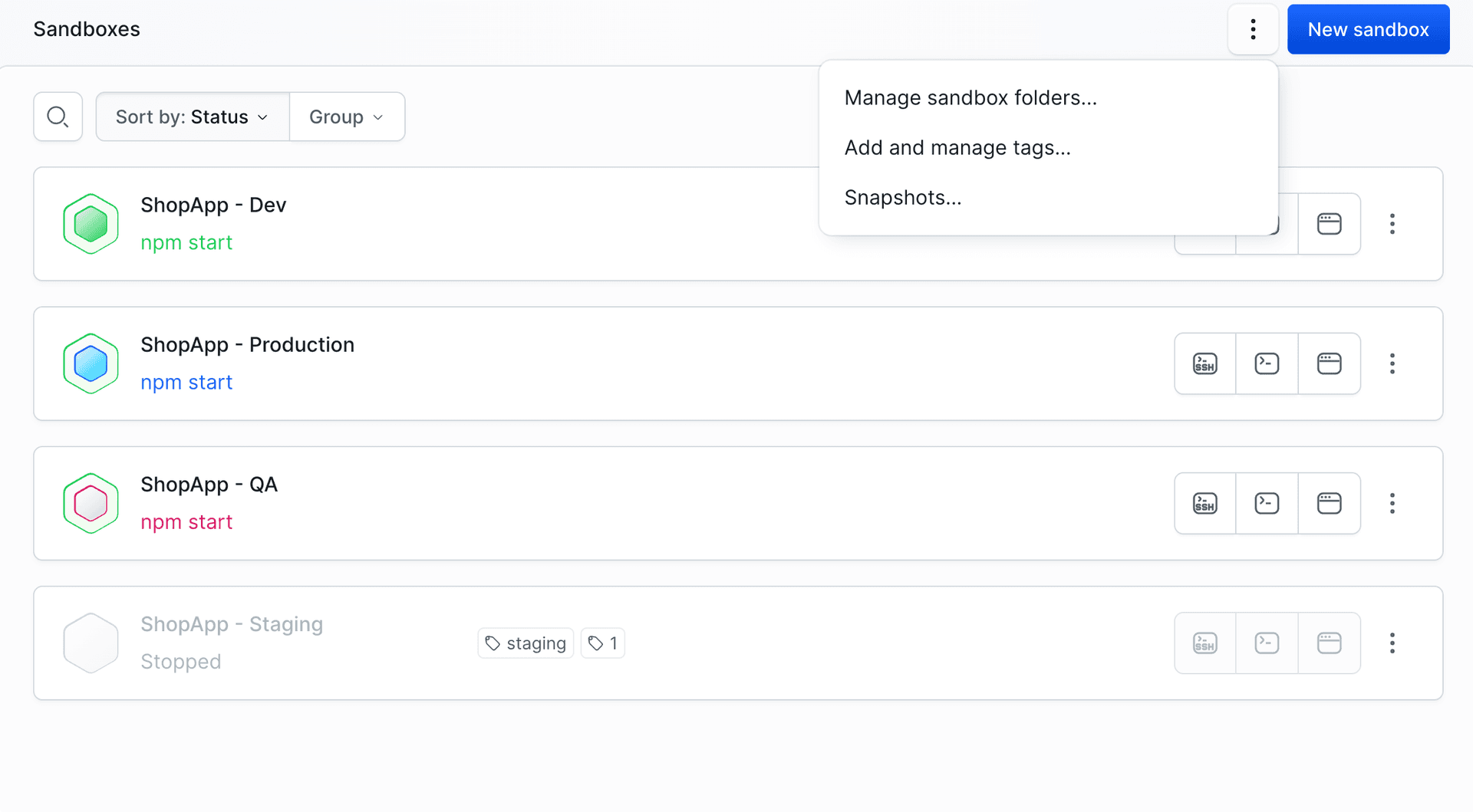
Starting a Sandbox from a snapshot
When creating a Sandbox, open Clean OS or snapshot and pick a snapshot instead of an operating system. One snapshot can back any number of Sandboxes.
Image loading...
The snapshot list
Every snapshot in the project is in one place. Open the menu next to New sandbox on the Sandboxes view and choose Snapshots.
Image loading...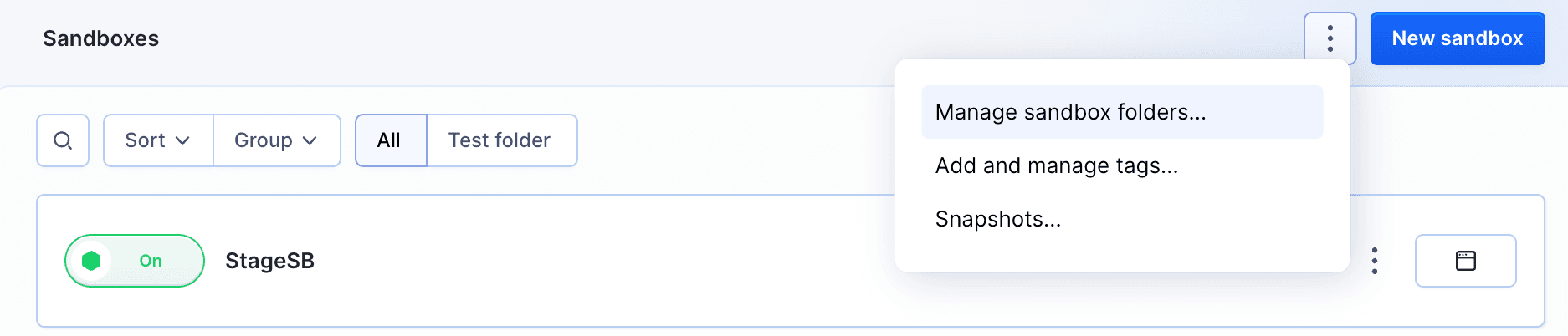
Each row shows the Sandbox the snapshot came from, its size, and when it was taken. A single Sandbox's own snapshots are also listed in its Settings, in the Snapshot section.
Image loading...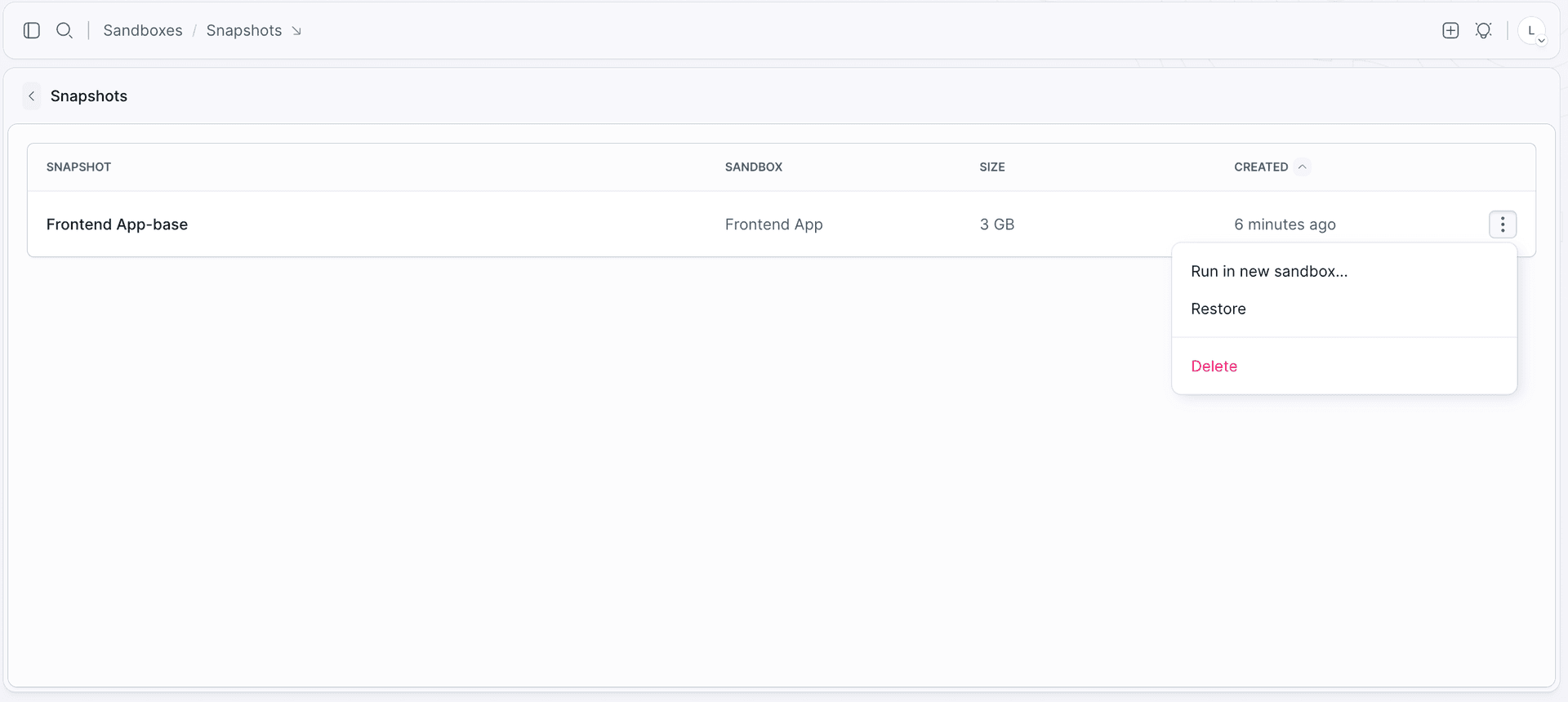
The three-dot menu on a row is where everything happens:
- Run in new sandbox… - creates another Sandbox from the snapshot, leaving the current machine untouched
- Restore - replaces the current disk state of the source Sandbox with the snapshot
- Delete
Reverting to a snapshot
Restore is the revert. It rolls the Sandbox back to the state the snapshot was taken in, on the same machine, so the identifier, the endpoints, and the variables all stay as they are.
From the CLI
Save the current state. --wait holds until the snapshot is ready:
bashbdy sb snapshot create my-sandbox -n node-app-base --wait$
List them. With a Sandbox identifier you get that machine's snapshots, without one every snapshot in the project:
bashbdy sb snapshot list my-sandbox bdy sb snapshot list$$
Inspect one. Both arguments are required - the Sandbox first, then the snapshot:
bashbdy sb snapshot get <sandbox> <snapshot>$
Start a new Sandbox from it. --snapshot replaces the operating system as the base:
bashbdy sb create -i my-sandbox-2 --snapshot node-app-base$
Remove one. Deleting asks for confirmation, so add -f when the command runs unattended, in a pipeline or a cleanup script:
bashbdy sb snapshot delete <sandbox> <snapshot>$
Retention
Snapshots have no expiration and no retention policy - they exist until you remove them, and they are not deleted together with the Sandbox they came from. A snapshot outlives its source, which is exactly what you want when the Sandbox was a throwaway but the prepared state was not.
No automatic cleanup. If something snapshots on every run, give it a matching step that removes the old ones.
Snapshot or copy?
Both give you a machine with the same disk contents, but they answer different questions:
| Use it when | |
|---|---|
| Snapshot | You want a reusable base to create many Sandboxes from, now and later |
| Copy of a Sandbox | You want one duplicate of a machine as it is right now |
Automating snapshots
Snapshots do not have to be taken by hand.
- From a pipeline - the Manage Sandbox action has a
Create snapshotoperation, so a pipeline can checkpoint an environment after a successful build. - From inside the Sandbox -
this snapshot create -n before-migrationlets a script or an AI agent save a known-good state before a risky change. See Self-management.
Last modified on Oct 7, 2026