Sandboxes in pipelines
Sandboxes are wired into CI/CD, which is what makes environments-per-branch a configuration exercise rather than an infrastructure project. A pipeline can create a Sandbox, deploy into it, control its applications, snapshot it, and delete it - and Sandbox events can start pipelines in turn.
The building blocks
| Piece | What it does | Reference |
|---|---|---|
| Create Sandbox action | Creates a Sandbox as a pipeline step - from scratch, from a snapshot, or from another Sandbox | Create Sandbox action |
| Manage Sandbox action | Starts, stops, restarts an app, takes a snapshot, or deletes an existing Sandbox | Manage Sandbox action |
| Sandbox as a target | Any action that deploys to a server can point at a Sandbox instead, using the same Transfer action you use elsewhere | Manage Sandbox action |
| Sandbox event triggers | A pipeline starts when a Sandbox is created, deleted, or times out | On sandbox event |
Two details do most of the work in practice:
- Update if exists - if a Sandbox with the same identifier already exists, it is reconfigured instead of failing or duplicating. This is what makes a pipeline safe to re-run.
- Identifiers can be built from variables, so
preview-$BUDDY_EXECUTION_BRANCHorsandbox-$BUDDY_RUN_IDgives you one Sandbox per branch or per run.
Full parameter reference: Create Sandbox action.
Manage Sandbox
Operates on an existing Sandbox:
- Start / Stop Sandbox
- Start / Restart / Stop Sandbox app
- Create snapshot
- Delete Sandbox
Image loading...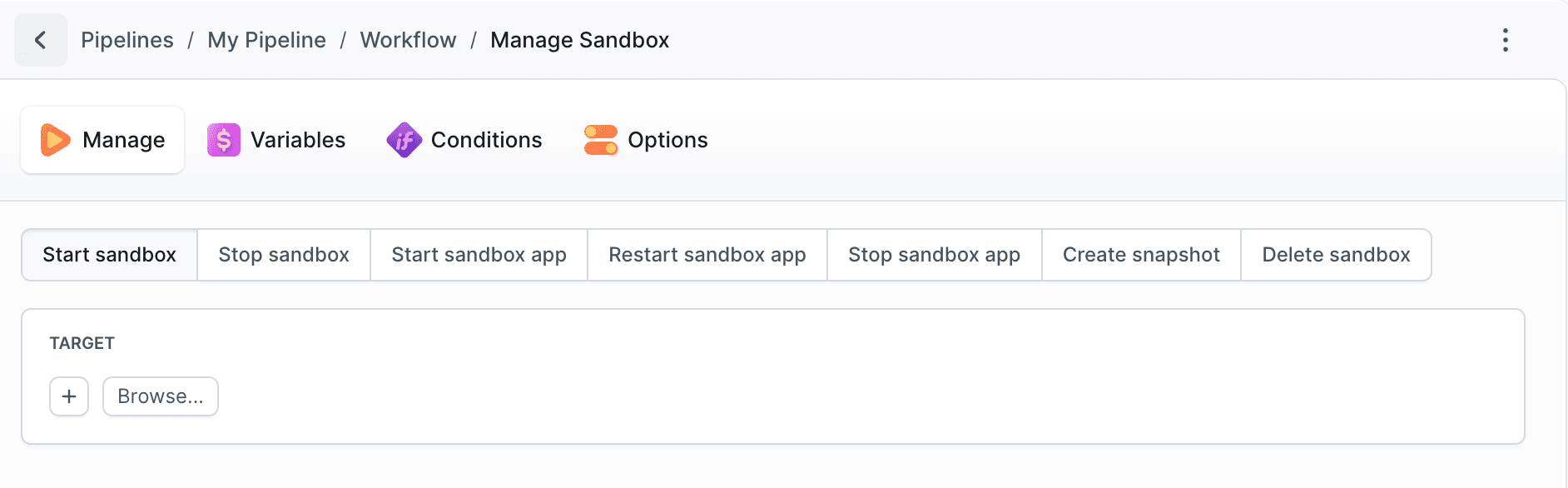
Full parameter reference: Manage Sandbox action.
A Sandbox as a target
Sandboxes work as targets for ordinary actions, so deploying into a Sandbox uses the same Transfer action you already use elsewhere. The full sequence is below, in Deploying into a Sandbox.
Image loading...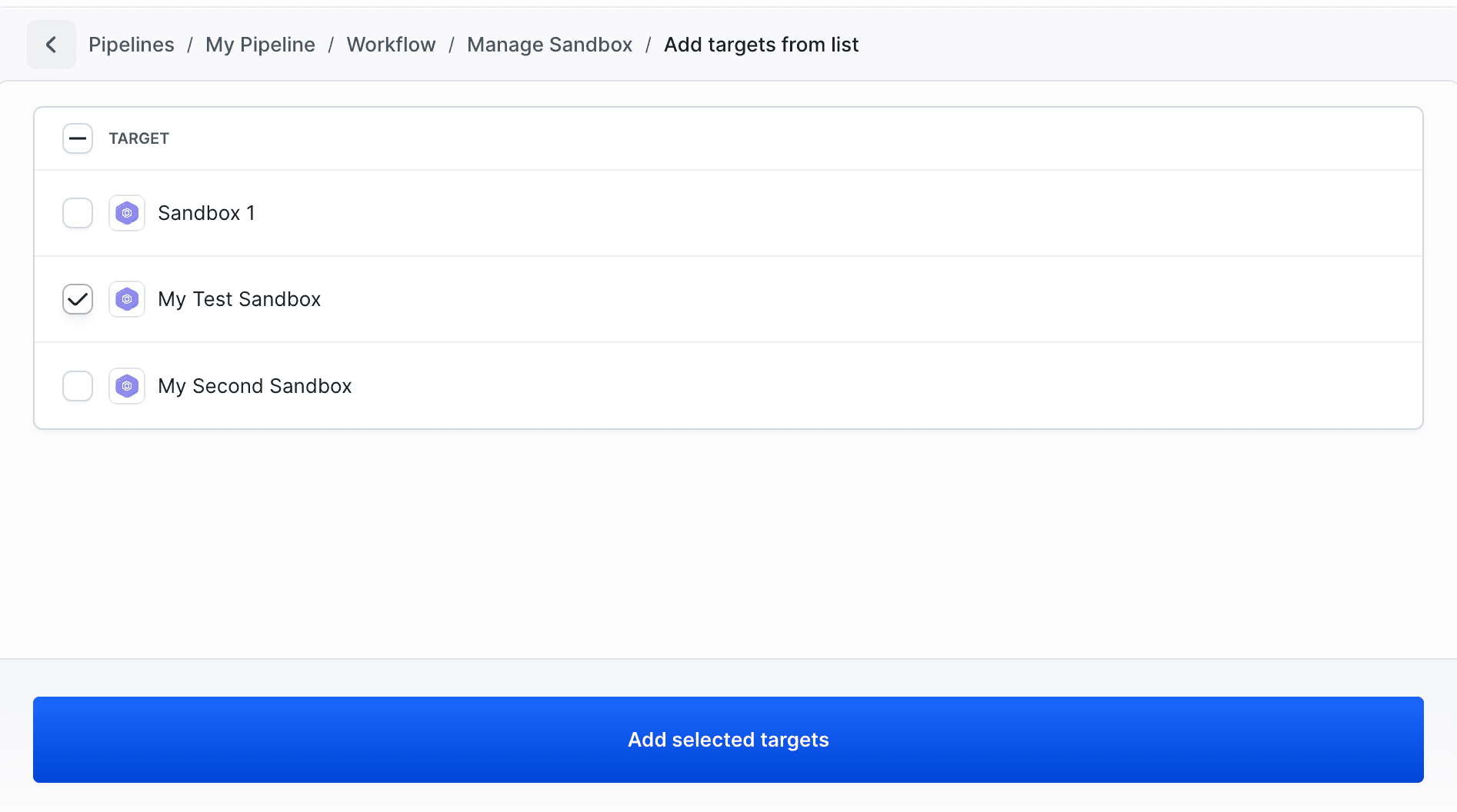
One Sandbox per branch
Two pipelines cover the whole preview environment lifecycle: one reacts to a branch appearing, the other to it being deleted.
The first one creates the machine from a prepared snapshot, fetches the branch into it, starts the app, and exposes it on a public endpoint:
yaml- pipeline: create-preview-sandbox
  name: Create preview Sandbox
  events:
  - type: CREATE_REF
    refs:
    - "refs/heads/feature-*"
  actions:
  - action: Create Sandbox
    type: SANDBOX_CREATE
    from: SNAPSHOT
    snapshot_name: app-base
    update_if_exists: true
    start: true
    spec:
      sandbox: preview-$BUDDY_EXECUTION_BRANCH
      name: Preview $BUDDY_EXECUTION_BRANCH
      resources: 4x8
      timeout: 3600
      tags:
      - preview
      app_dir: /home/buddy/app
      apps:
      - npm start
      endpoints:
      - type: HTTP
        name: preview
        endpoint: localhost:3000
      fetch:
      - ref: $BUDDY_EXECUTION_BRANCH
        path: /home/buddy/app
        build_command: npm ci && npm run build
Pushing a new feature-* branch is all it takes from then on - the run shows the Sandbox that was created, with a link straight to it:
Image loading...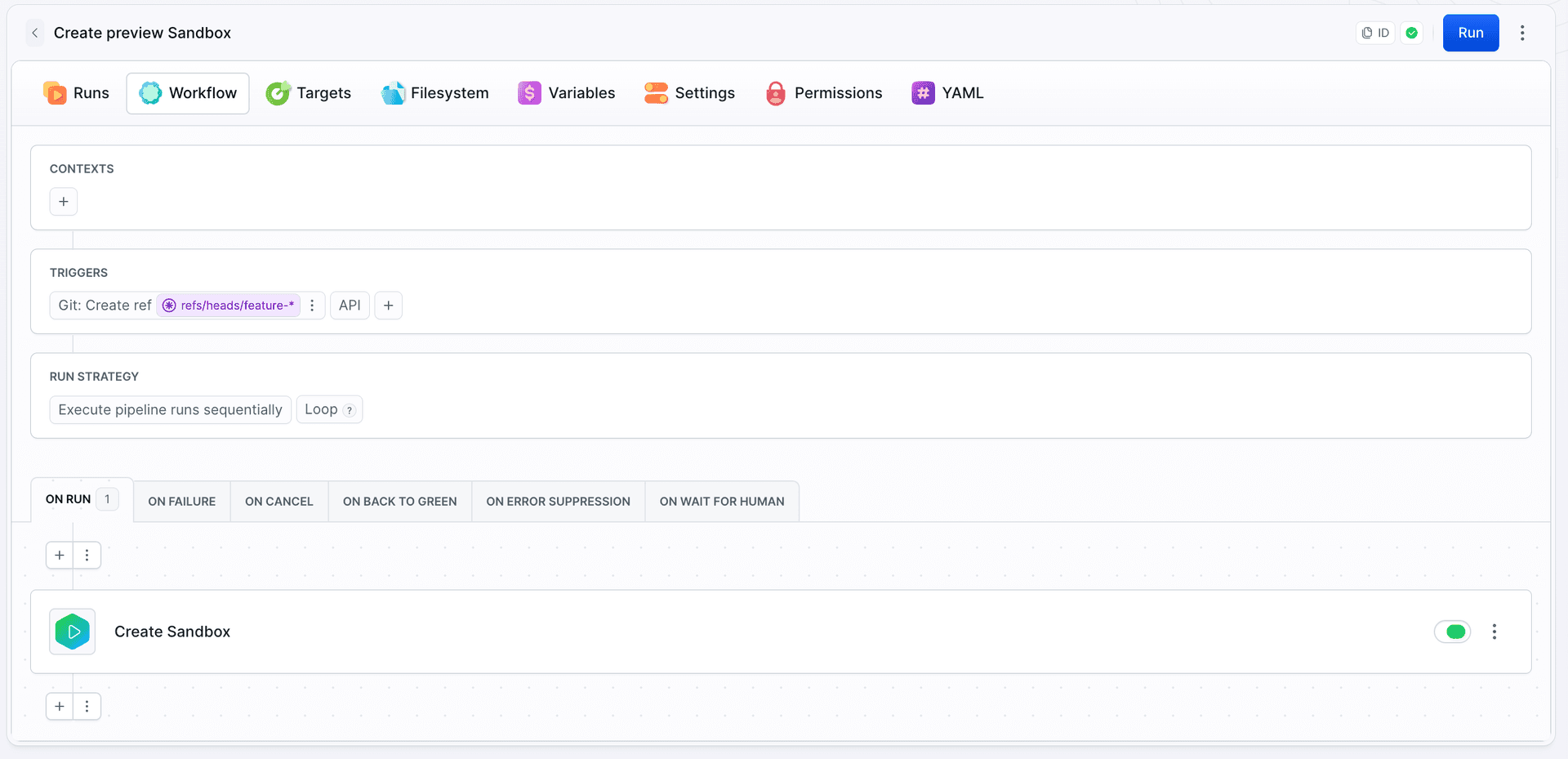
The second one deletes it when the branch is gone, so nothing is left behind:
yaml- pipeline: remove-preview-sandbox
  name: Remove preview Sandbox
  events:
  - type: DELETE_REF
    refs:
    - "refs/heads/feature-*"
  actions:
  - action: Delete Sandbox
    type: SANDBOX_MANAGE
    operation: DELETE
    targets:
    - preview-$BUDDY_EXECUTION_BRANCH
The preview tag is what later lets a cleanup pipeline, a permission rule, or a bdy sb list filter address every preview machine at once.
Deploying into a Sandbox
Once the Sandbox exists, deployments into it are ordinary pipeline work: build the artifacts, transfer them to the Sandbox as a target, restart the app.
Image loading...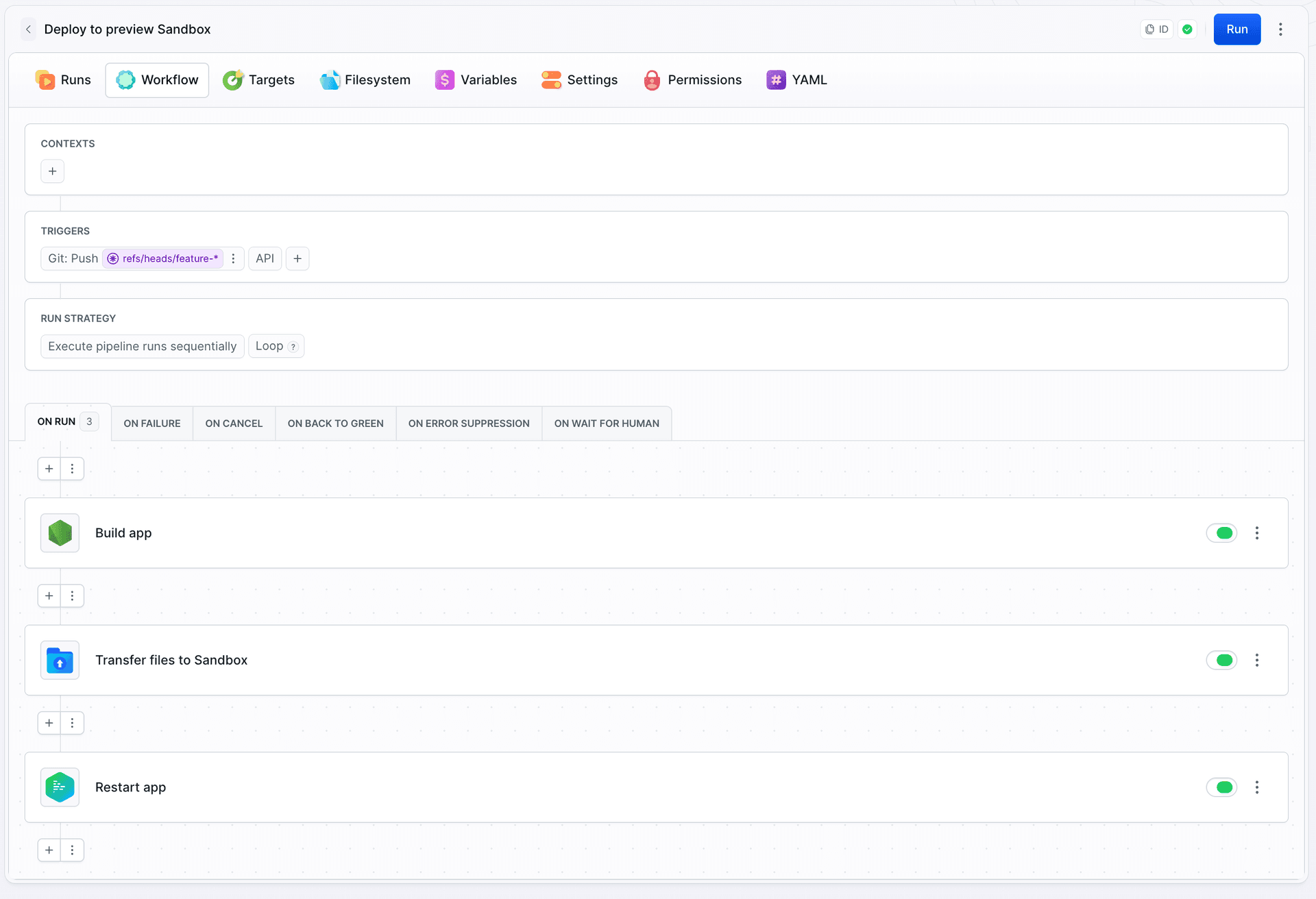
yaml- pipeline: deploy-to-preview-sandbox
  name: Deploy to preview Sandbox
  events:
  - type: PUSH
    refs:
    - "refs/heads/feature-*"
  actions:
  - action: Build app
    type: BUILD
    docker_image_name: library/node
    docker_image_tag: 22
    shell: BASH
    commands: |-
      npm ci
      npm run build
  - action: Transfer files to Sandbox
    type: TRANSFER
    input_type: BUILD_ARTIFACTS
    local_path: /dist
    remote_path: /home/buddy/app/dist
    targets:
    - preview-$BUDDY_EXECUTION_BRANCH
  - action: Restart app
    type: SANDBOX_MANAGE
    operation: APP_RESTART
    targets:
    - preview-$BUDDY_EXECUTION_BRANCH
APP_RESTART is enough here - the disk is persistent, so the new files are already in place and only the process needs to pick them up. Stop the app before the transfer instead if it holds files open or would serve a half-updated build.
CREATE_REF and PUSH, so this pipeline starts at the same time as the one above and its transfer can hit a Sandbox that does not exist yet. Either accept that the first deployment on a brand-new branch fails and the next push fixes it, or put a Create Sandbox action with Update if exists at the top of this pipeline and drop the separate creation pipeline.
Triggering pipelines on Sandbox events
Pipelines can start when a Sandbox is created, deleted, or times out. Each trigger has a Sandbox Scope that decides which Sandboxes it reacts to - specific Sandboxes, an identifier pattern such as preview-*, or a set of tags. Multiple scope entries are evaluated with OR.
See On sandbox event.
Cleanup you control
Buddy does not delete Sandboxes on a schedule of its own. Trigger a pipeline on the Sandbox: Time out event, scoped by tag, and delete anything tagged preview the moment it goes idle - or run a scheduled pipeline that removes Sandboxes stopped for more than a few days. See Lifecycle.
yaml- pipeline: cleanup-preview-sandboxes
  name: Cleanup preview Sandboxes
  events:
  - type: SANDBOX_TIMED_OUT
    targets:
    - target: '*'
      type: MATCH
      tags:
      - preview
  actions:
  - action: Delete Sandbox
    type: SANDBOX_MANAGE
    operation: DELETE
    targets:
    - $BUDDY_RUN_SANDBOX
The run started by a Sandbox event knows which Sandbox it was: $BUDDY_RUN_SANDBOX holds the identifier, and $BUDDY_RUN_SANDBOX_NAME, $BUDDY_RUN_SANDBOX_RESOURCES, and $BUDDY_RUN_SANDBOX_TAGS are available alongside it. That is what lets one pipeline serve every Sandbox the scope matches, instead of one pipeline per Sandbox.
Variables
Pipeline variables are available when defining Sandbox parameters, and a Sandbox exposes its own context - identifier, SSH address, tags, and endpoint URLs - to anything running inside it. See Variables and secrets.
Last modified on Oct 7, 2026