Custom domains
By default an endpoint is published on a generated address such as www-frontend-app-my-project-my-workspace.eu-1.buddy.app. You can serve the same application on an address of your own instead - preview.example.com, demo.example.com, or anything else you control.
This is done in Routing, not in the Sandbox settings. A route points an address at an upstream, and a Sandbox endpoint is one of the upstreams it accepts. Routes live inside a distribution - a group of routes scoped to the workspace, a project, or an environment.
Custom domains cover the application's HTTP address only. Shell access has its own address on *.shr.io and is not affected - see Terminal and SSH.
Step 1: expose the application through an endpoint
A route forwards to an endpoint, so the Sandbox needs one:
bashbdy sb ep add my-sandbox -n www -e 8000$
Note the endpoint name - www here. The route refers to the Sandbox and the endpoint by name.
Step 2: get the domain into Buddy
Either point a domain you already own, or register one directly in Buddy.
Point an existing domain. Keep your current registrar and hand DNS to Buddy by changing nameservers - Buddy imports your existing records first, so nothing breaks. See Point domain.
Buy a domain in Buddy. Register it in the Domains tab and it is ready immediately, with no DNS setup on your side. See Buy domain.
Either way the domain ends up manageable in the Domains tab, with full DNS records control - see Domains.
You can also skip this step entirely: a route created without a domain gets an address on a domain Buddy provides, which is enough for a preview nobody has to remember.
Step 3: route the address to the endpoint
Go to Routing, pick a distribution or create one, and add a route:
- Subdomain & domain - the address it answers on
- Type - leave it on Direct Proxy
- Upstream type - Sandbox
- Upstream - the endpoint, listed as
sandbox (endpoint) - Path pattern - optional, narrows the route to matching paths
Image loading...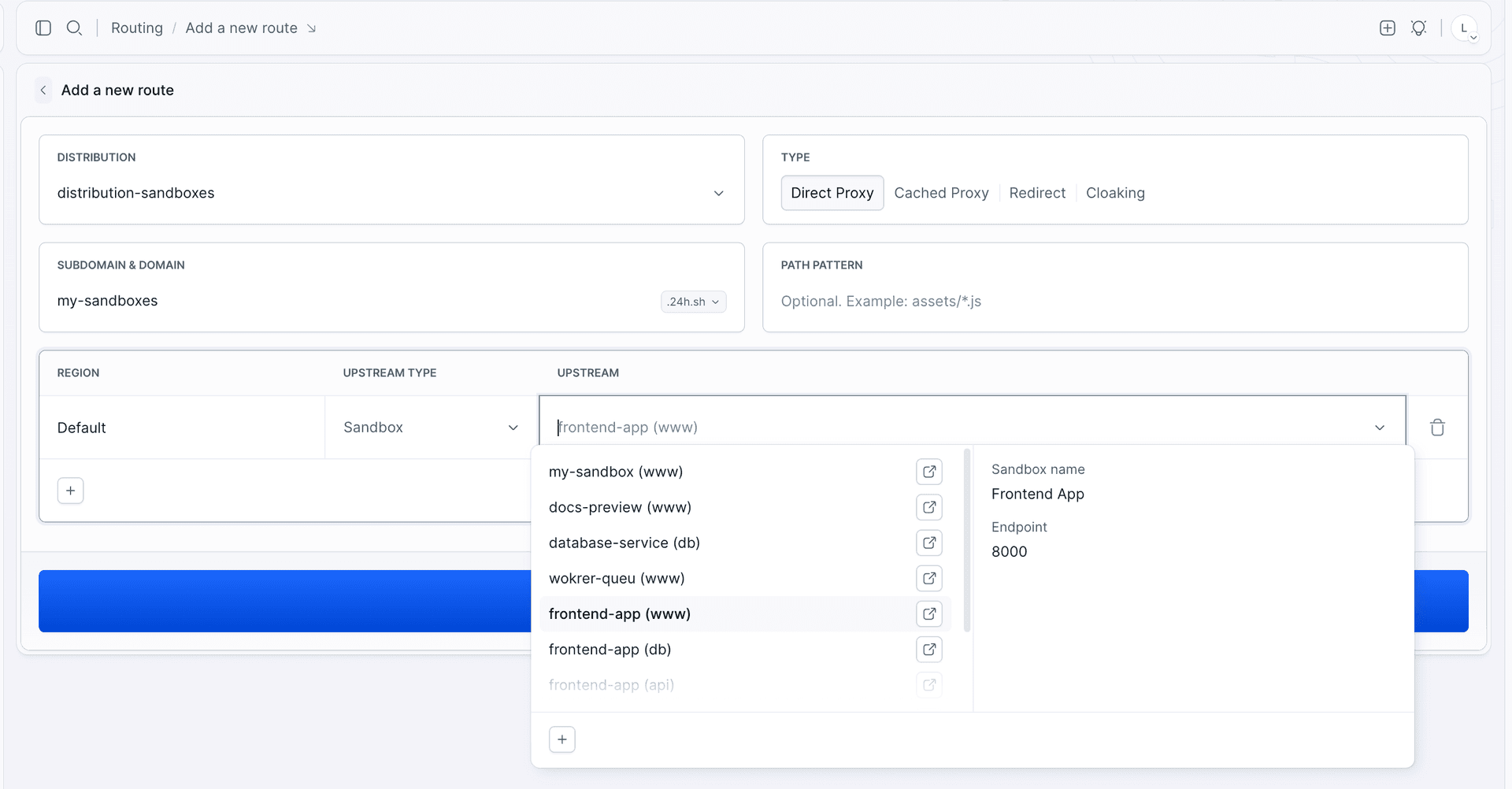
The saved route shows up in the distribution with its address and upstream.
Image loading...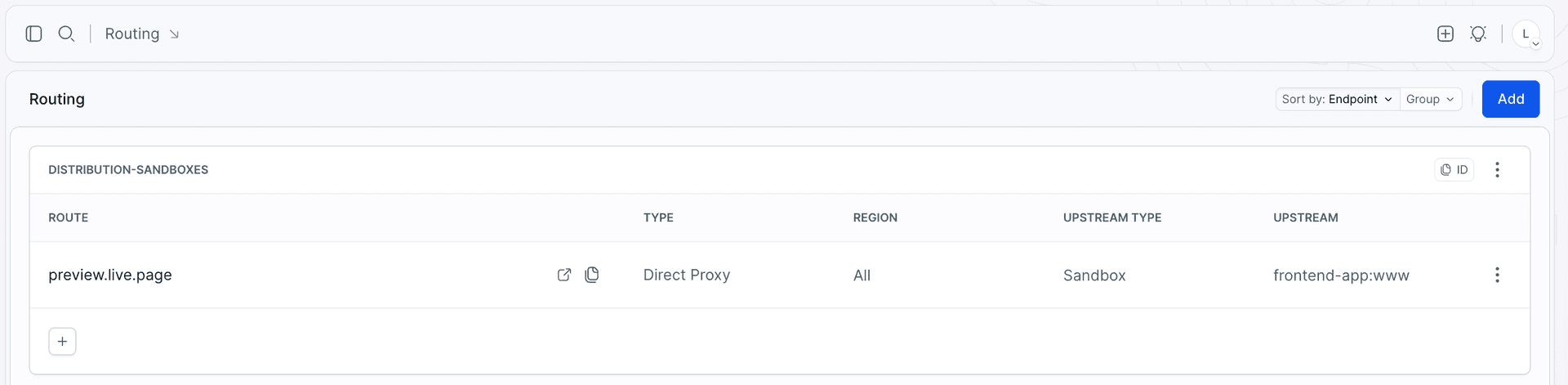
The endpoint keeps all of its settings. Authentication, IP whitelisting, user-agent whitelisting, and headers apply to traffic arriving through the route exactly as they do on the generated address.
HTTPS is handled for you. There is no certificate to upload or renew.
From the CLI
Create a distribution. Use -i to give it a human-readable identifier - routes are added to it by that identifier, and without it Buddy generates a random one:
bashbdy distro create -i sandbox-previews -n "Sandbox previews"$
Add a route to it:
bashbdy distro route create sandbox-previews --subdomain preview --domain example.com --target "sandbox=my-sandbox:www"$
--domainis the whole zone, exactly asbdy domain lsprints it -example.com, ormy-app.example.devif that is your zone. Never split it.--subdomainonly prepends a new name within that zone.- Skip
--domainand the route lands on a Buddy-provided domain.
One Sandbox can have several endpoints, each with its own route - an API on one address, a frontend on another.
Routes are also where redirects and caching live: --type accepts DIRECT_PROXY (the default), CACHED_PROXY, REDIRECT, and CLOAKING. Upstreams other than Sandboxes are supported too - an artifact, a tunnel, or an external URL.
What to combine it with
- Identity - a readable address plus Buddy sign-in, so
demo.example.comis visible only to your workspace and your app knows who is looking. - Sandboxes in pipelines - a pipeline that creates a Sandbox per branch can put it in a distribution through the
sandbox_distributionkey, so every branch gets a predictable address.
Last modified on Oct 7, 2026