Variables and secrets
Variables carry configuration into a Sandbox - API URLs, credentials, SSH keys, configuration files. They are available to first boot commands, to applications, and to any command you run inside.
Image loading...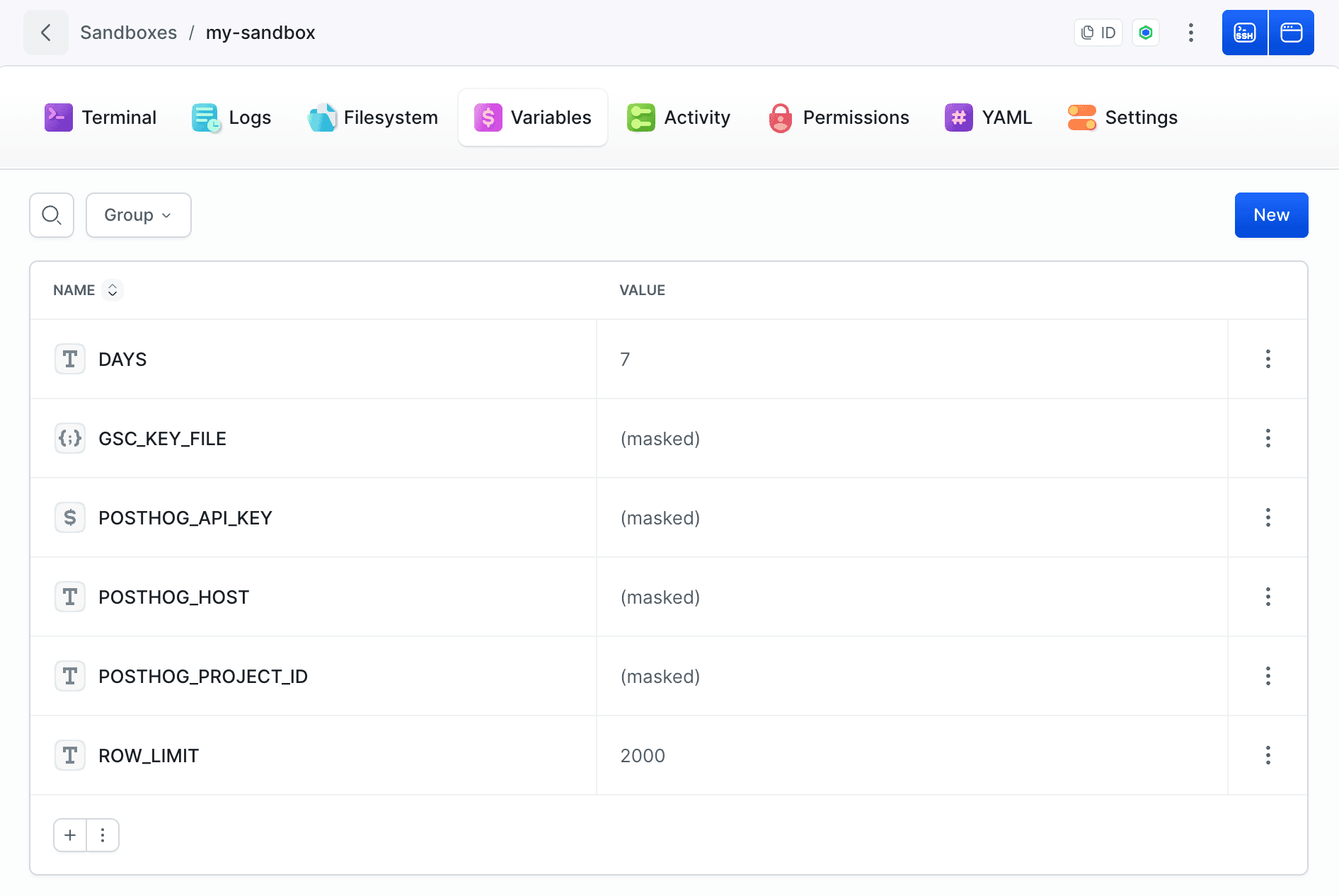
Scopes
A variable can be defined at three levels:
| Scope | Use it for |
|---|---|
| Workspace | Values shared across the workspace - registry credentials, org-wide tokens |
| Project | Values specific to one project |
| Sandbox | Values that belong to a single machine |
Workspace and project variables are not injected into Sandboxes automatically. A variable at either level has to allow it explicitly - either for all Sandboxes, or for the specific Sandbox that should receive it.
When the same name exists at more than one level, the most specific one wins: Sandbox overrides project, which overrides workspace.
Types of variables
| Type | What it does |
|---|---|
| Variable | A plain environment variable |
| File | The value is written to a file at a chosen path inside the Sandbox |
| SSH key | A private key, written to a path with restrictive permissions |
| Public SSH key | A public key. Added to the Sandbox, it also authorizes SSH access - see Terminal and SSH |
Files and keys take two extra settings: path - where inside the Sandbox to write it, for example ~/.ssh/id_deploy - and chmod, the permission set applied on write, for example 600.
When variables are injected
Variables are injected when the Sandbox starts, before the first boot commands run, so setup logic can rely on them.
Built-in Sandbox variables are the exception: they are injected slightly later, right before sources are fetched. See provisioning order.
Changing a variable's value takes effect in running Sandboxes that have access to it - you do not have to recreate a machine to roll a token.
Built-in variables
| Variable | Value |
|---|---|
BUDDY_SANDBOX | Identifier of the Sandbox |
BUDDY_SANDBOX_NAME | Display name of the Sandbox |
BUDDY_SANDBOX_SSH_URL | SSH address of the Sandbox |
BUDDY_SANDBOX_TAGS | Tags assigned to the Sandbox |
BUDDY_SANDBOX_URLS | Public URLs of the Sandbox endpoints |
Scripts running inside a Sandbox can use these instead of hardcoding anything. To manage the Sandbox from the inside without passing an identifier at all, use the this command - see Self-management.
Passing variables from the CLI
There are six flags for passing values, one per input method. Each can be repeated, and any of them can be combined in a single command.
A plain value. Given inline, as many times as you need:
bashbdy sb create -v API_URL=https://api.example.com -v ENV=staging$
Every line of a file. Each KEY=VALUE line becomes a separate variable:
bashbdy sb create --vf ./.env$
The contents of a file as one value. For configuration files and keys, where the value is the whole file:
bashbdy sb create --vff CONFIG=./config.json$
Then the masked equivalents of all three, for anything secret - the value is hidden in the Sandbox logs the same way it is in a pipeline:
bashbdy sb create --vm TOKEN=secret bdy sb create --vmf ./.env.secrets bdy sb create --vmff DEPLOY_KEY=./id_deploy$$$
The KEY=value forms also accept a colon: -v KEY:value.
In YAML
yamlvariables: - key: API_URL value: https://api.example.com note: Backend API URL - key: deploy_key value: '!encrypted …' type: SSH_KEY file_path: "~/.ssh/id_deploy" file_chmod: 600 - key: app_config value: '!encrypted …' type: FILE encrypted: true file_path: /buddy/config.json
Encrypted values appear as !encrypted … in an exported definition. Re-importing one requires the matching salt. Full key reference: Sandbox YAML.
Good practices
- Keep deploy keys and registry tokens at workspace or project level and grant them to the Sandboxes that need them, instead of copying the value into each machine.
- Use the File type for configuration files rather than writing them with a first boot command - the value stays encrypted and never appears in a log.
- Mask anything a build tool might echo.
Last modified on Oct 7, 2026