Troubleshooting
The problems Sandbox users hit most often, each with a diagnosis and a fix. When a symptom is not covered here, the logs are the place to start - almost every issue on this page leaves a trace in one of them.
The app works in the terminal but the endpoint returns an error
The agent runs inside the Sandbox and can reach a process on 127.0.0.1 / localhost the same way as on 0.0.0.0. When the terminal works but the public address fails, check these instead:
- The endpoint Local endpoint matches the port (and host, if set) the app actually listens on.
- The app is still running - an exited process answers in neither place once it is gone.
- The agent is online - see Endpoints are offline.
Request logging on the HTTP endpoint is the fastest way to see whether traffic reaches the Sandbox at all - see Logs.
Endpoints are offline
Endpoints depend on the Buddy agent running inside the Sandbox. If the agent was stopped or removed, every endpoint goes offline and the app becomes unreachable.
Image loading...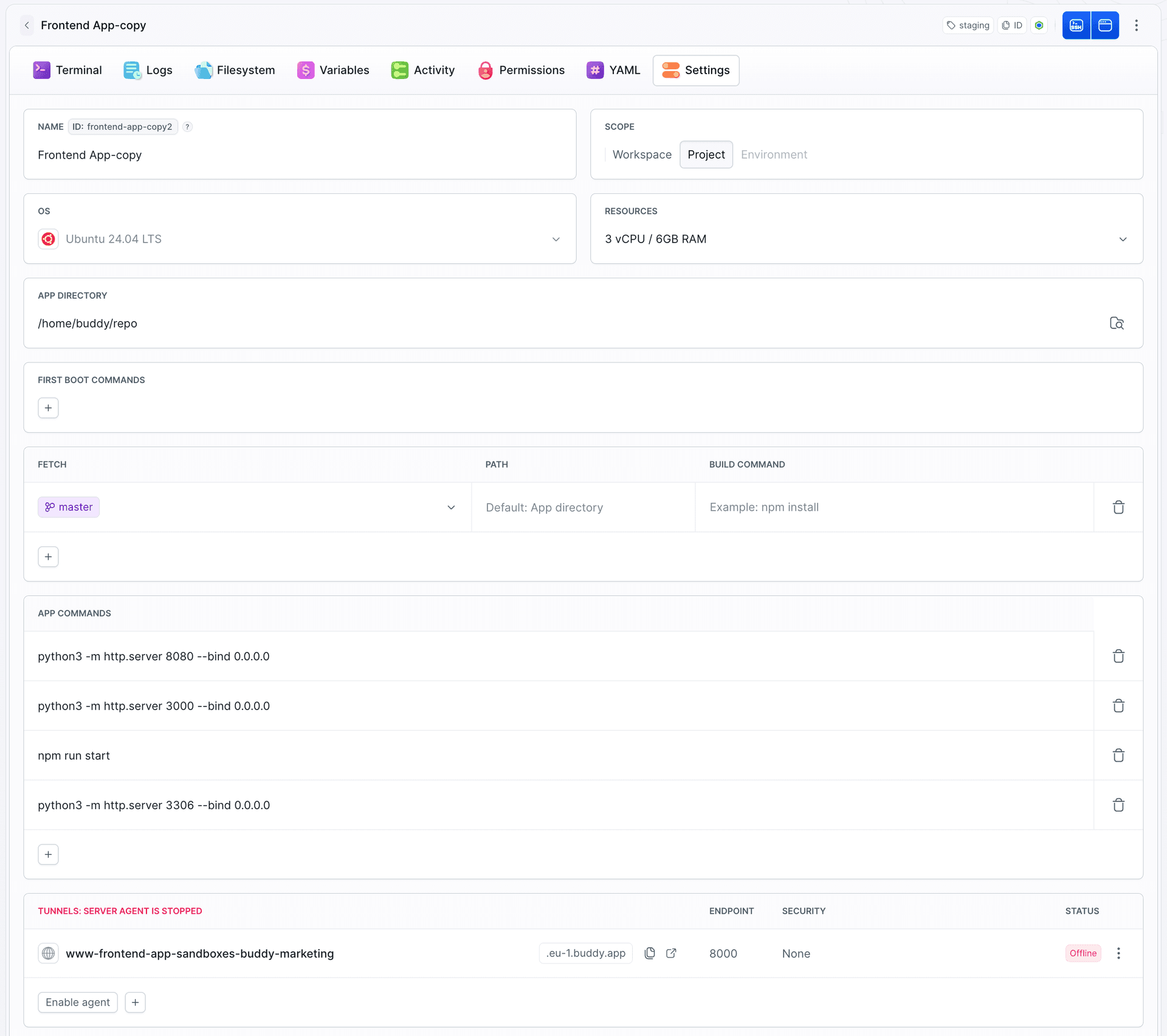
Click Enable agent in the Tunnels section of the Sandbox's Settings tab. The agent is reinstalled and reconfigured, endpoints return to Online, and access is restored.
The Sandbox stopped while I was using it
A Sandbox timeout is set and it fired. Activity that resets it: endpoint traffic, an open terminal, an SSH session, and commands being executed. Executing a command resets the countdown at the moment it runs; a process that keeps running afterwards does not keep resetting it. So a long build started and left alone in a detached process does not count on its own - keep a session attached, raise the timeout, or clear it entirely if the Sandbox is meant to stay up.
Note that a stopped Sandbox is not a lost one: the disk is intact, and traffic on an endpoint wakes it automatically.
The Sandbox is up but the app is missing
Read the setup log first:
bashbdy sb logs my-sandbox$
It contains the output and exit codes of first boot commands and of every fetch step, including build commands. Typical findings: a package install failed, a build command exited non-zero, or the repository was never cloned.
If setup succeeded, the problem is in the application itself - check its own log, bdy sb app logs my-sandbox <app>. See Logs.
Fetch did not bring in the code
- The project has no repository connected, or the Sandbox has not been granted access to it.
- Two sources were fetched into the same path and overwrote each other - give each an explicit path.
Push from the Sandbox was rejected
Repository access is read-only by default. Grant read-write on the Project repository target - see Git and Artifacts.
No space left on device
A Sandbox has 50 GB of disk, and it is persistent - build caches, container images, and old dependency trees accumulate across sessions.
bashbdy sb exec command my-sandbox "df -h /" --wait bdy sb exec command my-sandbox "sudo du -xh / --max-depth=2 | sort -h | tail -20" --wait$$
Common offenders are Docker images (docker system prune -a), package manager caches, and old build output. If the environment genuinely needs more room, move large data to external storage rather than keeping it on the Sandbox disk.
SSH: permission denied
- The SSH key from your Buddy profile is the one used for authentication - add it under SSH keys.
- Use the exact command printed by
bdy sb createor shown behind the SSH button - it carries the host and port the tunnel listens on. - The address belongs to the tunnel and can change when a Sandbox is recreated - take the current one from the SSH button in the Sandbox view.
- If the Sandbox has no SSH endpoint, add one.
Changes to the YAML definition have no effect
- Applying a definition changes the Sandbox configuration. Steps that only run at provisioning time - first boot commands and fetch - do not run again on an existing machine. Recreate the Sandbox, or run the commands yourself.
- Encrypted values need the matching salt at import time, otherwise they are skipped.
- Confirm what Buddy actually stored with
bdy sb yaml my-sandbox.
Still stuck
Collect the setup log, the app log, and the output of bdy sb get, then reach out through support.
Last modified on Oct 7, 2026