Lifecycle
The state of a Sandbox is described by its status:
| Status | Meaning |
|---|---|
STARTING | The machine is booting |
RUNNING | The machine is up and reachable |
STOPPING | The machine is shutting down |
STOPPED | The machine is down, its disk intact |
RESTORING | State is being restored |
FAILED | The Sandbox could not be brought up |
Each application running inside has a status of its own:
| Status | Meaning |
|---|---|
RUNNING | The process is up |
ENDED | The process finished |
FAILED | The process exited with an error |
A Sandbox can be RUNNING while one of its apps is FAILED - the machine is fine, the process is not. See Apps and Logs.
State is changed from the three-dot menu on a Sandbox row - Stop, Restart, Wipe & reinitialize, or Destroy:
Image loading...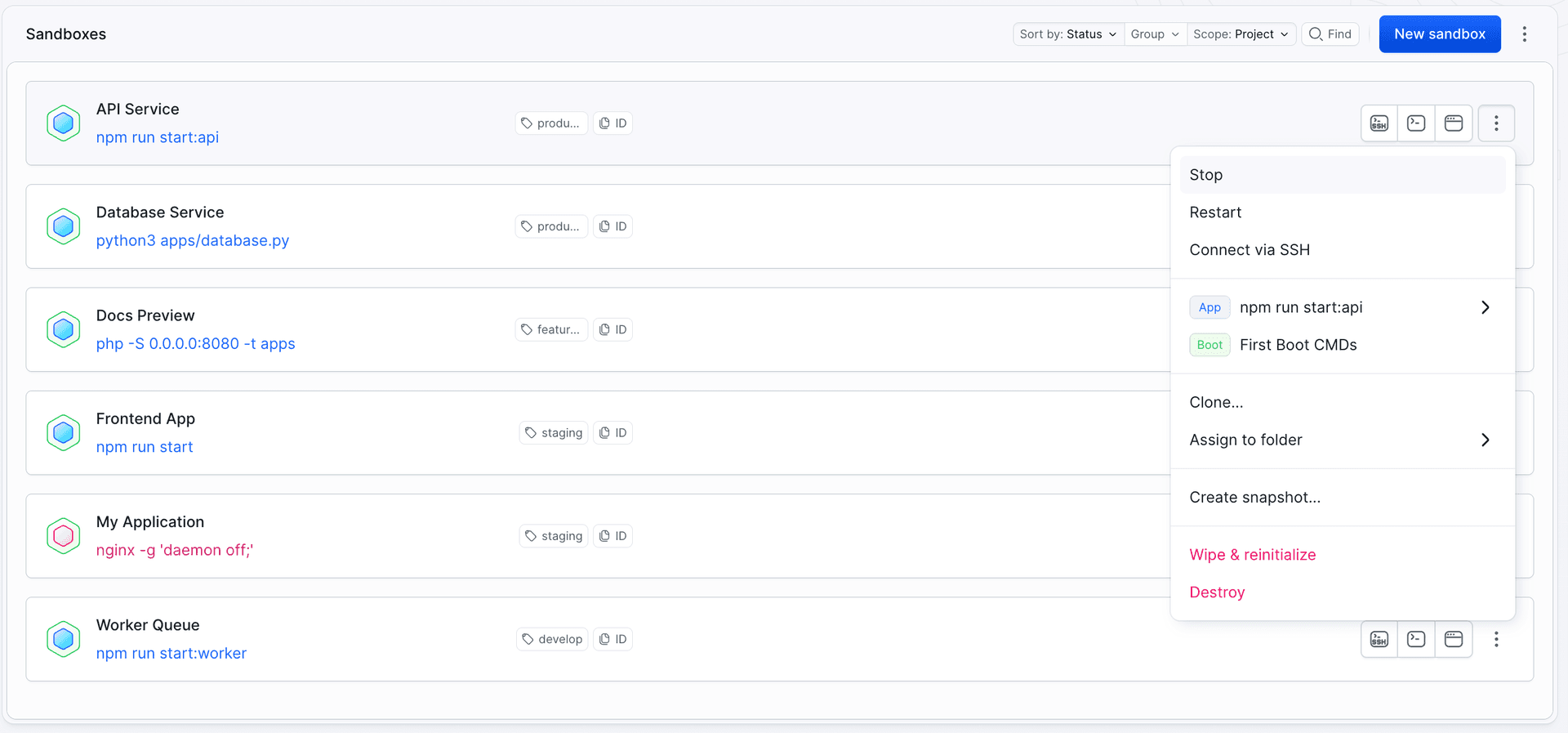
Persistence
The Sandbox disk is persistent. Stopping or restarting a Sandbox does not erase anything - files, installed packages, database contents, build caches, and the state of a repository you were working in are all there when it comes back up.
Applications defined in the Sandbox configuration start again automatically on the next boot. Anything you launched by hand from the terminal does not.
This is why Sandboxes have no volumes or external drives to attach. The disk is local, fast, and durable by default - there is nothing to mount to keep your work between sessions.
The one operation that does erase the disk is Wipe & reinitialize, which provisions the Sandbox again from its definition - see Configuration.
Sandbox timeout
A Sandbox can have a timeout - the number of seconds of inactivity after which it stops automatically. There is no timeout by default.
When a timeout is set, activity resets the countdown. A Sandbox is considered active when:
- traffic arrives on one of its endpoints,
- a terminal session is open in the UI,
- an SSH session is connected,
- a command is executed in it.
Executing a command resets the countdown at the moment it runs; a process left running in the background afterwards does not keep resetting it. Keep a session attached if a long task has to hold the Sandbox up.
Automatic wake-up
When a stopped Sandbox receives traffic on one of its endpoints, Buddy starts it automatically to serve the request, then puts it back to sleep once the timeout elapses with no further activity. If no timeout is set, the Sandbox simply stays up.
The practical effect: you can hand a preview URL to a client, let the Sandbox stop overnight, and the link still works the next morning. Nobody has to remember to start anything.
Traffic is the only thing that wakes a Sandbox. Running a command does not - it needs a machine that is already up, so start the Sandbox first.
Automating cleanup
Buddy does not delete Sandboxes on a fixed schedule. Cleanup is a pipeline you control, which means the rule can be exactly as strict or as loose as your team needs.
- Delete on timeout. Trigger a pipeline on the Sandbox: Time out event, scoped by tag or identifier pattern, and have it delete the Sandbox. Useful for throwaway preview environments.
- Delete on branch removal. Trigger on the branch being deleted and remove the matching Sandbox, so preview environments disappear together with the branch they belong to.
Deleting a Sandbox removes the machine and its disk permanently. Snapshots taken from it are independent - they survive, and you can create a new Sandbox from them later.
Next
Last modified on Oct 7, 2026