Configuration
This page covers everything that can be configured on a Sandbox - both while it is being provisioned and later, in its settings.
Ways to create a Sandbox
| Channel | Reference |
|---|---|
| Web UI | This page |
| CLI | bdy sandbox create |
| SDK | SDK |
| REST API | POST /sandboxes |
| YAML | Sandbox YAML reference |
| Pipelines | Create Sandbox action |
| MCP | MCP - an AI agent creating Sandboxes for you |
Starting points
Whichever channel you use, a Sandbox starts from one of four sources:
- Clean OS - a fresh operating system with the default toolchain, configured by you. This is the default. See What's in a Sandbox.
- Snapshot - a saved state instead of a clean OS, with dependencies already installed and tools already configured. See Snapshots.
- Copy of an existing Sandbox - the copy includes the disk state, not just the configuration, so the new machine starts out identical to the source, files included.
- YAML definition - a complete definition imported from a file in your repository or pasted inline. See Managing with YAML.
Settings
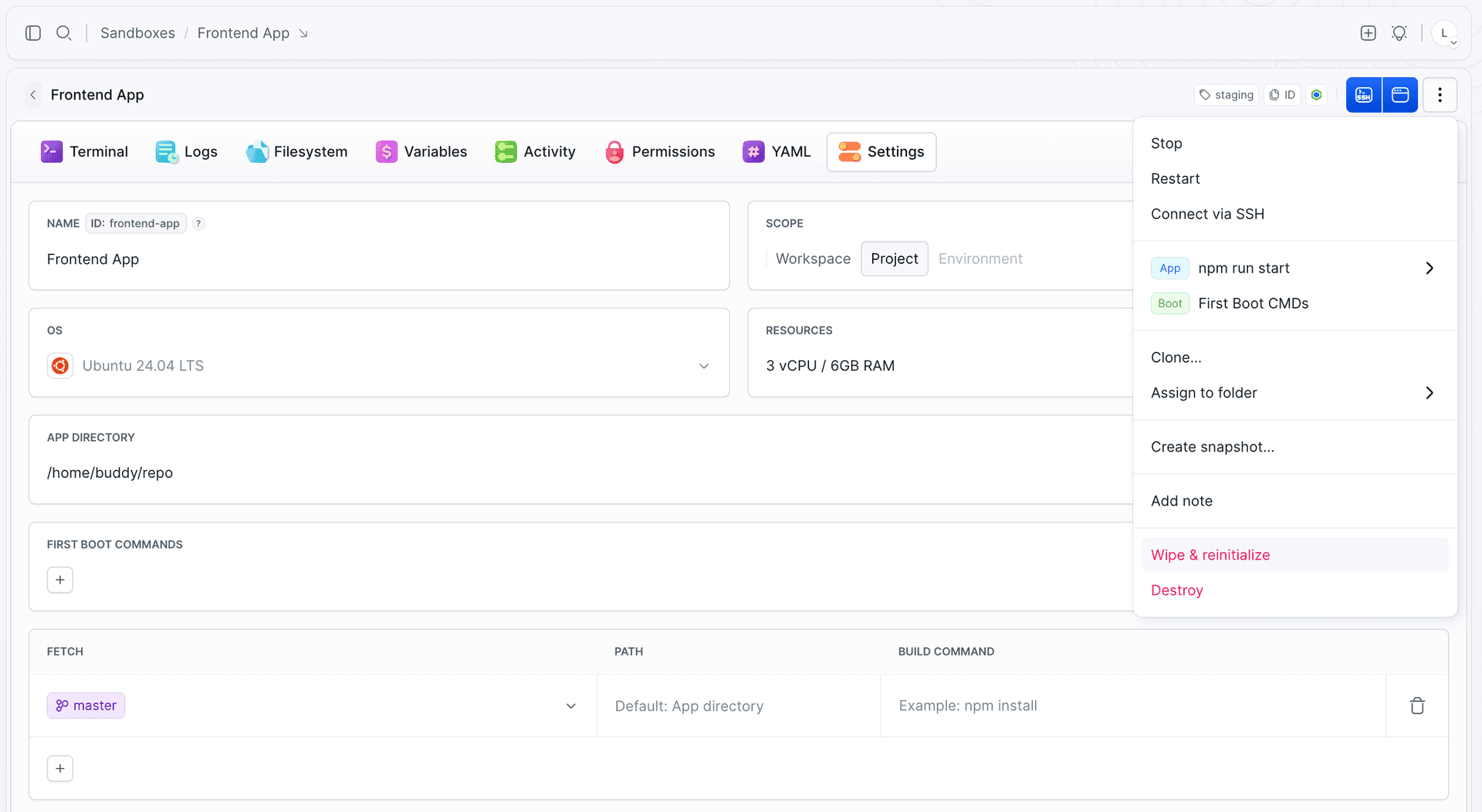
Everything below is set in the same form when the Sandbox is created and edited later in its Settings, with a few differences on an existing Sandbox: the base system appears as a read-only OS entry, variables are moved to the Variables tab, permissions are in the Permissions tab, and a Snapshot section lists the machine's snapshots.
Image loading...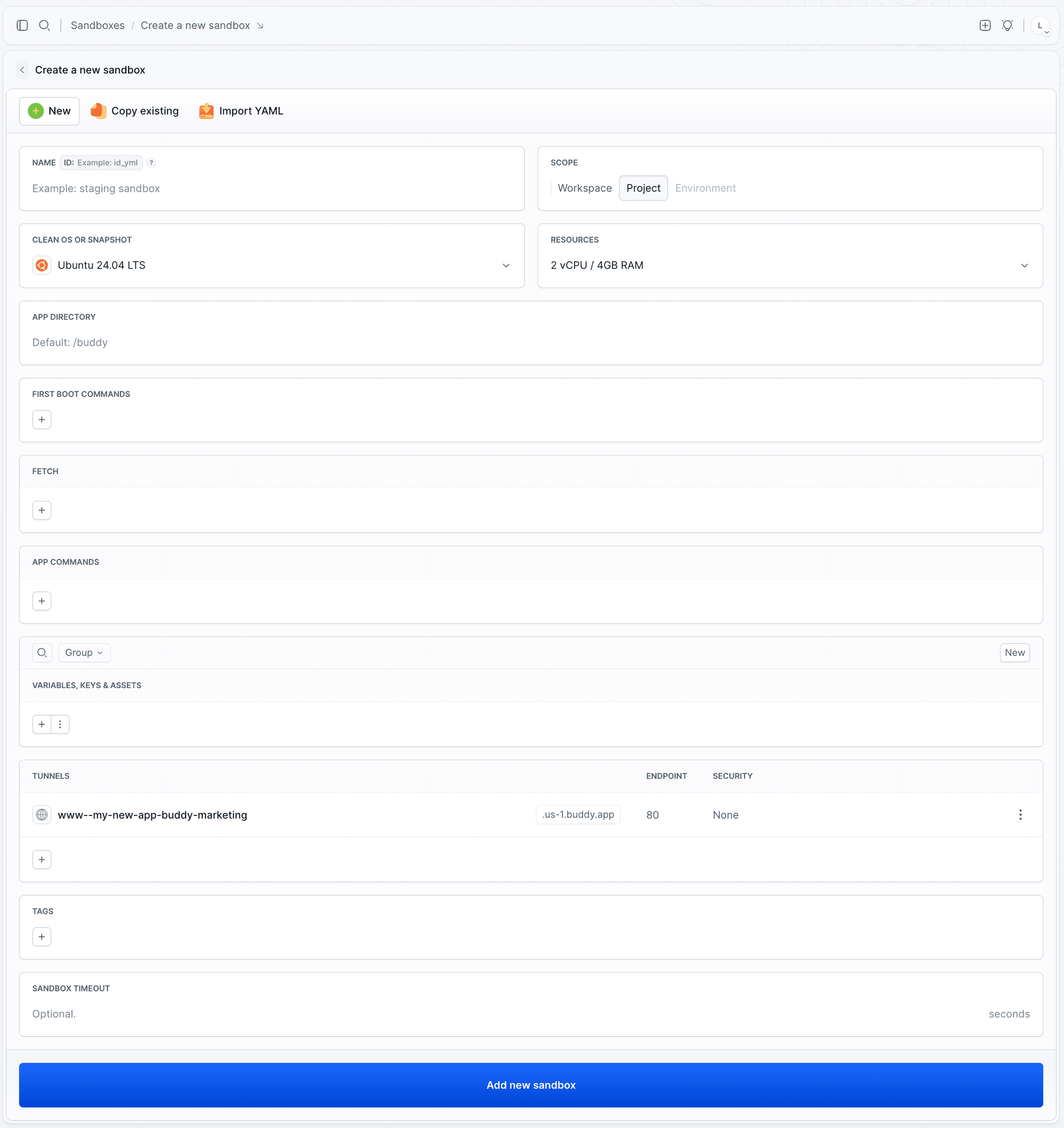
| Setting | What it does |
|---|---|
| Name | Display name of the Sandbox |
| Identifier | The handle used in the CLI, YAML, scripts, and pipeline actions. Letters, digits, underscores, and hyphens, with no hyphen at the start or end. Unique within the project. In pipelines it can be built from variables, for example sandbox-${BUDDY_RUN_ID} |
| Scope | Project (default), Workspace - shared across all projects, or Environment - tied to one of the project's environments |
| Clean OS or snapshot | Ubuntu 22.04 LTS, Ubuntu 24.04 LTS, or an existing snapshot as the starting state - see Snapshots. Fixed at creation - an existing Sandbox shows it as a read-only OS entry |
| Resources | CPU and RAM as CPUxRAM, from 1x2 to 12x24, where RAM is in GB. Defaults to 2x4. Disk is always 50 GB and is not configurable |
| App directory | Working directory for applications and the default destination for fetched sources. Defaults to /buddy |
| First boot commands | Shell commands run once, when the Sandbox is set up - typically package installation. Output and exit codes land in the setup log, see Logs |
| App commands | Long-running processes Buddy starts and supervises - see Apps |
| Fetch | Repositories and artifacts pulled into the Sandbox - see Git and Artifacts |
| Variables, keys & assets | Environment variables, files, and SSH keys - see Variables and secrets. On an existing Sandbox, managed in its Variables tab |
| Tunnels | Public access points for applications running inside - see Endpoints |
| Tags | Labels used to group Sandboxes and to scope pipeline triggers |
| Sandbox timeout | Stops the Sandbox after a period of inactivity - see Lifecycle |
| Permissions | Who can use and manage the Sandbox - set on the Permissions tab once the Sandbox exists, see Permissions and security |
Provisioning order
- The machine starts.
- Variables are injected.
- First boot commands run - only on the first start.
- Fetch pulls repositories and artifacts, and each source's build command runs.
- Apps start.
Built-in Sandbox variables are an exception to step 2: they are injected right before sources are fetched.
The order matters when writing setup logic. Anything a build command needs from the system has to be installed by a first boot command, and applications only start once both have finished.
Managing with YAML
The entire definition - resources, boot commands, apps, endpoints, variables, permissions - can live as YAML in your repository, which makes the environment reviewable and versioned like the rest of your code.
yaml- sandbox: my-sandbox
  name: My Application
  os: ubuntu:24.04
  resources: 3x6
  first_boot_commands: |-
    apt-get update
    apt-get install -y nginx
  tags:
  - staging
  app_dir: /var/www/html
  apps:
  - nginx -g 'daemon off;'
  timeout: 3600
  endpoints:
  - name: www
    endpoint: 80
    region: EU
- View the current definition in the YAML tab of the Sandbox, or with
bdy sb yaml my-sandbox. - Apply a definition to an existing Sandbox with
bdy sb update my-sandbox @sandbox.yml. - Import when creating: point Buddy at a path in your repository, or paste the definition inline. Encrypted values require the matching salt at import time.
Image loading...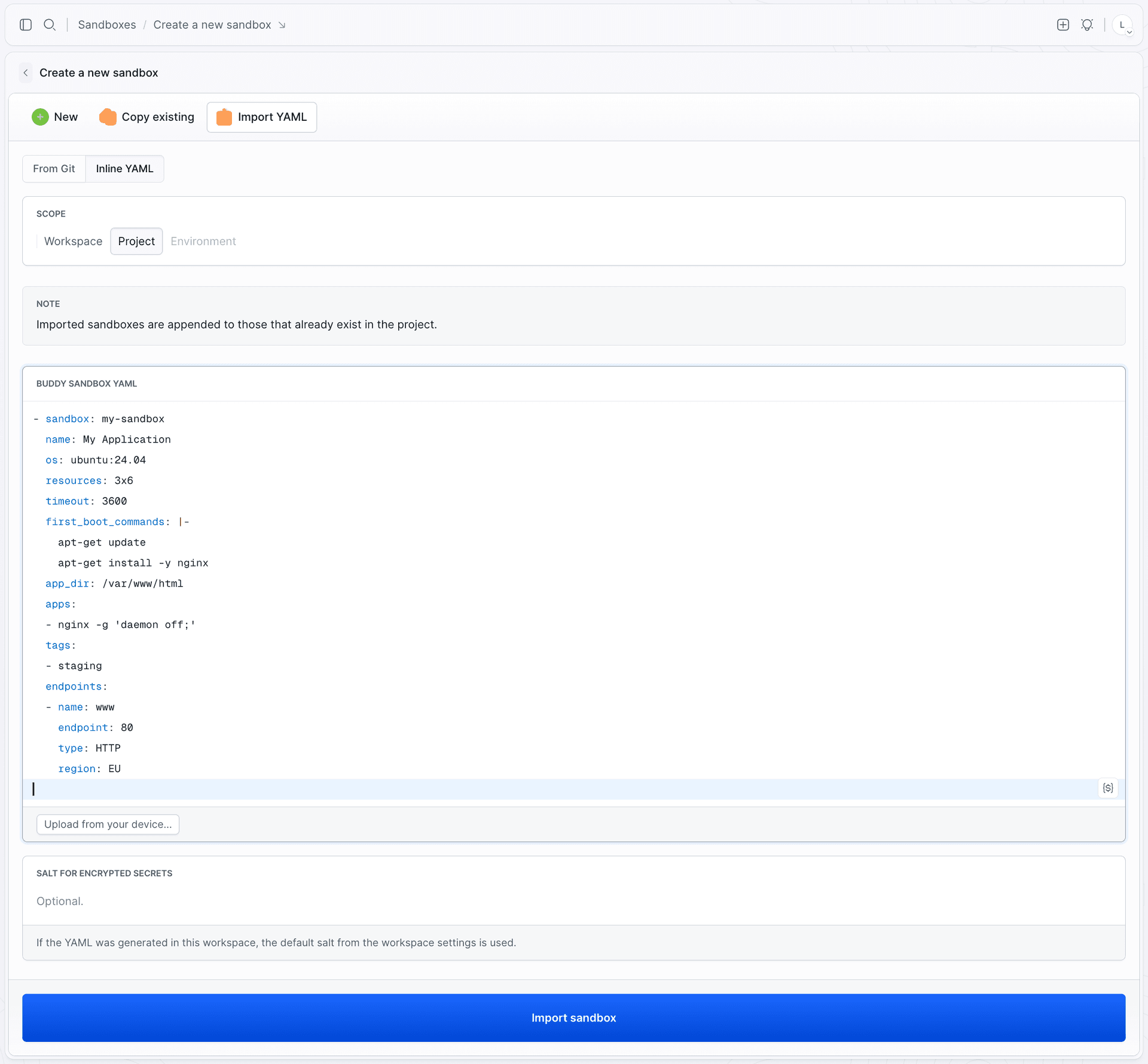
The full list of keys, types, and allowed values lives in the Sandbox YAML reference.
Last modified on Oct 7, 2026