Git and Artifacts
Fetch brings code into a Sandbox on its own. Instead of connecting to a fresh machine and cloning things by hand, you declare what should be inside and Buddy puts it there while the Sandbox is being provisioned.
Fetching happens after the first boot commands and before applications start - see provisioning order.
Source types
| Type | What it pulls |
|---|---|
| Project repository | The repository of the Buddy project the Sandbox belongs to. The default - nothing to configure |
| Repository from another project | The repository behind a different Buddy project |
| Public repository | Any publicly reachable Git URL |
Path and build command
Every source, whatever its type, takes two more settings:
| Path | Where the source lands inside the Sandbox. Defaults to the app directory |
| Build command | Optional. Runs in that source's directory right after it is fetched, for example npm install && npm run build |
The build command is where you'll install your dependencies. The application itself is started by an app.
In the UI
Sources live in the Fetch section of the Sandbox settings. Click + to add a row and pick the type of source.
Image loading...
Each row takes the source, the branch or reference, the destination path, and an optional build command. Add as many rows as you need - a project repository and a public one side by side - and remove a row with the trash icon.
Image loading...
Sources are pulled on creation and on every rebuild, in the order they are listed.
From the CLI
bashbdy sb create --fetch bdy sb create --fetch feature-branch$$
A public repository. Give it the URL, the reference, and where it should land:
bashbdy sb create --fetch "url=https://github.com/acme/app,ref=main,path=/home/buddy/repo"$
Add build= to any of them to run a command in that source's directory right after it is fetched:
bashbdy sb create --fetch "ref=main,path=/home/buddy/repo,build=npm install && npm run build"$
In YAML
yamlfetch: - ref: main path: /home/buddy/app build_command: npm install && npm run build - repository: https://github.com/acme/tools.git ref: main path: /home/buddy/tools
Leave repository out to use the project repository, or set project to fetch from another project. Full key reference: Sandbox YAML.
Permissions to repositories and artifacts
Fetching is pre-authorized. A Sandbox does not need credentials to pull the sources it is allowed to see.
The same mechanism covers writing. If a Sandbox is allowed to push to a repository, code running inside it can push without any extra setup. Access is granted on the source, not on the machine:
- Repositories - open the Project repository target, go to the Permissions tab, and give the Sandbox read-only or read-write access. Read-only is the default - see the full list of roles.
- Artifacts - A Sandbox can be allowed to read an artifact, or to publish new versions of it.
Image loading...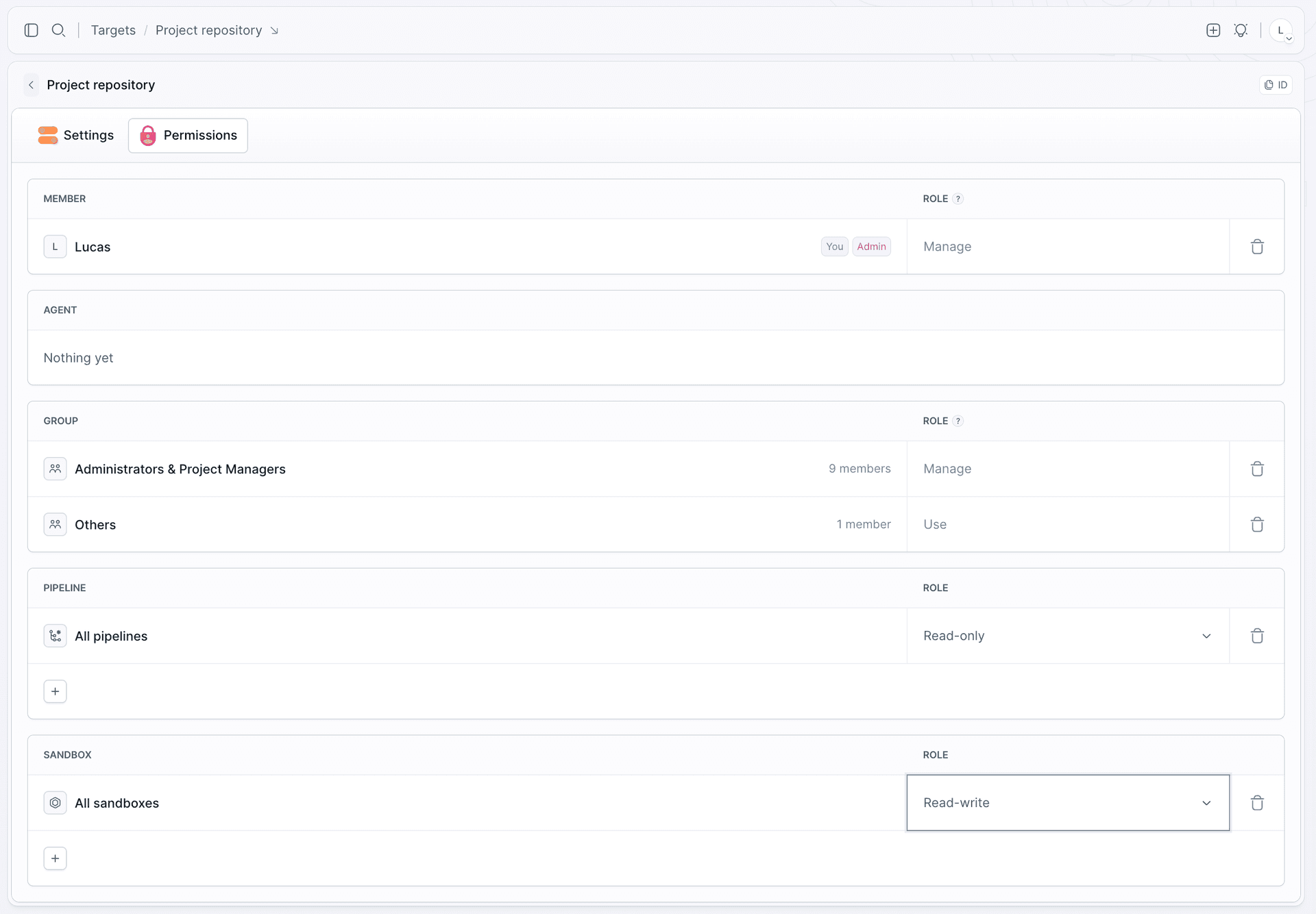
This matters most for AI agents, which are expected to commit and push their work. Git author identity is already configured in every Sandbox, so a commit needs no setup at all. See AI agents.
When fetch does not do what you expect
- Nothing was cloned. The project has no repository connected, or the Sandbox has not been granted access to it.
- Two sources overwrote each other. They were fetched into the same path - give each an explicit one.
- The build command failed. Its output is in the setup log,
bdy sb logs my-sandbox. See Logs. - A push was rejected. The Sandbox has read-only access to the repository.
Last modified on Oct 7, 2026