YAML variables
Environment variables in Buddy can be defined with one of four scopes: workspace, project, pipeline, and action. The scope defines where the variable can be applied.
For example, a variable with the project scope can be applied across all pipelines and actions in its parent project, whereas an ENV VAR restricted to a pipeline can be applied to all actions in that particular pipeline (and nowhere else).
The variables are described as a table with keys & values:
- pipeline: Test application
  refs:
  - refs/heads/development
  priority: HIGH
  fail_on_prepare_env_warning: true
  actions:
  - action: "Execute: npm test"
    type: BUILD
    working_directory: /buddy/git-repo
    docker_image_name: library/node
    docker_image_tag: 12
    commands:
    - npm install
    - npm test
    volume_mappings:
    - /:/buddy/git-repo
    shell: BASH
  variables:
  - key: action_first_variable
    value: value1
  - key: action_second_variable
    value: value2
  - key: pipeline_variable
    value: value
  - key: generate_ssh_key
    value: '!encrypted eTOyGxpKT8m7AFyKVySBQCcamcaFQqcp/Zjl1TvuLanpsc8/QrXTR9/Y3czGGRcRSv/DJETR4DkJ4cbNdc/+F9b4GY5efbJldwffdE+wLVI7Ukp9PW1KLjJ7K3mQe7P+tbCMcU90ScuMMDgiu8t5mAc2IA2eKOqxBRIegF/cCKjolbL0Oflh18Zdpllw3b+E/GfCLYwlGrLlTlcv1Xd3hLbY8oHmoSdSSXuxCZHE/336d9zwEUoVfaBvf/FjPp13r7Hvo03vIT3ZO3E4pHl13GB3FVJQMWkBaPiQay807ydoXSk5gculoUMuppg237TgT3QjgNU/WZNFrOKJF/ryU7b+v4rDO+DTauO4FFpZ5kCGhynV7Bv9QL+0o6dtFAVZA7G8jm6+qdoj6fLZEx14imocDRaOHMOF4zp9BxNqD7gnnbtPu7d3xw74AKdwiYmLVsANwo+uj3HHZKUMhb1oKCmx2WVrjvbr3R9mBpMuJD9aVSmNZGbawc5T0wMo6Gl6lz6GLNvNw1sZ5zq1R11kfQ==.nCY3wXY+/vhZh1RIf/lIZg=='
    type: SSH_KEY
    description: desc
    path: "~/.ssh/generate_ssh_key"
  - key: id_public_ssh_key
    value: |
      b3BlbnNzaC1rZXktdjEAAAAABG5vbmUAAAAEbm9uZQAAAAAAAAABAAAAMwAAAAtzc2gtZW
      QyNTUxOQAAACBeL72w6/HIY8R6DlFY2vmLEGkGF3+S1eM3YX6STe2AOAAAAJB4uEqAeLhK
      gAAAAAtzc2gtZWQyNTUxOQAAACBeL72w6/HIY8R6DlFY2vmLEGkGF3+S1eM3YX6STe2AOA
      AAAEC6dyvca5dRgxnQd/Pcz3cRRuUqVYr5/kgrpc7FEzMXYl4vvbDr8chjxHoOUVja+YsQ
      aQYXf5LV4zdhfpJN7YA4AAAACSh1bm5hbWVkKQECAwQ=
    type: SSH_PUBLIC_KEY
    description: desc
    path: "~/.ssh/id_public_ssh_key.pub"
    chmod: 600
Defining variables
Encryption
Sensitive data such as tokens and server credentials should be encrypted before being added to the YAML definition.
To encrypt a specific value, go to the project settings and use the encrypt option from the YAML tools dropdown menu:
Image loading...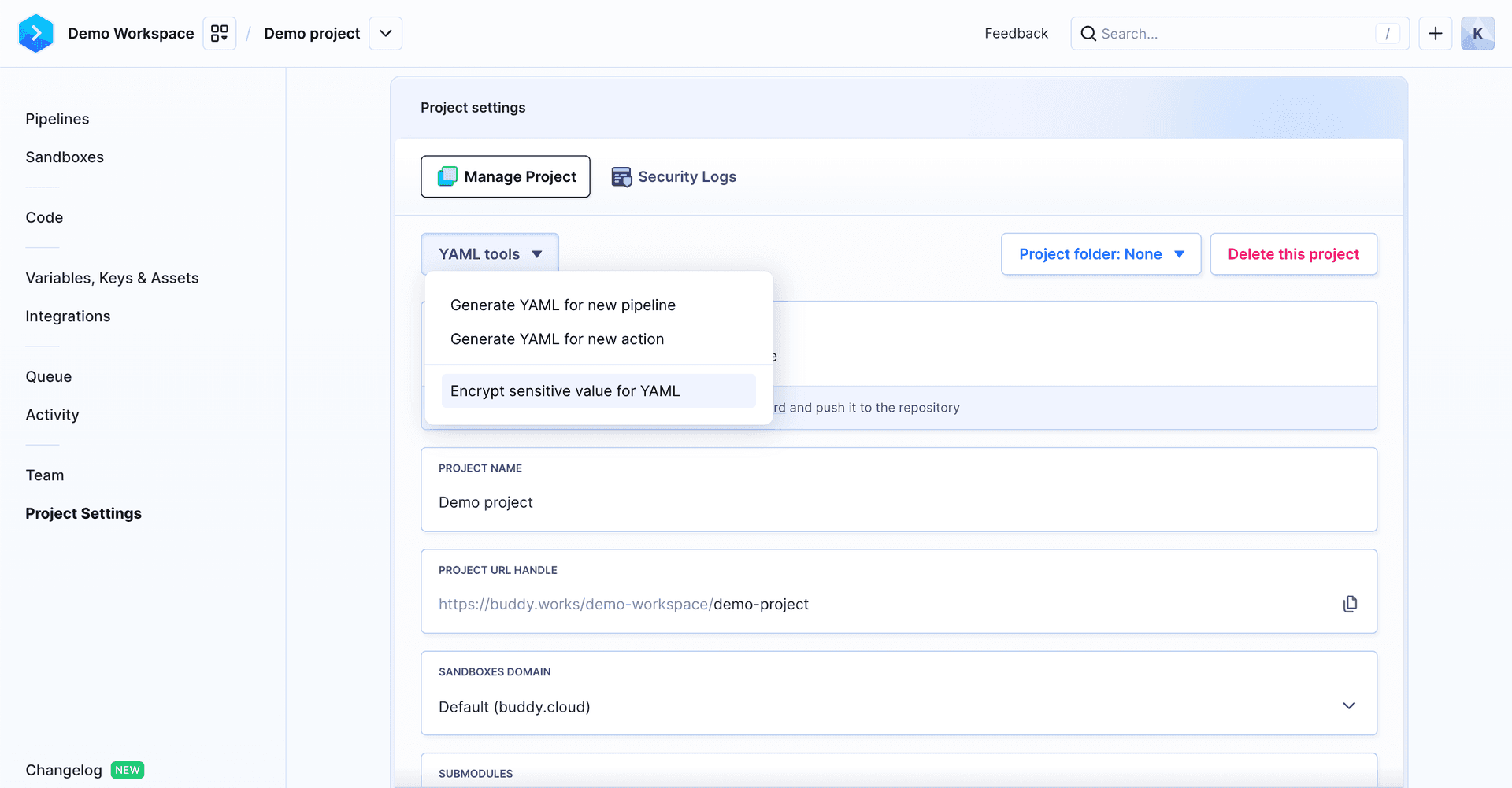
Enter the value that you want to hide and click the button to encrypt it. The encrypted value now can be pasted to your YAML file.
Image loading...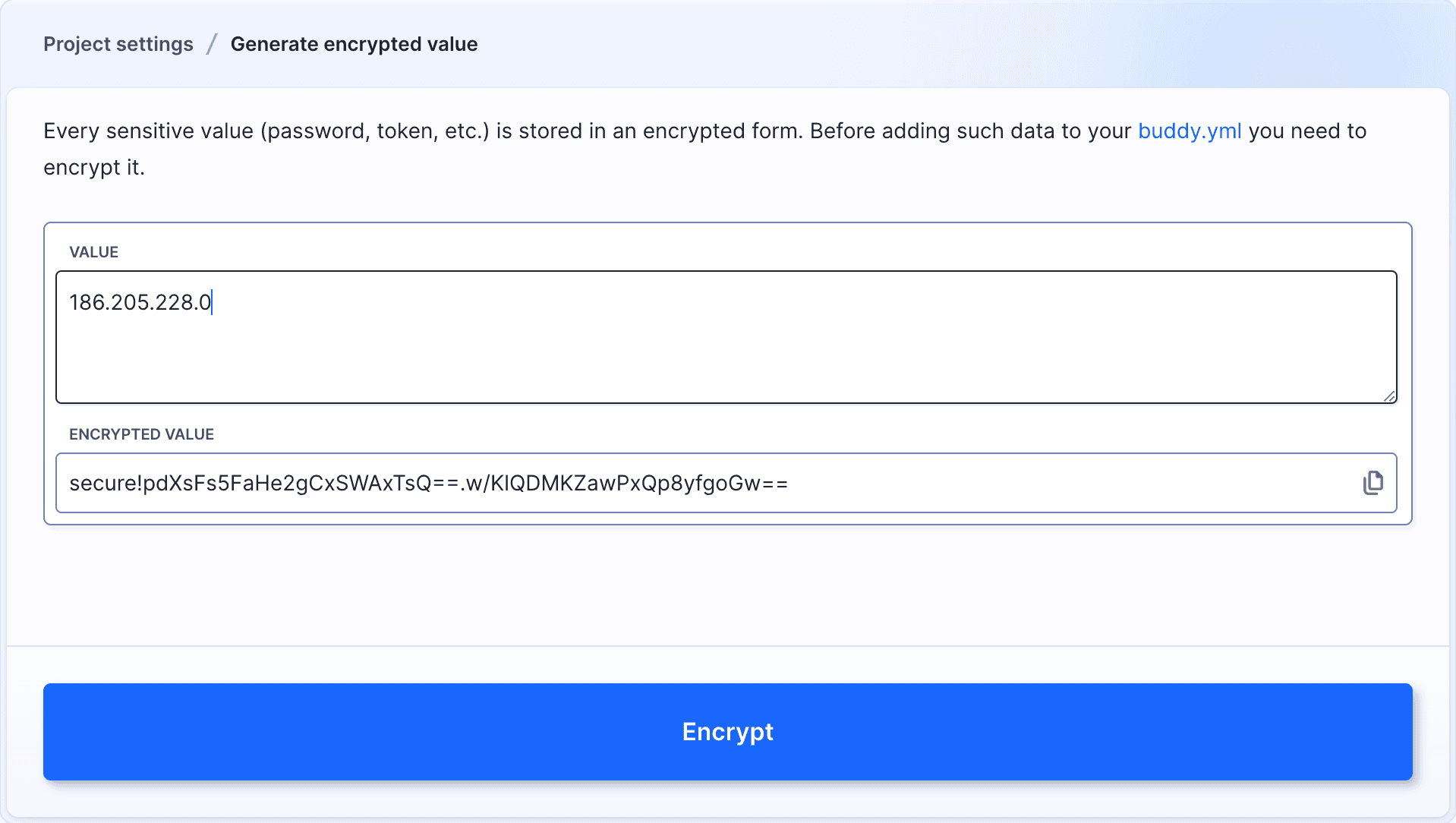
Salt
The data is encrypted using the salt that can be defined in the workspace settings:
Image loading...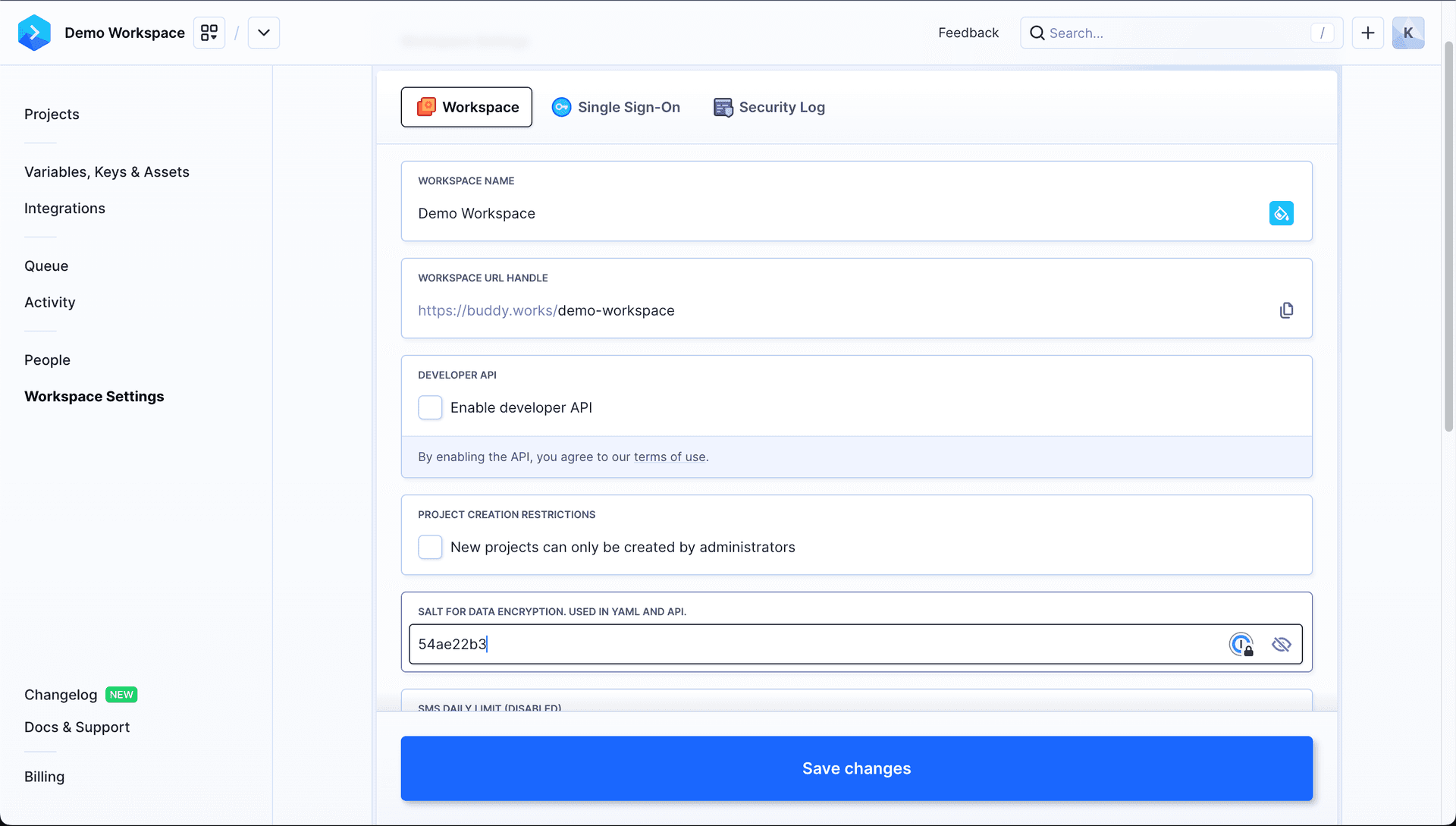
Last modified on Sep 17, 2026