Scriptless Testing
You don't need E2E tests to run visual tests. Give Buddy a list of URLs - or a whole sitemap - and it visits the pages and takes the snapshots for you. Every run creates a session in the suite, compared against the approved baseline like any other.
There are two ways to run scriptless tests: the Visual Tests pipeline action and the bdy CLI.
Via the Visual Tests action
In a pipeline, add the Visual Tests action, select the suite, and choose the URL source:
- Inline URL - a single address
- Inline URL list - multiple addresses
- Remote sitemap - e.g.
https://example.com/sitemap.xml, with an optional ignore regex - URL list from file - a file from the pipeline filesystem
Image loading...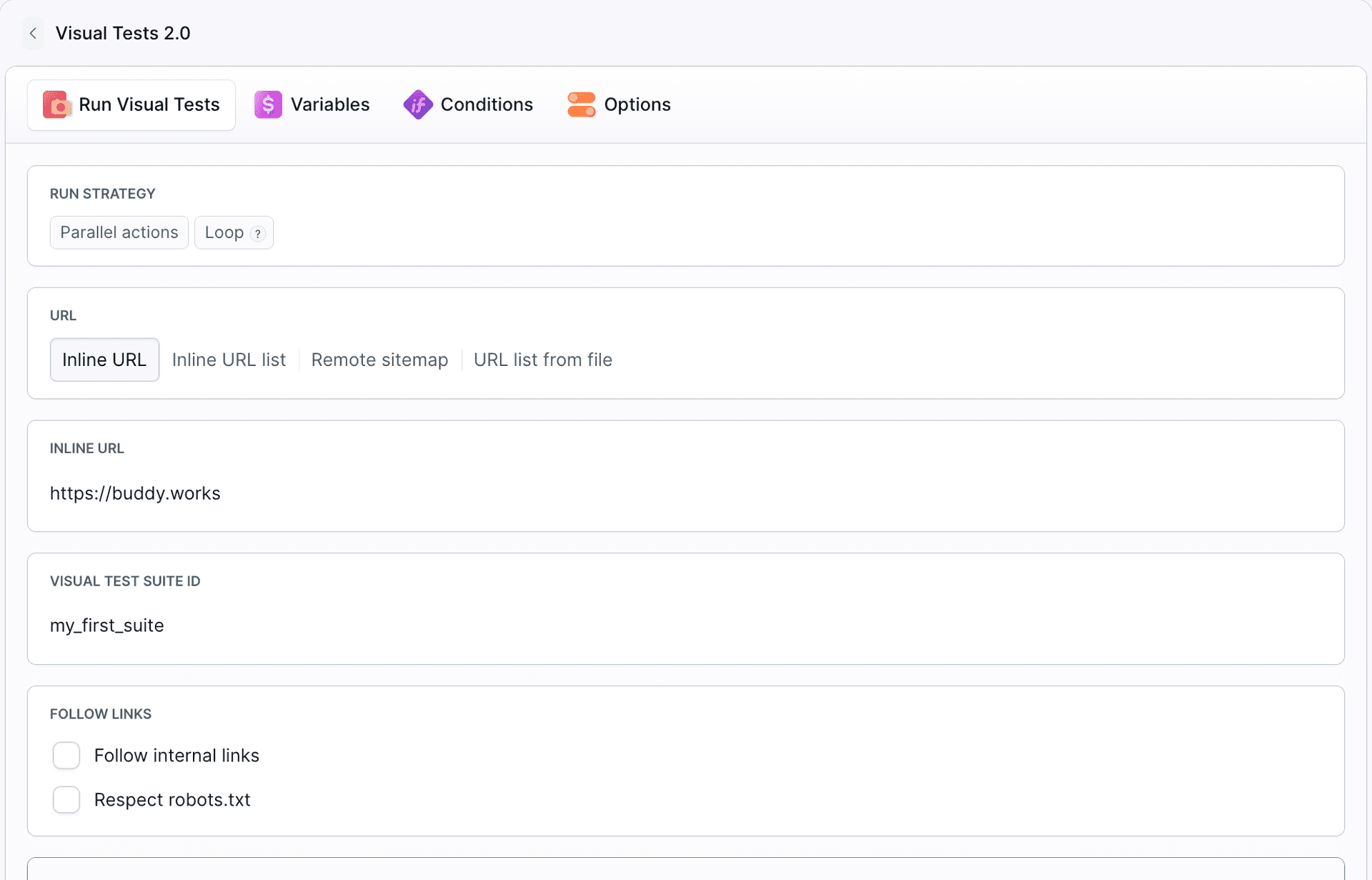
The action supports the same crawling options (follow internal links, respect robots.txt) and per-page overrides (ignored elements, cookies, request headers, delays, wait-for-selectors). By default it also adds an Approve Visual Tests Session action right after itself, pausing the pipeline until you review the changes - see Buddy Pipelines.
Via CLI
Install the bdy CLI and set your suite token as BUDDY_VT_TOKEN, then use bdy tests capture:
bash# Capture an explicit list of URLs bdy tests capture --urls "https://example.com,https://example.com/about" # Capture every page from a sitemap and follow same-origin links bdy tests capture --sitemap https://example.com/sitemap.xml --follow # Capture URLs listed in a file bdy tests capture --urlsFile ./urls.txt$$$$$$$$
Useful options:
--follow- follow same-origin links and capture all reachable pages--respectRobots- honorrobots.txt--ignoreUrls "<regex>"- skip URLs matching a regex, e.g."https://example.com/admin/.*"--ignore "CSS=.ad-banner" "XPATH=//div[@id='popup']"- exclude elements from comparison--cookie,--header- set cookies and HTTP headers for the visited pages (see Authentication & Network)--delay <ms>,--waitFor "CSS=#content"- control when the screenshot is taken (see Lazy loading)--dryRun- print the resolved URL list without sending anything to Buddy
Next steps
For an end-to-end walkthrough - picking the entry point, capturing the first baseline from a sitemap, and reviewing the initial diffs - see the guide Scriptless Visual Regression Testing Without Writing Code.
Last modified on Oct 1, 2026