GitHub Actions
You can create visual test sessions from GitHub Actions workflows - useful when your CI lives in GitHub but you want Buddy's rendering matrix, diffing, and review flow. Buddy reports the session result back to GitHub as a commit status, so you can gate merges on visual approval.
Secret configuration in GitHub
To use BUDDY_VT_TOKEN in GitHub Actions, add it as a secret in your repository:
- Navigate to Settings > Secrets and variables > Actions in your GitHub repository
- Click New repository secret
- Enter the name:
BUDDY_VT_TOKEN - Enter the token from the suite settings in Buddy
- Click Add secret
Image loading...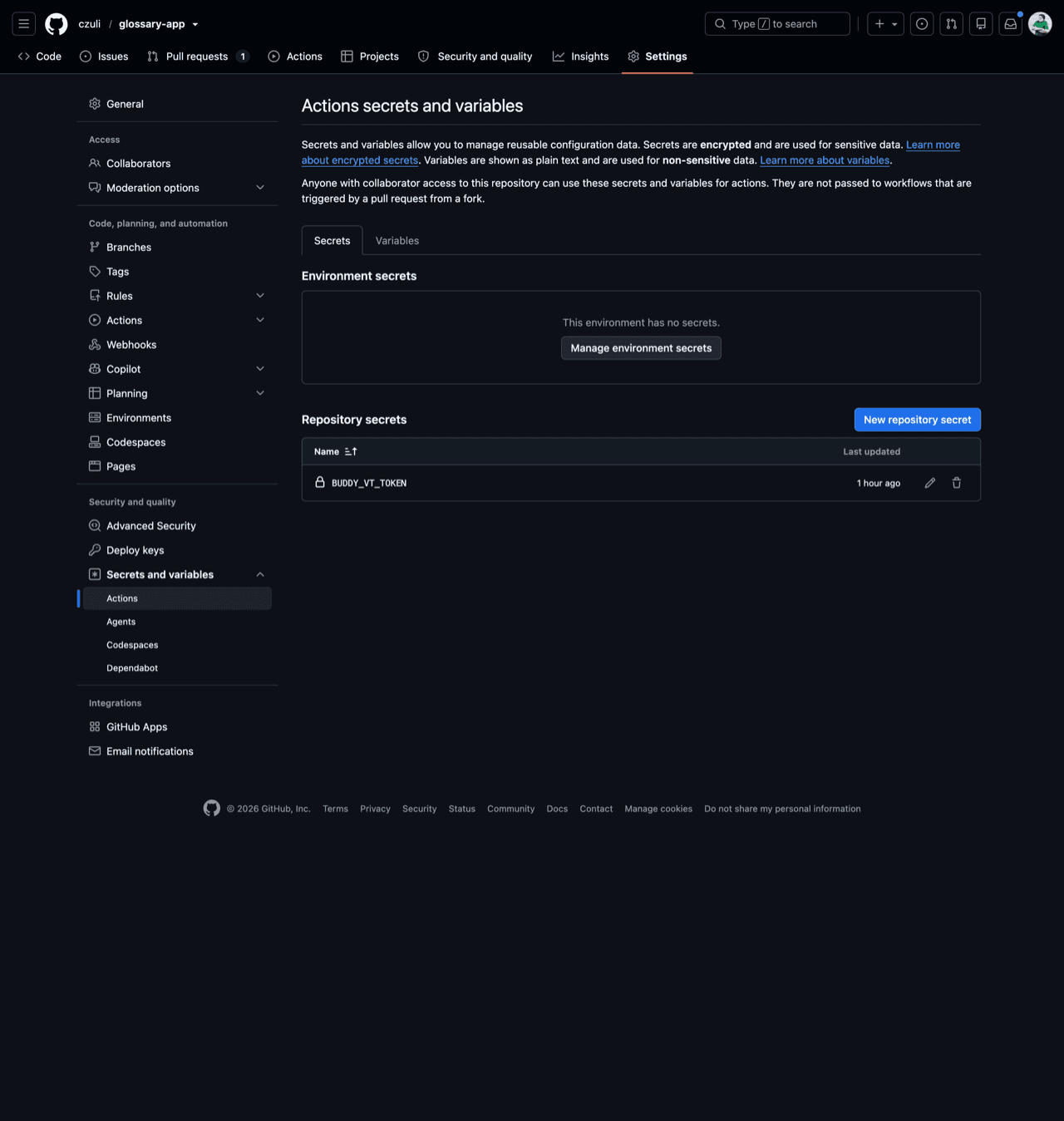
Example GitHub Actions workflow
The simplest way to run visual tests from GitHub Actions is scriptless - no test code needed. Build your app (or point at a live preview URL), install the bdy CLI, and let bdy tests capture crawl a sitemap. Every run opens a session in the suite and is compared against the approved baseline.
yamlname: Visual Tests
on: [push, pull_request]

jobs:
  visual-tests:
    runs-on: ubuntu-latest
    steps:
      - uses: actions/checkout@v4
      - uses: actions/setup-node@v4
        with:
          node-version: '20'
      - name: Install dependencies
        run: npm ci
      - name: Install Buddy CLI
        run: npm i -g bdy
      - name: Run visual tests
        env:
          BUDDY_VT_TOKEN: ${{ secrets.BUDDY_VT_TOKEN }}
        run: bdy tests visual session create "npx playwright test"
For a Storybook suite, replace the last step with:
yaml- name: Upload Storybook env: BUDDY_VT_TOKEN: ${{ secrets.BUDDY_VT_TOKEN }} run: | npm run build-storybook cd storybook-static && bdy tests visual upload
Blocking merges until changes are approved
For each session, Buddy can write a commit status back to GitHub under the context /buddy/tests/<suite-name> (e.g. /buddy/tests/glossary-crawl). A session that still has unreviewed visual changes reports as pending, and only flips to success once the changes are approved in Buddy - so making that status a required check turns visual approval into a hard merge gate.
Prerequisites
The commit status is written through Buddy's GitHub integration, not by the bdy CLI or the BUDDY_VT_TOKEN secret. Before the gate can work:
- Connect the repository in Buddy. Add the GitHub integration to your workspace and attach the repository you run the workflow from - this is what grants Buddy permission to write commit statuses. Without it no status is ever sent, and the check never appears in GitHub.
- Keep the target branch on manual review. Make sure your target branch is not matched by the suite's Auto-approve branches patterns in the suite settings - an auto-approved session resolves immediately, reports
successright away, and never pauses for review. (See Reviewing & Approvals.) You can also confirm statuses aren't disabled by the Don't send statuses to GitHub suite option.
Add the required status check
- Trigger at least one session first (open a PR or push a commit) so Buddy reports the
/buddy/tests/<suite-name>status on a recent commit. GitHub only lists a check in the branch-protection picker after it has seen it on a commit within the last 7 days - until then the context won't be selectable. - In your GitHub repository, go to Settings > Branches and add or edit the protection rule for your target branch.
- Enable Require status checks to pass before merging.
- Search for and add the
/buddy/tests/<suite-name>check to the required list.
With this in place, a pull request that introduces visual changes cannot be merged until someone approves the session in Buddy - see Reviewing & Approvals.
Last modified on Sep 1, 2026