Suite Settings
The Settings tab of a suite defines how snapshots are captured and compared. These are the defaults for the whole suite - each of them can be overridden at the level of an individual snapshot, so a single tricky page doesn't force a suite-wide change.
Image loading...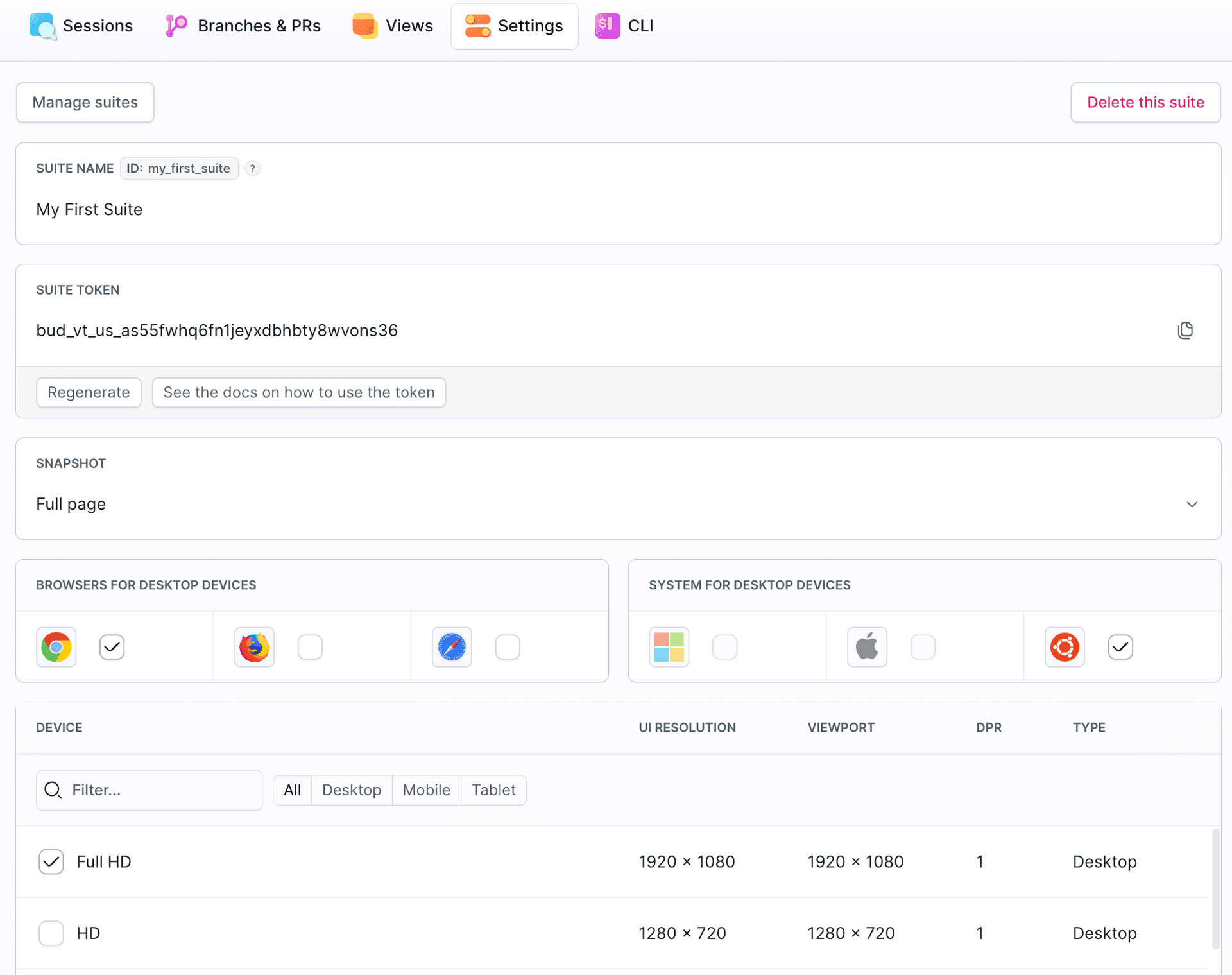
Identity & access
- Suite name & ID - the ID references the suite in pipeline actions and the CLI (
bdy tests visual link -s <suite-id>) - Suite token - authenticates snapshot uploads (
BUDDY_VT_TOKEN). Can be regenerated at any time; regenerating invalidates the old token
Capture
- Snapshot - what part of the page is captured, e.g. Full page
- Browsers for desktop devices - Chrome, Firefox, Safari; every enabled browser renders each snapshot
- System for desktop devices - the operating system used for desktop rendering
- Device - the resolution matrix. Pick from desktop resolutions (HD up to 4K/UHD), tablets (iPad family), and mobile devices (iPhone, Pixel, Galaxy). Each entry lists its UI resolution, viewport, and device pixel ratio (DPR). More devices mean broader coverage but more renders per session
- Color scheme - light or dark rendering
Comparison
Image loading...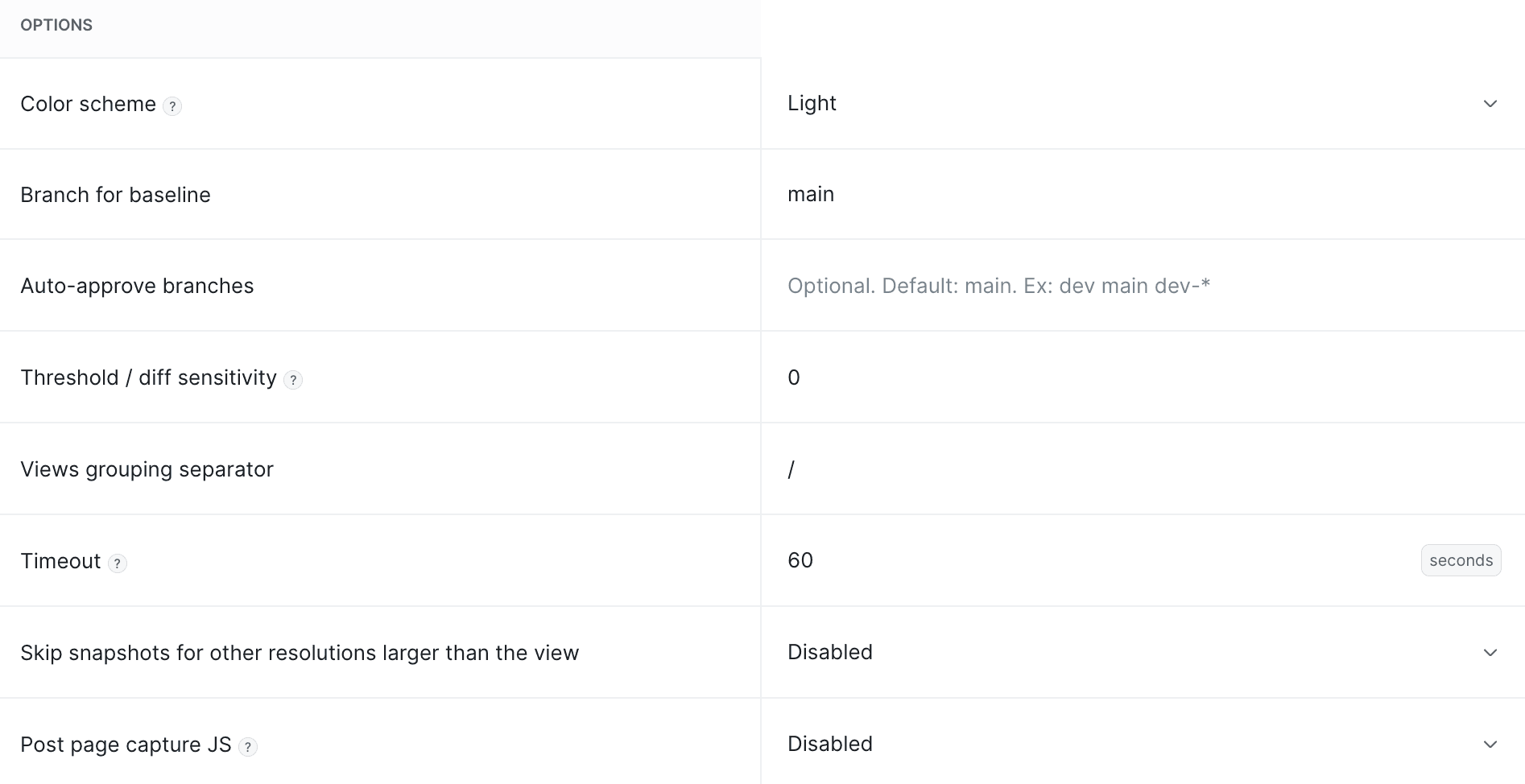
- Branch for baseline - the branch whose approved snapshots serve as the reference for other branches, taken from an ancestor commit of the tested branch (default:
main). See Sessions, Snapshots & Baselines - Auto-approve branches - branch name patterns whose sessions are approved automatically, e.g.
dev main dev-*. See Reviewing & Approvals - Threshold / diff sensitivity - how much difference is tolerated before a snapshot is flagged as changed (default:
0.3;0reports every pixel difference). Raise it if you get diffs from antialiasing or shadow rendering - see Flaky rendering - Views grouping separator - the character that groups snapshot names into a tree in the review UI (default:
/);checkout/step-1andcheckout/step-2end up undercheckout
Rendering behavior
- Timeout - maximum wait time per snapshot in seconds (default:
60) - Skip snapshots for other resolutions larger than the view - skips renders that would only add horizontal whitespace around a fixed-width view
- Post page capture JS - custom JavaScript executed on the page before the snapshot is compared - use it to hide or normalize content that the ignore list can't handle
Ignoring & page tweaks
The bottom of the settings page defines suite-wide lists, each overridable per snapshot:
- Ignored snapshots - snapshots excluded from comparison entirely
- Ignore - elements (by selector, e.g. XPath or CSS) excluded from the diff - see Dynamic Content
- Cookie / Request header / Local storage key - values set before visiting pages, typically for authenticated views - see Authentication & Network
- Delay / Wait for selector - postpone the capture until the page settles - see Lazy loading
Last modified on Jul 14, 2026