Sessions, Snapshots & Baselines
Sessions
A session is a single execution of your visual tests - one bdy tests visual session create run, one Storybook upload, or one Visual Tests action execution. Each session belongs to a suite and is associated with the branch and commit it was created for.
A session contains every snapshot captured during that run, rendered for all browser/system/device combinations enabled in the suite settings. A session with differences against its baseline waits for review; a session without differences passes automatically.
Snapshots
A snapshot is a named view - homepage, checkout/step-1, a Storybook story, or a crawled URL. The name identifies the view across sessions: comparing works per snapshot, so homepage from today's session is compared with the approved homepage from before, on the same browser and device.
Use the grouping separator (default /) in snapshot names to organize them into a tree in the review UI.
How the baseline is determined
The baseline is the reference version a snapshot is compared against. It is resolved per snapshot (per browser/device variant), not per session:
Image loading...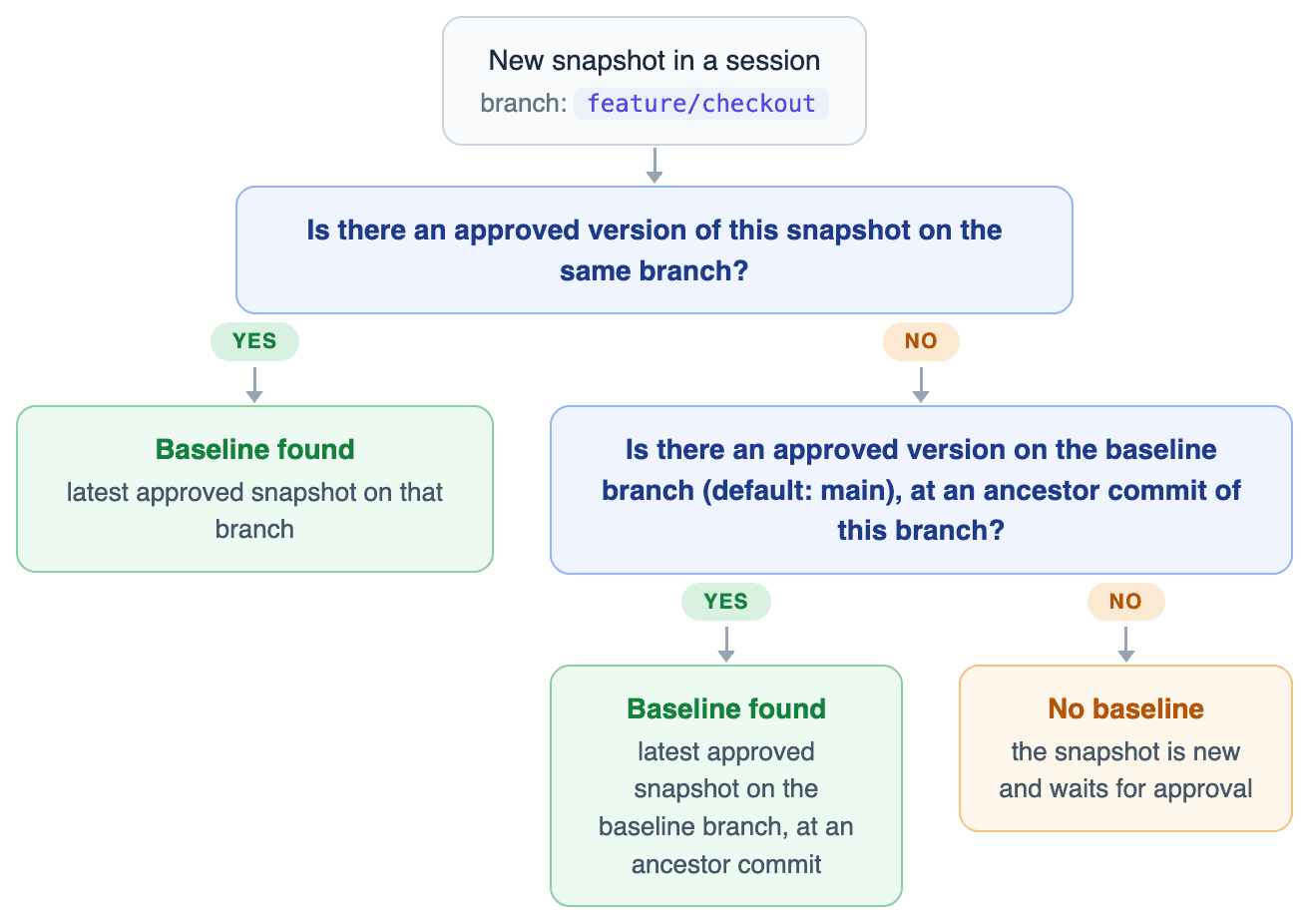
In practice:
- On the baseline branch (e.g.
main), sessions compare against the previously approved state of that branch. - On a feature branch, the first session compares against the baseline branch as it was when your branch diverged from it: the baseline is the latest approved snapshot at an ancestor commit of your branch. Changes approved on
mainafter you branched off don't affect the comparison - your branch is reviewed against the code it was actually built on. - Once you approve snapshots on the feature branch, later sessions on that branch compare against those, so you only review each change once.
- A brand-new snapshot (a view that has never been approved on your branch or in its history) has no baseline; it shows up as new and waits for approval.
Take this history, where sessions at the green commits have approved snapshots:
Image loading...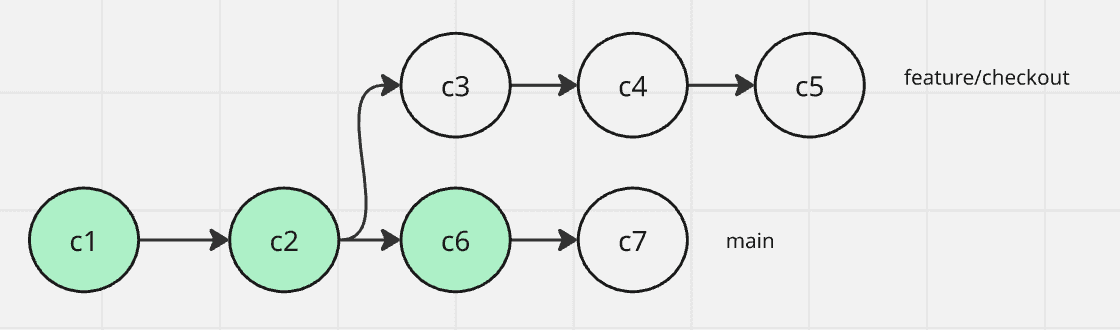
A session for feature/checkout takes its baseline from c2 - the latest approved snapshot on main that is an ancestor of the branch - not from c6, even though c6 is newer.
Approving a snapshot makes it the new baseline for subsequent sessions - see Reviewing & Approvals.
Last modified on Jul 14, 2026