Buddy Pipelines
Visual tests are first-class citizens in Buddy pipelines: build actions know about suites, tokens are injected automatically, and a dedicated action can pause the pipeline until the visual changes are approved.
Adding visual tests to a build action
Build actions such as Playwright, Cypress, Node.js, or Gradle have a Configure visual tests link next to the commands editor:
- Click Configure visual tests
- Select the suite the comparisons should run in
- Select the framework - Buddy inserts the matching
bdy tests visual session createcommand into the action commands
The suite is now bound to the action (the link shows its name) and the token is provided to the action automatically - no BUDDY_VT_TOKEN variable needed.
For Storybook, use the dedicated Storybook action instead - see Storybook. For URL-based tests without code, use the Visual Tests action - see Scriptless Testing.
Human-in-the-loop: waiting for session approval
Add the Approve Visual Tests Session action after the action that creates the session. It suspends the pipeline until the session is reviewed:
- if you approve the changes, the pipeline continues (e.g. proceeds to deployment)
- if you reject them, the pipeline stops
This turns visual review into a deployment gate: nothing ships until a human confirms the UI looks right.
Example pipeline
A complete release flow with visual tests as the quality gate between staging and production:
Image loading...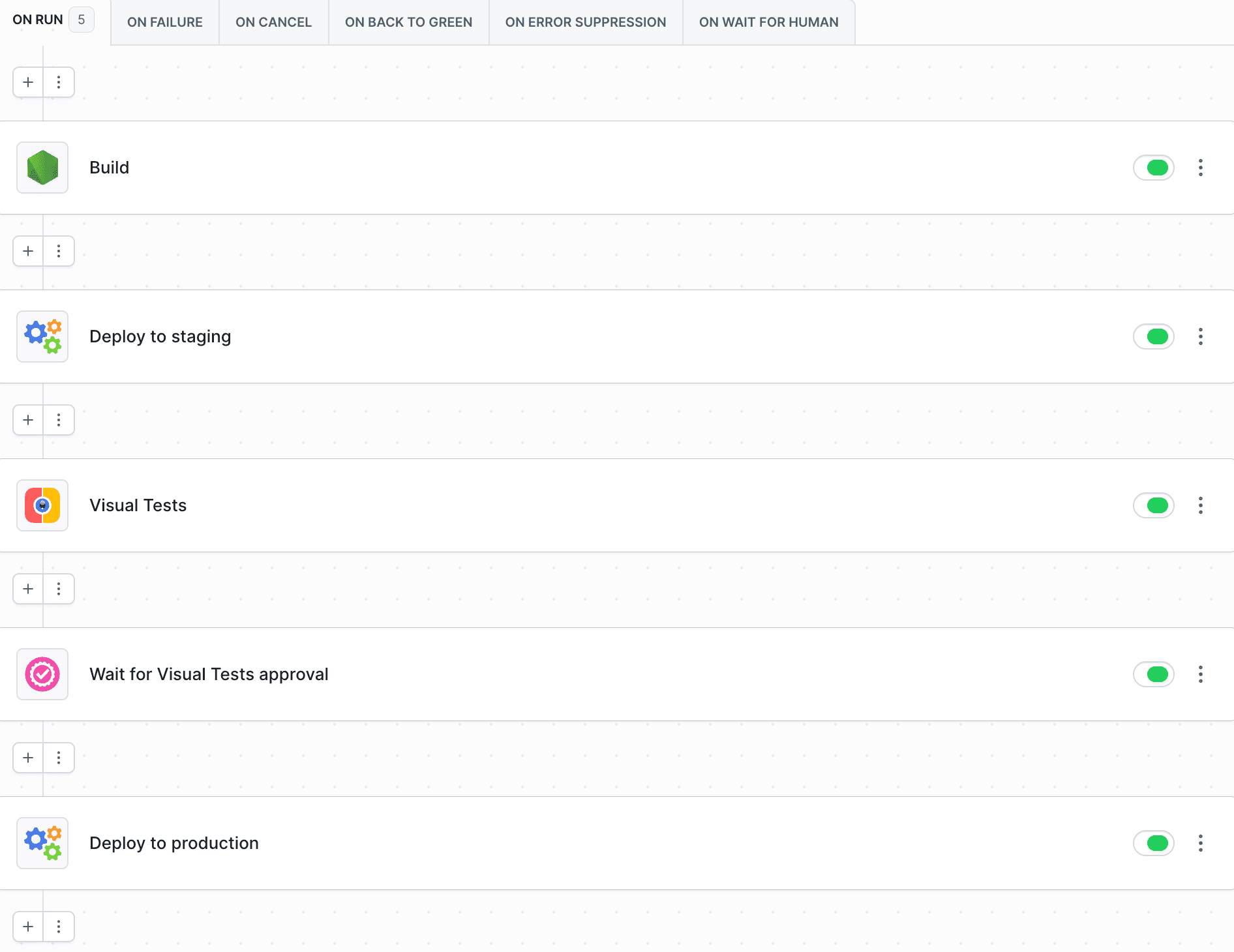
- Build - installs dependencies and builds the app
- Deploy to staging - ships the build to the staging environment
- Visual Tests - captures snapshots of the staging URL and creates a session
- Wait for Visual Tests approval (the Approve Visual Tests Session action) - pauses the pipeline until the session is reviewed
- Deploy to production - runs only after the visual changes are approved
Typical variations:
- On every push: build action with
bdy tests visual session create "npx playwright test"→ approval gate → deploy to production - Component library CI: Storybook action on every merge request, with auto-approve configured for the default branch
Last modified on Jul 14, 2026