Introduction to the OIDC Identity Provider in Buddy
An OIDC identity provider in Buddy enables secure token exchange where claims are verified to issue short-lived API tokens. This eliminates storing permanent credentials while maintaining access control. GitHub Actions, CircleCI, and other tools supporting OIDC are included.
Benefits of using OIDC:
- No hardcoded API keys or credentials
- Automatically rotating, short-lived tokens
- Granular access control based on pipeline context
- Enhanced security through identity verification
- Compliance with modern security standards
How OIDC works
- Configure the OIDC identity provider in Security settings
- External service passes its OIDC token to Buddy
- Buddy verifies the token against trust conditions
- Buddy generates a short-lived API token
- The service uses the token to access the Buddy API
How Lifetime works:
Each OIDC token → Buddy API token exchange generates a new token. Lifetime specifies token validity from the moment of exchange, not from provider creation.
If you set lifetime to 10 minutes, each generated token will be valid for 10 minutes from the moment of its creation.
Accessing Identity Provider settings
- Log in to your Buddy account
- Go to Account → Security
- Scroll to the OIDC IDENTITY PROVIDER section
- Click the + button and select the provider type:
- GitHub Actions - for GitHub Actions workflows
- CircleCI - for CircleCI pipelines
- Other provider - for generic OIDC providers
Image loading...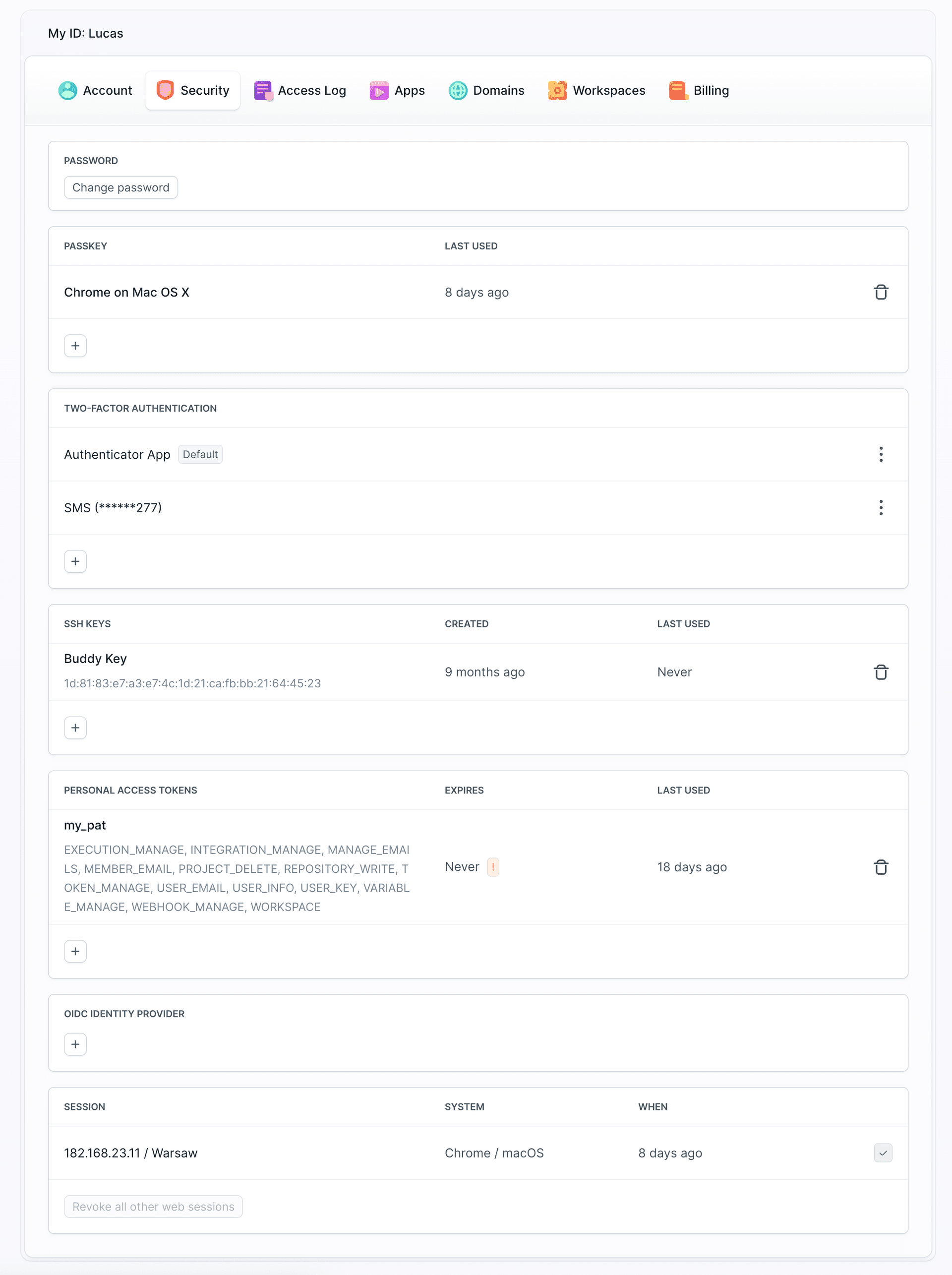
Image loading...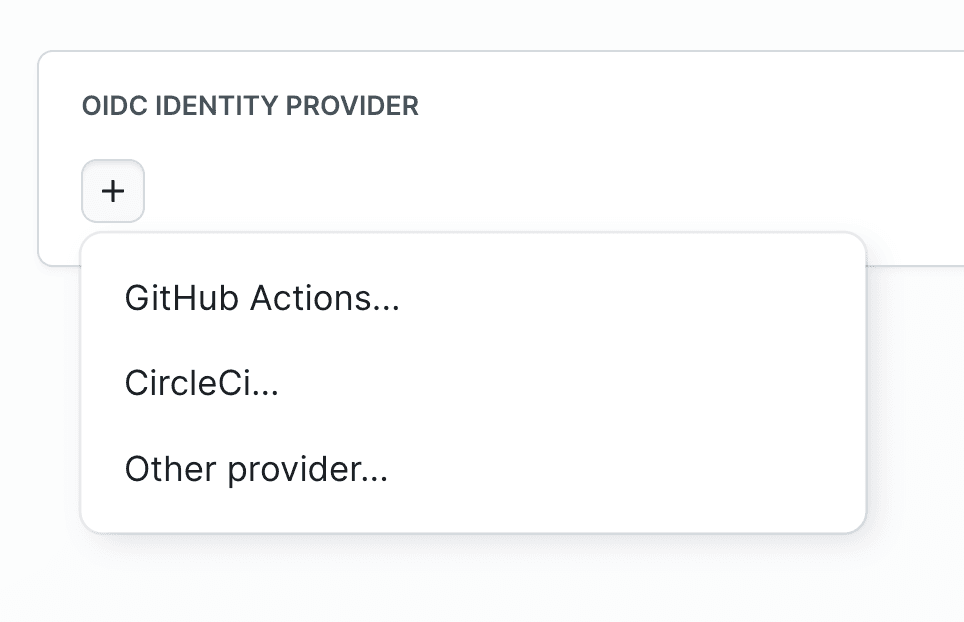
After creating an OIDC identity provider, you will receive a Provider ID (UUID format) used in external service configuration.
Provider-specific configuration
- GitHub Actions - OIDC configuration for GitHub Actions workflows
- CircleCI - OIDC configuration for CircleCI pipelines
- Other Provider - OIDC configuration for generic providers
Error handling
Token expiration – lifetime
If the set token lifetime expires, you will receive an error:
json{
  "errors": [
    {
      "message": "Wrong authentication data"
    }
  ]
}
Perform another OIDC token → Buddy API token exchange or extend the token lifetime in provider configuration.
Missing required scope
If you try to call an API endpoint you don't have permissions for, you will receive an error:
json{
  "errors": [
    {
      "message": "Insufficient scopes. Your token has the following scopes: [...]. This request requires the following scopes: <SCOPE_NAME>"
    }
  ]
}
Edit the OIDC identity provider and add the missing scope (indicated in the error) in the Scopes section.
Additional resources
- Trust Conditions - Learn how to configure trust conditions
- Supported scopes - Available permissions and scopes
Last modified on Mar 4, 2026