OIDC Configuration for Other Providers
An OIDC identity provider for generic services enables secure external service authentication to the Buddy API without storing credentials.
Configuration
When selecting Other provider in the OIDC identity provider configuration, you will configure:
Image loading...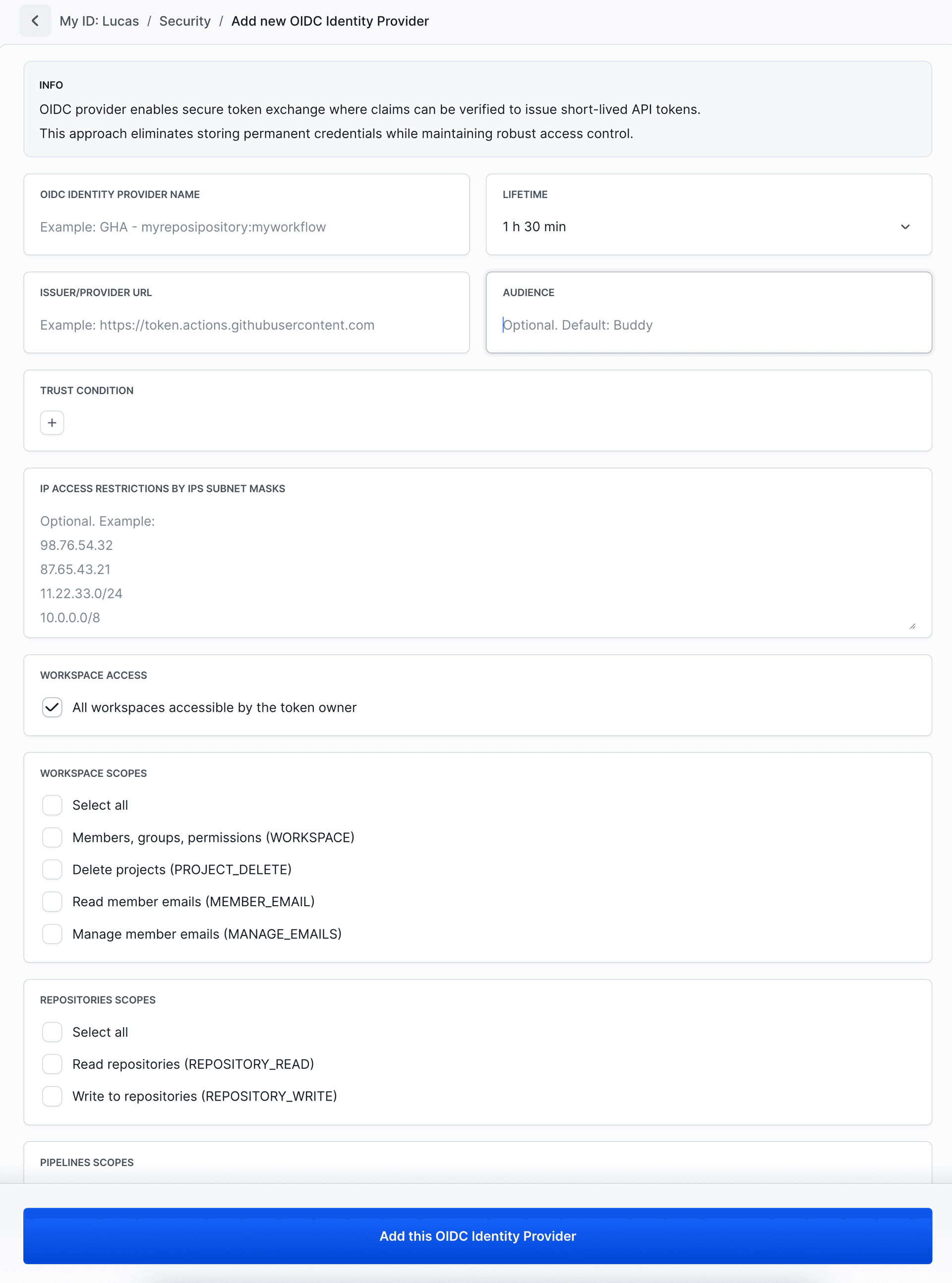
- OIDC Identity Provider Name: A descriptive name
- Lifetime: Token validity time (counted from exchange moment). Available options:
- 10 min
- 30 min
- 1 h
- 1 h 30 min
- 3 h
- 8 h
- Issuer/Provider URL
Required: Your OIDC provider's issuer URL - Audience: Optional audience value
- Trust Conditions: Enter custom conditions (Key/Value) based on your OIDC token claims. See Trust Conditions
- IP Access Restrictions: Optional IP subnet masks for additional security
- Workspace Access: By default, access to all the user’s workspaces. Uncheck to limit to selected ones.
- Scopes: Select specific permissions. OIDC identity providers use the same scopes as OAuth 2.0 applications. For detailed descriptions, see Supported scopes
After clicking Add this OIDC Identity Provider you will receive Provider ID and ready-to-use code in the USE WITH CURL section.
Usage
Use the OIDC token from your provider ($JWT_TOKEN variable) to exchange for Buddy API token:
yamlBUDDY_TOKEN=$(curl -X POST "https://api.buddy.works/user/oidc/tokens" \
  -H "Content-Type: application/json" \
  -d '{
    "provider_id": "a2cca468-0e78-43c8-a9aa-cee4b7bf44b9",
    "web_identity_token": "$JWT_TOKEN"
  }')

curl -X GET "https://api.buddy.works/user" \
  -H "Authorization: Bearer $BUDDY_TOKEN" \
  -H "Content-Type: application/json"
Info
Replace
$JWT_TOKEN with your OIDC provider's environment variable.
Related documentation
- Trust Conditions - Trust conditions configuration
- Supported scopes - Available permissions and scopes
Last modified on Mar 4, 2026