General settings
Workspace name and URL handle
You can change the name and URL in the Workspace Settings tab:
- Workspace name - the name displayed on the workspace list and on the browser tab. Changing the name does not change the workspace URL.
- Workspace URL handle - defines the address at which the workspace is available:
https://app.buddy.works/$WORKSPACE_URL_HANDLE. - The URL handle can use lowercase letters, numbers, and
-(dash) and_(footer) characters. Other special characters are not allowed. The handle must start and end with a letter or a number. - You can change the color of the Buddy logo for easier identification on the workspace list.
URL handle for Buddy-hosted Git projects
If you host your projects on Buddy, keep in mind that updating the workspace URL changes the URL of all Git projects. If you do need to change the handle, remember to update the project URL in your local folders for all applicable repositories by running the following command:
bashgit remote set-url origin https://app.buddy.works/:workspace/:project$
Workspace ownership
To transfer workspace ownership to another user, click the Transfer ownership button in the Change workspace owner section at the bottom of the workspace settings:
Image loading...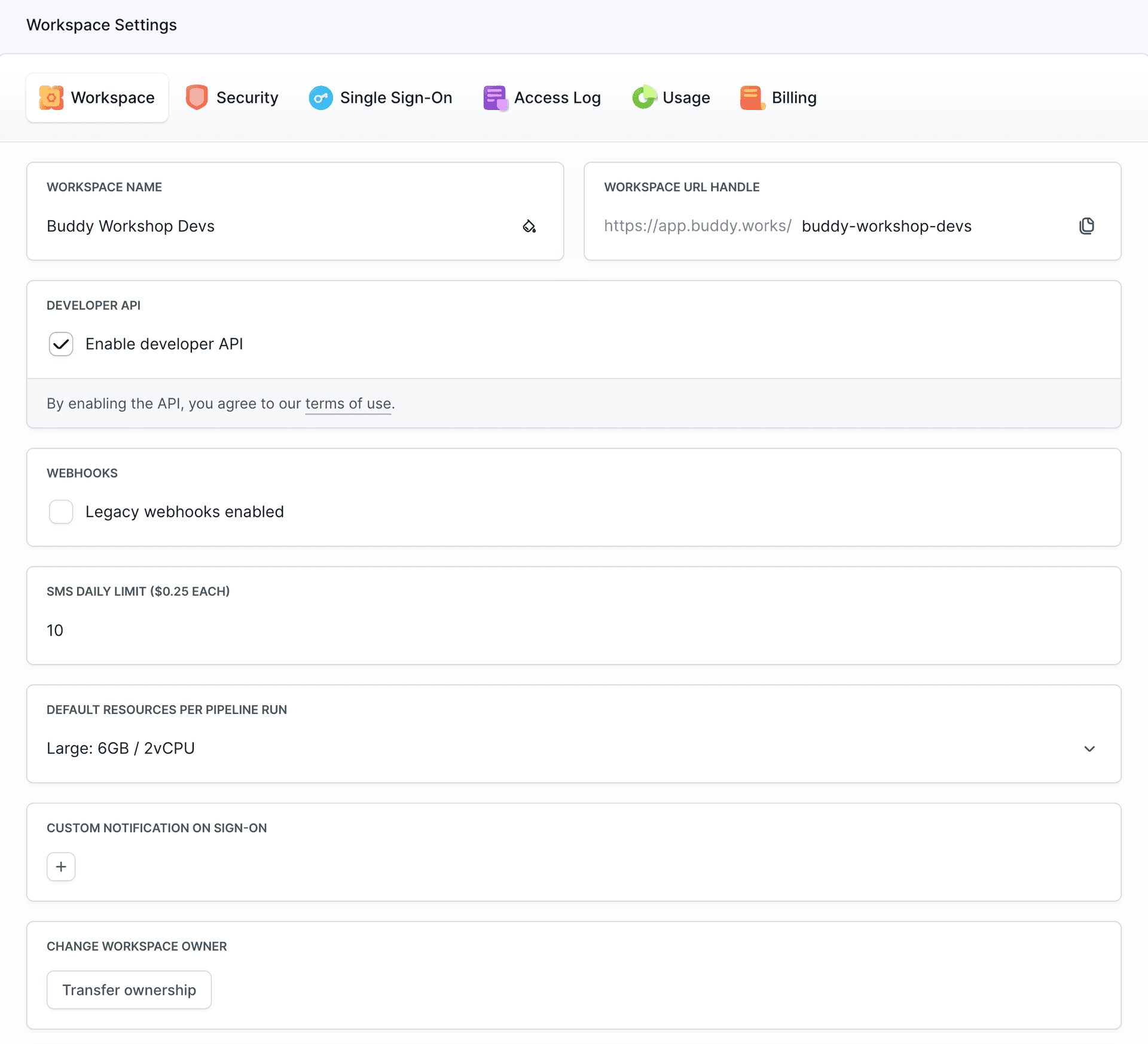
Select the desired owner from the list to send them the confirmation email. You can use the search box to filter users. As soon as the user confirms, they will become the new owner of the workspace.
Image loading...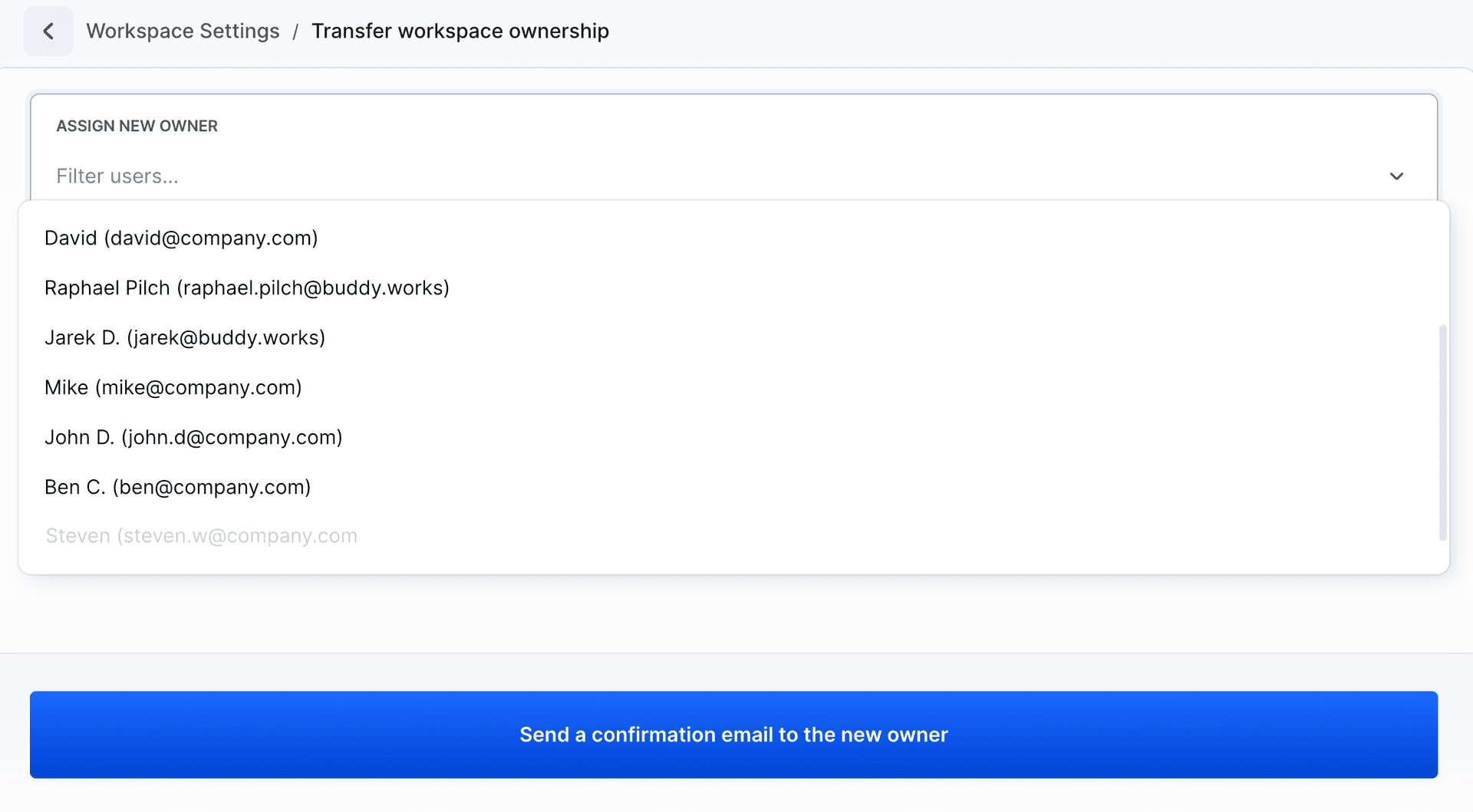
Dark Mode
You can switch between light and dark themes in the application:
- Click your avatar in the top-right corner of the screen.
- In the Theme section, select:
- 🌙 Dark Mode - enables the dark theme
- ☀️ Light Mode - enables the light theme
Image loading...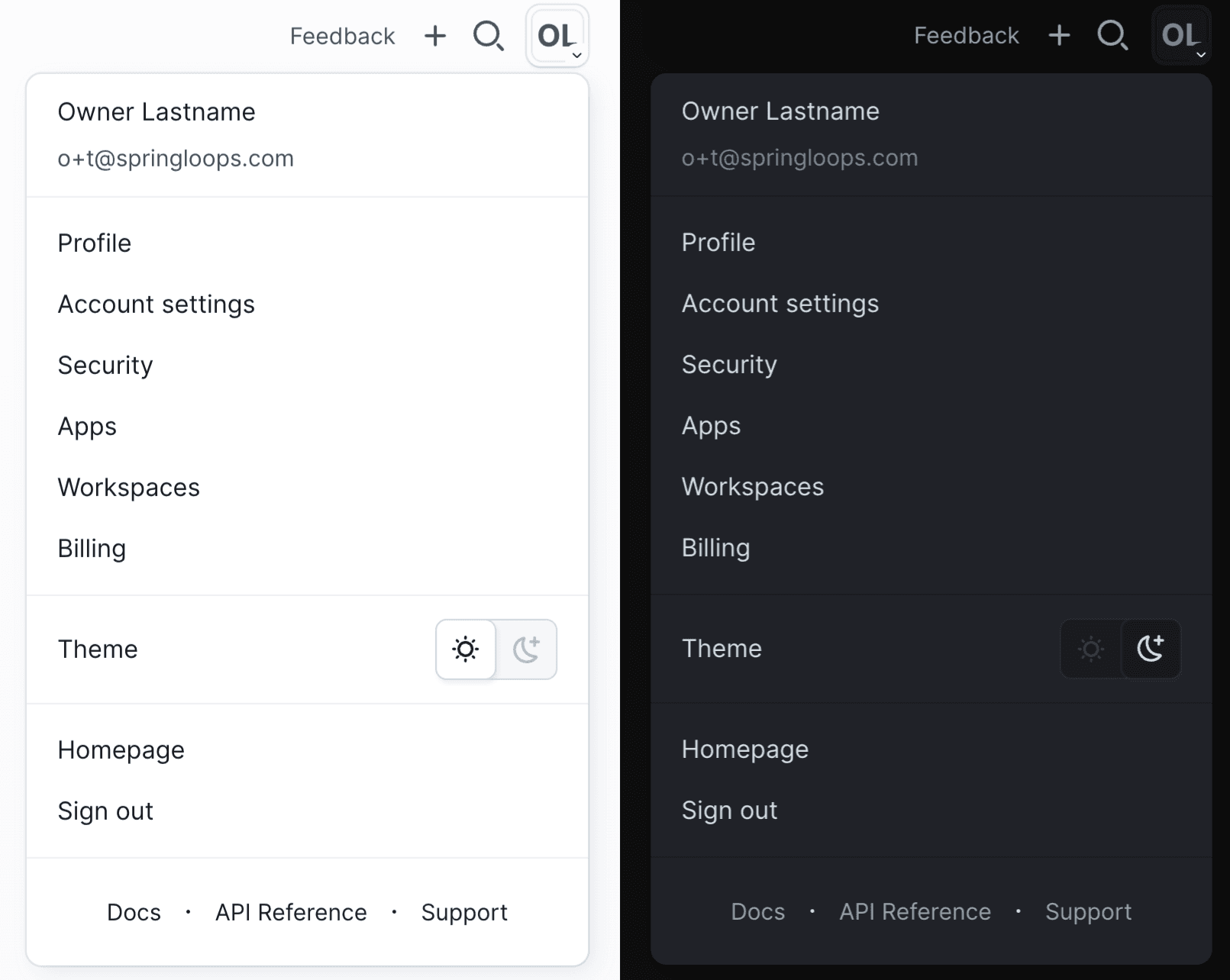
Last modified on Apr 22, 2026