State backends
Terraform stores what it manages in a state. Without a persistent state, every run would create the infrastructure from scratch. Each Terraform action has a backend setting that tells Buddy where the state is kept:
backend.type | Where the state is | What Buddy adds |
|---|---|---|
ARTIFACT | A Buddy artifact | The backend configuration and credentials |
AMAZON | An S3 backend declared in your code | AWS credentials from an integration |
GOOGLE | A GCS backend declared in your code | Google credentials from an integration |
CUSTOM (default) | The backend declared in your code | Nothing |
ARTIFACT
The state is stored in a Buddy artifact. You don't need a bucket, a lock table, or any credentials.
Requirements
- The artifact and its version must already exist. Buddy doesn't create them, and the action fails with not found if either is missing.
- The artifact must be of type Bucket, with Access control set to Buddy Auth.
- The pipeline needs read-write access to the artifact.
- Your code must not declare a
backendblock.
yamlbackend:
  type: ARTIFACT
  artifact: infra-state
  artifact_version: prod
Image loading...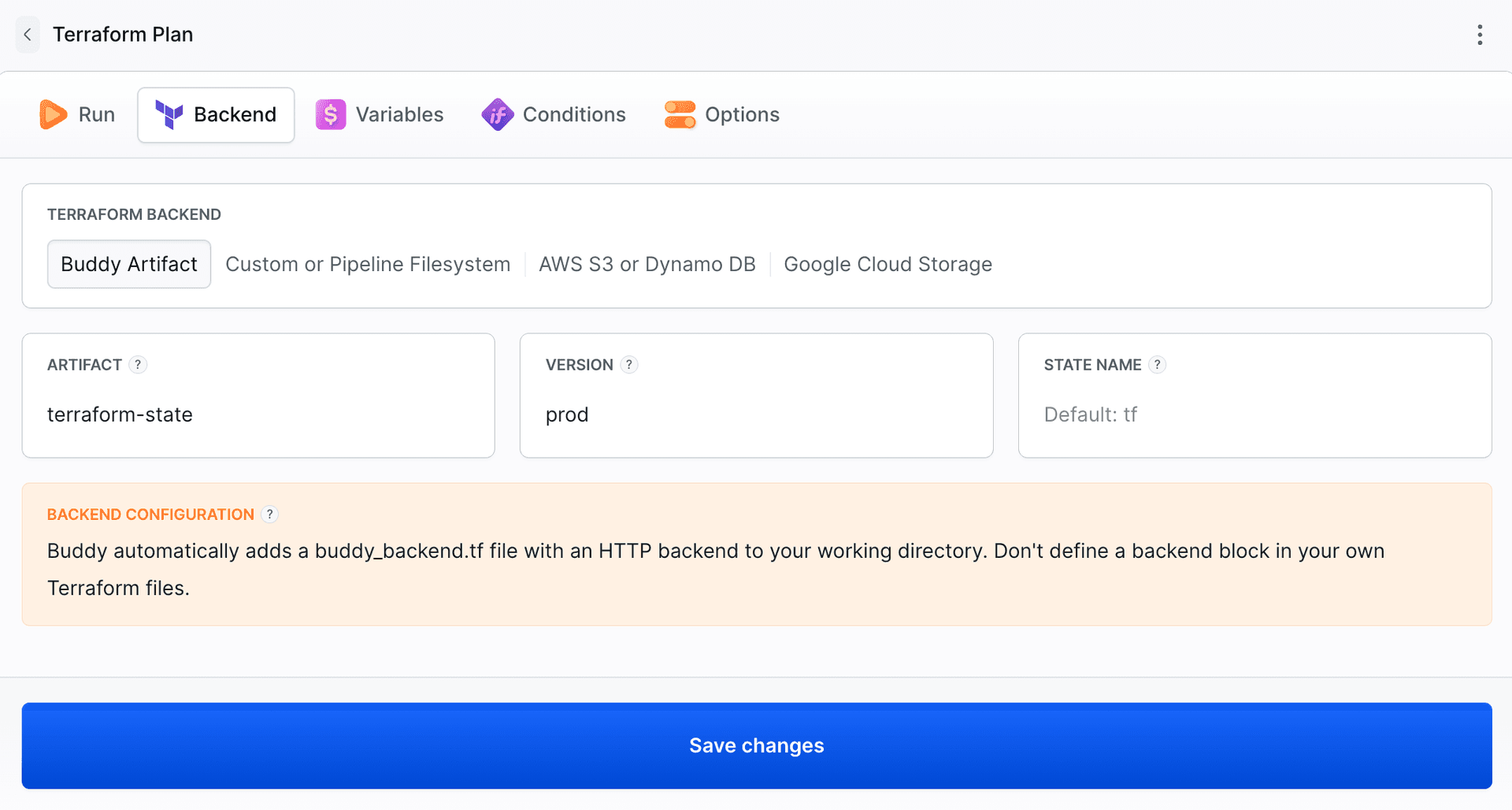
How it works
Before running the tool, Buddy writes buddy_backend.tf to the working directory:
hclterraform {
  backend "http" {}
}
It also sets the HTTP backend variables:
| Variable | Value |
|---|---|
TF_HTTP_ADDRESS, TF_HTTP_LOCK_ADDRESS, TF_HTTP_UNLOCK_ADDRESS | <artifact version URL>/tf.tfstate |
TF_HTTP_USERNAME | The pipeline ID |
TF_HTTP_PASSWORD | A token of the pipeline run |
One artifact version holds one state file, tf.tfstate, which is overwritten on every apply. To keep separate states, for example per environment, use separate versions (dev, staging, prod) or separate artifacts.
Locking
The artifact backend supports state locking. While one action holds the lock, another one working on the same state waits or fails, depending on -lock-timeout in additional_args.
Size limit
A state file can be up to 2 GB. To raise the limit, contact support.
Moving an existing state to an artifact
Buddy doesn't migrate state automatically. To move an existing state:
- Make sure nothing is running against the old state.
- Download it from the old backend:
terraform state pull > tf.tfstate. - Upload
tf.tfstateto the root of the artifact version - in the UI or with the REST API. - Remove the
backendblock from your code and setbackend.typetoARTIFACT. - Run a Plan. If the state was moved correctly, it shows no changes.
State name in the Terraform CLI action
In the Terraform CLI action, state_name changes the file name to <state_name>.tfstate. Plan, Apply, and Drift Detection always use tf.tfstate.
AMAZON
Your code declares an s3 backend. Buddy exports the credentials of the selected AWS integration to the container:
hclterraform {
  backend "s3" {
    bucket = "my-terraform-state"
    key    = "prod/terraform.tfstate"
    region = "eu-central-1"
  }
}
yamlbackend:
  type: AMAZON
  integration: my-aws
  region: eu-central-1
The exported variables are AWS_ACCESS_KEY_ID, AWS_SECRET_ACCESS_KEY, AWS_SESSION_TOKEN, and AWS_DEFAULT_REGION, plus AWS_ACCOUNT_ID, AWS_USER, and AWS_USER_ARN for information. The AWS provider reads the same variables, so the integration also authenticates your AWS resources. The integration can use OIDC instead of static keys.
Your code declares a gcs backend. Buddy writes the key of the selected Google Service Account integration to a file and sets GOOGLE_CREDENTIALS. The Google provider reads it too.
yamlbackend:
  type: GOOGLE
  integration: my-gcp
CUSTOM
Buddy leaves the backend to your code. Use it for any backend Terraform supports, for example azurerm, http, pg, remote, or S3 with credentials you provide yourself. Pass the credentials as variables, for example ARM_CLIENT_ID and ARM_CLIENT_SECRET for Azure.
Last modified on Oct 19, 2026