Drift detection
Drift happens when infrastructure stops matching the Terraform state: someone changes a security group in the console, a script deletes a bucket, an autoscaler resizes a cluster. The next plan then contains changes nobody expected.
The Terraform Drift Detection action finds drift before that happens. It runs a refresh-only plan, which compares the state with the real infrastructure and changes nothing, and reports each resource that differs.
Image loading...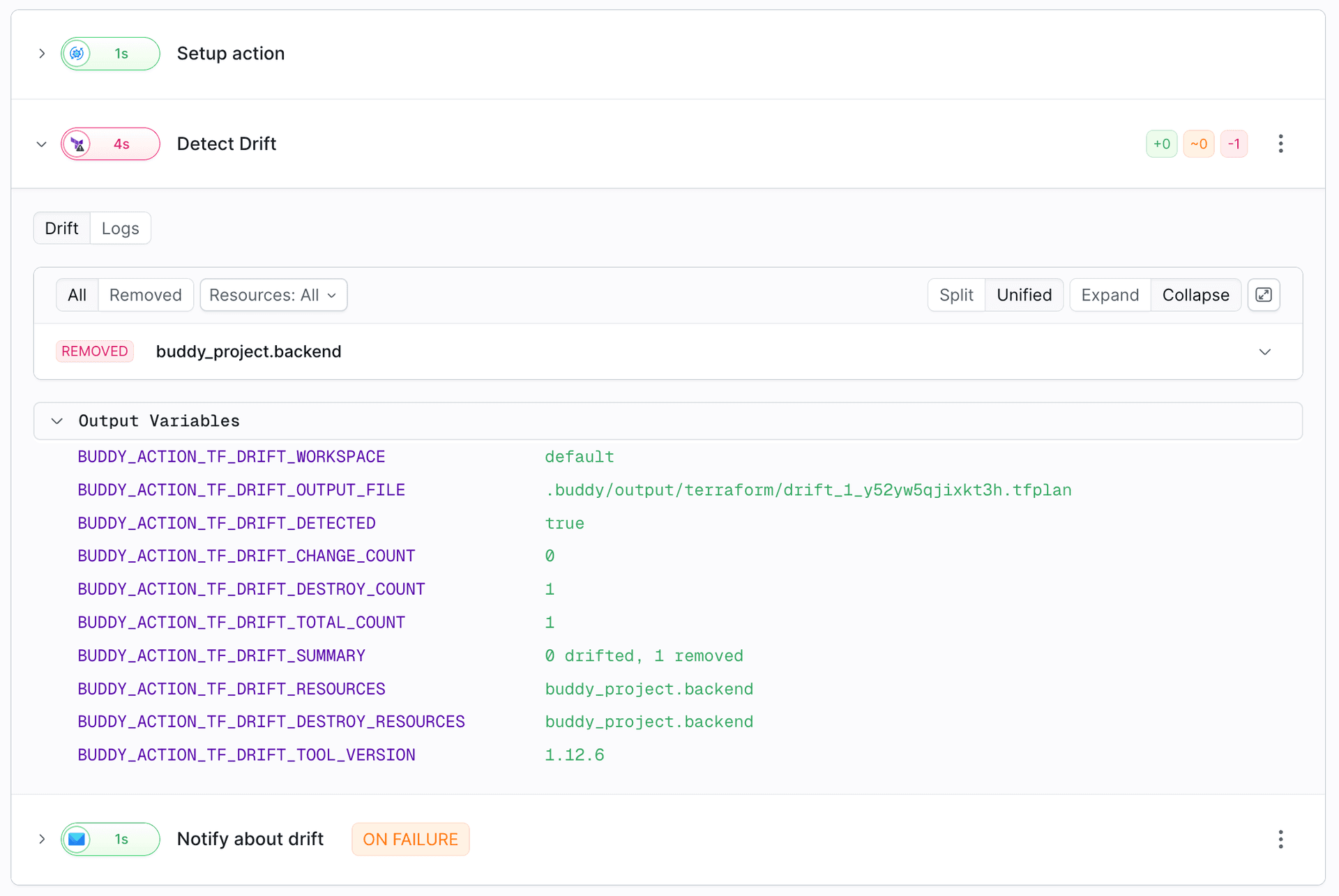
Configuration
Drift Detection has the same fields as Terraform Plan - tool, version, working_directory, tf_workspace, additional_args, and backend - plus one more:
| Field | Description |
|---|---|
fail_on_drift | When true (default), the action fails when drift is found. Set it to false to report the drift in output variables and let the pipeline continue |
Use the same tool, version, workspace, and backend as the pipeline that applies this configuration, so the check reads the same state.
yaml- action: Terraform Drift Detection
  type: TERRAFORM_DRIFT_DETECTION
  tool: OPENTOFU
  version: 1.12.6
  working_directory: infra
  tf_workspace: default
  additional_args: -lock-timeout=5m
  backend:
    type: ARTIFACT
    artifact: infra-state
    artifact_version: prod
  fail_on_drift: true
What counts as drift
| Change outside of Terraform | Counted in |
|---|---|
| A resource was modified | BUDDY_ACTION_TF_DRIFT_CHANGE_COUNT |
| A resource was deleted | BUDDY_ACTION_TF_DRIFT_DESTROY_COUNT, listed in BUDDY_ACTION_TF_DRIFT_DESTROY_RESOURCES |
BUDDY_ACTION_TF_DRIFT_DETECTED is true when anything drifted and false otherwise. BUDDY_ACTION_TF_DRIFT_RESOURCES lists every drifted resource, one address per line.
A refresh-only plan doesn't detect resources created outside of Terraform, because Terraform only checks the resources in its state. It also doesn't show changes in your code that haven't been applied yet. For those, use a regular Plan.
Running it on a schedule
Drift detection is most useful as a pipeline of its own, run on a schedule - for example every night - with a notification when drift is found:
yaml- pipeline: Drift check
  events:
    - type: SCHEDULE
      cron: "0 6 * * *"
      timezone: UTC
  actions:
    - action: Detect drift
      type: TERRAFORM_DRIFT_DETECTION
      tool: OPENTOFU
      version: 1.12.6
      working_directory: infra
      backend:
        type: ARTIFACT
        artifact: infra-state
        artifact_version: prod
      fail_on_drift: false
    - action: Notify
      type: SLACK
      integration: my-slack
      channel: "#infra"
      content: "Drift in prod: $BUDDY_ACTION_TF_DRIFT_SUMMARY\n$BUDDY_ACTION_TF_DRIFT_RESOURCES\n$BUDDY_RUN_URL"
      trigger_conditions:
        - trigger_condition: VAR_IS
          trigger_variable_key: BUDDY_ACTION_TF_DRIFT_DETECTED
          trigger_variable_value: "true"
With fail_on_drift: true instead, the run fails when drift is found. The drift report and output variables are still created, so a notification action that runs on failure can include them.
yaml- pipeline: Drift check
  events:
    - type: SCHEDULE
      cron: "0 6 * * *"
      timezone: UTC
  actions:
    - action: Detect drift
      type: TERRAFORM_DRIFT_DETECTION
      tool: OPENTOFU
      version: 1.12.6
      working_directory: infra
      backend:
        type: ARTIFACT
        artifact: infra-state
        artifact_version: prod
    - action: Notify
      type: SLACK
      trigger_time: ON_FAILURE
      integration: my-slack
      channel: "#infra"
      content: "Drift in prod: $BUDDY_ACTION_TF_DRIFT_SUMMARY\n$BUDDY_ACTION_TF_DRIFT_RESOURCES\n$BUDDY_RUN_URL"
Image loading...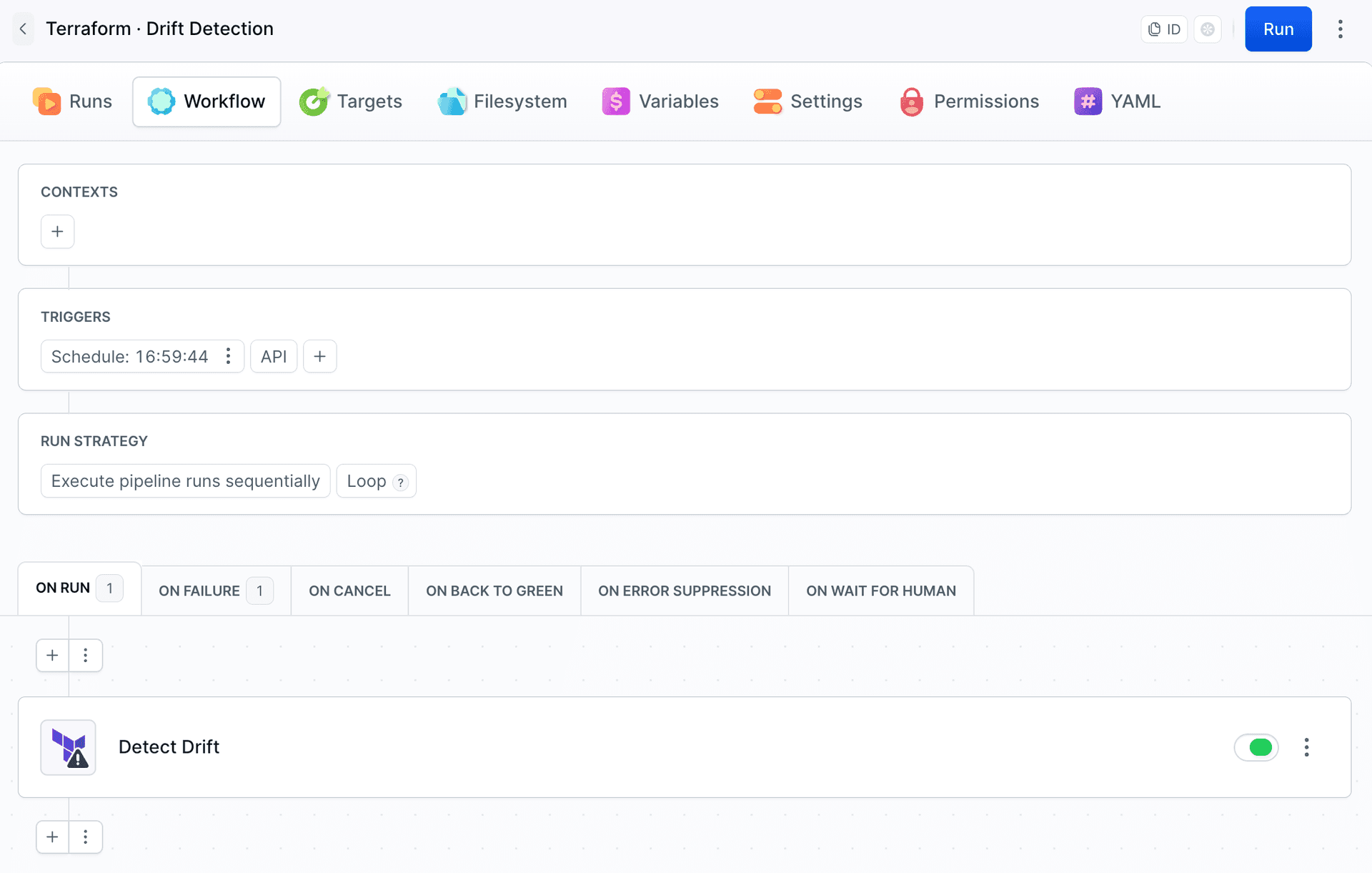
On Failure also runs when the action fails for another reason, for example during init. To notify only about drift, use fail_on_drift: false with a trigger condition, as in the first example.
Fixing drift
There are three ways to resolve drift:
- Revert the change. Run your regular Plan → Approve Run → Apply pipeline. The plan puts the infrastructure back to what the code describes.
- Accept the change in the state. Apply the refresh-only plan that Drift Detection saved (
BUDDY_ACTION_TF_DRIFT_OUTPUT_FILE). It writes the real values into the state without changing any infrastructure (see below). - Accept the change in the code. Update the code to match the real infrastructure, then run Plan and Apply. Do this as well when you accept drift in the state, otherwise the next plan reverts it.
Accepting drift with Apply
Drift Detection leaves the initialized working directory on the pipeline filesystem, so a Terraform Apply action can follow it in the same run. Point plan_file_path at the drift plan and put an approval in between. Apply needs the same tool, version, working directory, and backend as Drift Detection, for the same reason as after Plan:
yaml- action: Detect drift
  type: TERRAFORM_DRIFT_DETECTION
  tool: OPENTOFU
  version: 1.12.6
  working_directory: infra
  backend:
    type: ARTIFACT
    artifact: infra-state
    artifact_version: prod
  fail_on_drift: false
- action: Accept drift
  type: WAIT_FOR_APPLY
  description: "Write this drift into the state: $BUDDY_ACTION_TF_DRIFT_RESOURCES"
  trigger_conditions:
    - trigger_condition: VAR_IS
      trigger_variable_key: BUDDY_ACTION_TF_DRIFT_DETECTED
      trigger_variable_value: "true"
- action: Update state
  type: TERRAFORM_APPLY
  tool: OPENTOFU
  version: 1.12.6
  working_directory: infra
  plan_file_path: $BUDDY_ACTION_TF_DRIFT_OUTPUT_FILE
  backend:
    type: ARTIFACT
    artifact: infra-state
    artifact_version: prod
  trigger_conditions:
    - trigger_condition: VAR_IS
      trigger_variable_key: BUDDY_ACTION_TF_DRIFT_DETECTED
      trigger_variable_value: "true"
Last modified on Oct 19, 2026