Output variables
After each run, the Terraform Plan, Apply, and Drift Detection actions export variables that later actions in the run can use - in trigger conditions, notifications, or commands.
A variable is exported only when it has a value. For example, DESTROY_RESOURCES isn't set when nothing is destroyed.
These are variables about the run, not Terraform output values. To pass an output such as a URL or an IP to later actions, read it with terraform output in the Terraform CLI action.
Plan and Apply
Plan exports BUDDY_ACTION_TF_PLAN_* and Apply exports BUDDY_ACTION_TF_APPLY_*, with the same suffixes:
| Suffix | Description |
|---|---|
OUTPUT_FILE | Path to the plan file, relative to the pipeline filesystem root. Plan only |
ADD_COUNT | Resources to create. Replacements aren't counted |
CHANGE_COUNT | Resources to update in place. Replacements aren't counted |
DESTROY_COUNT | Resources to destroy. Replacements aren't counted |
REPLACE_COUNT | Resources to replace, counted once |
TOTAL_COUNT | Resources with any change |
SUMMARY | X to add, Y to change, Z to destroy, as reported by the tool |
DESTROY_RESOURCES | Addresses of resources to destroy, one per line. Replacements aren't listed. Not set when nothing is destroyed |
WORKSPACE | Workspace the action ran in |
TOOL_VERSION | Terraform or OpenTofu version |
Image loading...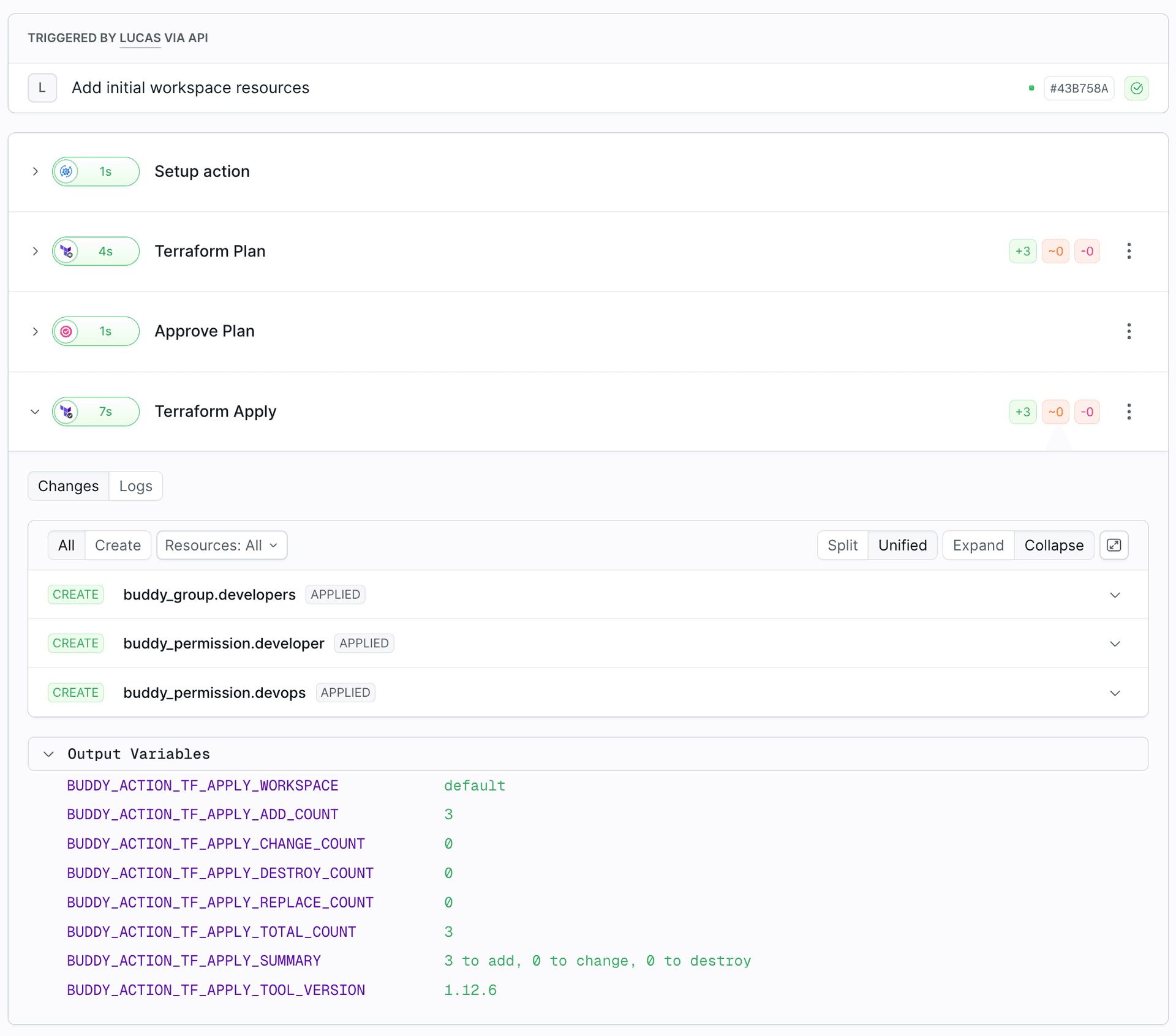
Counters versus summary
The counters and SUMMARY count replacements differently, on purpose:
- The counters count each resource once, in exactly one category. A replaced resource is only in
REPLACE_COUNT. SUMMARYfollows Terraform's convention, where a replacement is both an add and a destroy.
For a plan that creates one resource and replaces two:
| Variable | Value |
|---|---|
ADD_COUNT | 1 |
DESTROY_COUNT | 0 |
REPLACE_COUNT | 2 |
TOTAL_COUNT | 3 |
SUMMARY | 3 to add, 0 to change, 2 to destroy |
To check whether anything will be destroyed, including replacements, check DESTROY_COUNT or REPLACE_COUNT.
Drift Detection
| Variable | Description |
|---|---|
BUDDY_ACTION_TF_DRIFT_DETECTED | true when any resource differs from the state, false otherwise |
BUDDY_ACTION_TF_DRIFT_CHANGE_COUNT | Resources changed outside of Terraform |
BUDDY_ACTION_TF_DRIFT_DESTROY_COUNT | Resources removed outside of Terraform |
BUDDY_ACTION_TF_DRIFT_TOTAL_COUNT | Drifted resources |
BUDDY_ACTION_TF_DRIFT_SUMMARY | Summary of the drift |
BUDDY_ACTION_TF_DRIFT_RESOURCES | Addresses of all drifted resources, one per line |
BUDDY_ACTION_TF_DRIFT_DESTROY_RESOURCES | Addresses of removed resources, one per line |
BUDDY_ACTION_TF_DRIFT_OUTPUT_FILE | Path to the refresh-only plan file. Apply it to write the drift into the state |
BUDDY_ACTION_TF_DRIFT_WORKSPACE | Workspace the action ran in |
BUDDY_ACTION_TF_DRIFT_TOOL_VERSION | Terraform or OpenTofu version |
Examples
Show the plan to approvers:
yaml- action: Approve
  type: WAIT_FOR_APPLY
  description: "$BUDDY_ACTION_TF_PLAN_SUMMARY in $BUDDY_ACTION_TF_PLAN_WORKSPACE"
Send a summary after apply:
yaml- action: Notify
  type: SLACK
  integration: my-slack
  channel: "#infra"
  content: "Applied to $BUDDY_ACTION_TF_APPLY_WORKSPACE: $BUDDY_ACTION_TF_APPLY_SUMMARY ($BUDDY_RUN_URL)"
More conditions are in Conditional apply and Drift detection.
REST API
The full diff, with every resource and its before and after values, is in the terraformPlan field of the action execution in the REST API.
Last modified on Oct 19, 2026