Quick start
This guide builds a pipeline that plans an infrastructure change, waits for approval, and applies it. It uses OpenTofu and keeps the state in a Buddy artifact, so you don't need a bucket or any other external storage.
Before you start
- A project with your Terraform code in its repository. The guide assumes the code is in
infra/. - The code does not declare a
backendblock. Buddy adds one for the artifact backend. Use theCUSTOMbackend if you want to keep your own. See State backends. - Credentials for the providers your code uses, for example an AWS integration or variables. See Credentials and variables.
1. Create an artifact for the state
The artifact backend stores the state in an existing artifact. Buddy doesn't create it for you.
- Add an artifact of type Bucket, for example
infra-state. - In Initial version name, enter
prod. One version holds one state file. - Set Access control to Buddy Auth. The pipeline authenticates to the artifact with its run token. Don't use Public - the state can contain secrets.
Image loading...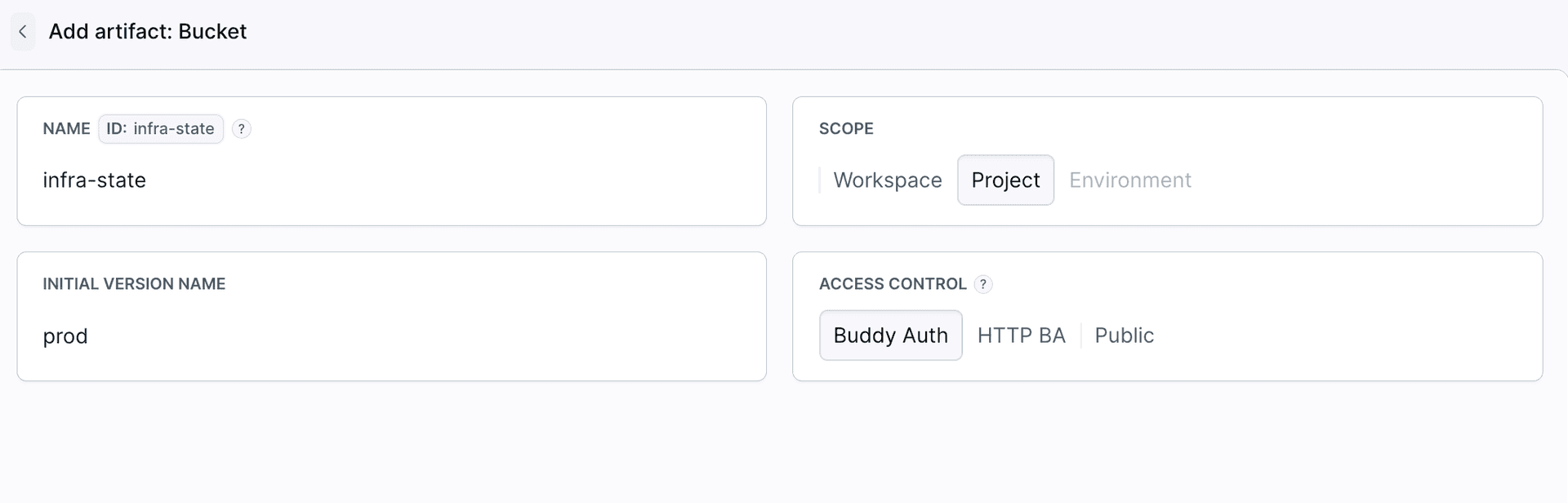
2. Create the pipeline
- Create a pipeline. In the Workflow tab, set the Git context to the branch the plan should run on, for example
main. - Choose how runs start: add the Git: Push trigger to plan on every push to the branch, or leave the triggers empty and run the pipeline manually.
- Open the Permissions tab of the
infra-stateartifact and give the pipeline read-write access.
Image loading...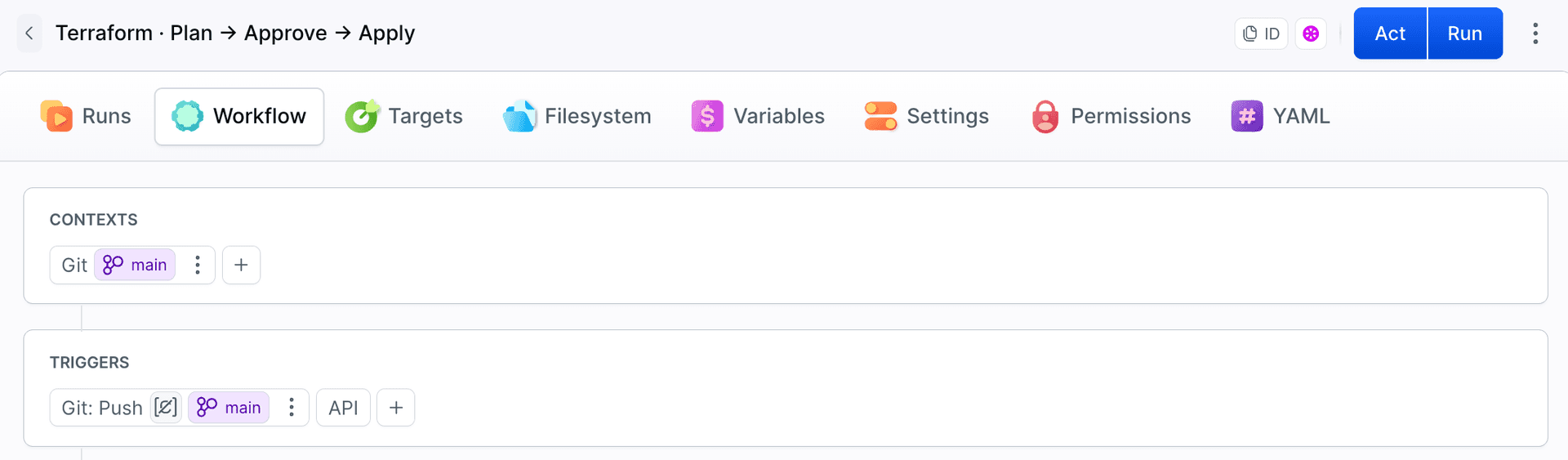
3. Add the Terraform Plan action
- Add the Terraform Plan action to the pipeline.
- Set Tool to OpenTofu and Version to a specific release, for example
1.12.6. - Set Working directory to
infra. - In the Backend tab, select Buddy Artifact and choose the
infra-stateartifact and itsprodversion.
Image loading...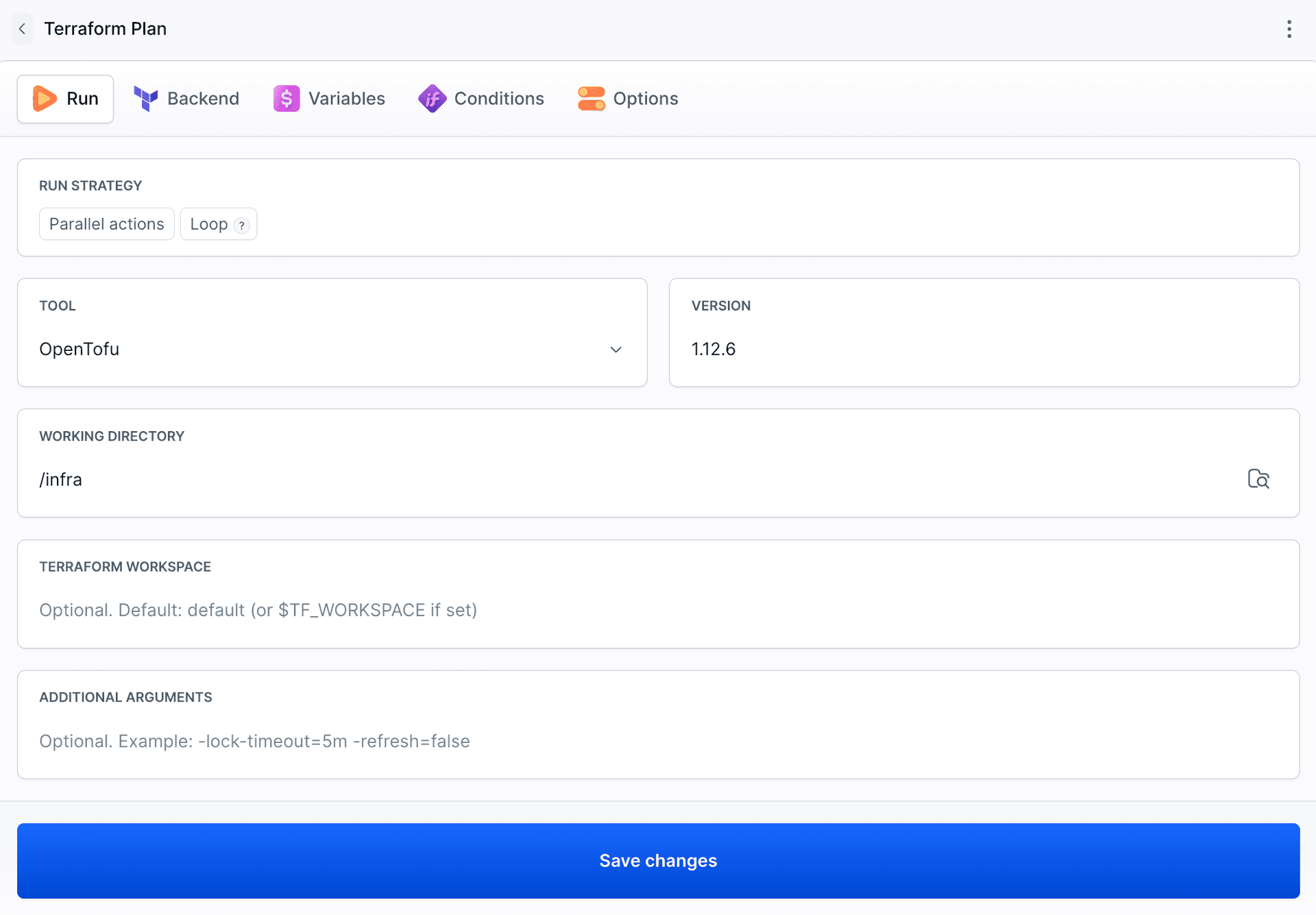
4. Add Approve Run
Add the Approve Run action after the plan. The run stops there until someone with permission approves it. Before approving, they can open the Plan action and review the diff.
To skip the approval when nothing changes, see Conditional apply.
5. Add the Terraform Apply action
Add Terraform Apply after Approve Run. Use the same tool, version, working directory, workspace, and backend as in the Plan action. You don't have to set a plan file: Apply picks up the one from the Plan action automatically.
Image loading...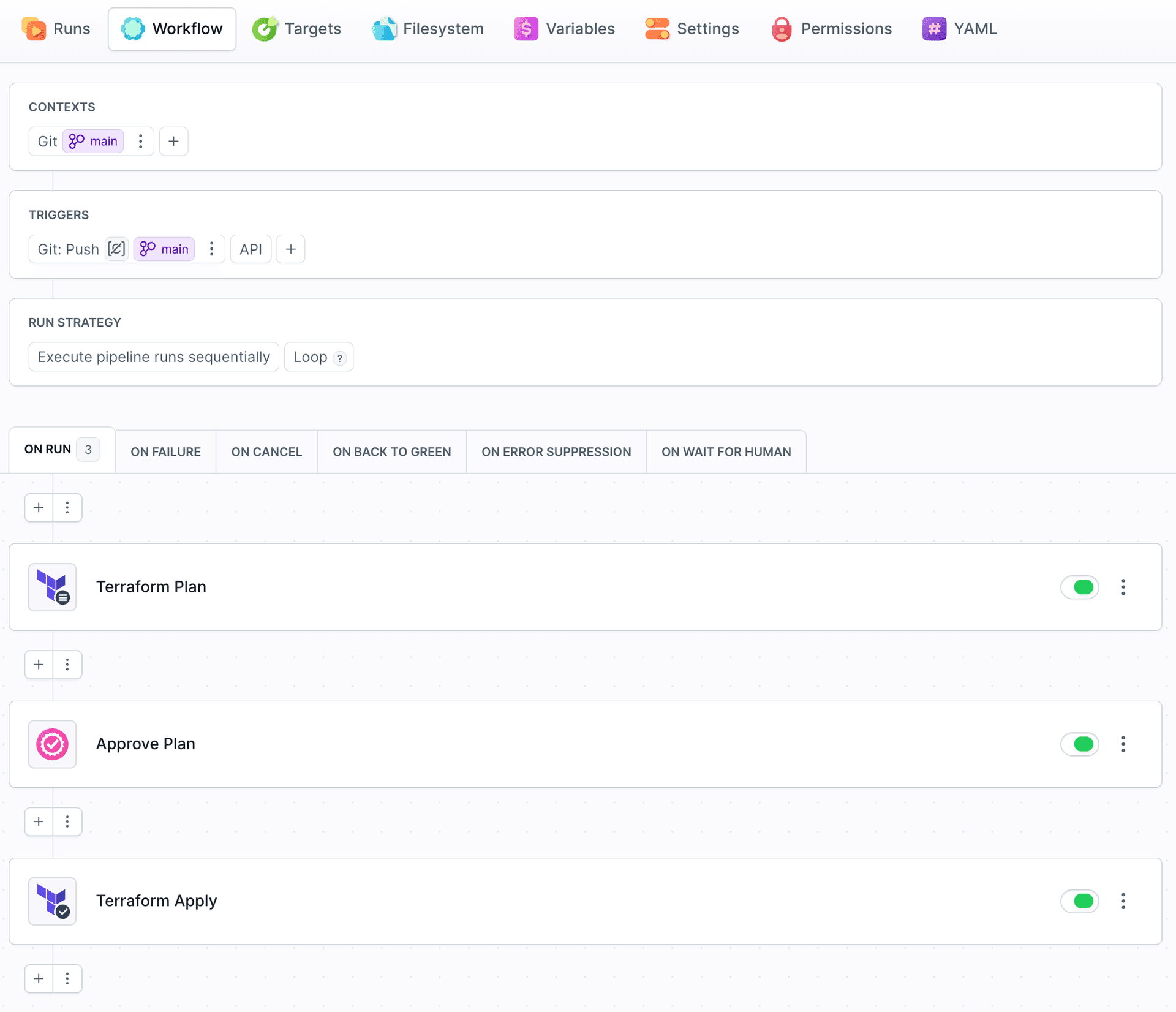
6. Run it
Run the pipeline. When it stops at Approve Run, open the Plan action to see the resource diff, then approve.
Image loading...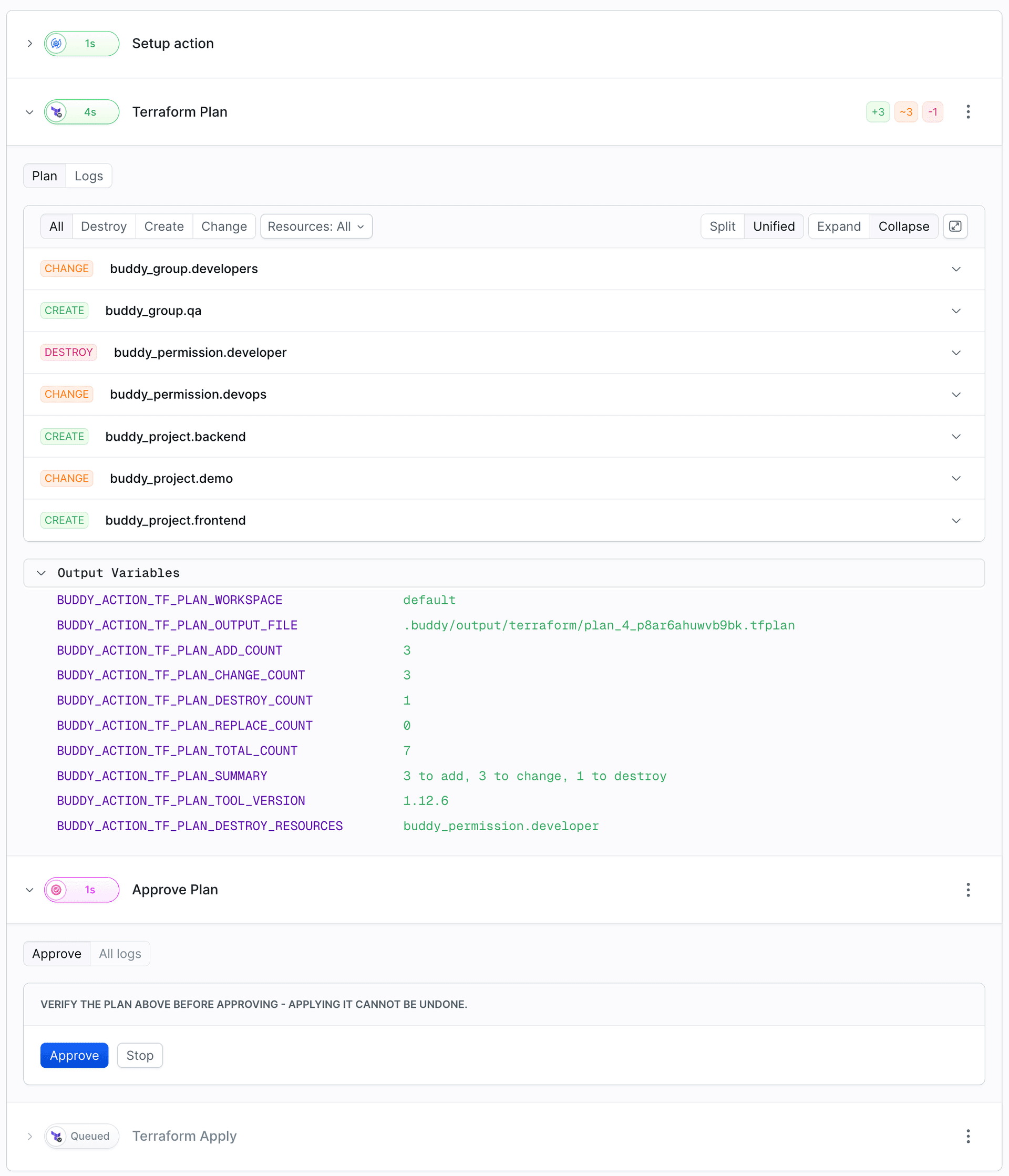
The same pipeline in YAML
yaml- pipeline: Infrastructure
  events:
    - type: PUSH
      refs:
        - refs/heads/main
  actions:
    - action: Plan
      type: TERRAFORM_PLAN
      tool: OPENTOFU
      version: 1.12.6
      working_directory: infra
      backend:
        type: ARTIFACT
        artifact: infra-state
        artifact_version: prod
    - action: Approve
      type: WAIT_FOR_APPLY
      description: Review the plan before applying it.
    - action: Apply
      type: TERRAFORM_APPLY
      tool: OPENTOFU
      version: 1.12.6
      working_directory: infra
      backend:
        type: ARTIFACT
        artifact: infra-state
        artifact_version: prod
Next steps
- Plan and Apply: how the plan file reaches Apply,
additional_args, and conditional apply. - State backends: S3, GCS, or your own backend.
- Drift detection: a scheduled check for changes made outside of Terraform.
Last modified on Oct 19, 2026