Resource notes for teams and AI agents
Resource notes add context to Buddy resources without storing it in the repository, similar to an AGENTS.md file associated with a specific artifact, integration, environment, or sandbox. They can describe information that is not visible from the resource name, for example a read-only integration, a broken migration in an artifact version, or an environment that requires manual approval.
Every note has two fields:
- Note for humans (
note) - context for teammates. - Note for agents (
agent_note) - instructions for AI agents that use the resource.
Pipelines support the same fields - see Pipeline notes.
Resources that support notes
| Resource | Dashboard | YAML | REST API |
|---|---|---|---|
| Artifacts | Yes | - | Yes |
| Artifact versions | Yes | - | Yes |
| Integrations | Yes | - | Yes |
| Environments | Yes | Yes | Yes |
| Sandboxes | Yes | Yes | Yes |
| Targets | Yes | Yes | Yes |
| Variables | Yes | Yes | Yes |
| Distributions and routes | Yes | Yes | Yes |
Add a note in the dashboard
Open the resource, expand the menu in the upper-right corner, and select Add note. Fill in Note for humans, Note for agents, or both, and click Add note. To change it later, select Edit note from the same menu and click Save changes.
Image loading...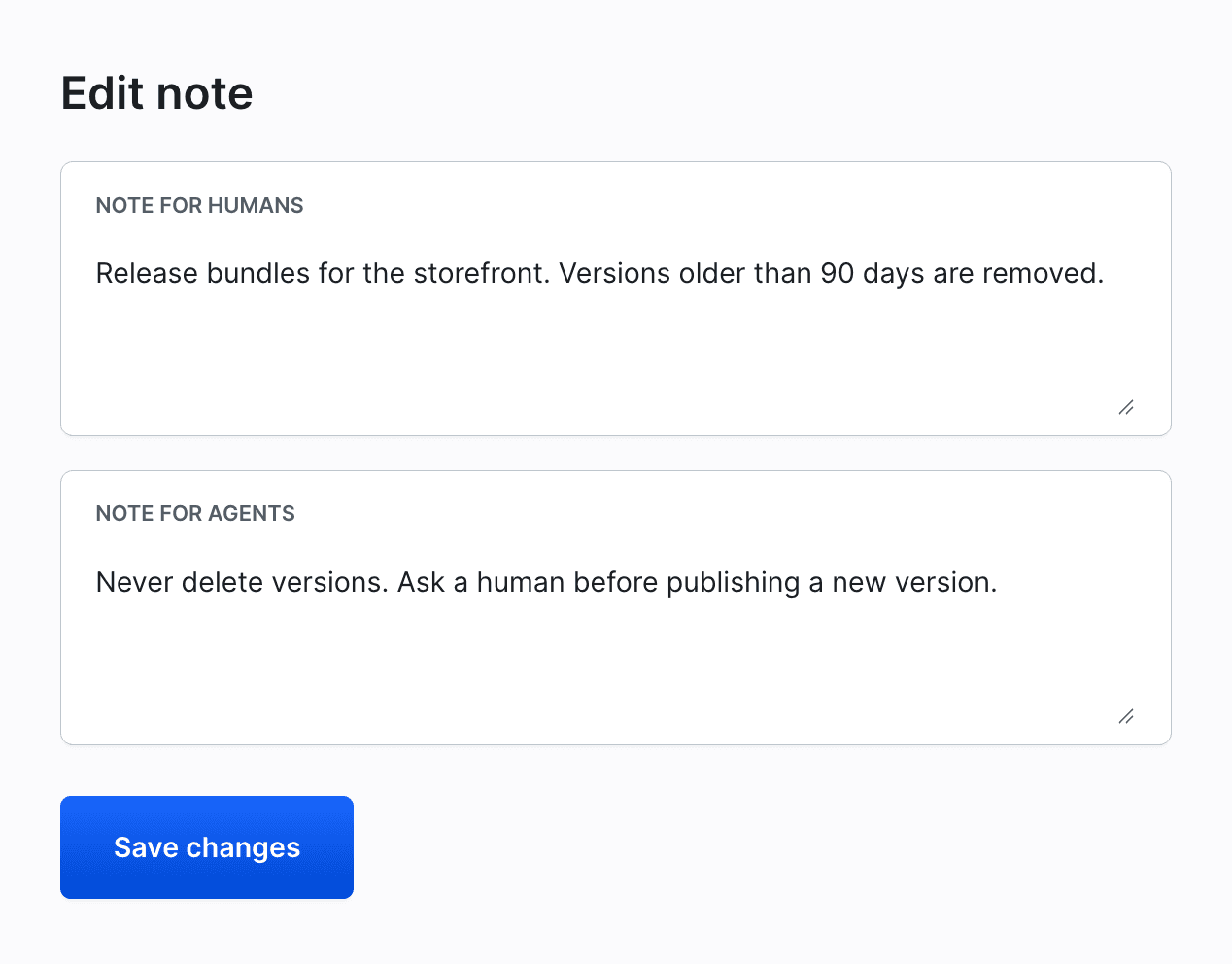
For an artifact version, a variable, a distribution, or a route, open its page first. The menus on the lists do not have this option.
Saved notes appear in a panel above the resource tabs. Note for humans is expanded, Note for agents is collapsed - click it to expand.
Image loading...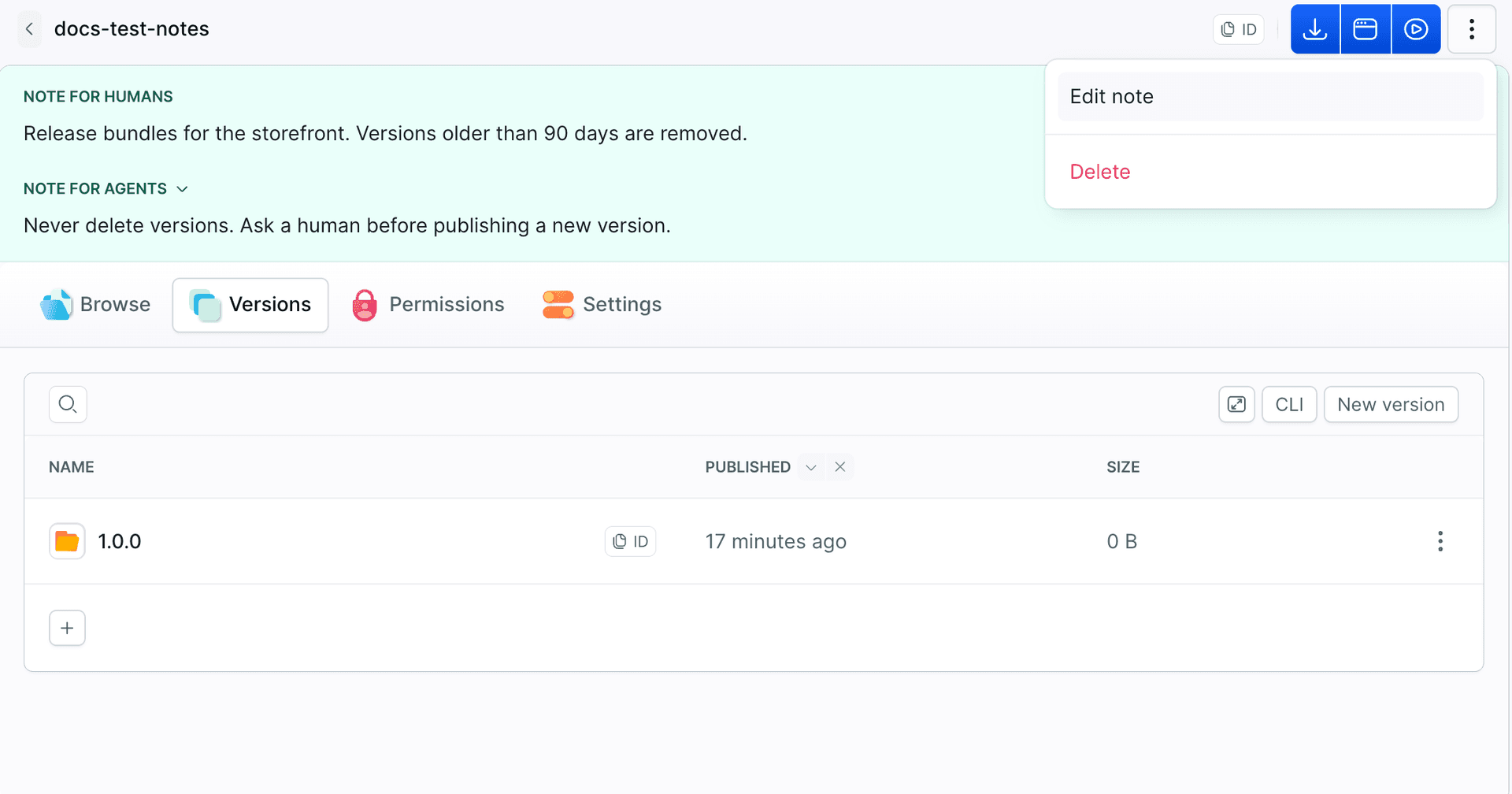
Manage notes in YAML
Environments, sandboxes, targets, variables, distributions, and routes accept note and agent_note in their YAML definitions:
- sandbox: preview-app
  name: Preview App
  os: ubuntu:24.04
  note: Preview of the main branch, rebuilt on every push.
  agent_note: |
    Do not install system packages here.
    Change the boot commands in the YAML definition instead.
  variables:
  - key: API_URL
    value: https://api.example.com
    note: Backend API URL
Manage notes with the CLI
Commands that create or update environments, variables, distributions, routes, artifacts, and artifact versions accept --note and --agent-note. These options are also available for bdy sandbox create, bdy artifact publish, bdy integration update, and tunnel commands:
bdy env update production --agent-note "Requires manual approval. Never deploy outside business hours."
bdy artifact version update my-artifact 1.4.0 --agent-note "Broken migration, do not deploy."
$$
To clear a note, pass an empty string, for example --note "". To change the notes of an existing sandbox, target, or pipeline, edit its YAML definition.
In JSON output (--format json), get commands return note, agent_note, and parent_notes. The parent_notes field contains notes from parent resources, such as the pipeline or environment, ordered from the closest parent. Retrieving each parent requires an additional API request, so use --no-parent-notes to skip them. The target list, variable list, and integration list commands also return notes.
Manage notes with the REST API
The note and agent_note fields are part of the request and the response bodies, for example:
- Update an artifact
- Update an artifact version
- Edit an integration
- Edit an environment
- Edit a sandbox
- Edit a variable
- Update a distribution
How AI agents read notes
Through the Buddy MCP server, an agent gets the notes from the get-* tools, for example get-artifact, get-integration, get-environment, get-target, or get-distro. The list-* tools do not return notes, so an agent should fetch the resource before it acts on it. An agent that works with the CLI reads them from get commands with --format json. A note that is not set is left out of the response.
agent_note does not block anything. To stop an agent from deploying or deleting, use permissions, a read-only integration, or manual approval, and explain the rule in the note.
What to put in notes
- Integration: "Read-only token, use for reporting only."
- Artifact version: "Broken migration, do not deploy."
- Environment: "Requires manual approval before every deployment."
- Target: "Shared database server, never run migrations from a sandbox."
- Sandbox: who owns it and whether it can be deleted.
Related documentation
Last modified on Nov 17, 2026