ClickHouse targets
ClickHouse targets in Buddy let you store the connection to a ClickHouse server once and reuse it across every pipeline that runs clickhouse-client queries, schema migrations, or analytics checks. The target is consumed by the ClickHouse CLI action and can be referenced by name, by tag, or inline in YAML.
How to add a ClickHouse target in Buddy
Navigate to the Targets tab where all globally defined connections are listed.
Image loading...
Click New target and select ClickHouse from the dropdown menu.
ClickHouse connection settings
Required fields:
- Name - human-readable target name; the unique ID is generated automatically and can be edited.
- Scope - defines which pipelines have access to the target.
- Host - hostname or IP of the ClickHouse server (e.g.
clickhouse.example.com). - Username & Password - ClickHouse authentication credentials.
Optional fields:
- Port - native protocol port of the ClickHouse server. Default:
9000. - Database - default database name.
- Secure - use a TLS-secured native protocol connection. Default:
false. ClickHouse Cloud and most managed offerings require it and expose the secure native protocol on port9440, so set Port to match. - Proxy - an SSH target used to tunnel traffic to a private ClickHouse server (useful for clusters behind a bastion).
- Tags - labels used to group and match targets.
https://...:8443 URL. Buddy uses the native protocol, so switch the dialog to Native and copy the values from there: Host without the https:// prefix (e.g. abc123.eu-west-1.aws.clickhouse.cloud), Port 9440, and Secure enabled. Pasting the HTTPS URL into the Host field fails with Connection failed: Invalid host.
Image loading...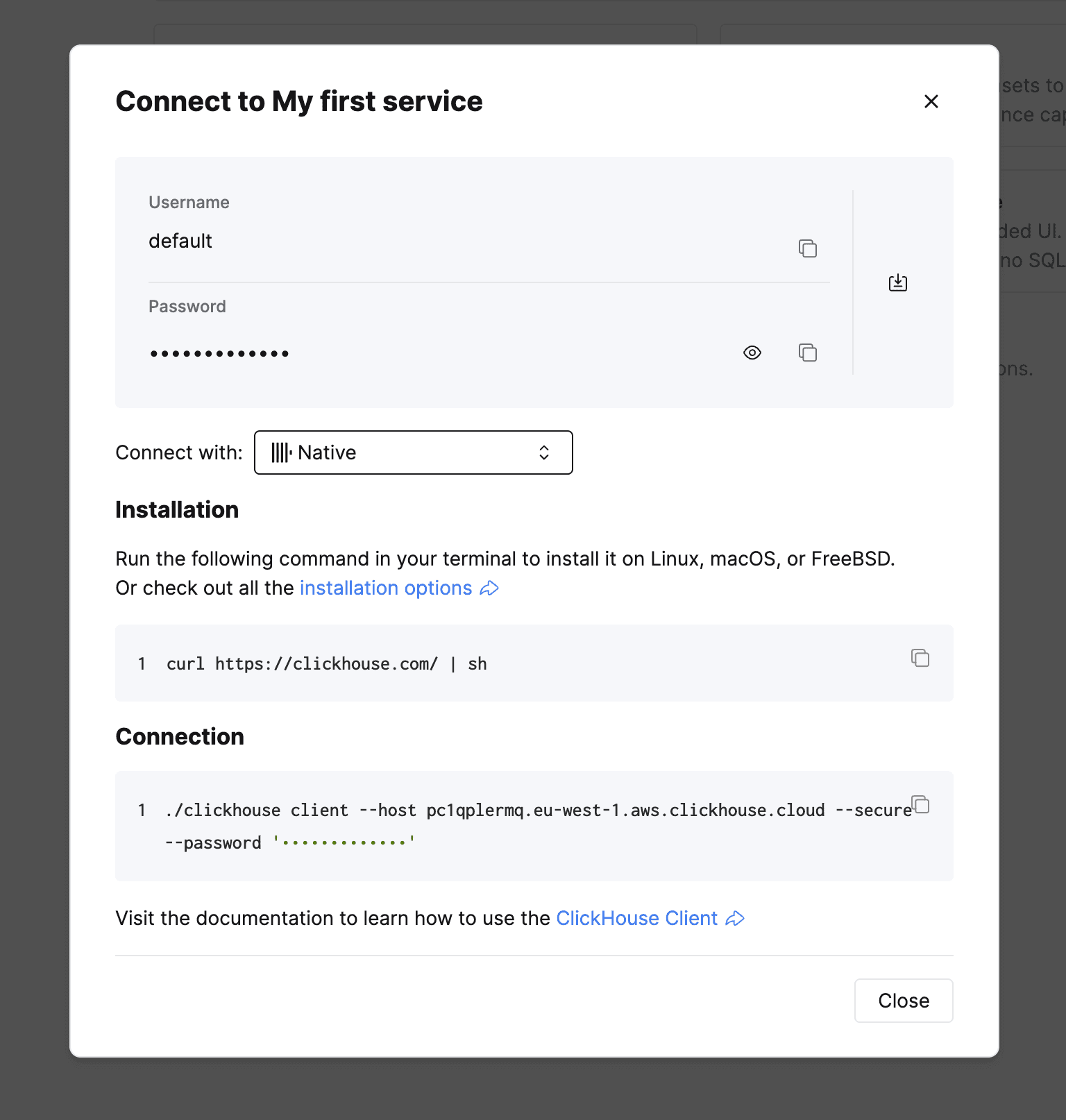
Host, Username, Password, and Database can use custom variables defined at the workspace, project, or pipeline level. This keeps secrets out of YAML and lets you switch between environments by overriding the variable set.
Using the ClickHouse target in YAML pipelines
Reference the target by ID in a ClickHouse CLI action:
yaml- pipeline: "Apply ClickHouse migrations"
  events:
    - type: PUSH
      refs:
        - "refs/heads/main"
  actions:
    - action: "Migrate schema"
      type: "CLICKHOUSE_CLI"
      targets:
        - clickhouse-prod
      commands: |-
        clickhouse-client -q 'SHOW DATABASES'
        clickhouse-client --queries-file migrations/2026_09_08_add_projection.sql
You can also define the target inline if you do not want to manage it in the UI:
yaml- action: "Smoke query"
  type: "CLICKHOUSE_CLI"
  targets:
    - target: "clickhouse-prod"
      type: "CLICKHOUSE"
      host: "clickhouse.example.com"
      port: "9000"
      database: "$CH_DB"
      secure: true
      auth:
        username: "$CH_USER"
        password: "$CH_PASSWORD"
  commands: "clickhouse-client -q 'SELECT count() FROM events WHERE date = today()'"
commands holds shell commands, not raw SQL: the action provides the clickhouse-client binary already wired to the target, so no host or credential flags are needed. Use setup_commands to install extra tooling first, and version to pin the client version.
See the ClickHouse CLI YAML reference for the full field list.
Troubleshooting ClickHouse connection errors
Most failures fall into one of the categories below.
- Authentication failed: password is incorrect, or there is no user with such name - the credentials are wrong, or the user is restricted by
host/iprules inusers.xml. Allow the Buddy IP range for that user, or route through a proxy SSH target. - Code: 210. DB::NetException: Connection reset by peer (NETWORK_ERROR) or Unexpected packet from server - the port points at the HTTP interface (
8123, or8443/443over TLS) instead of the native protocol.clickhouse-clientspeaks only the native protocol, so use9000, or9440with Secure enabled. - Connection failed: Invalid host - the Host field contains a URL (
https://...) instead of a bare hostname. Remove the scheme and any path; the port goes into its own field. - Connection refused / host unreachable - the server is not exposed to Buddy runners. Whitelist the Buddy IPs on the firewall (or the AWS Security Group / GCP firewall rule), or tunnel through an SSH proxy target.
- Code: 81. DB::Exception: Database ... does not exist - the named database is missing. Create it first or fix the name in the target.
- SSL / TLS handshake errors - the server requires a secure native connection. Enable Secure on the target and set the port to the server's secure native port (
9440by default). - Code: 202. DB::Exception: Too many simultaneous queries - the
max_concurrent_queriescap was hit. Lower pipeline concurrency or raise the cap on the server.
See also
Last modified on Sep 8, 2026