Run a GitHub Repo in a Sandbox with Claude
You found a tool on GitHub you want to see in action, but you do not want to install someone else's code with a few hundred npm packages on your laptop. You paste the link into Claude:
promptRun https://github.com/louislam/uptime-kuma in a Buddy sandbox and give me the link.
The endpoint is available only to signed-in Buddy users. Claude uses Buddy MCP tools to create and configure the sandbox, while the commands and their output remain visible in the Buddy dashboard.
Image loading...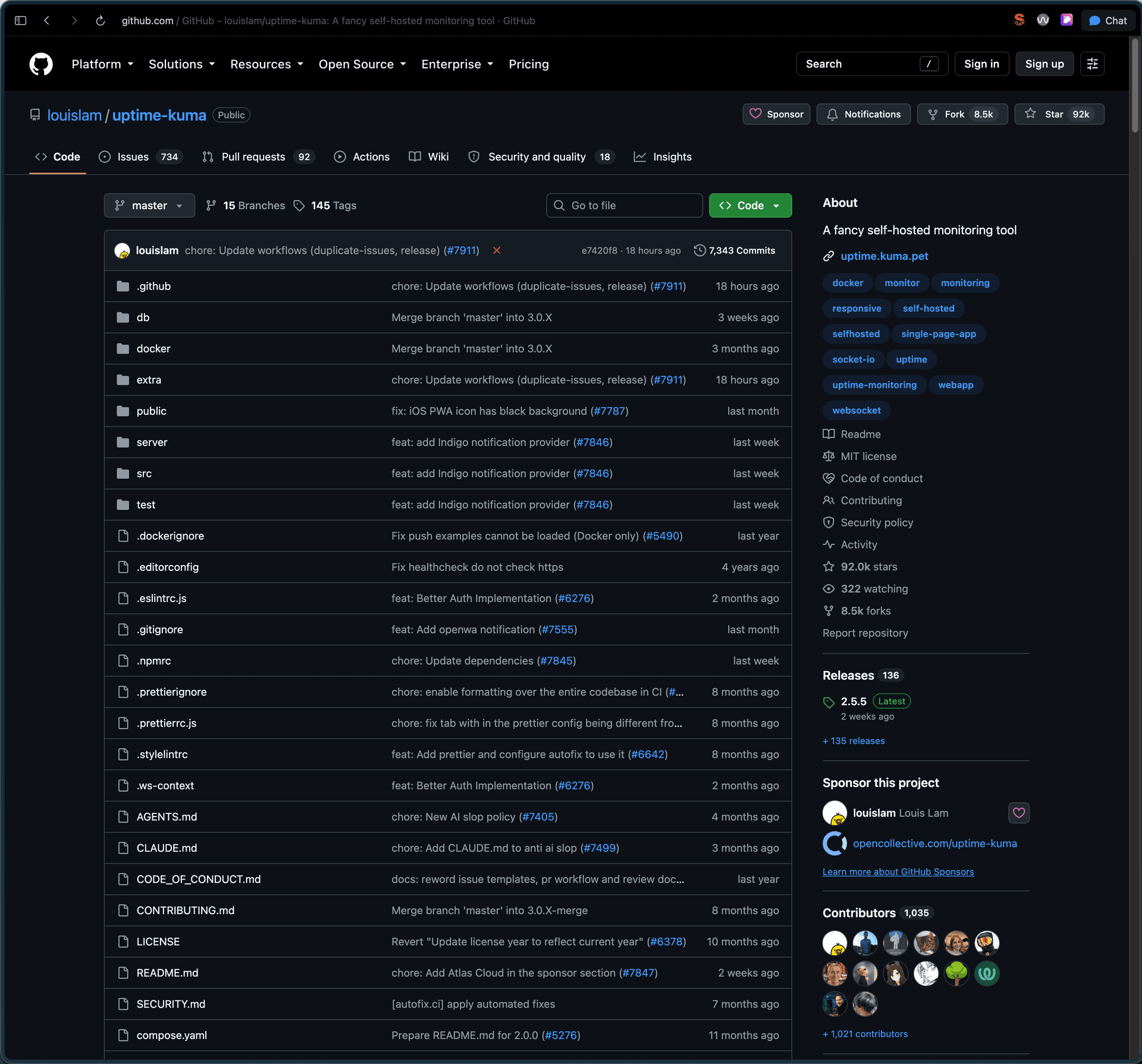
Connecting Claude to Buddy
The agents documentation covers authentication and configuration for each supported client.
Add the Buddy MCP server to Claude Code, Codex, or another MCP client. The agents documentation covers authentication and configuration for each supported client. The server tools are grouped into categories such as pipelines, source, domains, and sandboxes.
This guide only needs the sandbox tools for creating machines, running commands, managing apps and snapshots, and deleting sandboxes. The ?tools=sandboxes parameter hides everything else:
json{
  "mcpServers": {
    "buddy": {
      "url": "https://mcp.buddy.works/mcp?tools=sandboxes"
    }
  }
}
Prompt
A short "run this repo" works, but this prompt gives a repeatable result and cleans up after itself. Swap in your own workspace and project:
promptRun https://github.com/<owner>/<repo> in a Buddy Sandbox so I can try it in the browser.

Use workspace <workspace> and project <project>. Name the sandbox try-<repo>, tag it try-repo, set idle timeout to 1 hour and resources to 2x4.

Pull the repo with the sandbox fetch option as a public repository into /buddy/repo, not with git clone in first boot commands.

Read the README and package manifests first and follow the documented non-Docker install. Run the app as a sandbox app, not as a one-off command, and expose its HTTP port through an endpoint with auth_type BUDDY. Do not put any secrets or tokens into the sandbox.

When it works, give me the URL and a short list of everything you had to fix.
The prompt does not assume Node.js, so it can also be used as a starting point for Python, Go, or other repositories. The prompt was tested on Uptime Kuma, which is Node. The 2x4 resources mean 2 vCPU and 4 GB RAM, enough for most web apps.
A repo that wants Docker or a database.
A sandbox is a plain Ubuntu VM. If the README only knows docker compose up, Claude can install Docker or Postgres through apt.
Execution walkthrough
From prompt to link took about 3 minutes. Claude performed the following steps::
- Created a sandbox with Ubuntu 24.04 and the repo in the
fetchsection, so Buddy cloned it before the machine started. - Read the README and
package.json, rannpm run setup. - Added
node server/server.jsas a sandbox app. - Exposed port 3001 through an endpoint with
auth_type: BUDDYand checked with curl that the address responds.
The 2x4 sandbox used 6 CPU-minutes in that time. The free plan gives you 300 a month.
Every command sent through MCP lands in the sandbox's Logs tab, with its output and duration:
Image loading...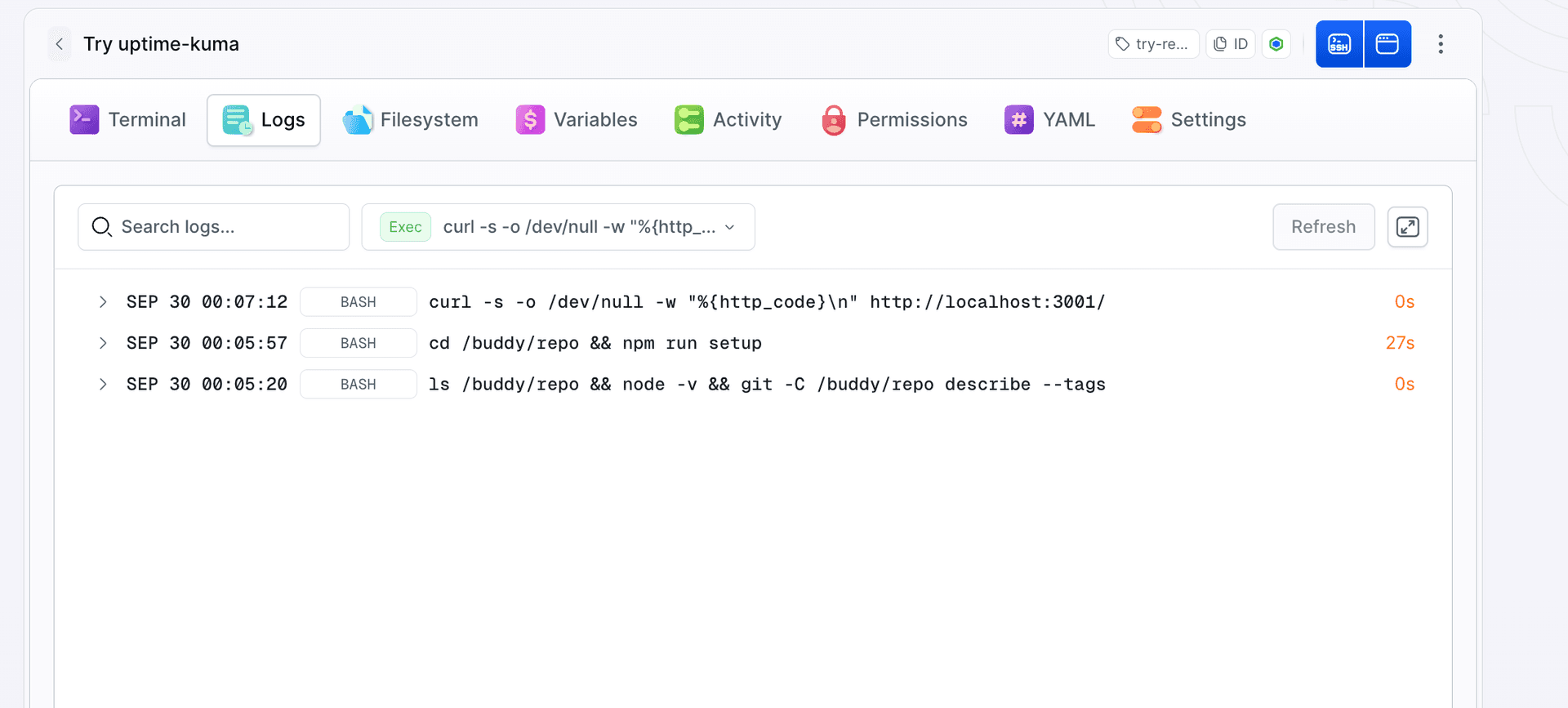
After signing in to Buddy, the link opens the app's first-run setup screen:
Image loading...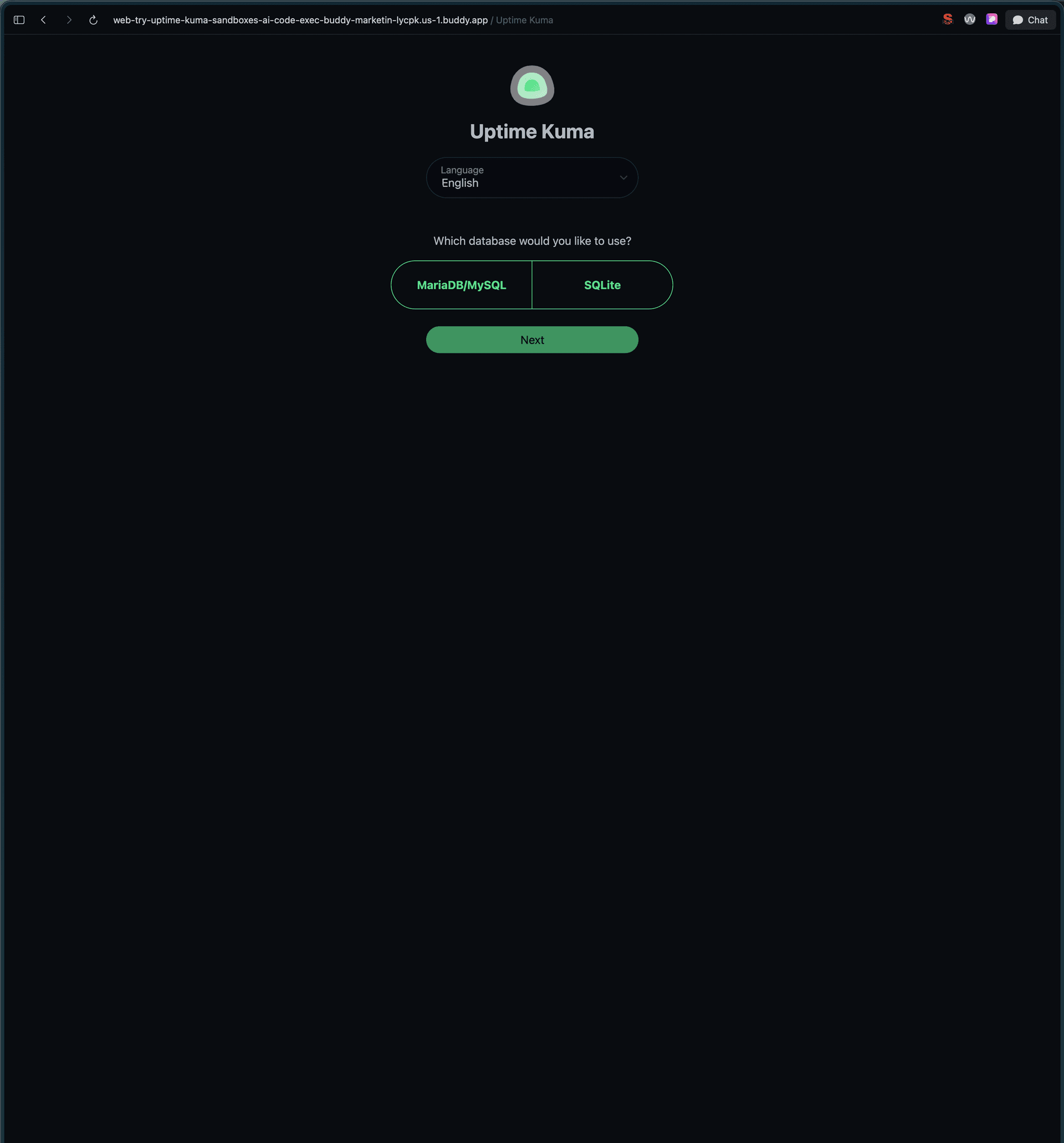
The endpoint is configured through YAML.
MCP has no dedicated endpoint tool, so Claude retrieved the sandbox YAML, added the endpoint configuration, and applied the updated YAML with update-sandbox:
yamlendpoints:
- name: web
  endpoint: "3001"
  http:
    auth_type: BUDDY
The result shows up in the sandbox's YAML tab, next to the fetch section Buddy cloned the repo from:
Image loading...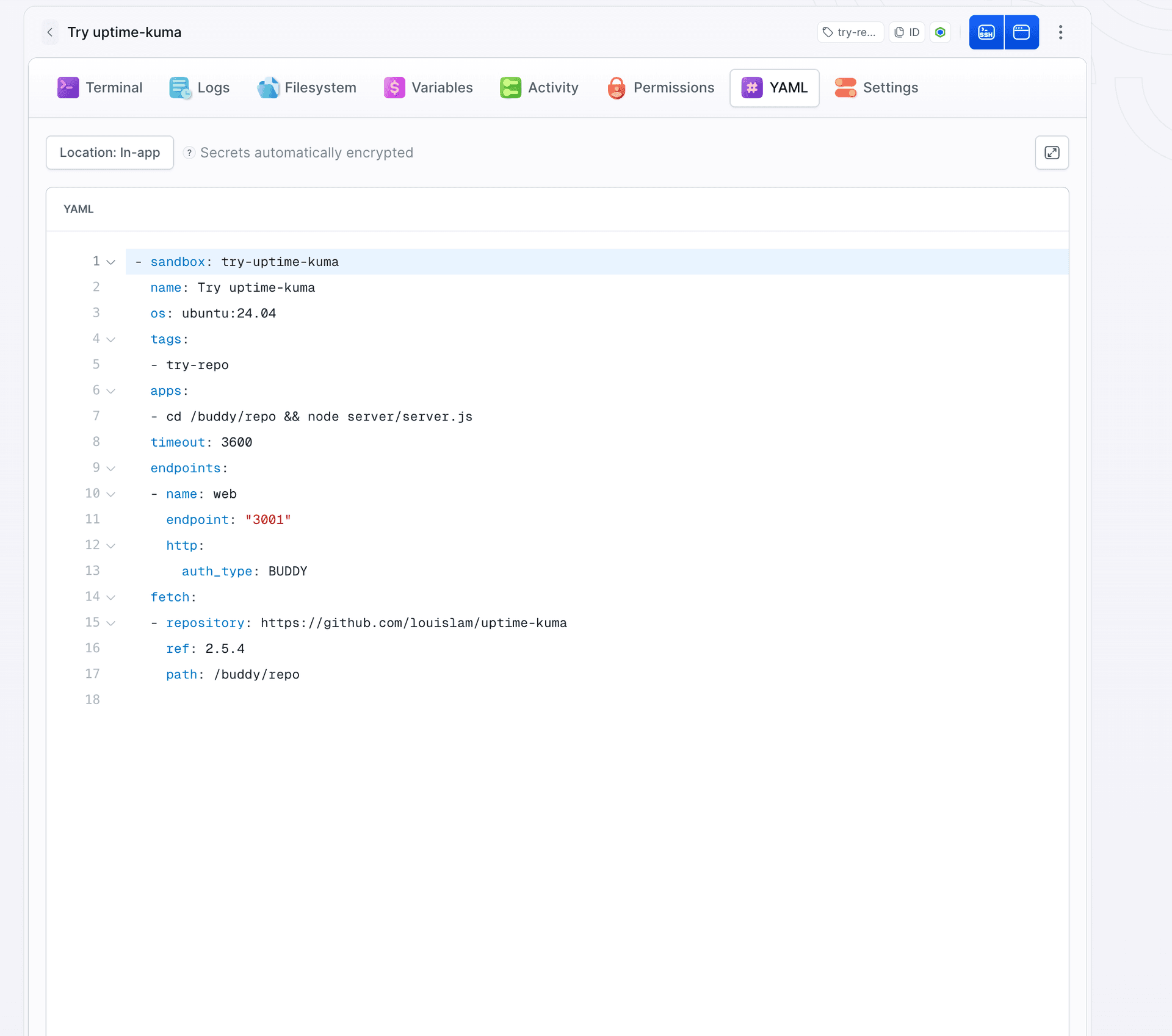
update-sandbox merges the configuration section by section. A section missing from the uploaded YAML (apps, variables, endpoints) stays as it is. An empty list such as apps: [] removes everything in that section. The disk and the machine state stay either way. The order get-sandbox-yaml, edit, update-sandbox still makes sense, because Claude sees what is already there and does not add a second endpoint on the same port.
With the next repo you can shorten this: if you know the port up front, tell Claude in the prompt to create the sandbox from a full YAML with the endpoint inside. Then update-sandbox is not needed at all.
The result: Uptime Kuma dashboard open at the sandbox address in the buddy.app domain, right after the first sign-in.
Image loading...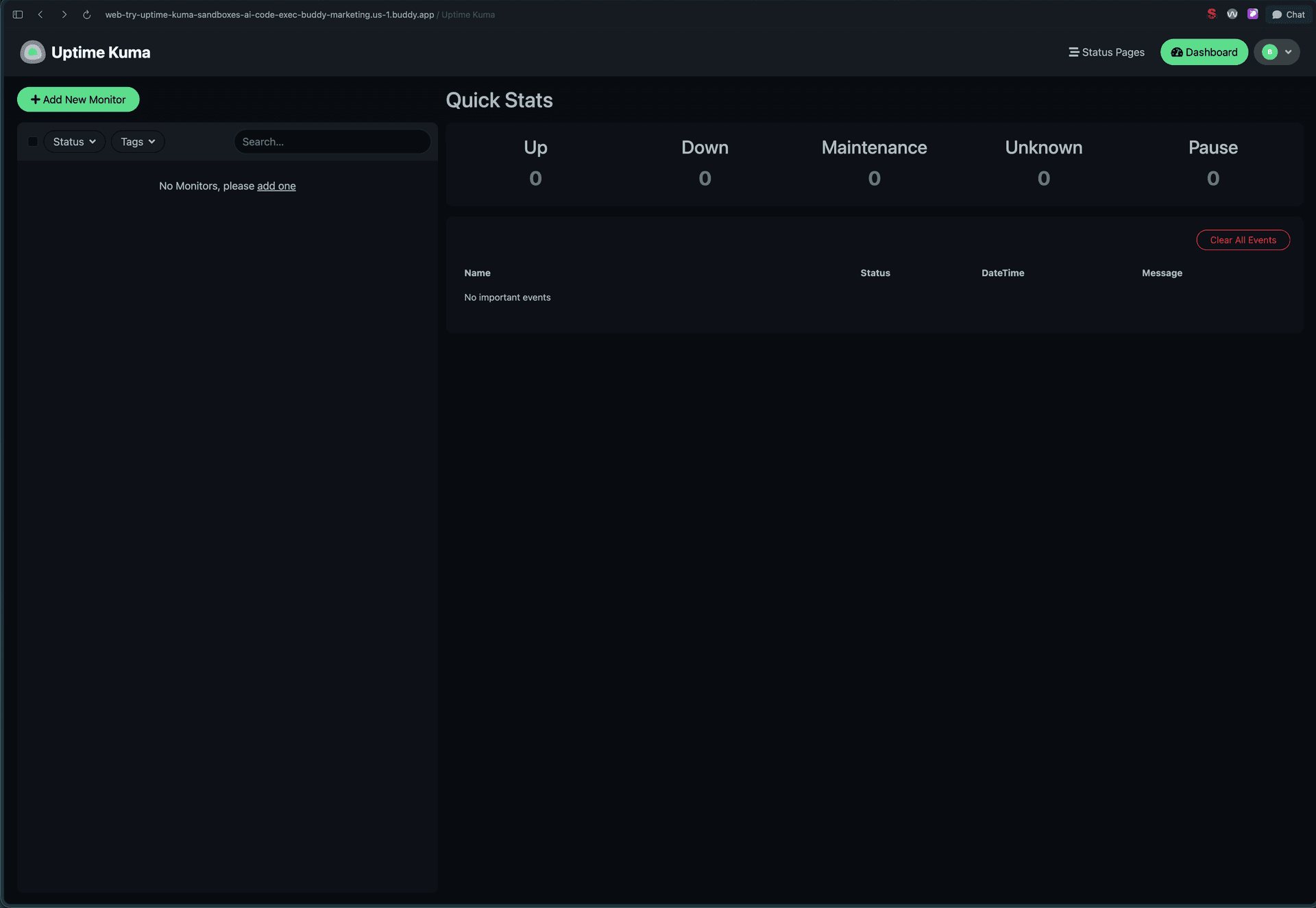
Sandbox isolation and access
Someone else's repo gets its own VM. It cannot see your laptop or other sandboxes, and the only thing it has access to is what you put in yourself. That is why the prompt contains no tokens and there are none in variables either. A repo like Uptime Kuma does not need any to come up.
The endpoint has Buddy authorization set (auth_type: BUDDY), so the address opens only after signing in to Buddy and the link from the chat does not expose the app to the world. If you want to show it to someone without an account, switch the endpoint to BASIC with a password, described in Endpoints.
When you are done
After an hour without traffic the timeout stops the sandbox, and a stopped one uses no CPU-minutes. Visiting the endpoint wakes it back up, so the machine will not disappear on its own. If you want to reuse the configured environment later, ask Claude to create a snapshot, and the next sandbox will come up with the packages installed in a few seconds, described in Snapshots. Otherwise, delete the sandbox with:
promptDelete the try-uptime-kuma sandbox.
Claude then calls the delete-sandbox MCP tool. It removes the machine along with its disk, command history and endpoint, snapshots stay.
The try-repo tag from the prompt comes in handy once a few of these sandboxes pile up: one sentence to Claude deletes all of them with that tag. You can go further and set up a pipeline that removes machines tagged try-repo on its own after the Sandbox: Time out event.
Takeaways
- A link instead of an install. Someone else's repo gets its own VM, you get an address behind the Buddy login.
- The endpoint is added in YAML. MCP has no tool for it, so Claude fetches the current configuration, adds the section and uploads the whole thing.
- Tag and timeout in the prompt. Cleanup is then one sentence to Claude or a pipeline on the Time out event.
See also
- AI agents in sandboxes, how an agent works in a sandbox and what tools it has
- Buddy MCP, server addresses, OAuth, tool filtering
- Apps and Endpoints, a background process and an address for it
- AI code interpreter on the Sandbox SDK, the same mechanism from code instead of chat

Jarek Dylewski
Customer Support
A journalist and an SEO specialist trying to find himself in the unforgiving world of coders. Gamer, a non-fiction literature fan and obsessive carnivore. Jarek uses his talents to convert the programming lingo into a cohesive and approachable narration.