AI Code Interpreter in Buddy Sandboxes
In this guide we build an AI code interpreter: an agent that analyzes CSV files with code executed in a Buddy Sandbox. The agent writes the code, runs it and gets the result back through a run_code tool. Each session uses its own sandbox.
Using a population dataset, the agent finds the three countries with the largest population growth between 2000 and 2020. The data also contains aggregate rows such as regions and income groups, so the agent has to skip them. In its answer it shows the numbers from both years, the calculated increase and how it picked the countries. Once the project is set up, you run it with:
bashnpm start$
[tool] mcp__sandbox__run_code {"language":"bash","code":"ls -la /buddy/data/data; ..."}
[tool] mcp__sandbox__run_code {"language":"python","code":"import pandas as pd\ndf=pd.read_csv(..."}
[tool] mcp__sandbox__run_code {"language":"python","code":"import csv\nfrom collections import defaultdict ..."}
[tool] mcp__sandbox__run_code {"language":"python","code":"import csv\nfrom collections import defaultdict\nAGG=set(..."}

=== Answer ===
India, China and Nigeria added the most people between 2000 and 2020: ...
**What I did with the data:** ... I removed them by country code ...
turns: 5, cost: $0.1100
report saved to ./report.md
The agent first inspects the CSV files, then calculates the difference between the 2020 and 2000 population. It drops the aggregate rows that would distort the country ranking. Along the way it tries pandas, a Python data analysis library that is not installed in the sandbox. The error comes back to the model, so it redoes the calculation with the csv module built into Python. In our tests the agent needed 5 to 7 turns. One session cost between $0.11 and $0.25.
Where an AI code interpreter should run code
Running the code with child_process.exec() in the backend process gives it access to the disk, the environment variables and the network reachable from that process. A Docker container on your own server isolates the code too, but then you maintain the host, resource limits, timeouts and cleanup after sessions yourself. In this example, each session gets a separate sandbox created with a single create() call. The sandbox has its own timeout and command history, and the SANDBOX_TIMED_OUT event triggers a cleanup pipeline.
The Sandbox SDK provides the methods used in the example. Sandbox.create() creates the machine and fetches a repository into /buddy/data. runCommand() executes the code, sandbox.fs transfers files, and destroy() deletes the machine. Next we wire these methods into agent tools in the Claude Agent SDK.
Building the code execution tool
1. Packages and connecting to Buddy
You need:
- Node.js 20 or newer.
- A project in Buddy.
- A personal access token with the
SANDBOX_READ,SANDBOX_WRITEandSANDBOX_MANAGEscopes.SANDBOX_MANAGEis required fordestroy(). - An Anthropic API key.
bashmkdir code-exec-agent && cd code-exec-agent npm init -y npm install @buddy-works/sandbox-sdk@0.1.9 @anthropic-ai/claude-agent-sdk@0.3.283 zod npm install -D tsx npm pkg set type=module scripts.start="tsx agent.ts" export BUDDY_TOKEN="your-personal-access-token" export BUDDY_WORKSPACE="your-workspace" export BUDDY_PROJECT="your-project" export ANTHROPIC_API_KEY="your-anthropic-key"$$$$$$$$$$
Neither SDK has reached version 1.0 yet, which is why we pin exact package versions.
Anthropic API key, not a Claude Code login.
The Agent SDK reads ANTHROPIC_API_KEY from the environment. Anthropic requires prior approval before a third-party application can offer claude.ai login to its users. In this example, use an API key from the Claude Console.
2. executor.ts: one session, one sandbox
typescript// executor.ts
import { Sandbox } from "@buddy-works/sandbox-sdk";

const RUNTIMES = {
  python: "python3 /buddy/work/snippet.py",
  bash: "bash /buddy/work/snippet.sh",
  node: "node /buddy/work/snippet.js",
} as const;

export type Language = keyof typeof RUNTIMES;

export class Executor {
  private sandbox: Sandbox | null = null;

  constructor(private readonly sessionId: string, private readonly repository: string) {}

  async runCode(language: Language, code: string) {
    const sandbox = await this.getSandbox();
    const ext = language === "python" ? "py" : language === "bash" ? "sh" : "js";
    await sandbox.fs.uploadFile(Buffer.from(code), `/buddy/work/snippet.${ext}`);
    const command = await sandbox.runCommand({ command: RUNTIMES[language], stdout: null, stderr: null });
    return {
      status: command.data.status,
      stdout: await command.stdout(),
      stderr: await command.stderr(),
    };
  }

  async readFile(path: string) {
    const sandbox = await this.getSandbox();
    const buffer = await sandbox.fs.downloadFile(path);
    return buffer.toString("utf8");
  }

  async cleanup() {
    if (!this.sandbox) return;
    await this.sandbox.destroy();
    this.sandbox = null;
  }

  private async getSandbox() {
    if (this.sandbox) return this.sandbox;
    this.sandbox = await Sandbox.create({
      identifier: `agent-${this.sessionId}`,
      os: "ubuntu:24.04",
      resources: "1x2",
      timeout: 900,
      tags: ["agent-session"],
      fetch: [{ type: "PUBLIC_REPO", repository: this.repository, ref: "main", path: "/buddy/data" }],
    });
    return this.sandbox;
  }
}
| Decision in the code | Why |
|---|---|
The sandbox is created on the first getSandbox() call | If the agent never runs code, no sandbox is created. Subsequent calls reuse the same machine, so saved files remain available. |
fetch instead of git clone | The repository lands in /buddy/data before the sandbox is ready. To fetch a private repository from the project, use type: "PROJECT_REPO". To fetch data from an artifact, use type: "ARTIFACT". |
fs.uploadFile() instead of echo "$CODE" > file | The model's code is written to a file through the API. Quotes, backticks and $ characters in the code cannot alter the command that runs the file. |
stdout: null, stderr: null | Disables forwarding the output to process.stdout. The output goes to the model without being printed in the agent's terminal. |
status, stdout, stderr in the response | The model receives the FAILED status and the error text, so it can fix the code. |
timeout: 900 | If the agent process exits before cleanup(), the sandbox stops after 15 minutes of inactivity. The timeout alone does not delete it. |
Code without saving a file.
runCommand() accepts runtime: "PYTHON", "JAVASCRIPT" or "TYPESCRIPT" (default "BASH") and interprets command as code, without writing it to a file. Here we save the code in /buddy/work so the command history shows e.g. python3 /buddy/work/snippet.py. Each call in the same language overwrites the snippet file, but any other files saved in the sandbox stay available in later calls.
3. agent.ts: the agent's tools
The Claude Agent SDK runs the loop: it hands the task to the model, executes the tool the model picks and sends the result back. Define two tools and restrict access to everything else:
typescript// agent.ts
import { writeFile } from "node:fs/promises";
import { query, tool, createSdkMcpServer } from "@anthropic-ai/claude-agent-sdk";
import { z } from "zod";
import { Executor } from "./executor.js";

const sessionId = Date.now().toString(36);
const executor = new Executor(sessionId, "https://github.com/datasets/population");

const sandboxTools = createSdkMcpServer({
  name: "sandbox",
  tools: [
    tool(
      "run_code",
      "Run a code snippet inside an isolated Buddy Sandbox. The repository is checked out at /buddy/data. Files written to /buddy/work survive between calls.",
      { language: z.enum(["python", "bash", "node"]), code: z.string() },
      async ({ language, code }) => {
        const result = await executor.runCode(language, code);
        return { content: [{ type: "text", text: JSON.stringify(result) }] };
      },
    ),
    tool(
      "read_file",
      "Read a text file from the sandbox filesystem.",
      { path: z.string() },
      async ({ path }) => ({ content: [{ type: "text", text: await executor.readFile(path) }] }),
    ),
  ],
});

const task = process.argv[2] ?? "Use the CSV in /buddy/data/data to find the three countries with the largest absolute population growth from 2000 to 2020. Exclude aggregate rows such as regions, income groups, and World. Explain how you identified them. Show each country's population in both years and the calculated increase. Save a short report with the results and your method to /buddy/work/report.md.";

try {
  for await (const message of query({
    prompt: task,
    options: {
      systemPrompt: "You are a data analyst. You cannot run code yourself: every computation goes through the run_code tool, which executes in a remote sandbox. Do not use any other tools.",
      mcpServers: { sandbox: sandboxTools },
      allowedTools: ["mcp__sandbox__run_code", "mcp__sandbox__read_file"],
      tools: [],
      permissionMode: "dontAsk",
      maxTurns: 15,
    },
  })) {
    if (message.type === "assistant") {
      for (const block of message.message.content) {
        if (block.type === "tool_use") console.log(`[tool] ${block.name}`, JSON.stringify(block.input).slice(0, 200));
      }
    }
    if (message.type === "result" && message.subtype === "success") {
      console.log("\n=== Answer ===\n" + message.result);
      console.log(`\nturns: ${message.num_turns}, cost: $${message.total_cost_usd?.toFixed(4)}`);
    }
  }

  const report = await executor.readFile("/buddy/work/report.md");
  await writeFile("report.md", report);
  console.log("report saved to ./report.md");
} finally {
  await executor.cleanup();
}
tools: [] disables the built-in Claude Code tools, including Bash, Read and Edit. allowedTools permits the two tools from the sandbox server, and permissionMode: "dontAsk" rejects any call that has not been granted access. maxTurns: 15 caps the number of turns in a single session.
The default task tells the agent to save the report to /buddy/work/report.md. If you pass your own task with npm start -- "...", ask for that file as well. After the session ends, the program downloads it with readFile(). If the file is not created, the read fails and finally deletes the sandbox.
Session walkthrough
After npm start the agent analyzes the CSV data. In our test it also checked which rows describe countries and which are aggregates:
| Step | Model | Buddy |
|---|---|---|
| 1 | run_code with ls and head on /buddy/data/data | Sandbox agent-<sessionId> with the agent-session tag is created. The repository is already in /buddy/data. |
| 2 | Tries pandas | Command FAILED, ModuleNotFoundError in stderr |
| 3 | Rewrites the code with the csv module from the standard library. Reads the data and calculates the growth. | Command status is SUCCESSFUL. The output goes to the model. |
| 4 | Skips aggregate rows, builds the ranking and saves /buddy/work/report.md. | The next command is SUCCESSFUL. The report is saved in the sandbox. |
| 5 | Returns three countries, the numbers from both years and the method. | The model finishes its answer. |
| 6 | The session ends | readFile() downloads the report. finally calls destroy() and deletes the sandbox. |
After the error in step 2, the model switched to the built-in csv module in step 3. Because run_code returned the status and stderr, the agent code did not need special handling for that error.
Image loading...![Terminal with npm start running: consecutive [tool] mcp__sandbox__run_code lines with bash and python code fragments, then the Answer block with a table of India, China and Nigeria, and turns, cost and report saved at the end](/_next/image?url=https%3A%2F%2Fbuddy.works%2Fguides%2Fimages%2Fai-code-interpreter%2Fterminal-agent-run.png&w=1920&q=75)
The sandbox created for the session is visible in the dashboard:
Image loading...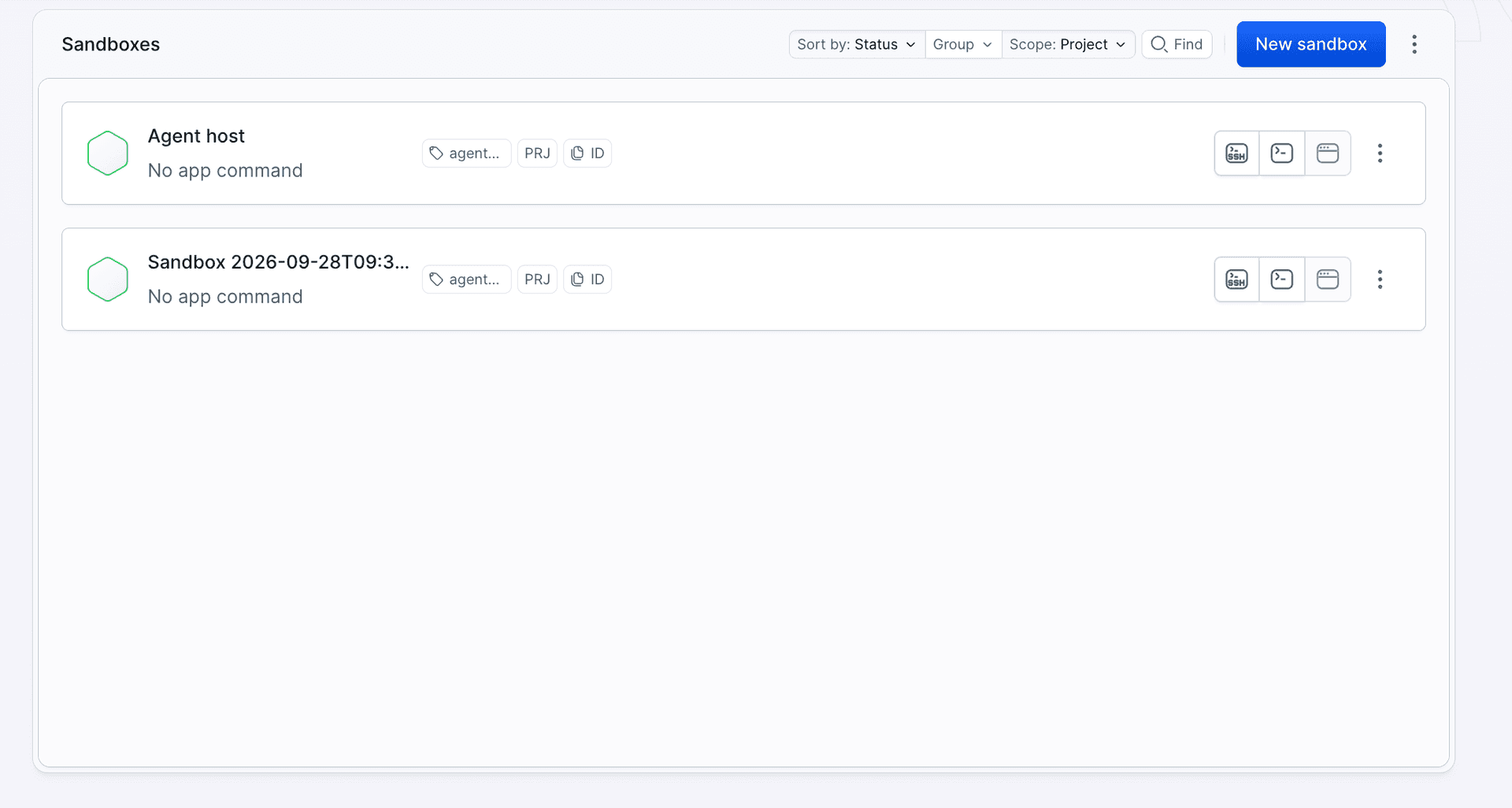
Each run_code call is one entry in the command history with full stdout and stderr. You will find it in the Logs tab, under the Exec entry:
Image loading...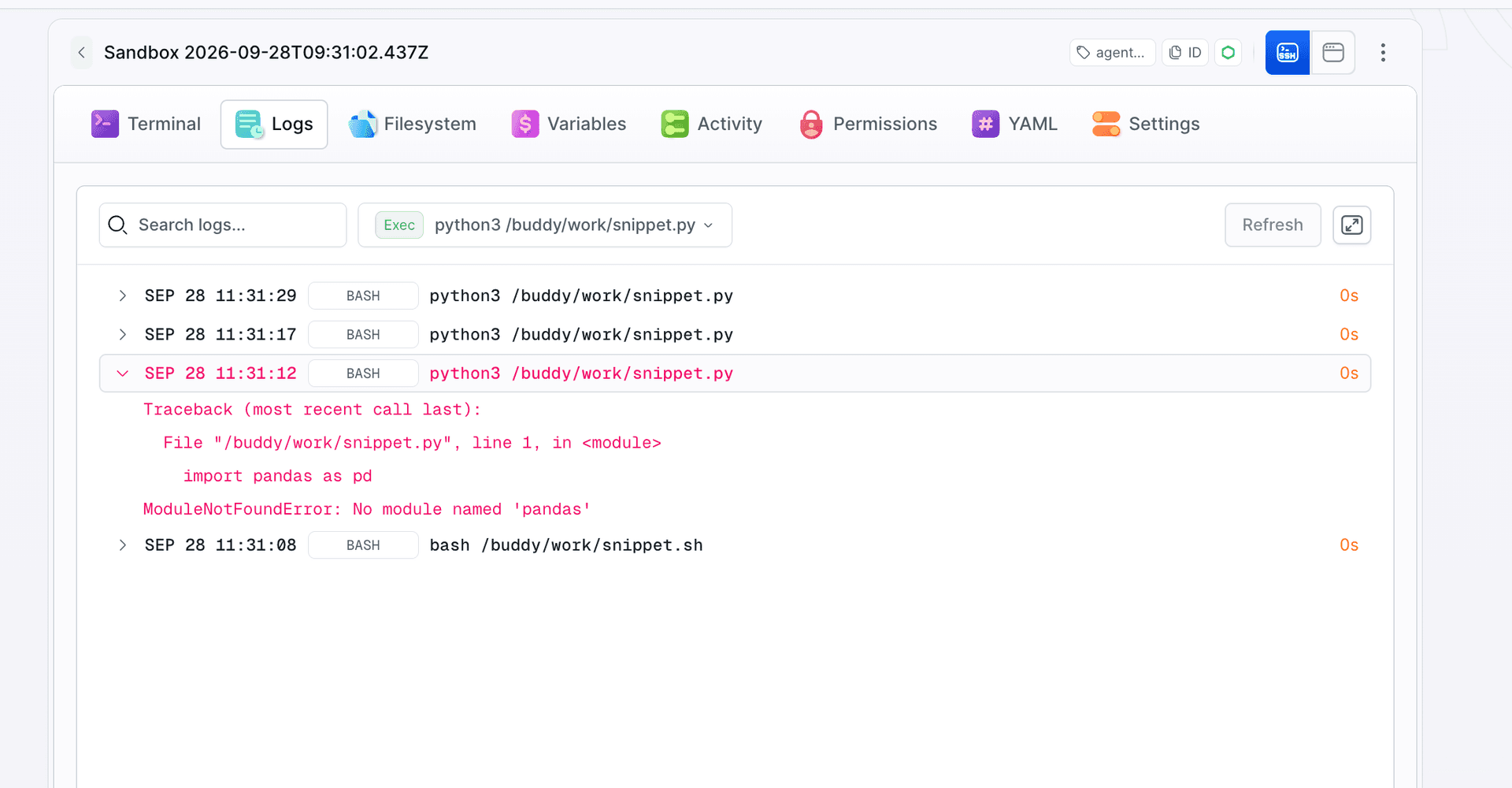
Files saved by the agent are in the Filesystem tab:
Image loading...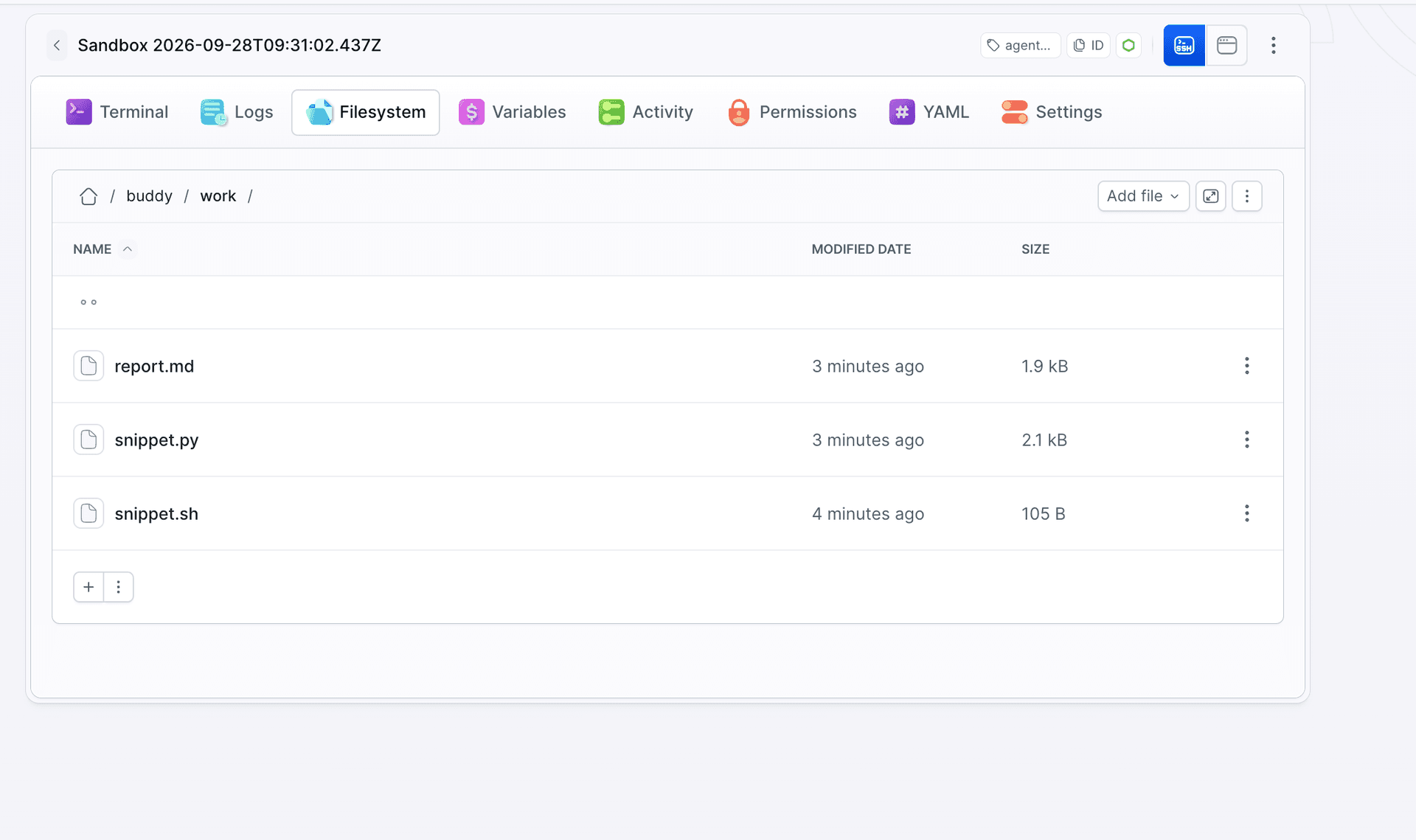
The session sandbox has internet access.
Code generated by the model can make external requests and read files fetched with fetch or uploaded with fs.uploadFile(). In this example the Buddy token and the Anthropic key stay in the agent process. We do not pass them into the sandbox. The code can still manage its own sandbox through the this command available inside the sandbox, for example expose an endpoint on it. Do not put data in the sandbox that the model should not read or send.
Deleting the sandbox automatically
If the agent process is interrupted, finally may never run. timeout: 900 stops an idle sandbox after 15 minutes but does not delete it. The pipeline below deletes the sandbox on the SANDBOX_TIMED_OUT event. The tag from Sandbox.create() limits it to agent sessions:
yaml- pipeline: agent-session-cleanup
  events:
  - type: SANDBOX_TIMED_OUT
    targets:
    - target: '*'
      type: MATCH
      tags:
      - agent-session
  actions:
  - action: Delete timed-out session sandbox
    type: SANDBOX_MANAGE
    operation: DELETE
    targets:
    - $BUDDY_RUN_SANDBOX
Image loading...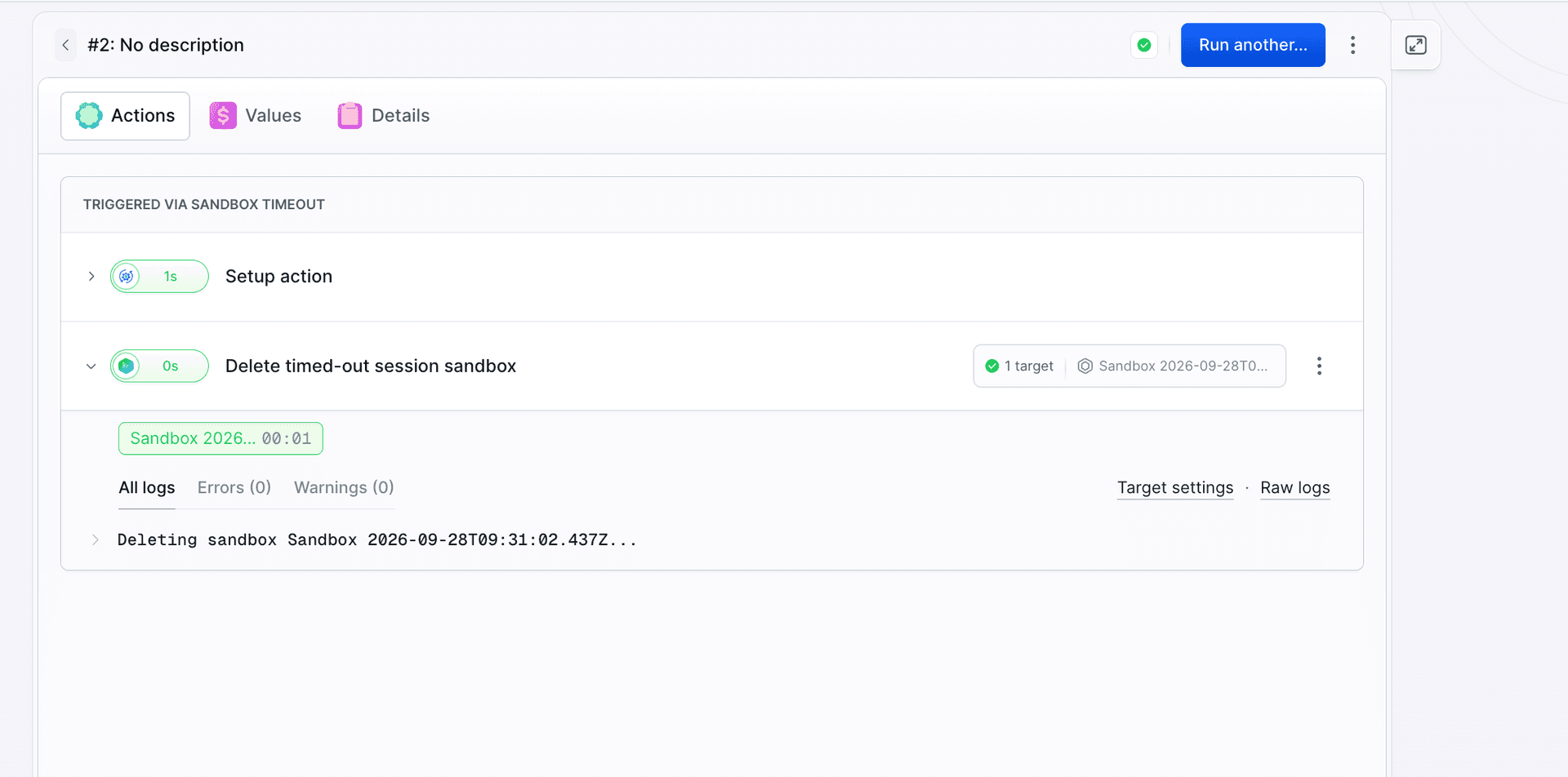
After the pipeline runs, only agent-host is left on the list:
Image loading...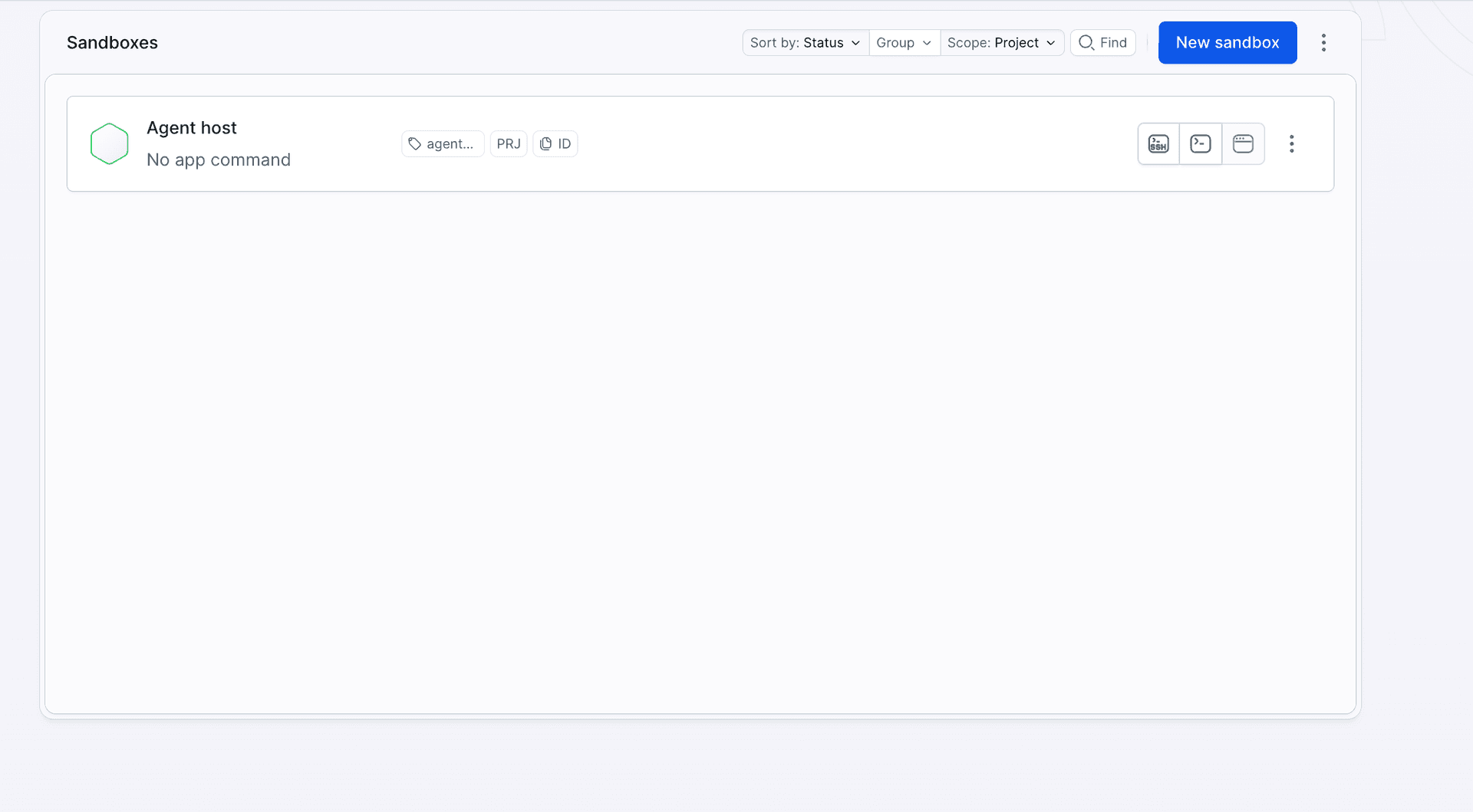
Long-running commands
runCommand() waits for the command to finish by default. For model training or a large package installation, run it with detached: true, return the commandId to the model and add a check_command tool that reads the status:
typescriptconst command = await sandbox.runCommand({ command: "python3 /buddy/work/train.py", detached: true, stdout: null, stderr: null });
const commandId = command.data.id;

// later, in the check_command tool, with the commandId passed by the model:
const commands = await sandbox.listCommands();
const current = commands.find((c) => c.data.id === commandId);
if (!current) throw new Error(`Command ${commandId} not found`);
return { status: current.data.status };
This fragment shows the SDK operations. The check_command tool still has to be added to tools in agent.ts and its result passed to the model. Once the command finishes, fetch its output with current.output(). The wait() method waits for the command to end, so it is not meant for a status check. A command can be interrupted with current.kill(). For very long tasks, increase the sandbox timeout. A detached process does not reset the inactivity counter, as described in the sandbox lifecycle documentation.

Jarek Dylewski
Customer Support
A journalist and an SEO specialist trying to find himself in the unforgiving world of coders. Gamer, a non-fiction literature fan and obsessive carnivore. Jarek uses his talents to convert the programming lingo into a cohesive and approachable narration.