Pull requests
Pull requests are built into Buddy Git repositories and work without GitHub synchronization or any project setting. A pull request collects changes from one branch and shows the pipeline and test statuses of its latest commit before the merge to the base branch.
Creating a pull request
- In the project, go to Pull requests in the left menu.
- Click New PR.
- Select the base branch (Base) and the branch with changes (Head).
- Enter a title and save the pull request.
Image loading...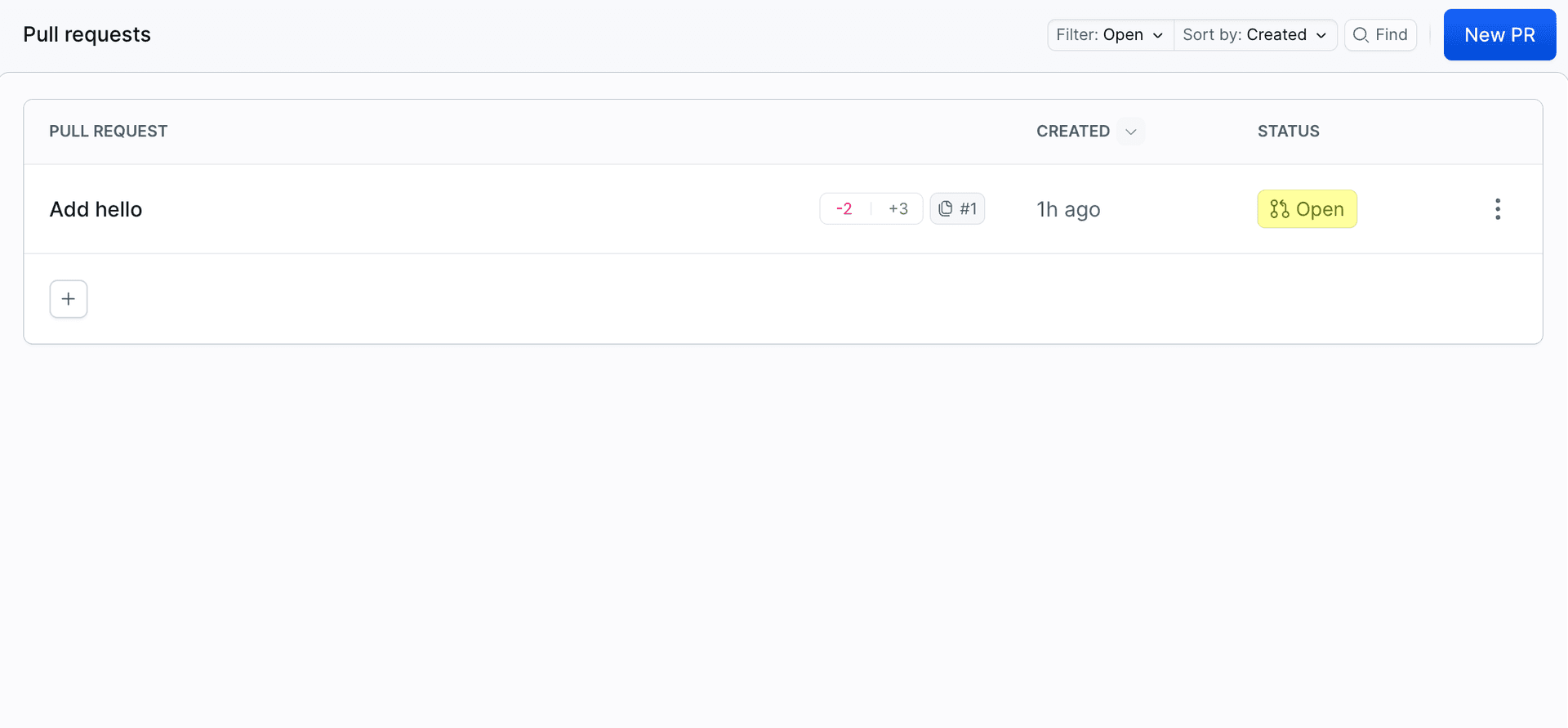
Pull request details
The pull request view shows:
- ID, Base and Head - the pull request number, base branch, and branch containing the changes
- Assignees and Reviewers - people assigned to the change
- Status - the state of the pull request
- Mergeable - whether the branches can be merged without conflicts
- Pipelines, Visual tests, Unit tests - statuses for the latest commit of the Head branch
Mergeable covers conflicts only. A ruleset block appears in a separate MERGE BLOCKED box.
Blocked merge
If a ruleset with required checks covers the base branch, a red MERGE BLOCKED box with the ruleset name and the reason appears above the pull request details.
Image loading...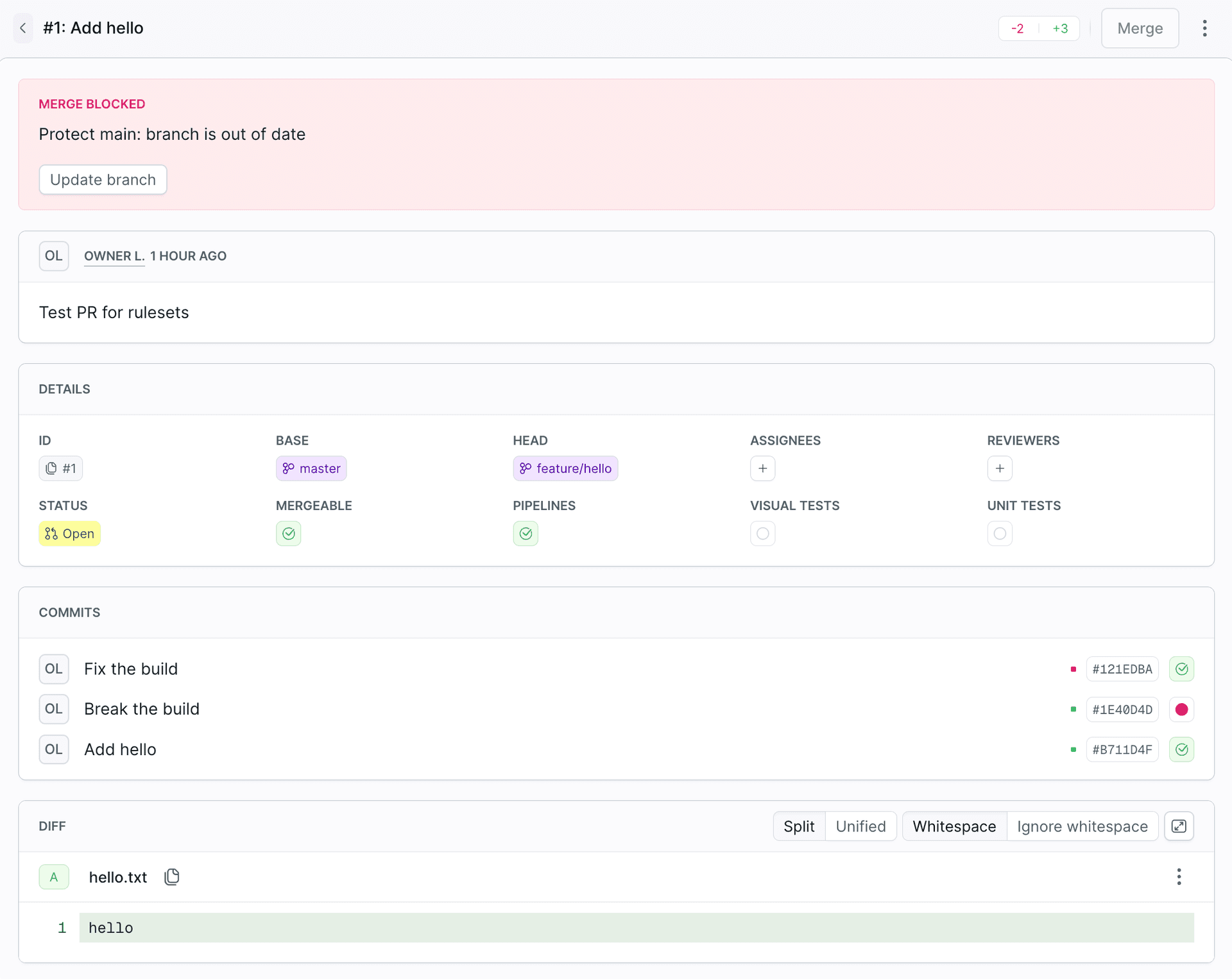
Common reasons:
| Reason | Message |
|---|---|
| A required pipeline is still running | required checks have not passed: pipeline build: in_progress |
| A required pipeline failed | required checks have not passed: pipeline build: failed |
| The branch does not contain the latest changes from the base branch | branch is out of date with the base branch - update it and wait for the checks of the new commit |
When the branch is out of date, click Update branch. Buddy merges the changes from the base branch into it. The merge is unblocked once all required checks succeed on the new commit.
refs/heads/* pattern. A pipeline with do_not_create_commit_status: true sets no commit status, so it does not appear in the pull request as a check.
Merge
When no rule blocks the change, click Merge in the top right corner of the pull request.
A merge through the API accepts extra options: squash (combine the commits into one), delete_branch (delete the Head branch after the merge) and commit_message. If the merge is blocked, the same endpoint returns an error with the ruleset message:
Ruleset "Protect main": required checks have not passed: pipeline build: failed
See also:
- Rulesets - rules for branches and tags, required checks and bypass
- Pull requests API - creating, merging and updating branches through the API
- Branches - creating and merging branches
Last modified on Nov 25, 2026