Project settings
Project settings allow you to configure various options for your Buddy project. To access project settings, navigate to your project and click Project Settings in the left column.
Image loading...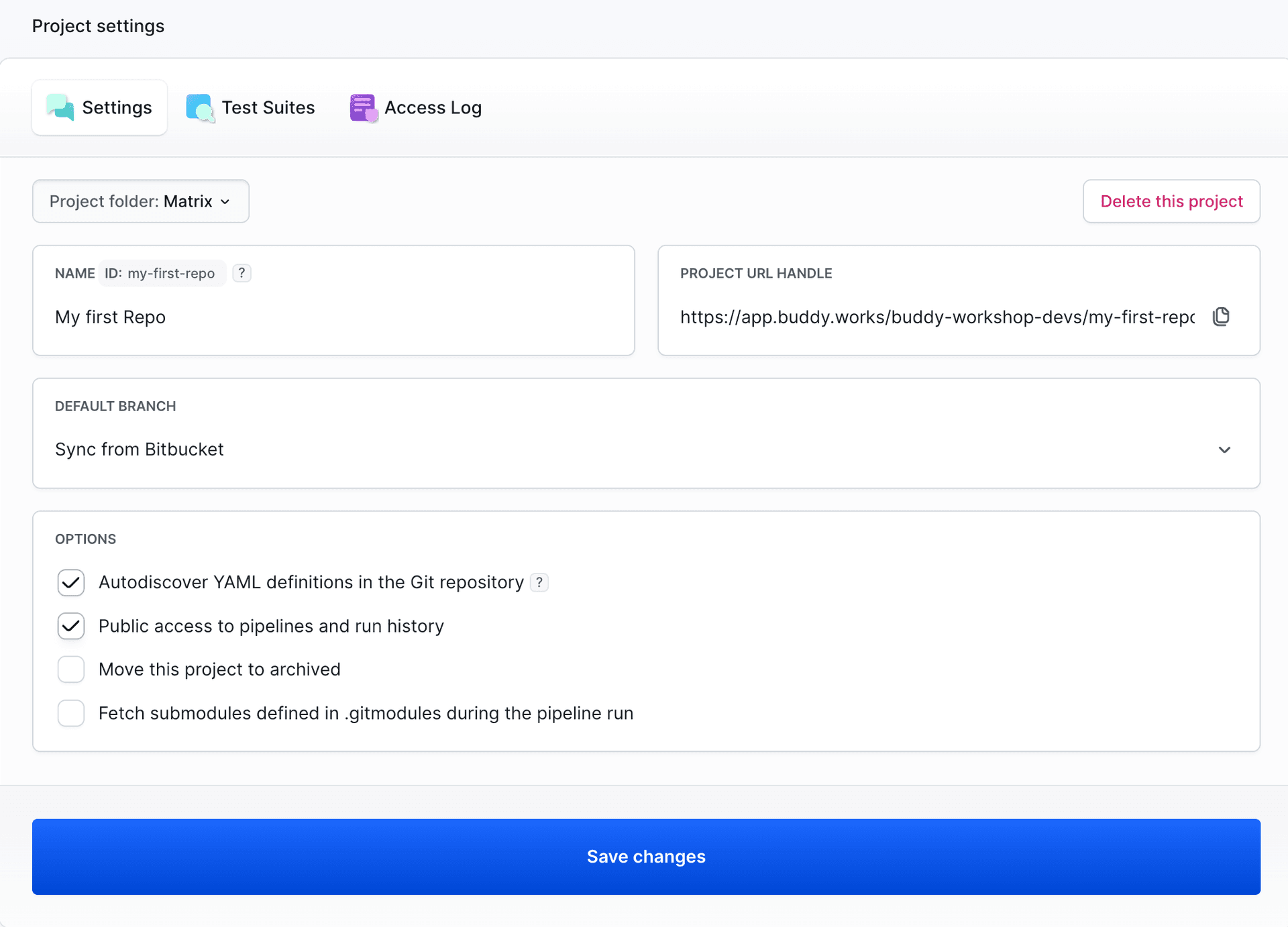
Autodiscover YAML definitions in the Git repository
Automatically discover pipeline definitions stored in the /.buddy/ directory of your repository. This allows you to manage your pipelines as code directly in your Git repository.
Learn more about YAML autodiscovery →
Pull requests support
Enable pipelines to run automatically on pull request events. Available only for projects synchronized with GitHub or GitHub Enterprise repositories.
Learn more about pull request testing →
Public access to pipelines and run history
Allow anyone with the link to view your project's pipelines and execution history without logging in. Useful for open-source projects.
Note: Workspace administrators can restrict this option in workspace security settings.
Move this project to archived
Archive the project to make it read-only. Archived projects cannot run pipelines or accept new commits, but their history and configuration remain accessible. You can restore an archived project at any time by unchecking this option.
Fetch submodules defined in .gitmodules during the pipeline run
Automatically fetch Git submodules during pipeline execution. When enabled, you can optionally select an SSH key for authentication if your submodules require it.
Learn more about using submodules →
Project name and URL
You can change your project's display name and URL handle (NAME ID) in the project settings. The URL handle must be unique within your workspace.
Default branch
Configure which branch should be used as the default branch for your project. This affects which branch is shown by default in the Buddy interface.
For projects integrated with external Git providers (GitHub, GitLab, Bitbucket), you can choose between:
- Sync from [Provider] - Automatically use the default branch configured in your Git provider
- Set in Buddy - Override the provider's setting and define a custom default branch in Buddy
Project folder
Assign your project to a folder to organize and group related projects together in your workspace.
Last modified on Apr 22, 2026