GitHub Integration
Sending Test Results from GitHub Actions
You can send test results to Buddy directly from GitHub Actions workflows. Use Buddy reporters or JUnit XML + the Buddy CLI in your GHA jobs. This allows Buddy to track sessions even when tests are not executed in a Buddy pipeline.
Secret configuarion in GitHub
To use BUDDY_UT_TOKEN in GitHub Actions, you first need to add it as a secret in your repository settings:
- Navigate to Settings > Secrets and variables > Actions in your GitHub repository
- Click New repository secret
- Enter the name:
BUDDY_UT_TOKEN - Enter the token from the suite settings in Buddy
- Click Add secret
Image loading...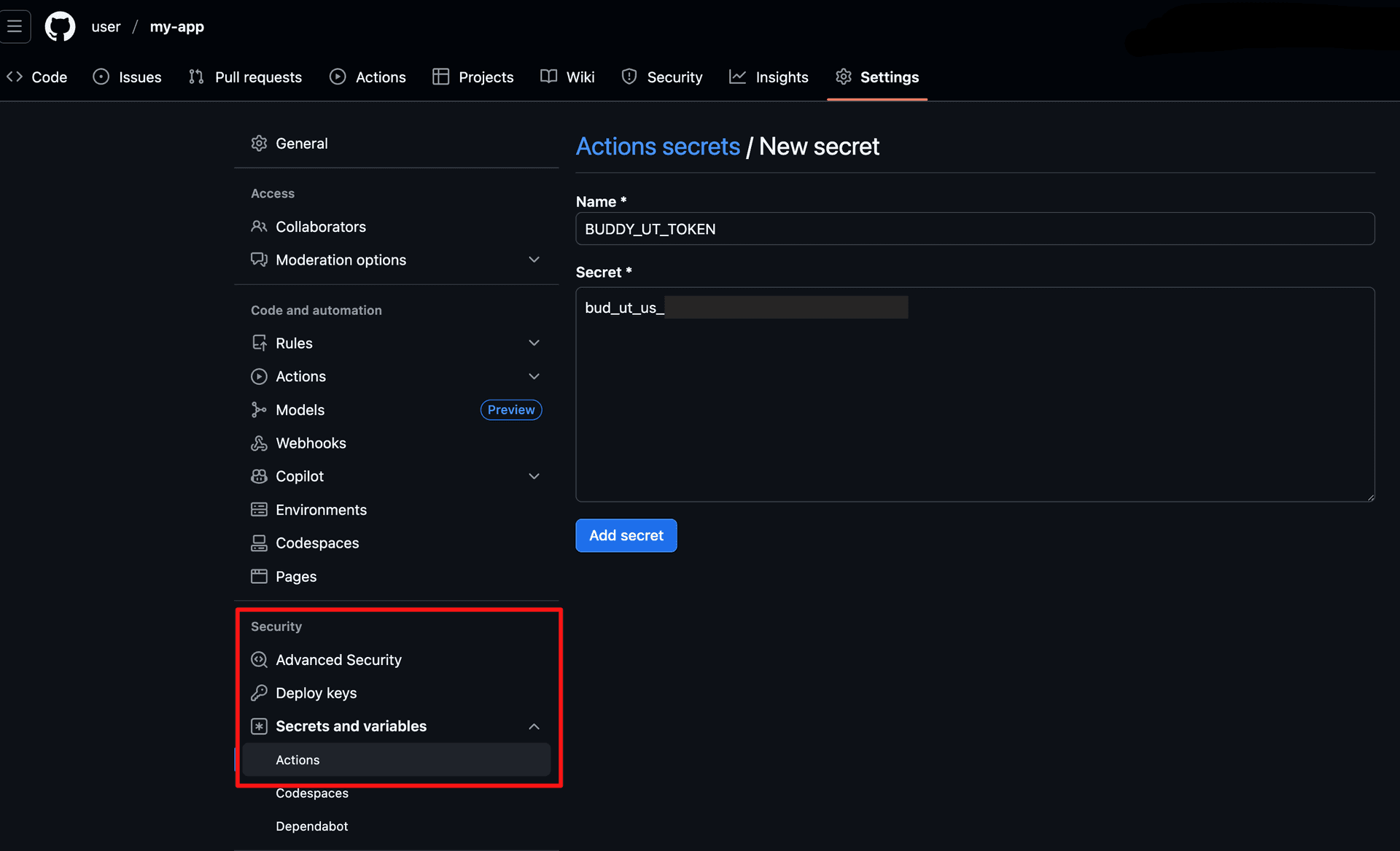
Example GitHub Actions Workflow
yamlname: Tests
on: [push, pull_request]

jobs:
  test:
    runs-on: ubuntu-latest
    steps:
      - uses: actions/checkout@v3
      - uses: actions/setup-node@v3
        with:
          node-version: '20'
      - name: Install dependencies
        run: npm ci
      - name: Run tests
        env:
          BUDDY_UT_TOKEN: ${{ secrets.BUDDY_UT_TOKEN }}
        run: npm test
GitHub Commit Checks
For each test session, Buddy can create a commit check in GitHub under the following context: /buddy/tests/<suite-name>.
Image loading...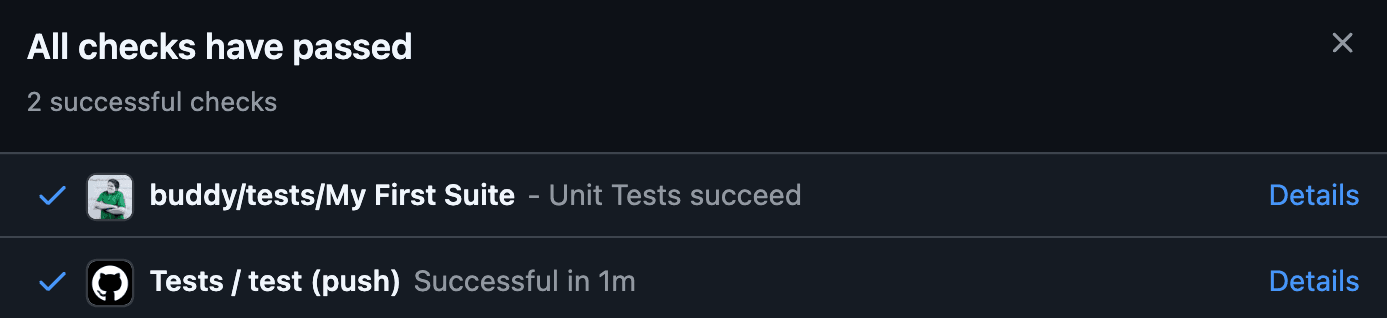
Check Statuses
pending- tests are waiting to be executiedin progress- tests are runningpassed- all tests passedfailed- one ore more tests failed
Check Details
Each check contains
- Total failed/passed amount
- Pass rate
- Number of slow and flaky tests
- A short table of failed tests
- Full report link
Disabling Commit Checks
You can disable commit checks for each suite in the Suite Settings by enabling the Don't send statuses to GitHub option.
Image loading...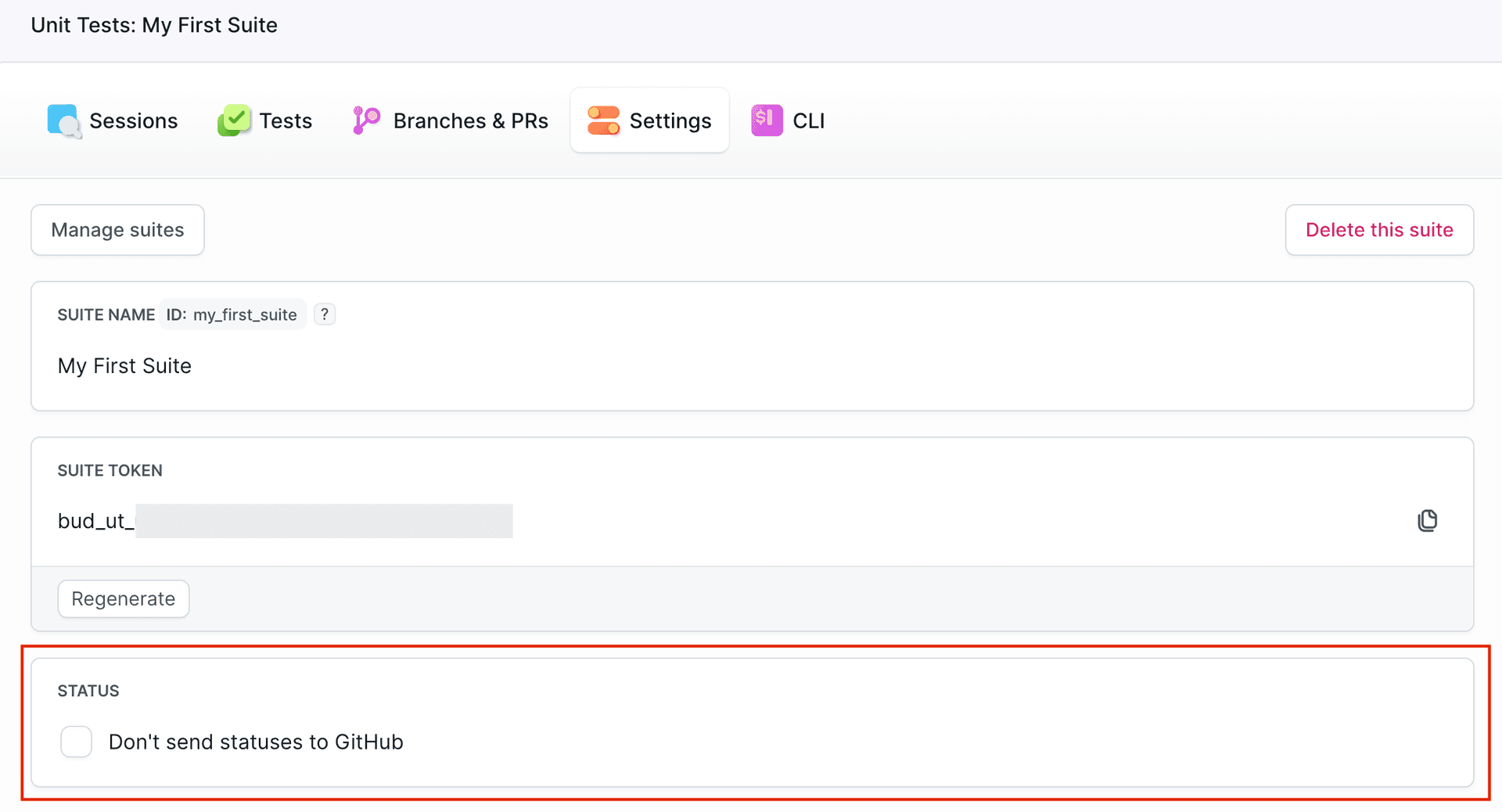
Last modified on Apr 22, 2026