Automatic Sandbox Snapshots: Schedule, Retention, Restore
An agent working in a sandbox overnight can delete the application directory with a single command. Sandboxes in Buddy can now create filesystem snapshots automatically every hour, every day, or every week, and delete old snapshots according to a retention policy. We broke two sandboxes: we restored the first from a snapshot at the same address and recovered a single file from the second without losing newer data.
How automatic sandbox snapshots work
A sandbox is a Linux machine in Buddy where you run applications, preview environments, and AI agents. If you do not have one yet, start with the Quickstart. A snapshot is a record of the sandbox filesystem at a given moment. An automatic snapshot is taken on a schedule, and retention deletes the oldest snapshots by count or by age.
To turn the schedule on:
- Open the sandbox and go to Settings.
- In the Snapshot section, set Auto-snapshot to Every hour, Daily, or Weekly. The default is Off.
- Next to it, in Retention, choose how many snapshots to keep or how long to keep them.
Image loading...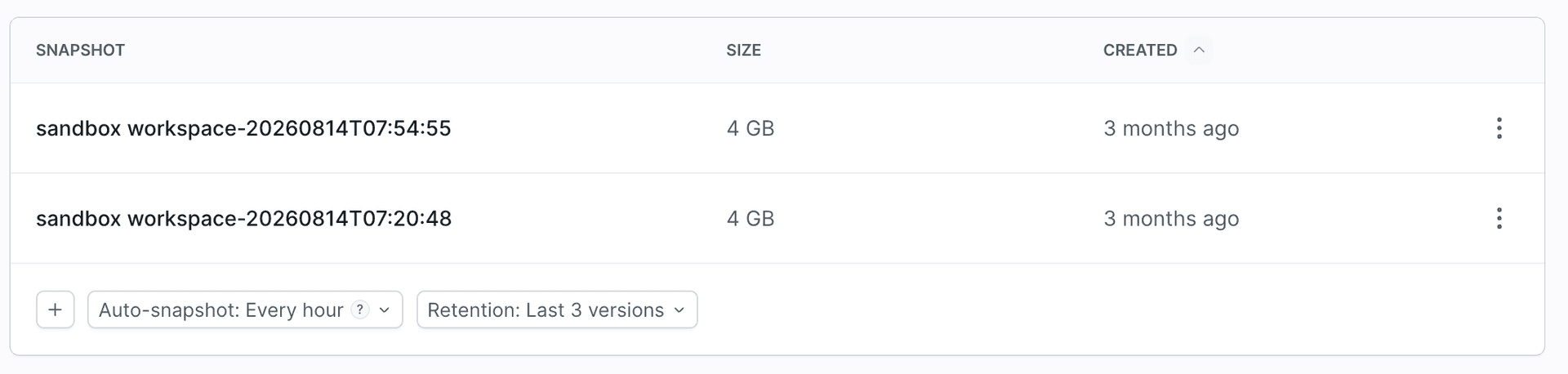
In YAML, the schedule is the backup field and retention is snapshot_retention:
- sandbox: storefront-preview
  name: Storefront preview
  os: ubuntu:24.04
  backup: HOURLY
  snapshot_retention:
    keep_last: 3
Save the definition to a file and create a sandbox from it with bdy sandbox create --yaml @sandbox.yml. The bdy commands are described in Sandbox CLI.
| Field | Values | What it does |
|---|---|---|
backup | OFF, HOURLY, DAILY, WEEKLY | How often a snapshot is taken |
snapshot_retention.keep_last | a number, for example 3 | Keeps the specified number of newest snapshots and deletes older ones (the Versions tab) |
snapshot_retention.keep_for_days | a number of days, for example 14 | Keeps snapshots created within the specified number of days and deletes older ones (the Days tab) |
Without retention (Keep all versions), snapshots are stored indefinitely. In YAML, leave snapshot_retention out. A snapshot covers the whole disk, including the system and installed packages, not only the application files. In our test, every snapshot of a sandbox serving a static page was 3 GB, so set retention when you use the Every hour schedule.
Buddy takes automatic snapshots only while the sandbox is running. If the sandbox has a timeout, it stops after the idle period and no new snapshots are taken until it is started again.
Test: a sandbox after its application files are deleted
The storefront-preview sandbox serves a store page at a public address. An automatic snapshot is created every hour, and retention keeps the last three. We deleted the application files with one command. The command is intentionally destructive and was run on a demo sandbox:
bdy sandbox exec command storefront-preview "rm -rf /srv/storefront/*" --wait
$
The store endpoint now returned an empty directory listing:
Image loading...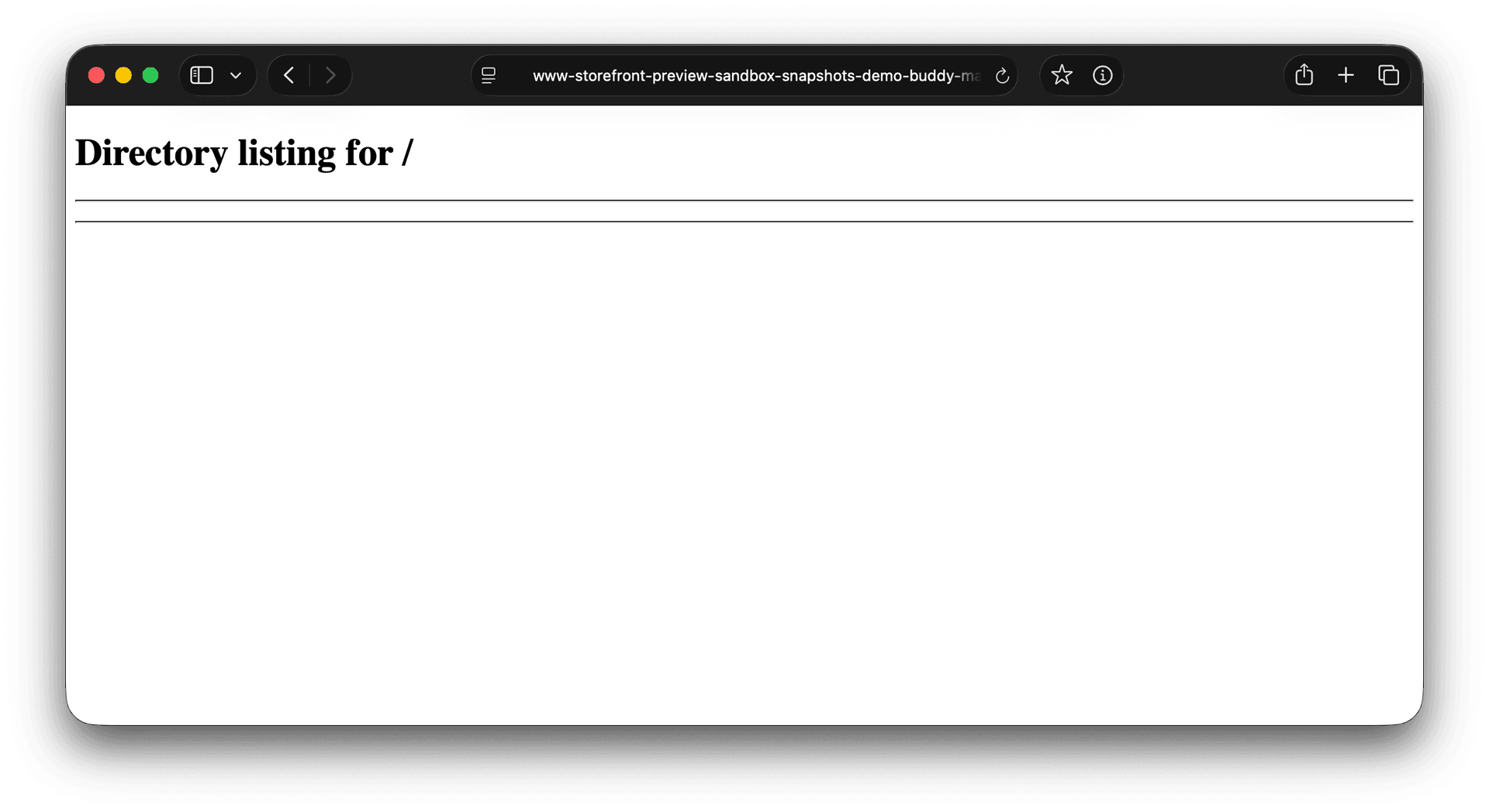
Which snapshot to restore after a failure: the last one before it, not the newest
We deleted the files at 18:28:31 UTC. A minute and a half later, at 18:30:00, the schedule took the next snapshot. It already contained the empty directory, so restoring it would not have fixed anything.
Image loading...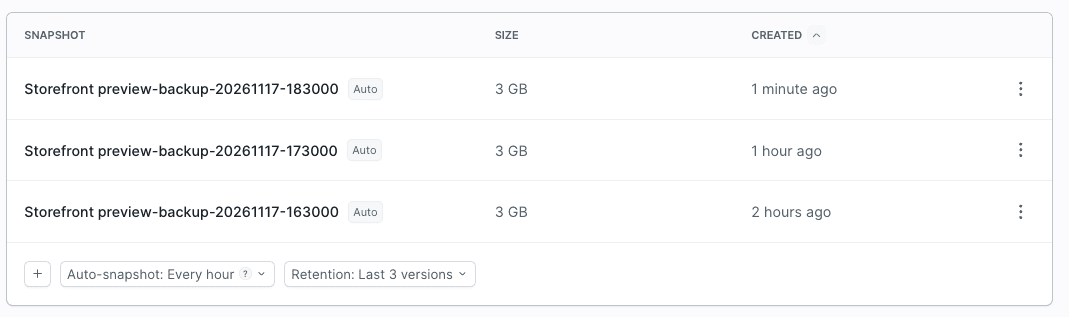
A scheduled snapshot has the Auto label and its name contains the creation date and time in UTC, for example Storefront preview-backup-20261117-173000. Before you restore, compare that time with the moment of the failure and pick the last snapshot taken before it. For us, it was the snapshot from 17:30.
Restore: the same sandbox at the same address
In the dashboard, we selected Restore on the snapshot from 17:30:
Image loading...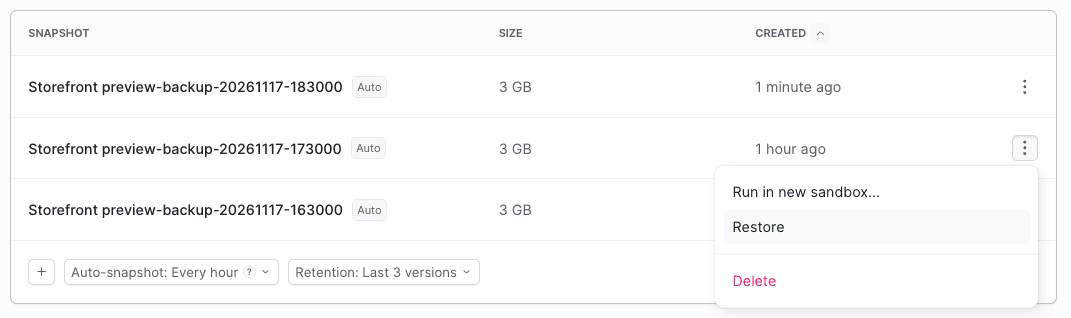
The application is defined in the sandbox configuration, so after the restore it started on its own, at the same address:
Image loading...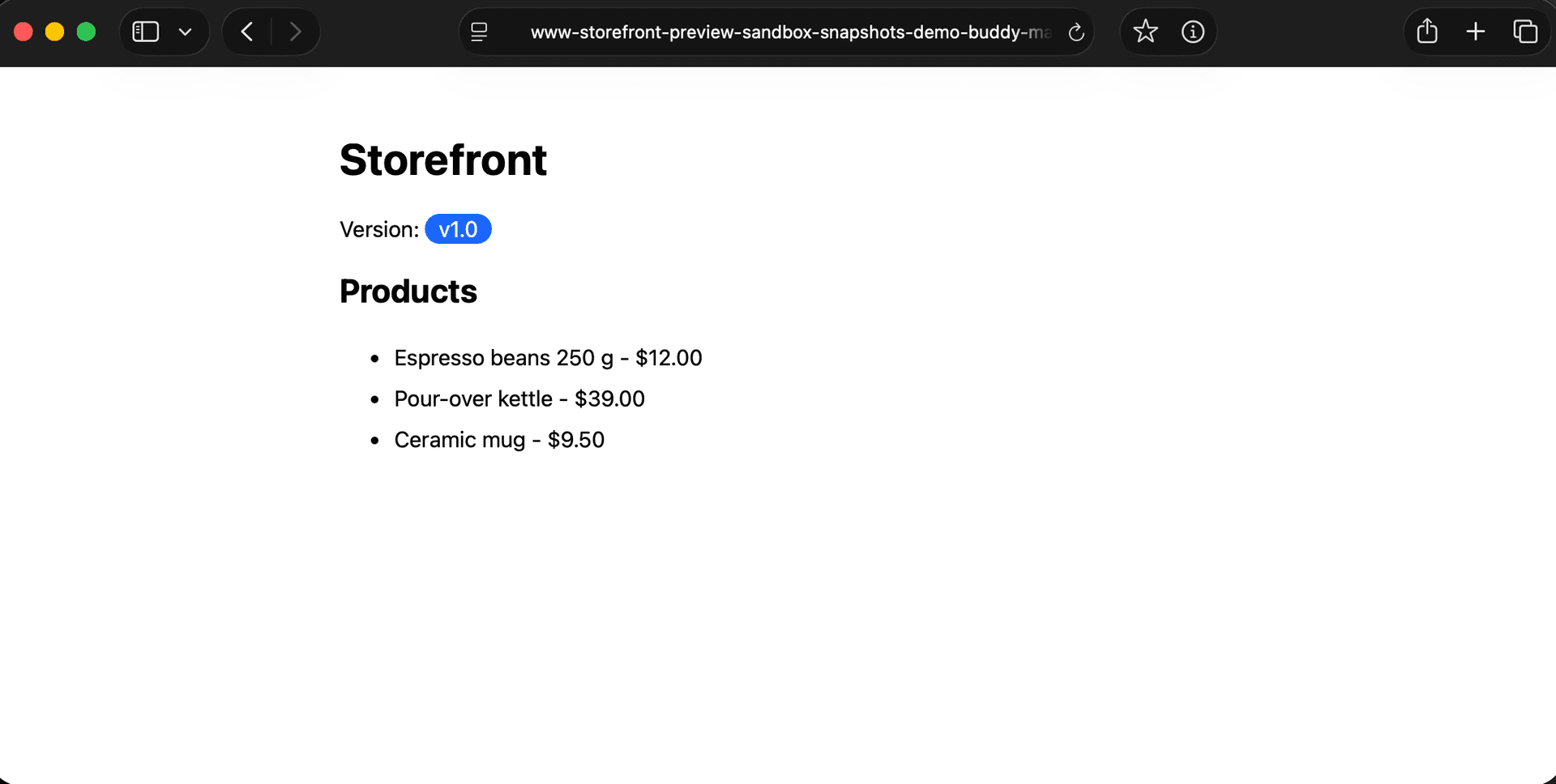
The whole sequence in UTC:
- 17:30:00 - the schedule takes a snapshot of the working application
- 18:28:31 - we delete the application files
- 18:30:00 - the schedule takes the next snapshot, which no longer has the files
- 18:32:04 - the restore is in progress, the endpoint returns a 504
- 18:32:10 - the store page works at the same address
Restore restores the filesystem from the snapshot. Environment variables belong to the sandbox configuration rather than the filesystem, so they keep their current values. If the variables changed after the snapshot was taken, check that the restored version of the application works with their current values.
You run Restore in the dashboard. The bdy sandbox snapshot commands create, list, and delete snapshots, and from the CLI you can create a new sandbox from a snapshot.
Restore vs. a new sandbox from a snapshot: how they differ
There are two ways to bring a snapshot back:
| Restore | Run in new sandbox... | |
|---|---|---|
| Machine | The same one | A new sandbox |
| Files on the disk | Replaced with the snapshot | Restored from the snapshot; the current sandbox remains unchanged |
| Identifier | Unchanged | New |
| Applications, endpoints, and variables | Unchanged | You set them at creation. A sandbox created from a snapshot with the CLI did not inherit them |
| Changes saved after the snapshot | Lost | Stay in the current sandbox |
How much time you have to react
The schedule and retention set two limits:
- Lost changes. The less frequent the snapshot schedule, the more changes made after the last good snapshot can be lost during a restore.
- Time to react. In our tests, retention deleted the excess snapshots only at the moment of an automatic snapshot. With
HOURLYandkeep_last: 3, the snapshot from 17:30 would have been deleted at 20:30, two hours after the failure. If an agent works in the sandbox overnight, set a longer retention.
Does retention delete manual snapshots
Yes. Right after starting the sandbox, we took a manual snapshot named storefront-base. After the third automatic snapshot, storefront-base was no longer on the list.
A manual snapshot takes a place in the limit, so one taken after a failure makes the good one disappear sooner. If we had taken it before 19:30, the snapshot from 17:30 would have been deleted an hour earlier, at 19:30.
Retention did not delete snapshots right after a manual one was taken, only at the next automatic one. In an additional test, we set a limit of two snapshots (keep_last: 2) and took three manual ones. All of them stayed on the list until the automatic snapshot, after which the two newest remained.
How to recover a single file from a snapshot without restoring the whole disk
In the second scenario, the recovery-test sandbox had the page file index.html and orders.csv with two fictional orders. We took the before-frontend-change snapshot, added a third order, deleted index.html, and took the after-frontend-change snapshot, which no longer had the file.
The page had to be recovered without restoring the whole disk, so that orders.csv stayed unchanged. It took four steps:
- We created a new sandbox,
recovery-check, from thebefore-frontend-changesnapshot. - We checked
orders.csvin it. The file had only two orders, so we did not copy it. - We downloaded
index.htmlfrom the new sandbox to the local machine. - We uploaded
index.htmlto therecovery-testsandbox.
The bdy sandbox cp command copies files between the local machine and a sandbox. To move index.html between the two sandboxes, we first downloaded it locally and then uploaded it to recovery-test. The last command deletes the temporary sandbox:
bdy sandbox create -i recovery-check --snapshot before-frontend-change --resources 1x2 --wait-for-running
bdy sandbox exec command recovery-check "cat /home/buddy/storefront/orders.csv" --wait
bdy sandbox cp recovery-check:/home/buddy/storefront/index.html ./recovered/index.html
bdy sandbox cp ./recovered/index.html recovery-test:/home/buddy/storefront/index.html
bdy sandbox destroy recovery-check -f
$$$$$
The --wait-for-running option waits until the sandbox is running before the command returns, and -f skips the deletion prompt. Without an interactive terminal, for example in a script, -f is required.
The page came back at the same URL. All three orders were still there, and the SHA256 checksum of orders.csv was identical before and after the operation. A full Restore of that snapshot would have removed the third order.
The recovery-check sandbox did not get the applications, endpoints, variables, or schedule of the source machine, but they were not needed to check and copy a file.
What a sandbox snapshot includes and what it does not
- A snapshot includes the filesystem: installed packages, configuration, and data on the disk. Our test covered the files of a static page. We did not test restoring a running database. If a database runs in the sandbox, create a database dump on a regular schedule, for example with cron before the top of the hour. The automatic snapshot can then include the completed dump file.
- A snapshot also includes secrets saved on the disk.
.envfiles and keys end up in every sandbox created from that snapshot. - Snapshots are not deleted together with the sandbox. After the machine is deleted, you can still create a new sandbox from them. This gives you the disk back, and you set the schedule, retention, and endpoints again.
How to prepare an agent for a failure
- Take a manual snapshot before a risky change. An agent working in the sandbox can do it with
this snapshot create -n before-migration --wait, described in Self-management. With--wait, the command finishes when the snapshot has theCREATEDstatus. Without it, the command finished at theCREATINGstatus in our test. - Write the recovery rules in the sandbox note. The
agent_notefield in the YAML definition gives the agent an instruction when it reads the sandbox, for example:To recover files, create a new sandbox from the last snapshot taken before the failure and copy them back.The note does not block anything. More in Resource notes.
Learn more:

Jarek Dylewski
Customer Support
A journalist and an SEO specialist trying to find himself in the unforgiving world of coders. Gamer, a non-fiction literature fan and obsessive carnivore. Jarek uses his talents to convert the programming lingo into a cohesive and approachable narration.