Host private Composer packages in Buddy
Buddy now has a Composer artifact type and a Composer Publish action. A pipeline can publish a PHP package to a private Composer repository in your workspace, and applications can install it with a regular composer install. Both features were introduced in the November 10 release.
Until now, a private package often meant a paid service such as Private Packagist or a vcs repository in composer.json with an SSH key or a Git token in every pipeline. The registry in Buddy separates installing packages from access to the source repository. The app only needs a token with permission to read artifacts.
In this example we publish laravel-health with a /health endpoint and install it in a Laravel app.
How the Composer registry works
Composer sees the artifact as a regular composer repository at https://composer.registry.sh. The package name is <workspace domain>/<artifact identifier>, so in the acme workspace the laravel-health artifact accepts the acme/laravel-health package. The required vendor applies only to the package name. You don't have to change PHP namespaces.
Versions can't be overwritten. Publishing 1.0.0 again fails with Artifact 'version' must be unique.
Image loading...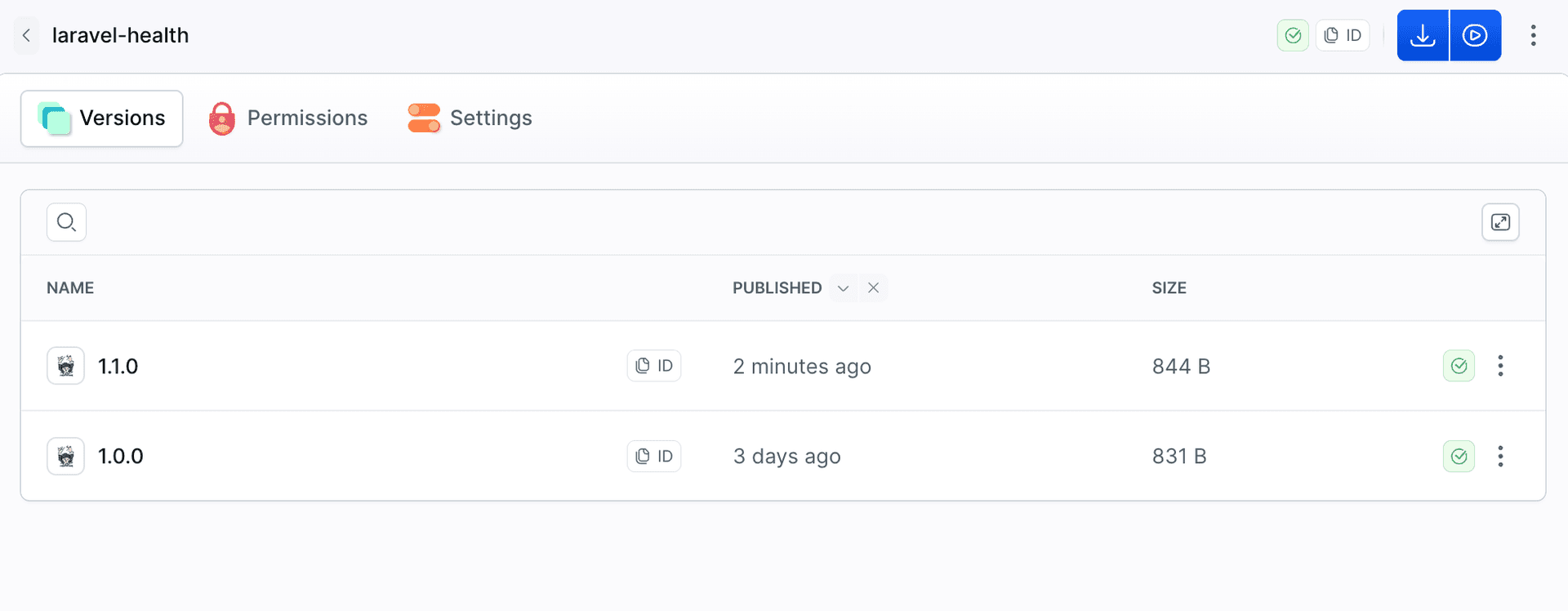
Publish a package from a pipeline
The first action copies only what belongs in the package to dist/. The second one publishes that directory and creates the artifact on the first run:
- action: Prepare package
  type: BUILD
  docker_image_name: library/composer
  docker_image_tag: "2"
  commands: |-
    composer validate --no-check-publish
    rm -rf dist && mkdir dist
    cp -r composer.json src dist/
- action: Publish to Composer registry
  type: COMPOSER_PUBLISH
  artifact: laravel-health
  path: dist
Image loading...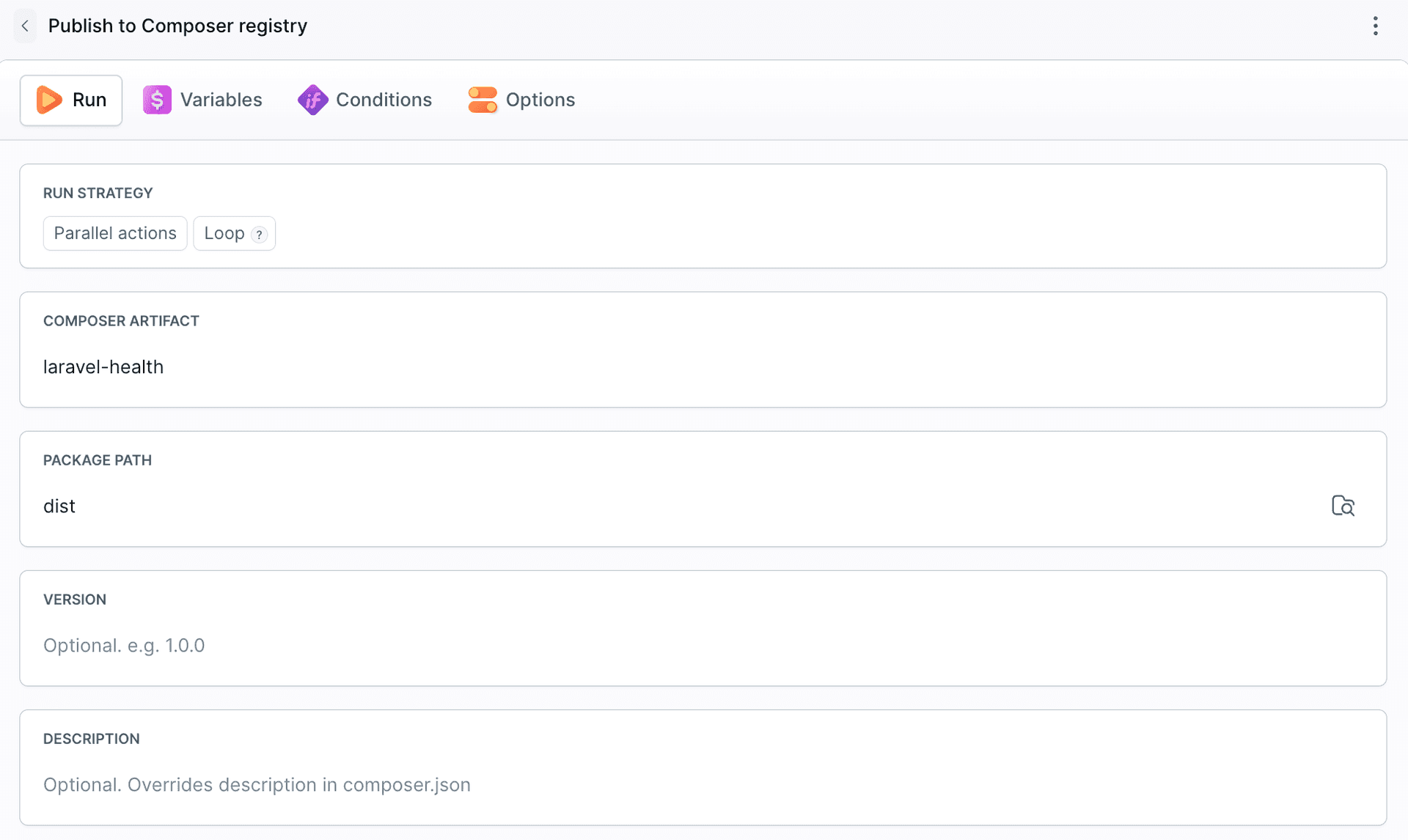
The version comes from composer.json or from the Version field in the action and must use a valid semantic version without a v prefix. If the version comes from a Git tag, remove the prefix because v1.1.0 fails validation. Publish from a separate directory because the action includes all files in the configured path, including .git.
Install a private package with composer install
In the app, add the registry and the dependency:
"require": {
    "laravel/framework": "^12.0",
    "acme/laravel-health": "^1.0"
},
"repositories": [
    { "type": "composer", "url": "https://composer.registry.sh" }
]
Then run composer update acme/laravel-health locally and commit the updated composer.lock. Subsequent composer install runs will install the package version recorded in the lockfile.
The registry requires a personal access token with the ARTIFACT_READ scope. In the pipeline, store it as an encrypted COMPOSER_TOKEN variable and pass it through COMPOSER_AUTH to avoid writing the credentials to auth.json.
- action: Install Composer dependencies
  type: BUILD
  docker_image_name: library/php
  docker_image_tag: 8.5-cli
  setup_commands: |-
    apt-get update && apt-get install -y git unzip
    curl -sS https://getcomposer.org/installer | php -- --install-dir=/usr/local/bin --filename=composer
  commands: |-
    mkdir -p storage/framework/views storage/framework/cache storage/framework/sessions storage/logs bootstrap/cache
    export COMPOSER_AUTH="{\"http-basic\":{\"composer.registry.sh\":{\"username\":\"token\",\"password\":\"$COMPOSER_TOKEN\"}}}"
    composer install --no-dev --no-interaction --prefer-dist
The token is masked in the action logs:
Image loading...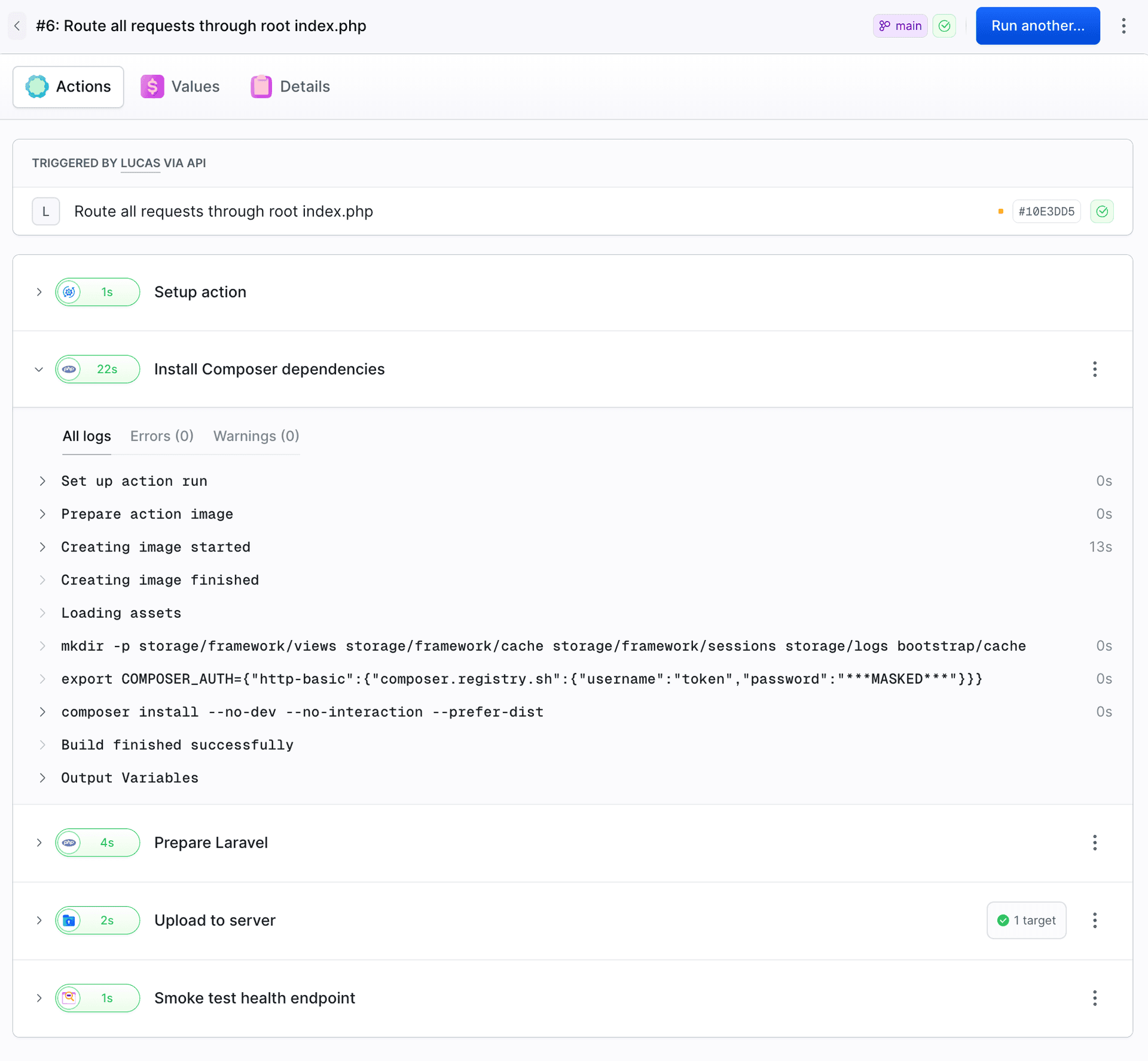
The app doesn't have to be built in Buddy. You can install the package from the registry locally or in another CI system with the same token. A ready-to-use composer.json snippet and the command for setting up the token locally are in the artifact under Pull artifact.
Image loading...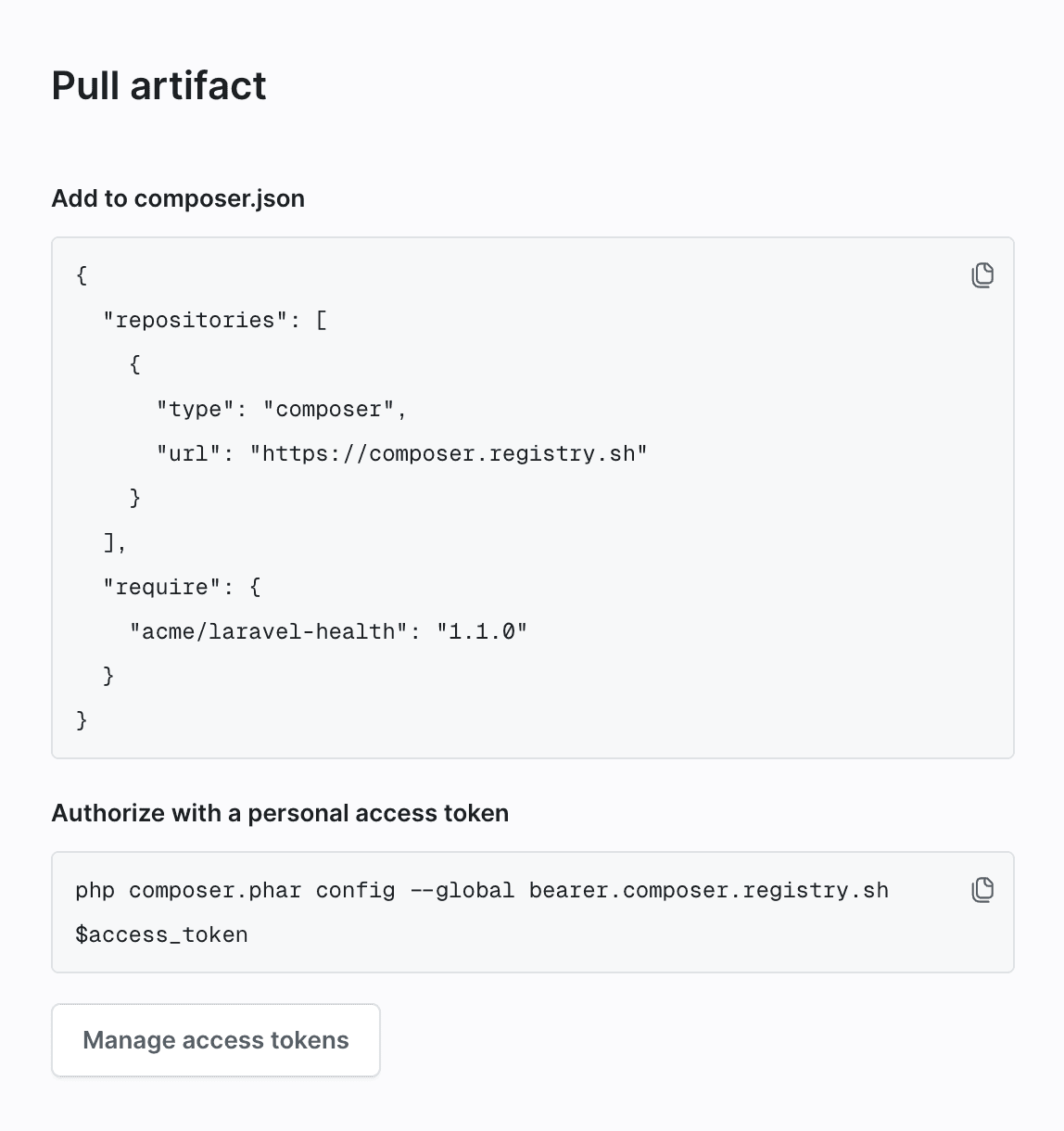
Control who can publish and install
In the artifact's Permissions tab, you can configure access for workspace members, pipelines, and sandboxes. An artifact created by Composer Publish initially allows publishing only from the pipeline that created it. Other pipelines receive Pipeline is not allowed to publish artifact until permission is granted in this tab or with the Grant permissions button in the failed run.
Image loading...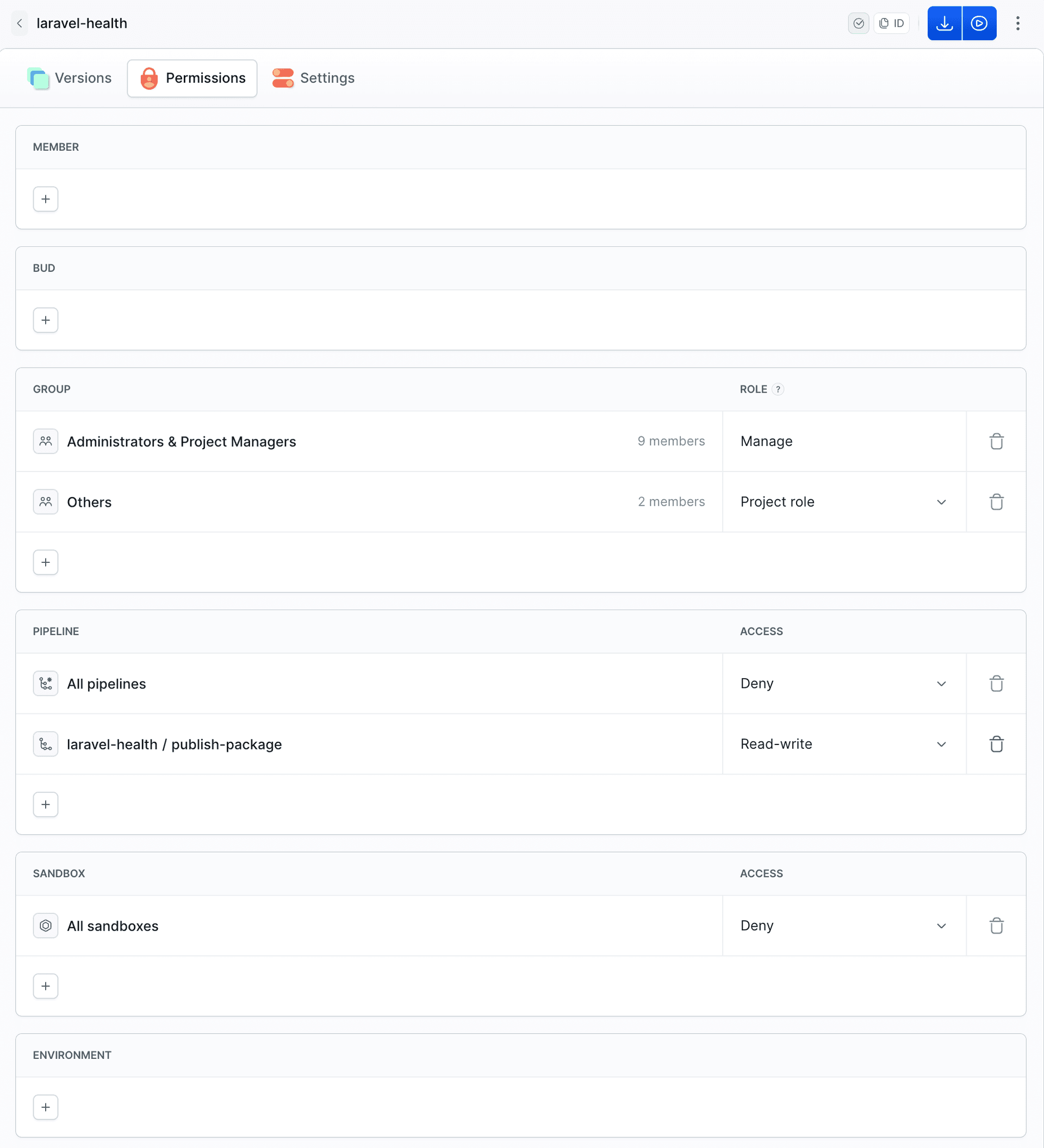
Test a new package version automatically
Version 1.1.0 adds an environment field to the response. Update the dependency with composer update acme/laravel-health, commit the updated composer.lock, and run the application's pipeline. After deployment, /health returns:
{
  "status": "ok",
  "app": "Acme Dashboard",
  "environment": "production",
  "php": "8.5.12",
  "laravel": "12.72.0",
  "checks": {
    "storage_writable": true
  },
  "health_package": "1.1.0"
}
Publishing a version also emits the Publish artifact version event. You can use it to trigger a separate application pipeline that runs composer update acme/laravel-health, starts the application, and checks /health. If the application fails to start or the endpoint returns an HTTP error, the run fails. The example below omits the setup already shown in the install action, including setup_commands, the storage directories, and COMPOSER_AUTH:
- pipeline: test-health-package
  refs:
  - refs/heads/main
  events:
  - type: PUBLISH_ARTIFACT_VERSION
    artifacts:
    - laravel-health:*
  actions:
  - action: Update laravel-health and test
    type: BUILD
    docker_image_name: library/php
    docker_image_tag: 8.5-cli
    commands: |-
      composer update acme/laravel-health --no-dev --no-interaction --prefer-dist
      cp .env.example .env && php artisan key:generate --force
      php artisan serve --port=8000 > /dev/null 2>&1 &
      curl -fsS --retry 10 --retry-connrefused --retry-delay 1 http://127.0.0.1:8000/health
The pipeline requires the Use role in the artifact's Permissions tab. Without it, the run cannot access the artifact.
What's next
Add the Composer Publish action to your package's pipeline and point your apps at composer.registry.sh. Configuration details are in the docs:

Jarek Dylewski
Customer Support
A journalist and an SEO specialist trying to find himself in the unforgiving world of coders. Gamer, a non-fiction literature fan and obsessive carnivore. Jarek uses his talents to convert the programming lingo into a cohesive and approachable narration.