Catch Storybook Regressions Without Writing a Single Test
DOM snapshot tests (toMatchSnapshot) compare markup, not pixels. Rename a wrapper and
the test fails on an unchanged UI; change a color token and the markup is identical
while the component visibly breaks. What users actually see is exactly what those tests
miss.
Storybook renders every component state in isolation but never compares one build to the last, so a regression only shows up if someone clicks through every story by hand. This guide turns that same Storybook build into a visual regression suite - no test code, no plugin, no fixture. You build Storybook, upload the static output, and Buddy screenshots every story and compares it against an approved baseline.
Why Storybook alone does not catch regressions
Checking a story by eye does not scale, and it gets worse when components share tokens:
one --color-fg or --space-4 change ripples through every story that uses it. In
review you see one small CSS diff - not the forty stories it just altered.
A visual test compares the rendered image of each story build over build, catching those cascades without anyone clicking through the catalog. Every story you have already written is a test case, so coverage grows on its own, with no extra tests to maintain.
What you need
bdyCLI installed (requires Node.js v20+)- A Visual Tests suite token exported as
BUDDY_VT_TOKEN, copied from the suite settings (inside a Buddy pipeline the token is injected automatically) - or skip the token entirely: sign in withbdy loginand link the directory to a suite once withbdy tests visual link
Image loading...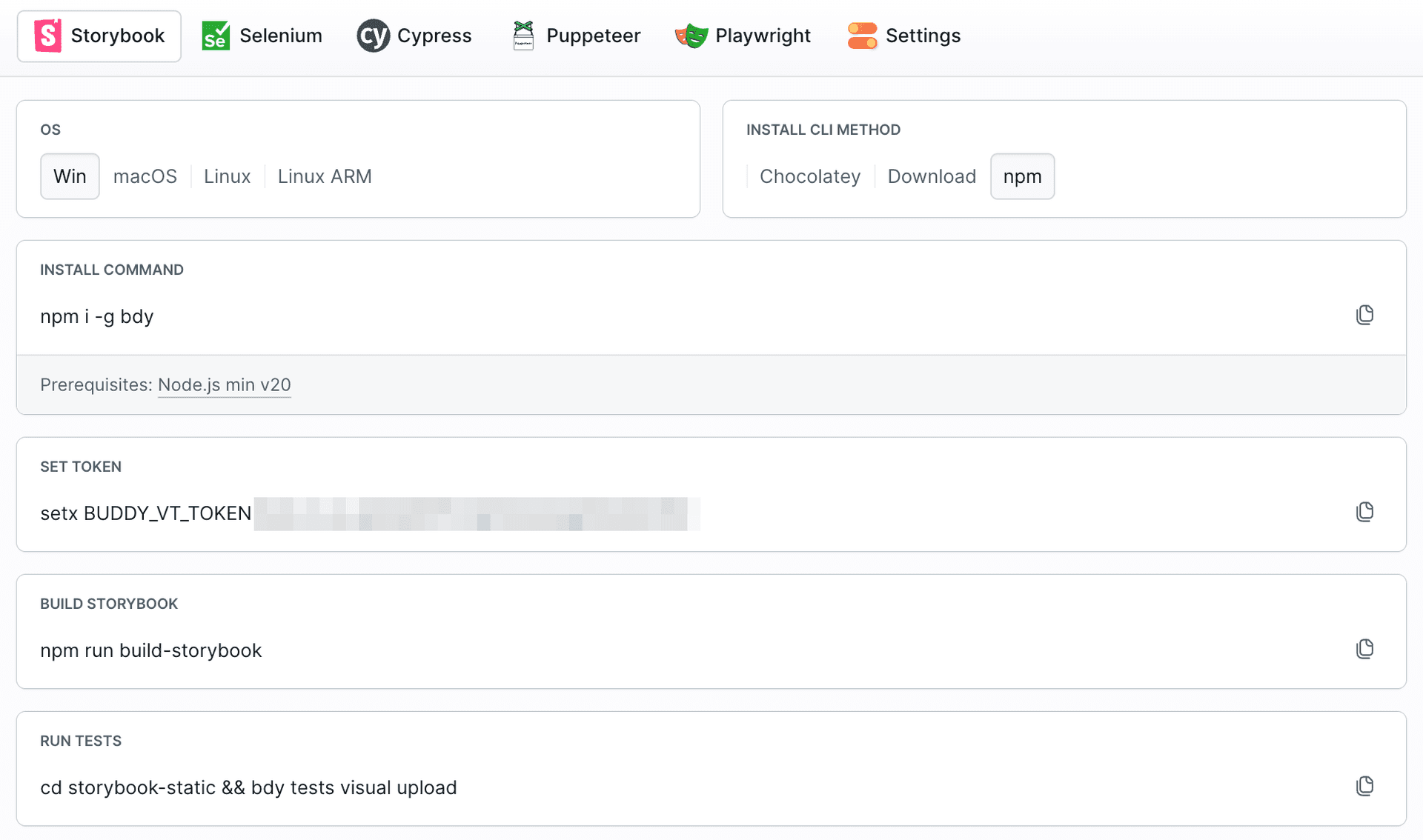
No changes to your components, your stories, or your package.json are required.
Create the first baseline
Visual Tests needs a baseline: the first accepted rendering of each story that future uploads are compared against.
Build Storybook and upload the static output. Every upload starts a new session:
bashnpm run build-storybook cd storybook-static && bdy tests visual upload$$
Buddy renders each story across all browsers, operating systems, and device resolutions enabled in the suite settings, then compares the result against the approved baseline. On the first upload there is no baseline yet, so every story arrives as New and Unreviewed.
Image loading...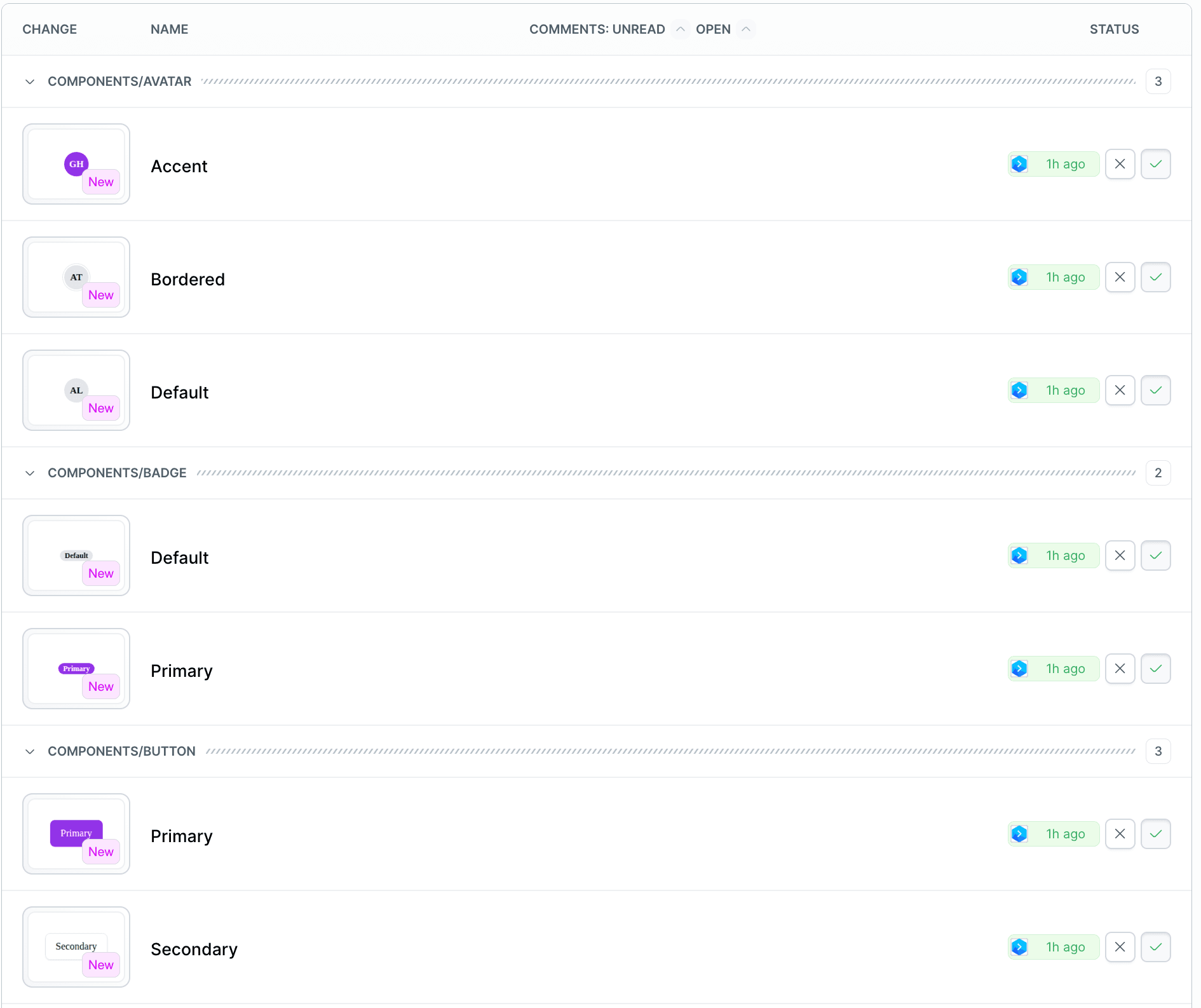
Approve the stories to establish the baseline. From now on, these approved renderings are what every future upload is measured against.
Catch a regression
Now change a shared design token - the kind of edit that looks harmless in review:
diff- --color-fg: #111111; /* High-contrast text. */
+ --color-fg: #c7ccd6; /* Faded and barely readable. */

- --space-4: 1rem;
+ --space-4: 10rem;    /* A typo that breaks every layout. */
Rebuild and upload again:
bashnpm run build-storybook cd storybook-static && bdy tests visual upload$$
Because the suite now has a baseline, Buddy renders every affected story and produces a side-by-side comparison: the approved baseline on the left, the new rendering on the right.
Image loading...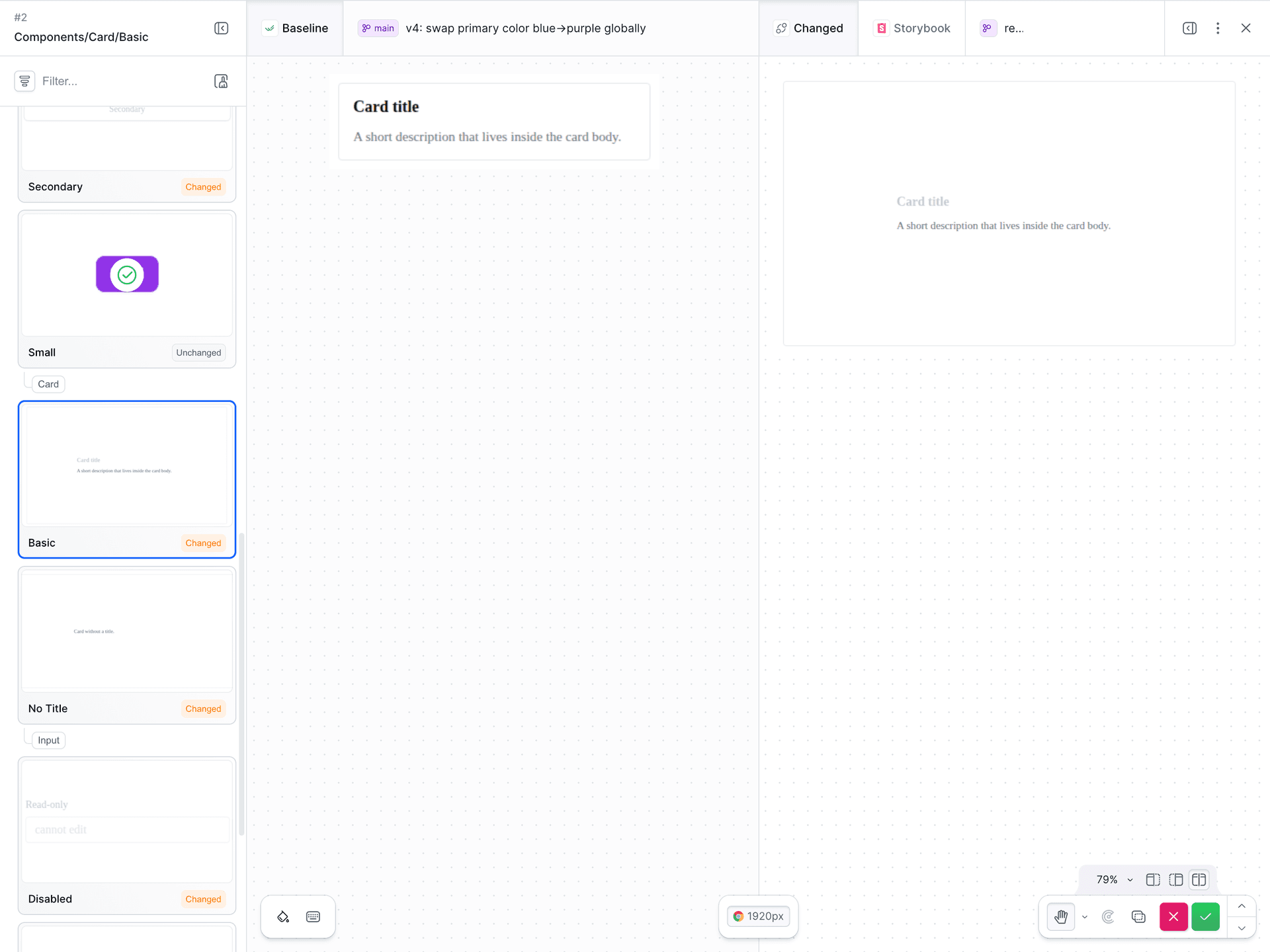
Enable Show differences to dim the unchanged areas and highlight what moved in red. This is where testing at the story level pays off: a single token change surfaces as diffs across every story that consumed it - including the ones nobody thought to check.
Image loading...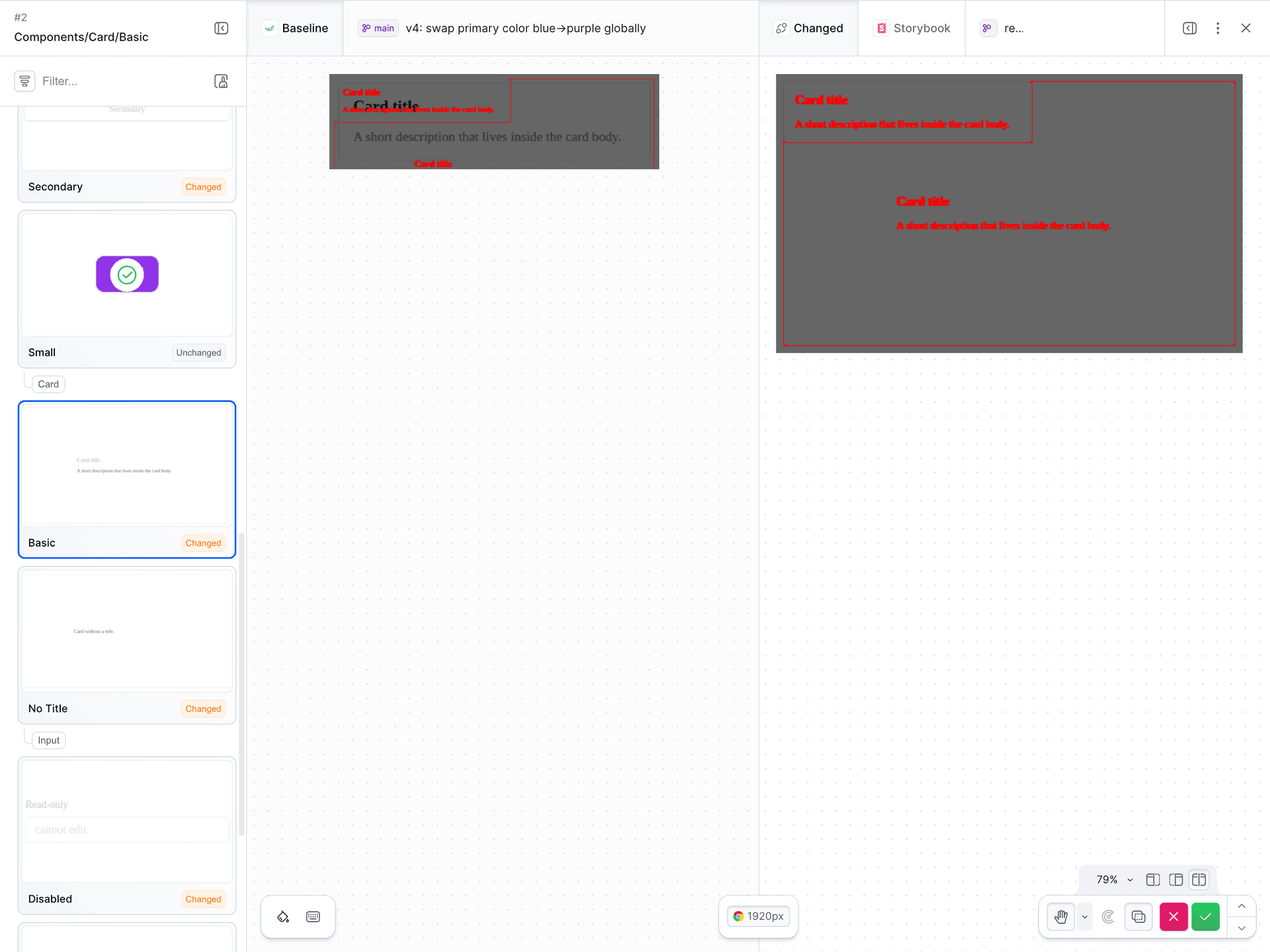
Review, approve, or reject
The final step is a decision. For an accidental regression, reject the change and fix the branch. For an intentional redesign, approve it and the new rendering becomes the baseline going forward.
Image loading...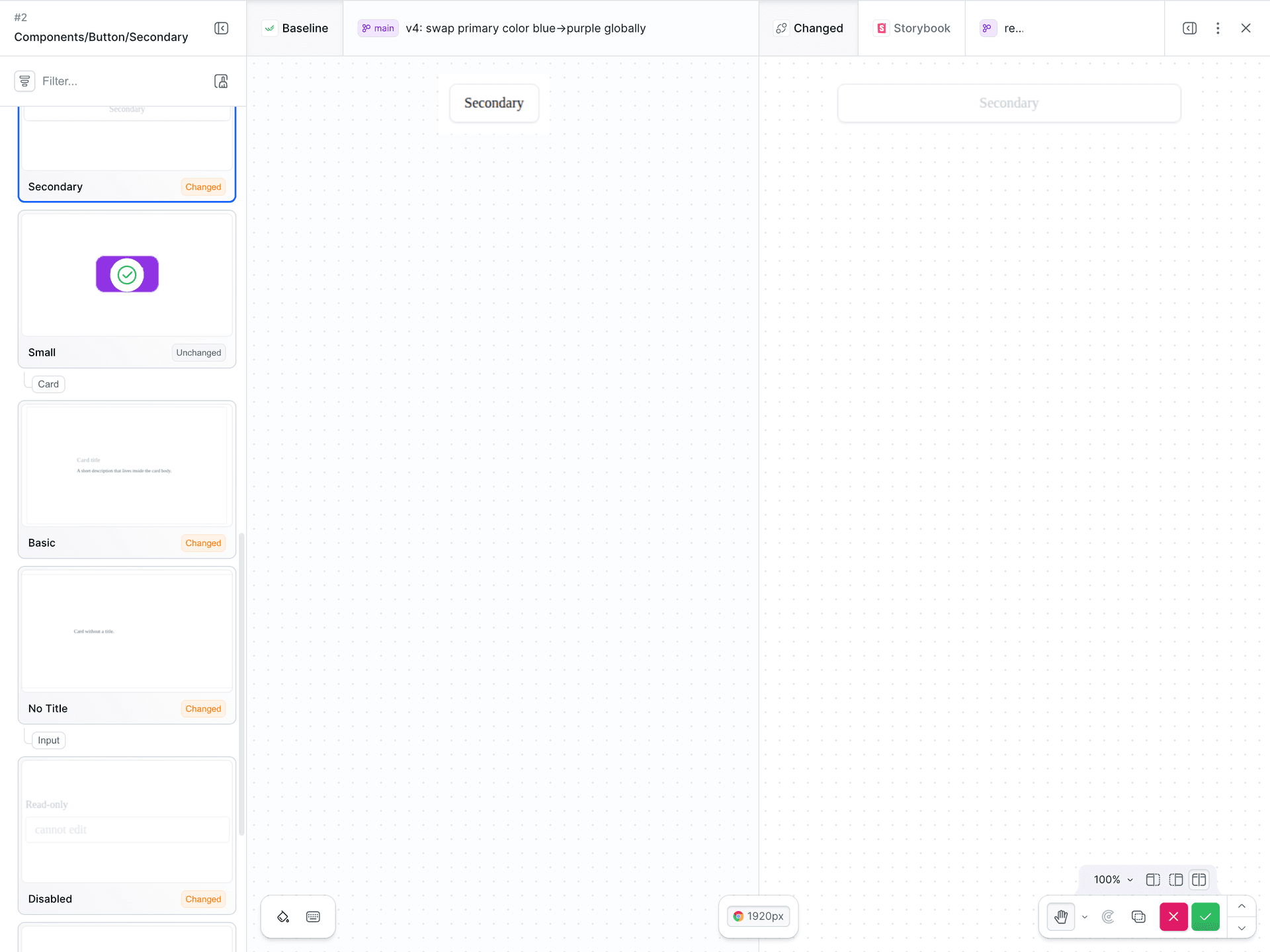
Stories that render identically to the baseline are approved automatically and need no attention, so review effort stays focused only on what actually changed.
Handle flaky stories
Some stories differ between builds even when nothing meaningful changed - the usual causes are dynamic content, animation timing, lazy-loaded assets, and pixel-level rendering noise. Left unaddressed, these produce diffs you have to dismiss on every run.
- Dynamic content such as timestamps or random data changes every render. Use fixed mock data in the story, or mask the volatile region. See Dynamic Content.
- Animations and transitions get captured mid-frame. Pause or disable them so the story settles before the snapshot. See Flaky rendering.
- Lazy-loaded images and fonts may not be ready at capture time. See Lazy loading.
- Rendering noise such as anti-aliasing can flip individual pixels. The suite's
Threshold / diff sensitivity controls how different a pixel must be before it
counts as changed. Keep it at
0so subtle color shifts stay detectable, and raise it only if noise causes false positives.
Automate it in a Buddy pipeline
A manual upload is easy to forget, so the next step is to run the whole flow on every push. The dedicated Storybook action covers build, upload, and comparison - just select your suite in the Visual Test Suite ID field and keep the default commands. The suite token is provided to the action automatically.
Image loading...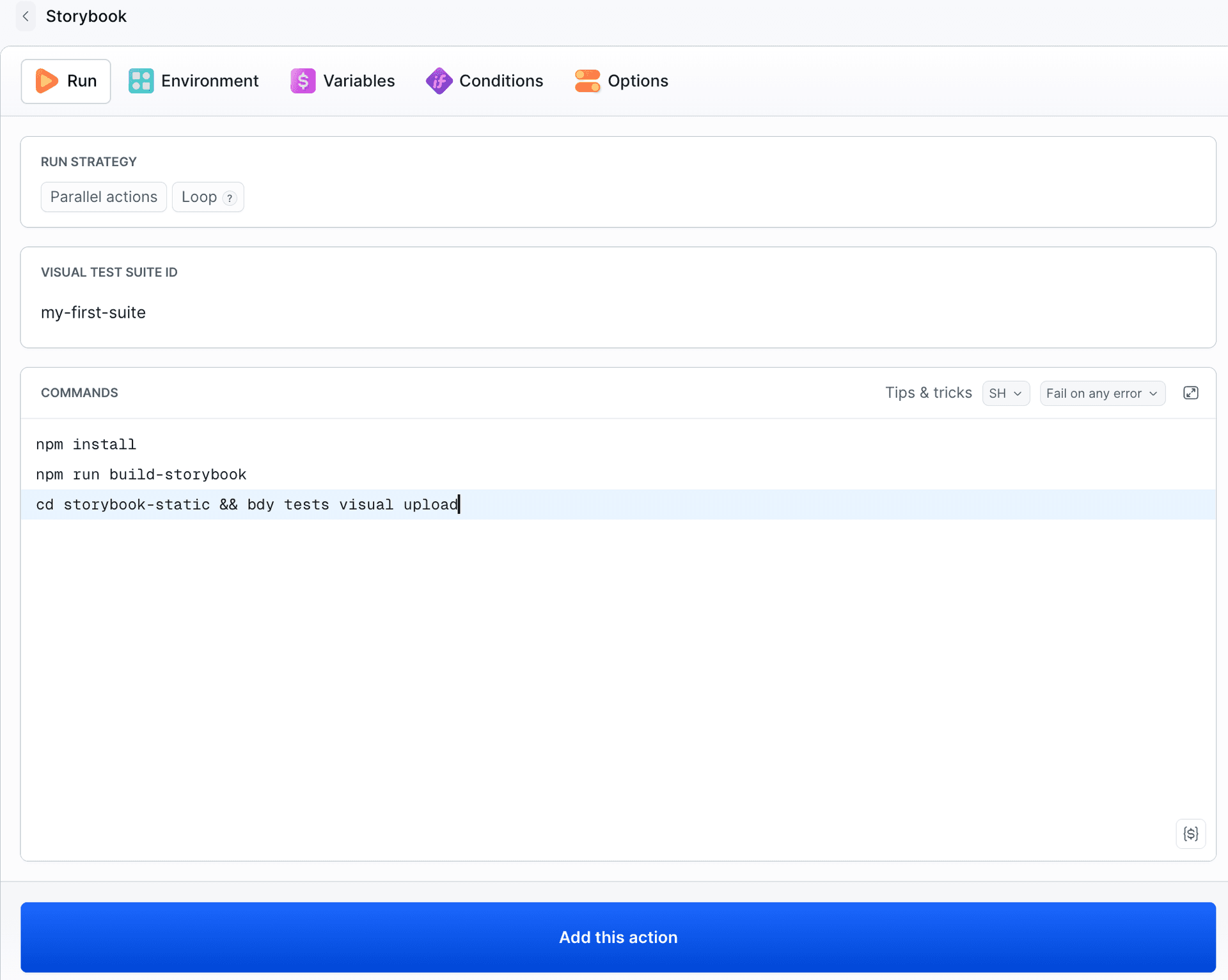
yaml- pipeline: storybook---visual-tests
  events:
  - type: PUSH
    refs:
    - "refs/heads/*"
  actions:
  - action: Build & upload Storybook
    type: STORYBOOK
    commands: |-
      npm install
      npm run build-storybook
      cd storybook-static && bdy tests visual upload
    visual_tests_suite: my_first_suite
  - action: Visual Test Session
    type: APPROVE_VT
  - action: Deploy preview
    type: TRANSFER
  - action: Notify #releases on Slack
    type: SLACK
Image loading...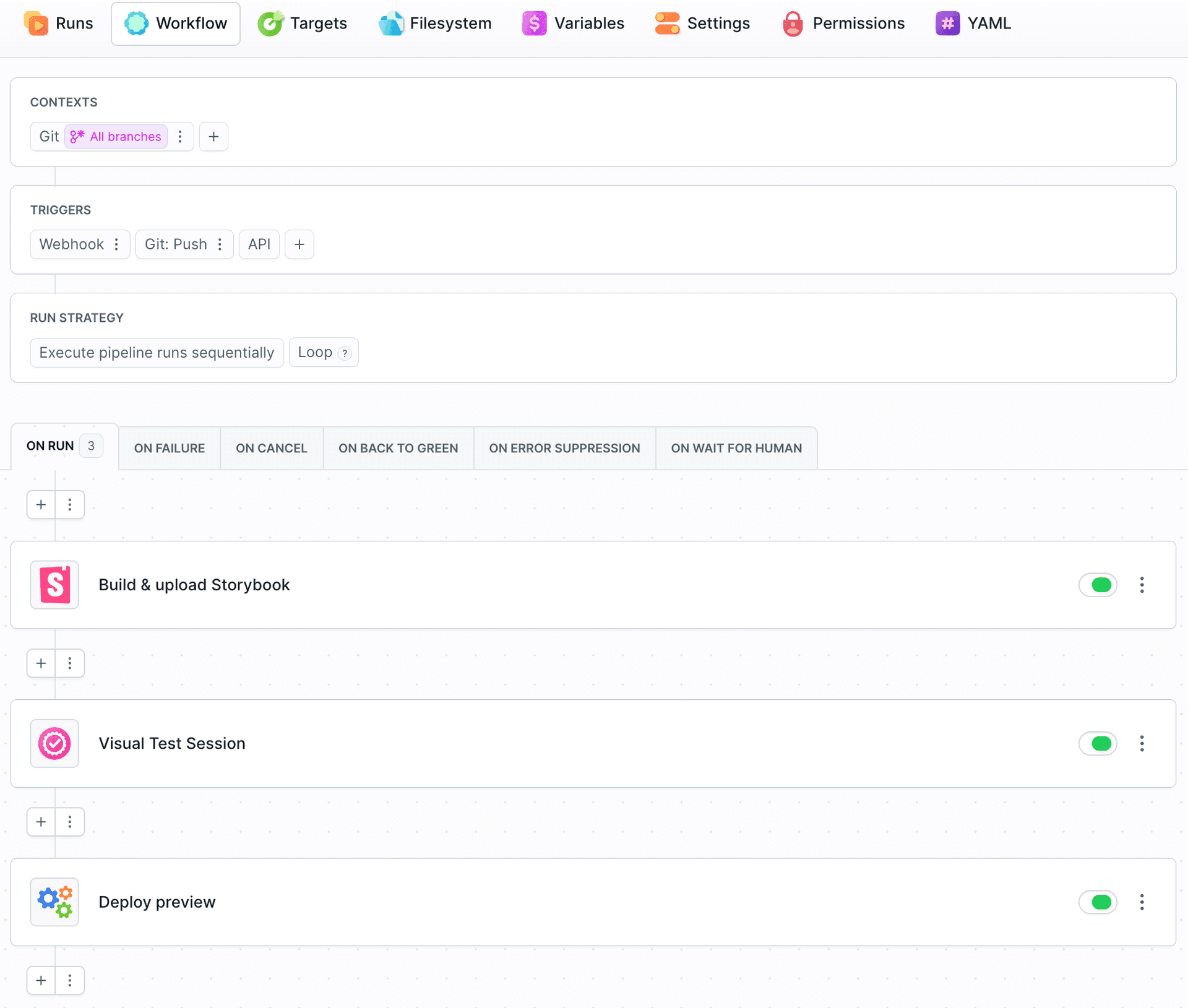
The APPROVE_VT action is a quality gate. When an upload matches the baseline,
Buddy auto-approves the unchanged stories and the pipeline runs straight through. When
a story differs, the pipeline pauses at the gate until a person approves or rejects
the change - so the actions placed after it, such as a preview deployment or a Slack
notification, wait behind the review.
Image loading...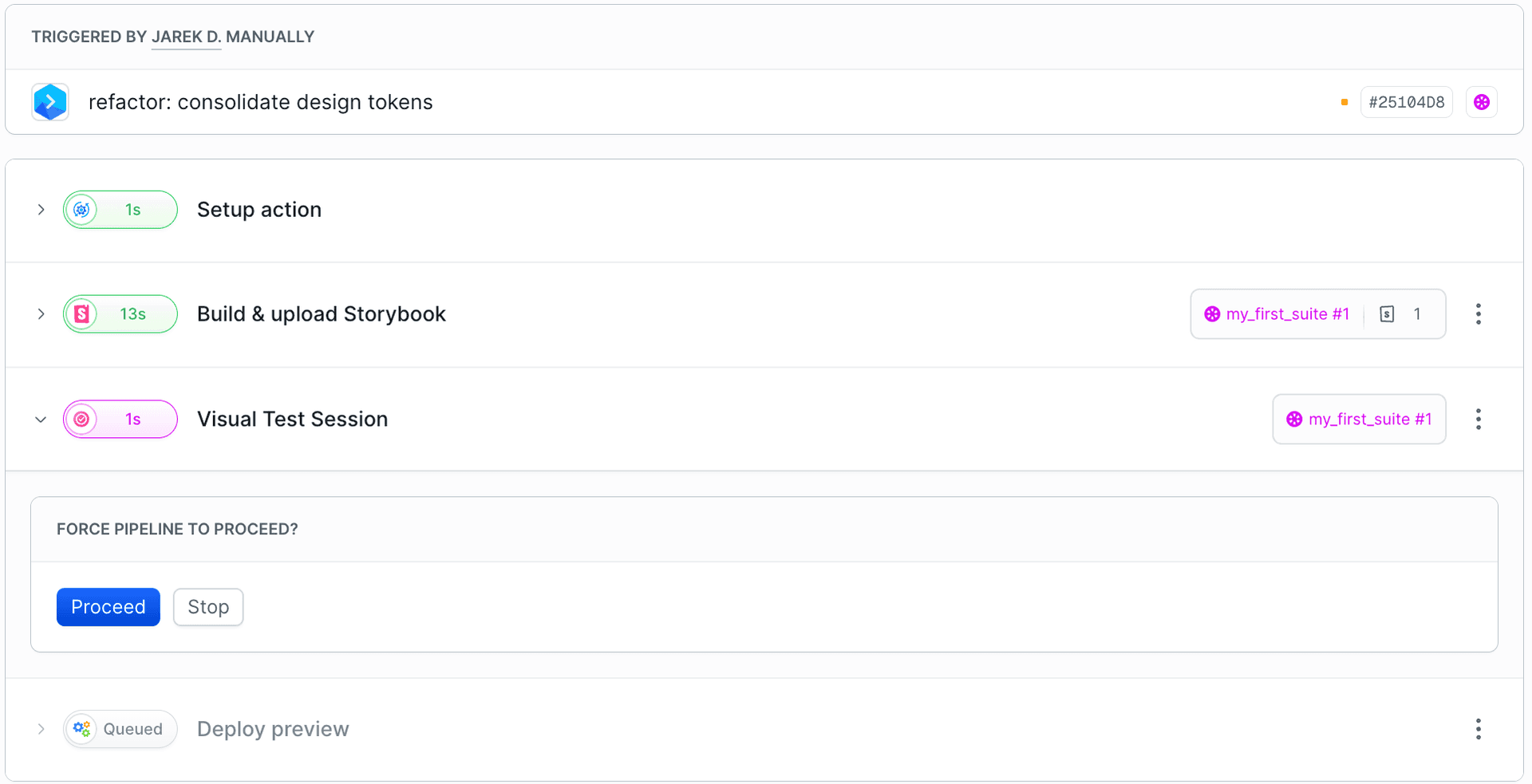
Use PUSH with refs: ["refs/heads/*"] rather than WEBHOOK so the diff is
evaluated on the feature branch, before merge. A regression is rejected on the branch
and never reaches main.
Run it from anywhere
The upload step is the same command wherever it runs, so you are not tied to Buddy pipelines:
- Buddy pipeline - the Storybook action above, with the suite token injected automatically. See Buddy Pipelines.
- Locally - run
bdy tests visual uploadfrom your machine after a build to check a change before pushing. See Local. - Any other CI - GitHub Actions, GitLab CI, and so on. Export
BUDDY_VT_TOKENas a secret and run the same command. See GitHub Actions.
What it costs
Visual Tests are billed for the worker time that renders and compares your stories, not for the number of snapshots. Screenshot workers run on 1 CPU and 2 GB RAM, billed at $0.00024 per CPU-minute plus $0.00024 per GB-minute - $0.00072 per worker-minute. A single worker produces roughly 20 snapshots per minute, so on average a snapshot costs about $0.000036 - roughly $0.036 per 1,000. Because the bill tracks compute time, adding stories, browsers, or resolutions costs only the extra rendering time they take.
Bonus: a hosted Storybook for every version
On top of the visual review, every tested upload stores the built Storybook as a versioned artifact in your project - one version per upload:
Image loading...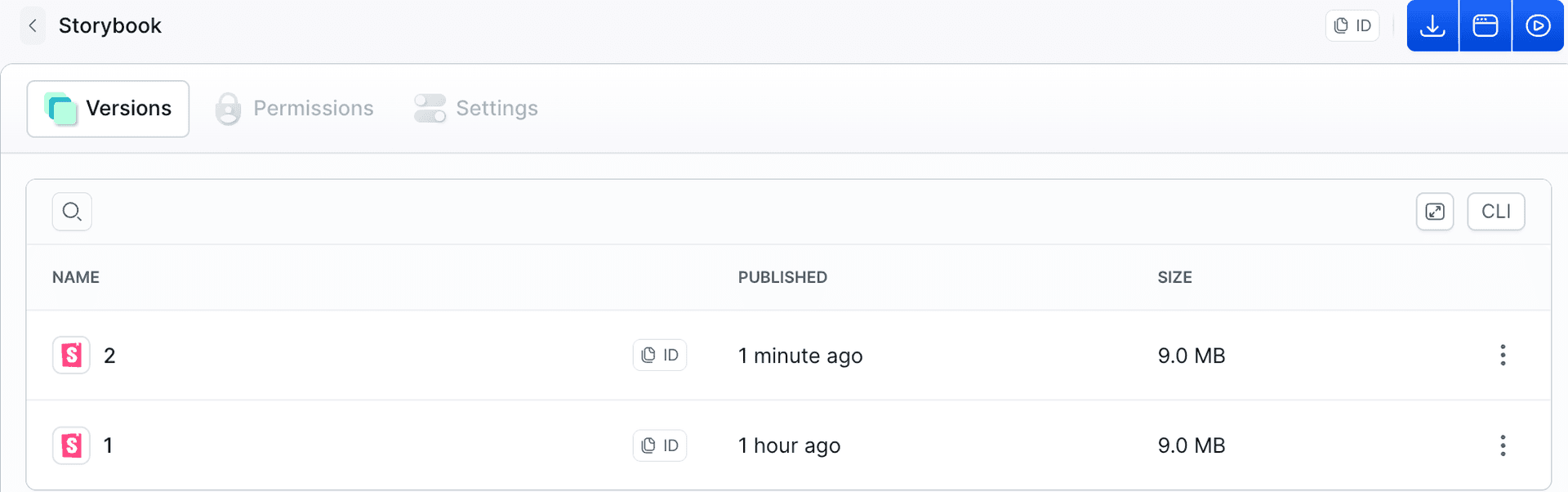
Any version can be opened straight from the artifact as a fully working, hosted Storybook, protected by Buddy authorization. You can hand a designer or a reviewer a link to one specific build for feedback, without deploying anything yourself or exposing it publicly.
Image loading...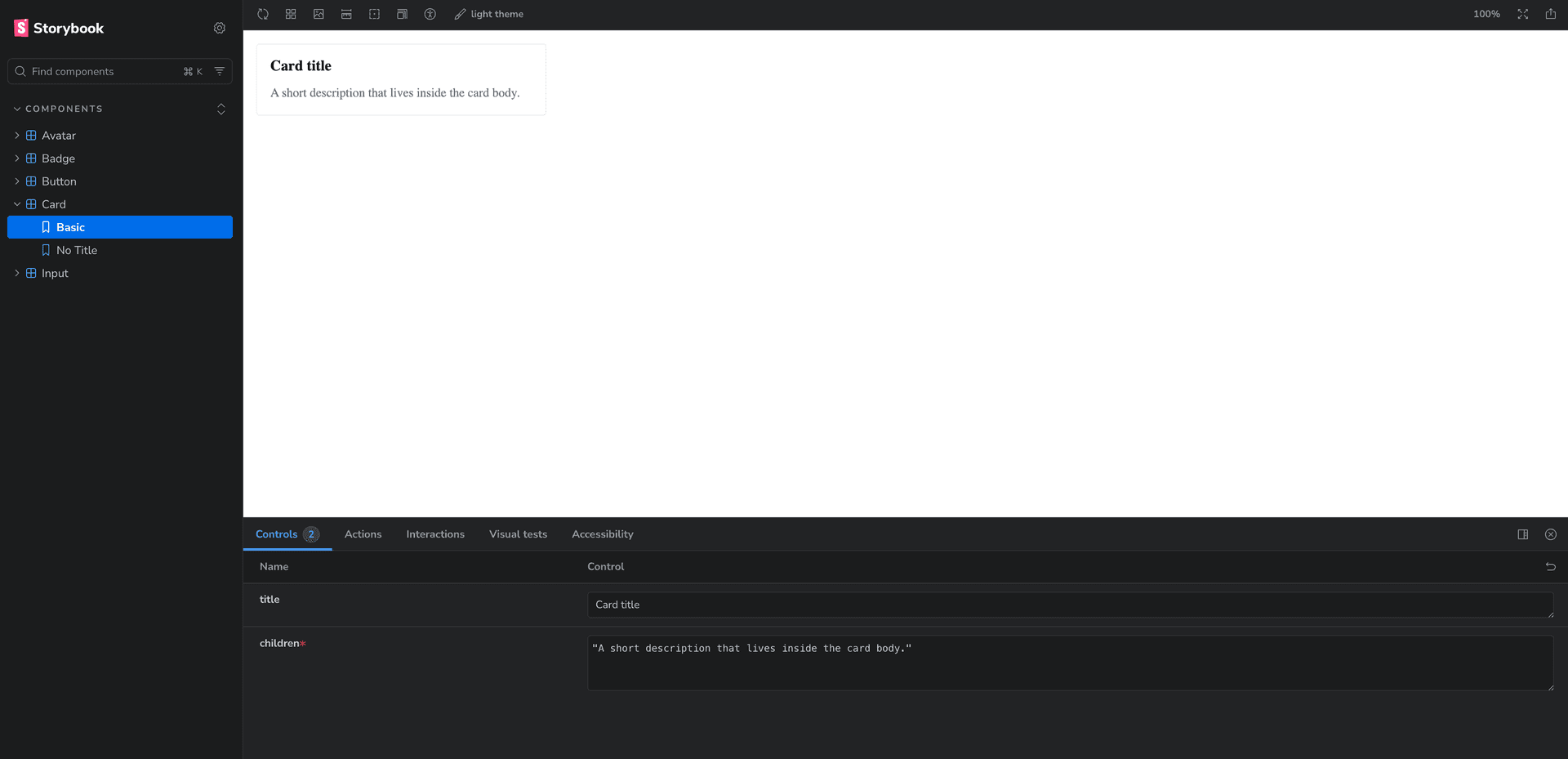
Summary
- Storybook documents components but has no memory. It renders the current state and cannot tell you a story regressed since the last build.
- DOM snapshots miss visual bugs. They compare markup, not rendered pixels, so a token or CSS change can break the UI while the test stays green.
- No test code required. Build Storybook and run
bdy tests visual upload- no plugin, fixture, or spec changes. Every story you already wrote is a test case. - Shared-token regressions are caught at scale. One CSS change surfaces as diffs across every story that used it, not just the component you meant to touch.
- The
APPROVE_VTquality gate pauses a branch pipeline until a person approves or rejects a visual change. Place delivery actions after the gate. - The same
bdy tests visual uploadruns anywhere - locally, in a Buddy pipeline, or in any external CI such as GitHub Actions. - You pay for worker time rather than a per-snapshot fee - which averages about $0.000036 per snapshot - keeping large suites across many browsers and resolutions inexpensive.
- You also get a hosted Storybook per version, protected by Buddy authorization, for sharing a specific build with designers and reviewers.

Jarek Dylewski
Customer Support
A journalist and an SEO specialist trying to find himself in the unforgiving world of coders. Gamer, a non-fiction literature fan and obsessive carnivore. Jarek uses his talents to convert the programming lingo into a cohesive and approachable narration.