Get your.alternative.to — deploy a live site with Claude Code and Buddy
We've made the alternative.to domain available for everyone to try. Pick a topic, let Claude Code generate a static site, and get it live at alternative.to/your-topic — entirely through the bdy CLI or the Buddy UI, without touching a hosting dashboard.
Under the hood, Buddy uses Artifacts to store and version your build output, and Routing to serve it on a real URL.
How do I install the bdy CLI?
You'll need a Buddy account and the bdy CLI installed.
macOS / Linux:
bashsudo npm i -g bdy$
Windows:
bashnpm i -g bdy$
Then authenticate with your Buddy workspace:
bashbdy login$
How it works
The flow has three steps, all handled by Claude Code using bdy commands:
- Generate — Claude Code builds a single-file static HTML site on your chosen topic.
- Publish —
bdy artifact publish -cuploads the output and creates an artifact version. - Route —
bdy distro create+bdy distro route createattach the artifact toalternative.to/your-topicusing CLOAKING, so it's served under the domain without a redirect.
The prompt
Paste the block below into Claude Code. Everything above the Topic: line is fixed boilerplate — only replace the last line with your actual topic:
Generate a static site, then publish and serve it entirely through the bdy CLI. Build it as a single static HTML site, client-side only, no backend.

Steps:
1. Publish the site as an artifact using bdy artifact publish -c
2. Create a distribution with bdy distro create
3. Add a route with bdy distro route create, pointing it at the published artifact. Use --domain="alternative.to", --path="/your-topic" and --type="CLOAKING", and pick a short path that matches the topic. Pass alternative.to whole as --domain, do not add a --subdomain.

Use only bdy distro and bdy artifact commands. Do not use any bdy domain commands (no buy, search, get, or list). alternative.to already exists, so just reference it as the --domain string. If you can't attach the route this way, stop and report instead of touching domains. Run bdy distro route create --help first to confirm the exact flags.

Topic:

[type your topic here]
Claude Code runs the commands, and reports back the live URL once the route is created.
Image loading...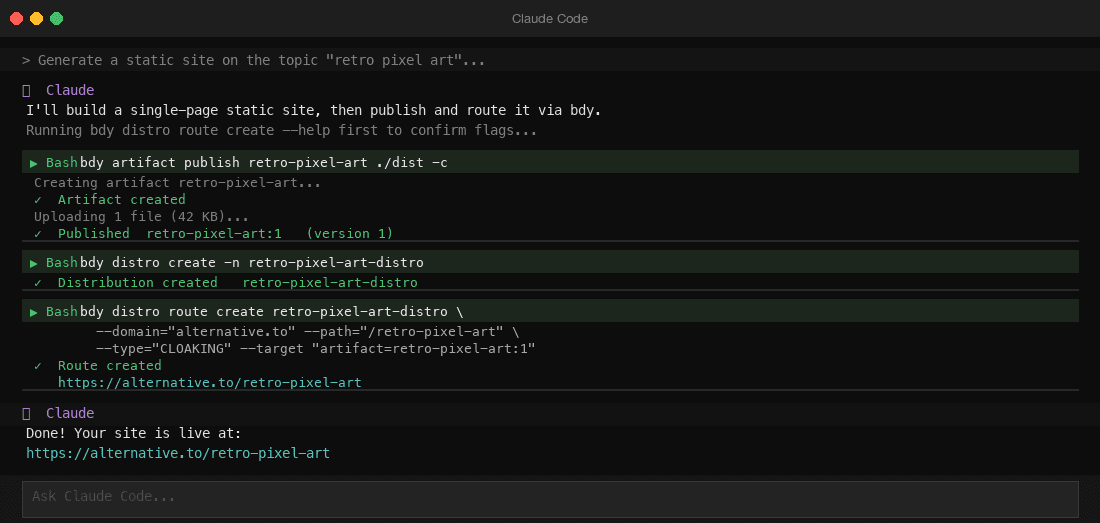
Doing it via the Buddy UI
Prefer clicking over typing? You can do the same through the Buddy interface. The flow has three steps: claim a domain, create an artifact, add a route.
1. Claim a domain
Go to Domains in your project sidebar and claim a subdomain. alternative.to is one of many available — pick it and it'll be assigned to your workspace.
Image loading...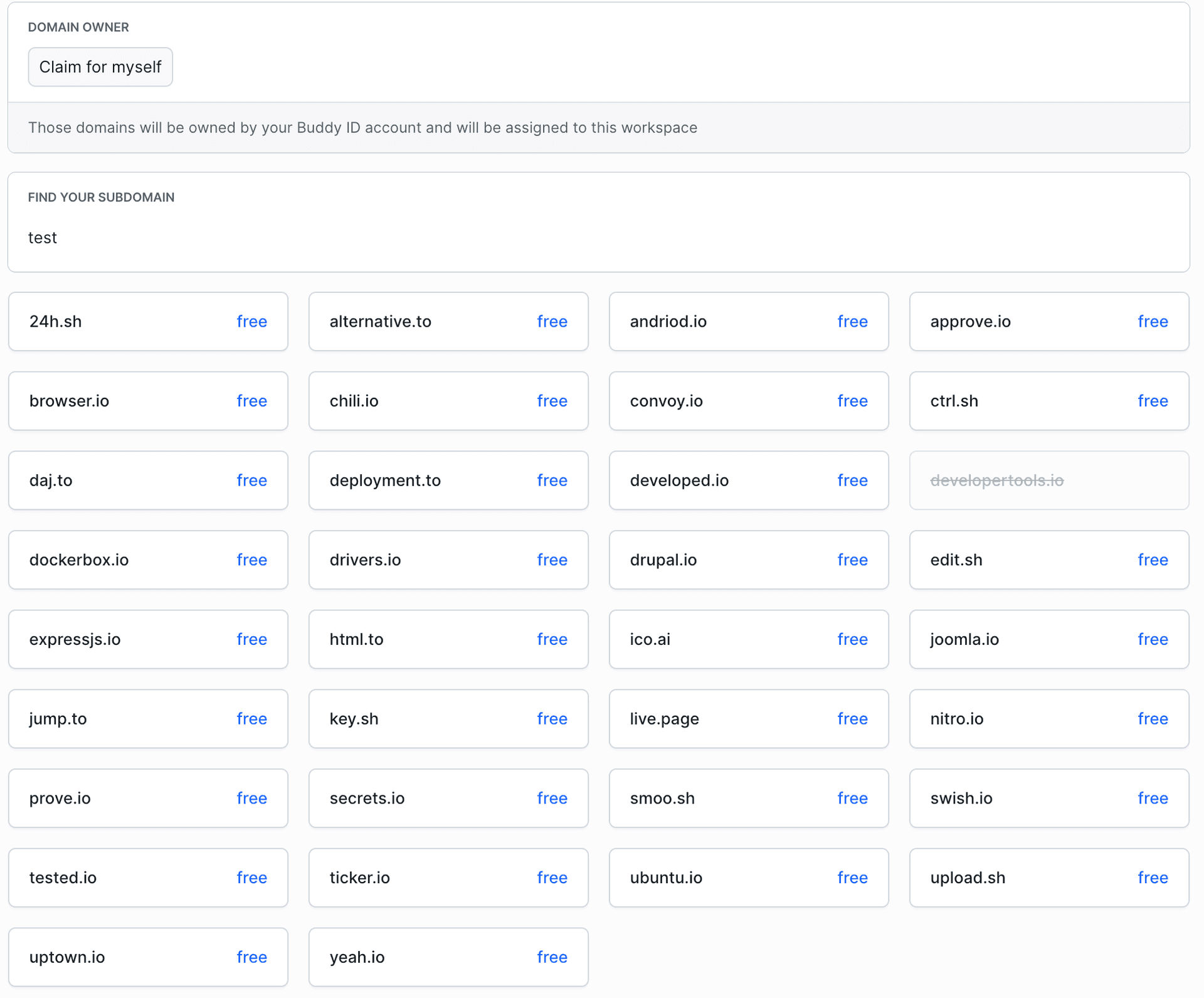
2. Create an artifact
Go to Artifacts in your project sidebar. Click New artifact, give it a name, set the scope, and choose Public access control so it can be served over HTTP. Once created, publish files to it using bdy artifact publish or from your pipeline.
3. Add a route
Go to Routing in your project sidebar. Click Add to create a new route. Select your distribution, set the type to Cloaking, pick your claimed domain, set a path, and point the upstream at your published artifact.
Image loading...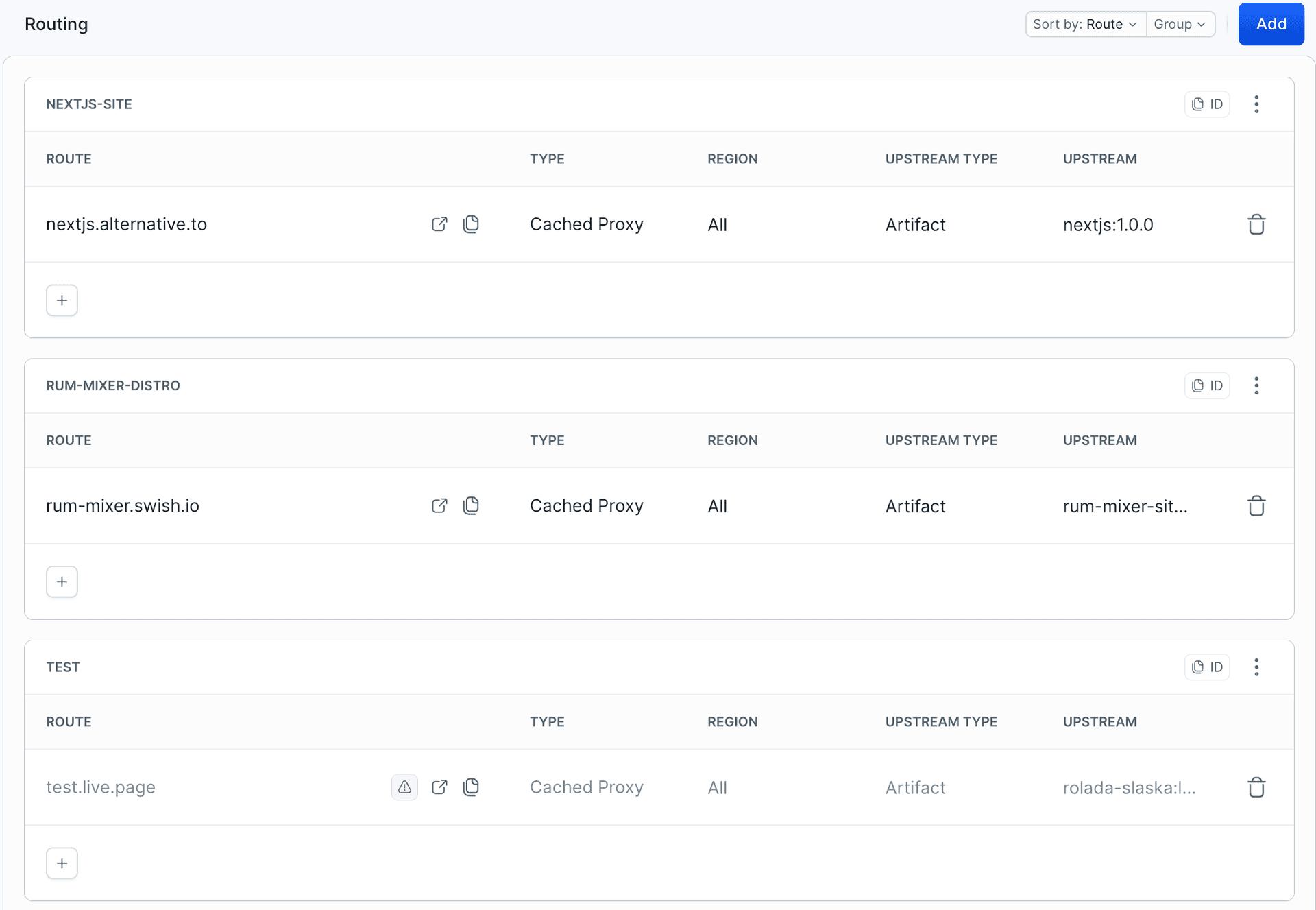
Give it a try
Whether you use Claude Code or the UI, the result is the same: a live static site on a real domain, versioned and routable, with no external hosting account needed. Pick a topic, run the prompt, and share the link.
Have questions or want to show off what you built? Drop us a line at support@buddy.works.

Jarek Dylewski
Customer Support
A journalist and an SEO specialist trying to find himself in the unforgiving world of coders. Gamer, a non-fiction literature fan and obsessive carnivore. Jarek uses his talents to convert the programming lingo into a cohesive and approachable narration.