Generate release notes from the diff with Grok
Buddy now integrates with xAI and includes a new pipeline action: Grok. Connect your API key once, and the action runs with access to the repository, a terminal and the run variables.
We built a pipeline that writes release notes from git diff on every version tag. When a change breaks the API, the run waits for approval.
Step 1: connect Grok
Add the Grok integration with an API key from console.x.ai. Buddy stores the key encrypted, so it never lands in the repository.
Step 2: the Grok action
The demo is a small orders API in Node.js with a few tests. The Grok action builds its instructions from three parts:
- Inline:
Write release notes for $BUDDY_RUN_TAG.Buddy substitutes the tag when the action starts, so the agent knows right away which version it describes. - File
.buddy/grok-release.md: everything specific to this repository. It tells Grok to skip tests and pipeline files and to change nothing butrelease.json. - Skill
./.buddy/skills/release-notes: rules that fit any API. Grok compares tags withgit logandgit diff, marks a change as breaking when an existing integration would stop working, writesrelease.jsonand replies with release notes for Slack. You can plug the same skill into another project.
The file and the skill live in the repository, so changes to them go through regular code review.
Pick the model from the list:
grok-build-0.1grok-4.7grok-4.6grok-4.5
Image loading...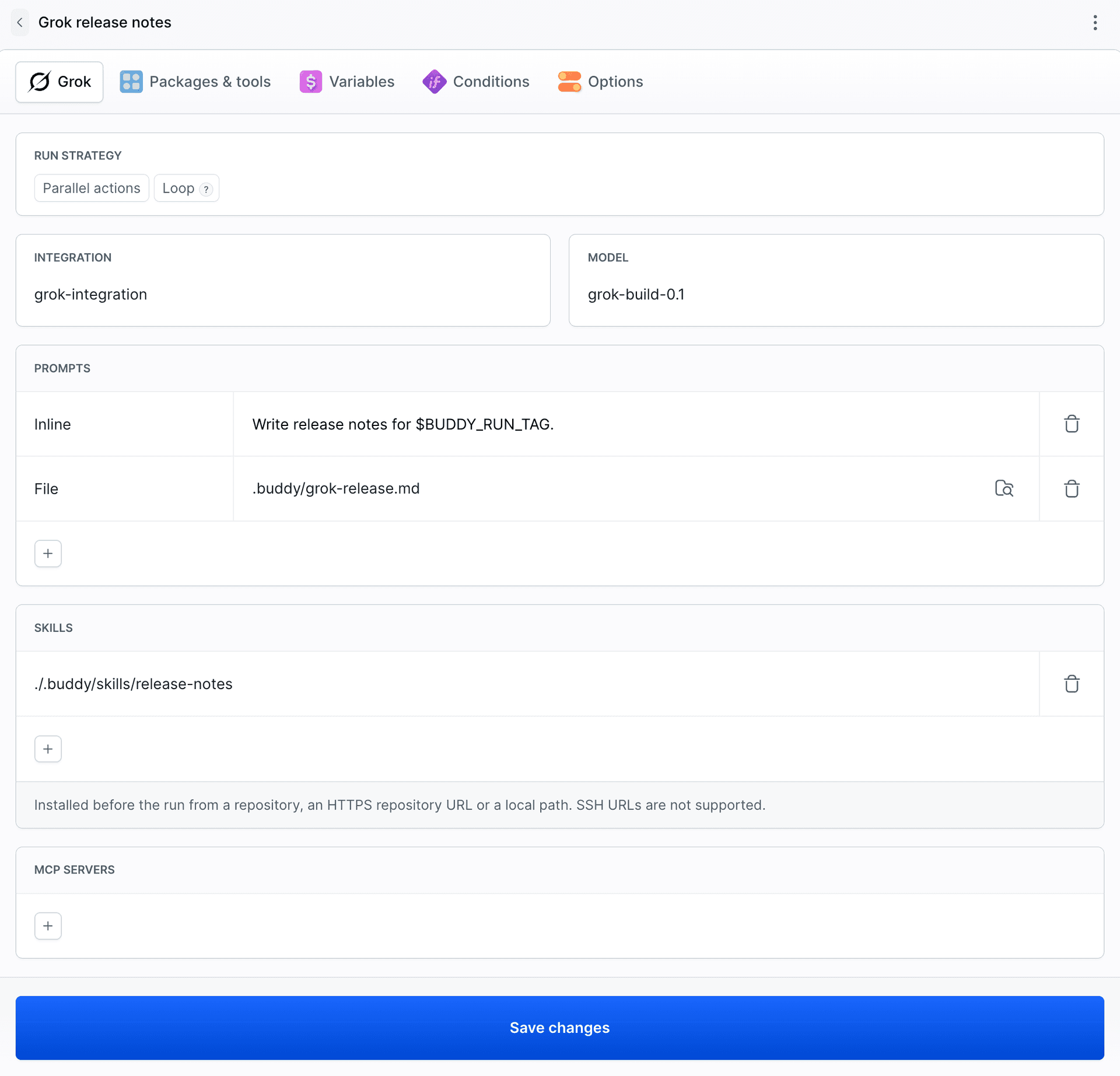
This is release.json for a version with a breaking change:
{
  "version": "v1.2.0",
  "breaking": true,
  "changes": [
    { "type": "breaking", "text": "The coupon field in created and retrieved order responses is now named couponCode." }
  ]
}
Step 3: the pipeline
Image loading...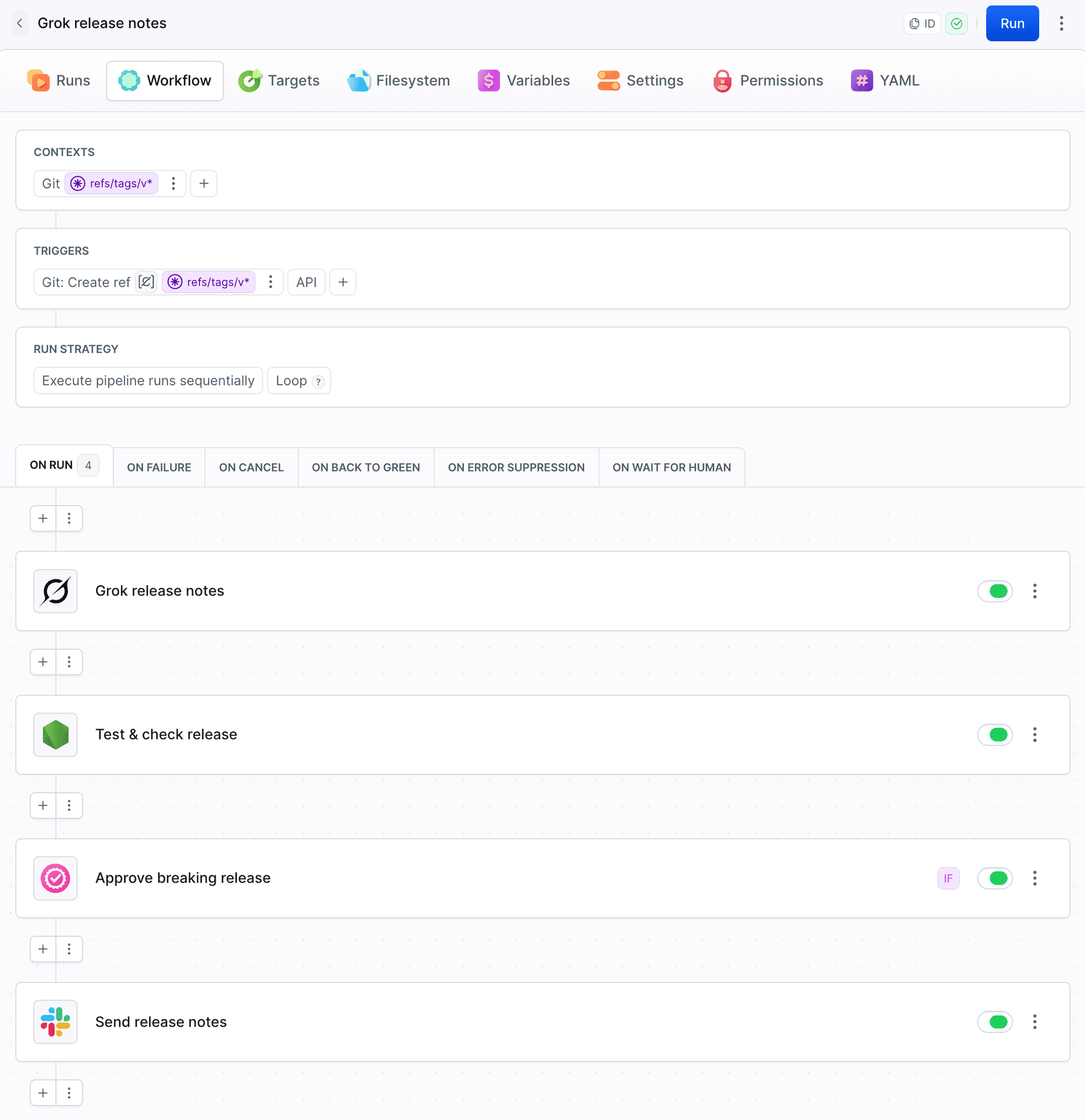
The pipeline has four actions:
- Grok release notes - the action from step 2.
- Test & check release - runs the tests and copies the flag from
release.jsonintoBREAKING. - Approve breaking release - runs only when
BREAKING=true(VAR_IScondition). - Send release notes - posts
$BUDDY_ACTION_GROK_RESULTto Slack.
The trigger is CREATE_REF on refs/tags/v*, so only version tags start it.
How BREAKING reaches the condition
BREAKING is a pipeline variable with the Settable option. That lets Test & check release overwrite the value:
export BREAKING=$(node -p "require('./release.json').breaking")
$
The approval condition and every later action see the new value. You can check it in the Variables tab:
Image loading...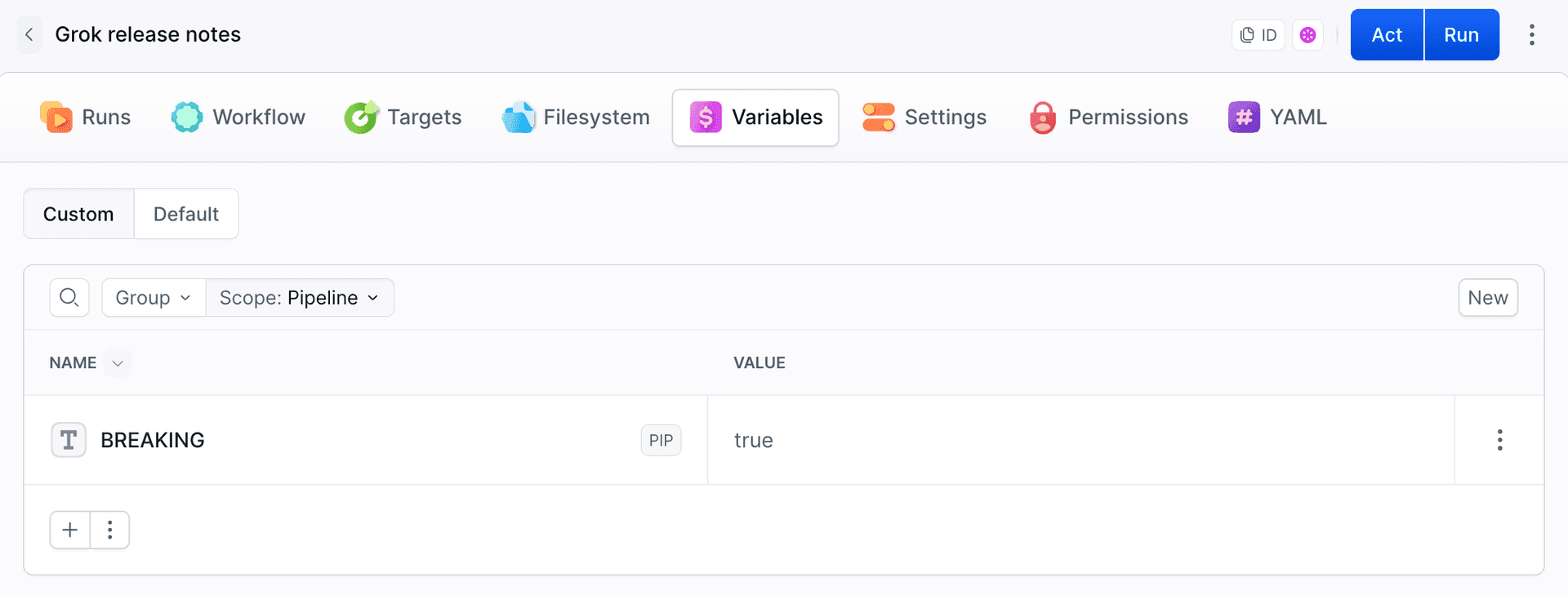
Run 1: v1.1.0, a regular release
v1.1.0 has two commits: a new SPRING20 coupon and case-insensitive coupon codes. Both were classified as features. The flag stayed false, so the approval was skipped:
Image loading...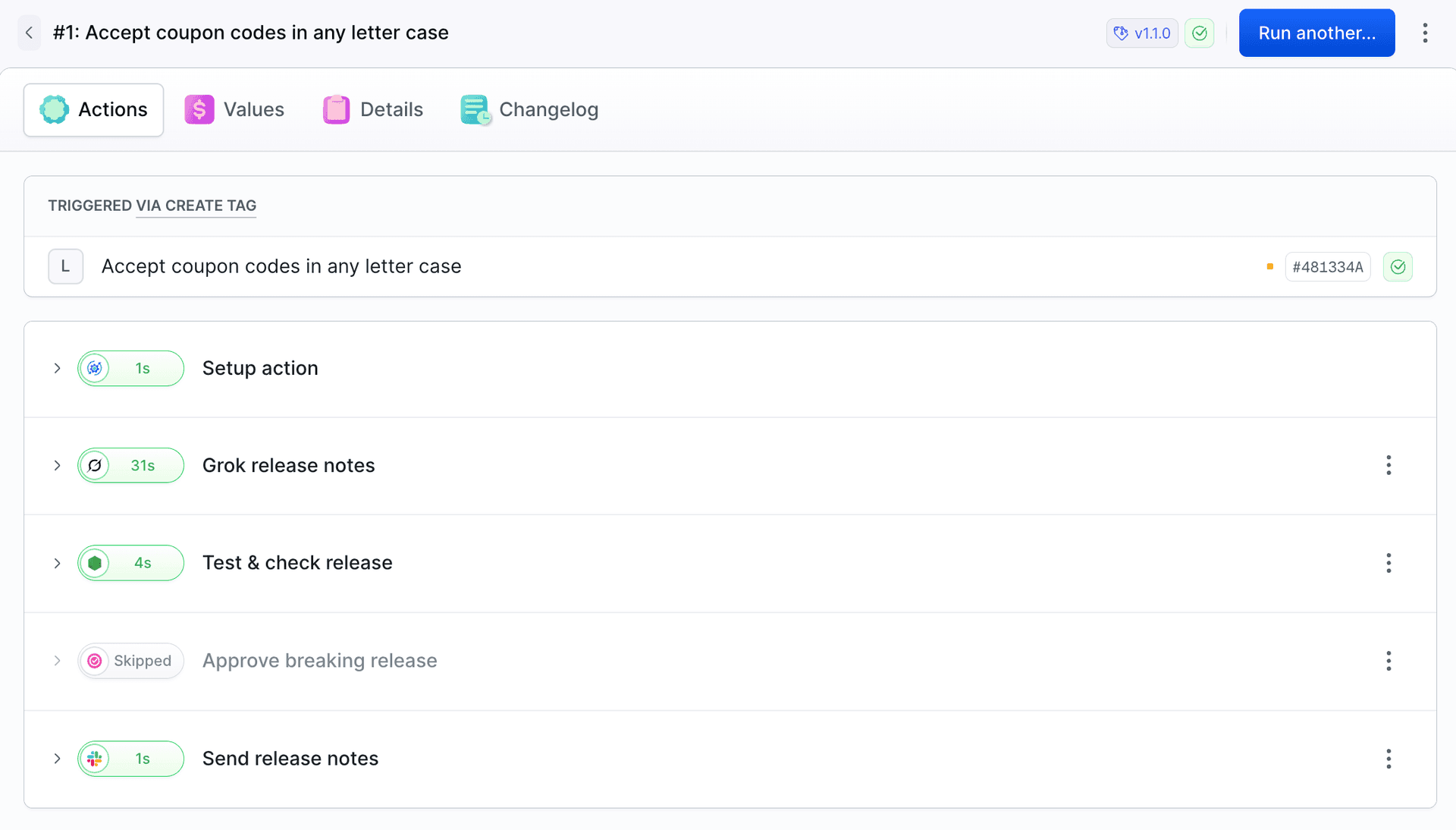
The release notes were then sent to Slack:
Image loading...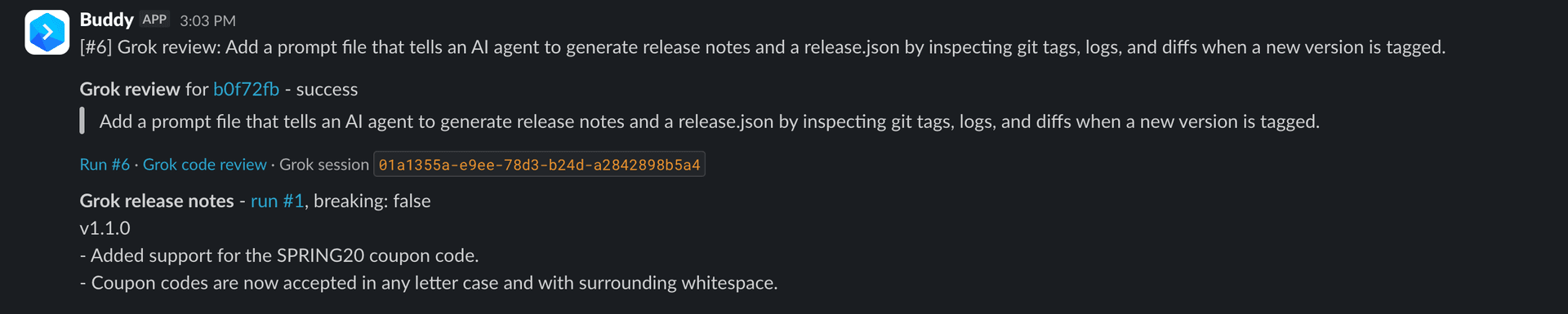
Run 2: v1.2.0, a breaking change the commit message missed
v1.2.0 has a single commit: Tidy up order payload. Sounds like cleanup, but a field in the response got renamed:
-        const order = { id: nextId++, items: body.items, coupon: body.coupon || null, total };
+        const order = { id: nextId++, items: body.items, couponCode: body.coupon || null, total };
Tests pass because none of them checks that field. A client reading order.coupon gets undefined after the upgrade.
Grok identified the breaking change. The Results tab shows what it ran, step by step: git describe, git log, git diff, reading src/server.js from before the change, and writing release.json with "breaking": true.
Image loading...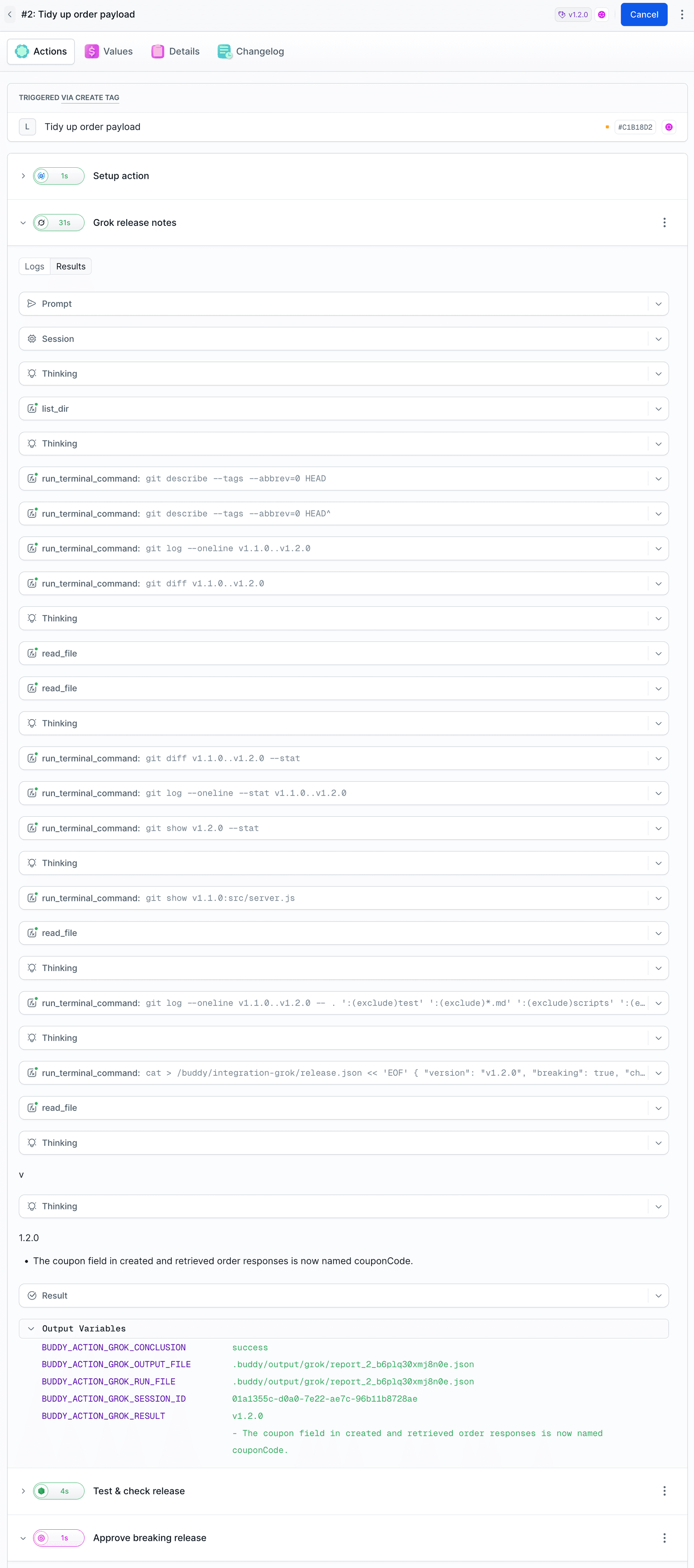
The flag was true, so the run stopped at Approve breaking release. Its comment names the version, and the release notes sit right above it:
Image loading...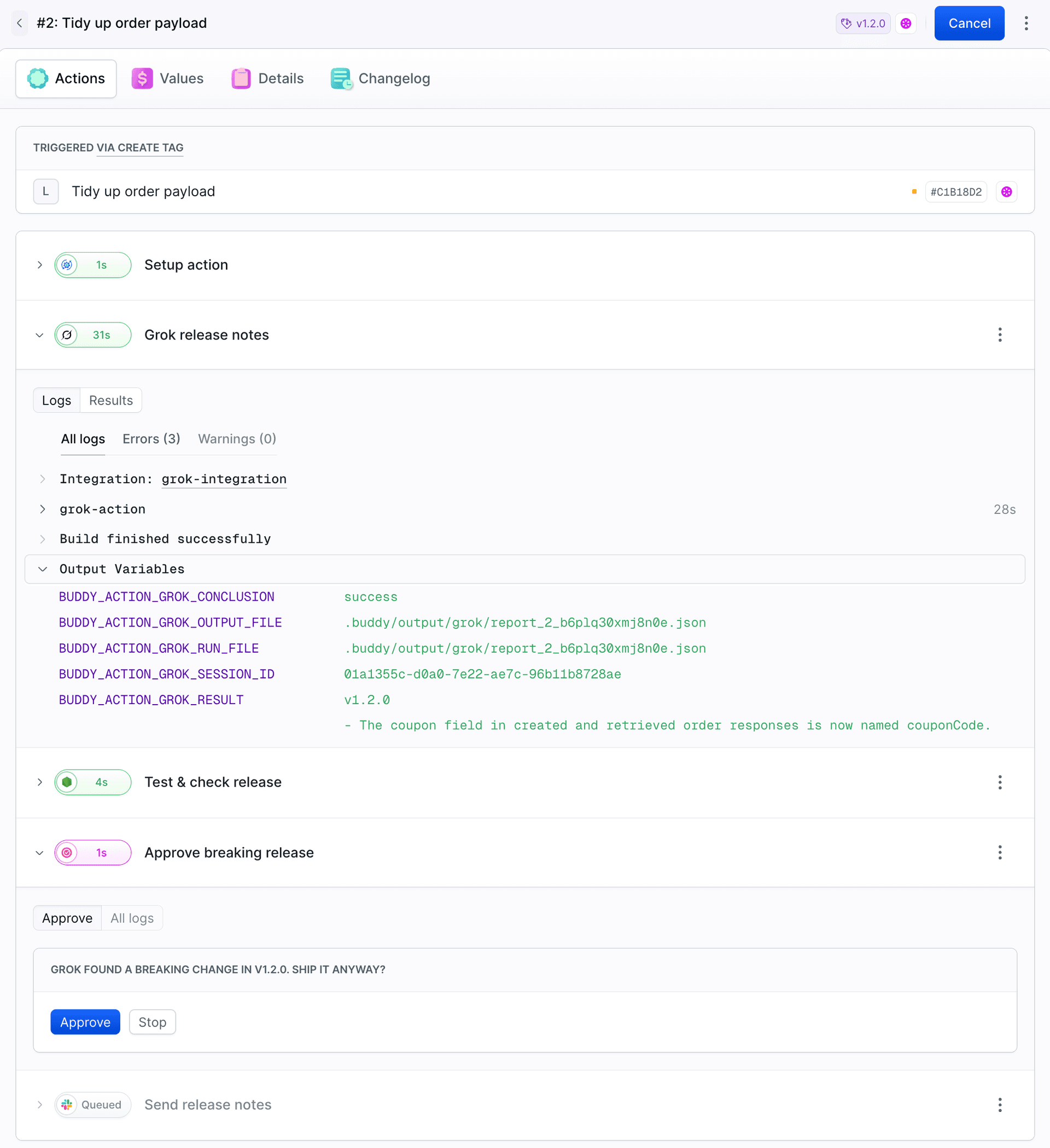
After we clicked Approve, the message went out with breaking: true:
Image loading...
Stop ends the run and no message goes out.
Two tags, two outcomes. The regular release went straight to Slack. The breaking change stopped for approval, even though the tests passed and the commit message gave nothing away.
Grok action output variables
When it finishes, Grok leaves variables for the following actions. You can find them in the logs, under Output Variables:
| Variable | Contains |
|---|---|
BUDDY_ACTION_GROK_CONCLUSION | Session status |
BUDDY_ACTION_GROK_RESULT | Last reply |
BUDDY_ACTION_GROK_SESSION_ID | xAI session ID |
BUDDY_ACTION_GROK_RUN_FILE | Session log JSON |
BUDDY_ACTION_GROK_OUTPUT_FILE | Same as RUN_FILE |
The log is saved to .buddy/output/grok/. Keep it as an artifact and you have a record of why a change was marked as breaking and which commands Grok ran.
Learn more
- Grok integration - API key and integration setup
- Running agents in pipelines - prompt files, skills and MCP servers
- Grok in YAML - all action fields
- Conditional executions - conditions you can set on actions

Jarek Dylewski
Customer Support
A journalist and an SEO specialist trying to find himself in the unforgiving world of coders. Gamer, a non-fiction literature fan and obsessive carnivore. Jarek uses his talents to convert the programming lingo into a cohesive and approachable narration.