Scan Docker images before deploy with the new Security Audit action
Buddy now has a Security Audit action that scans your Docker image with Trivy between the build and the push to the registry. If it finds a vulnerability that already has a fix, it fails the run.
What the action does
Security Audit is Trivy configured in a form instead of CLI flags. You set:
- scan type - image, filesystem, or rootfs,
- scanners - vulnerabilities, secrets, misconfigurations, licenses,
- severities - from UNKNOWN to CRITICAL,
- fail only on fixable - fail only on vulnerabilities with a fix available,
- ignore rules - for a CVE, a rule, a secret, or a license, with a statement and an expiry date.
Image loading...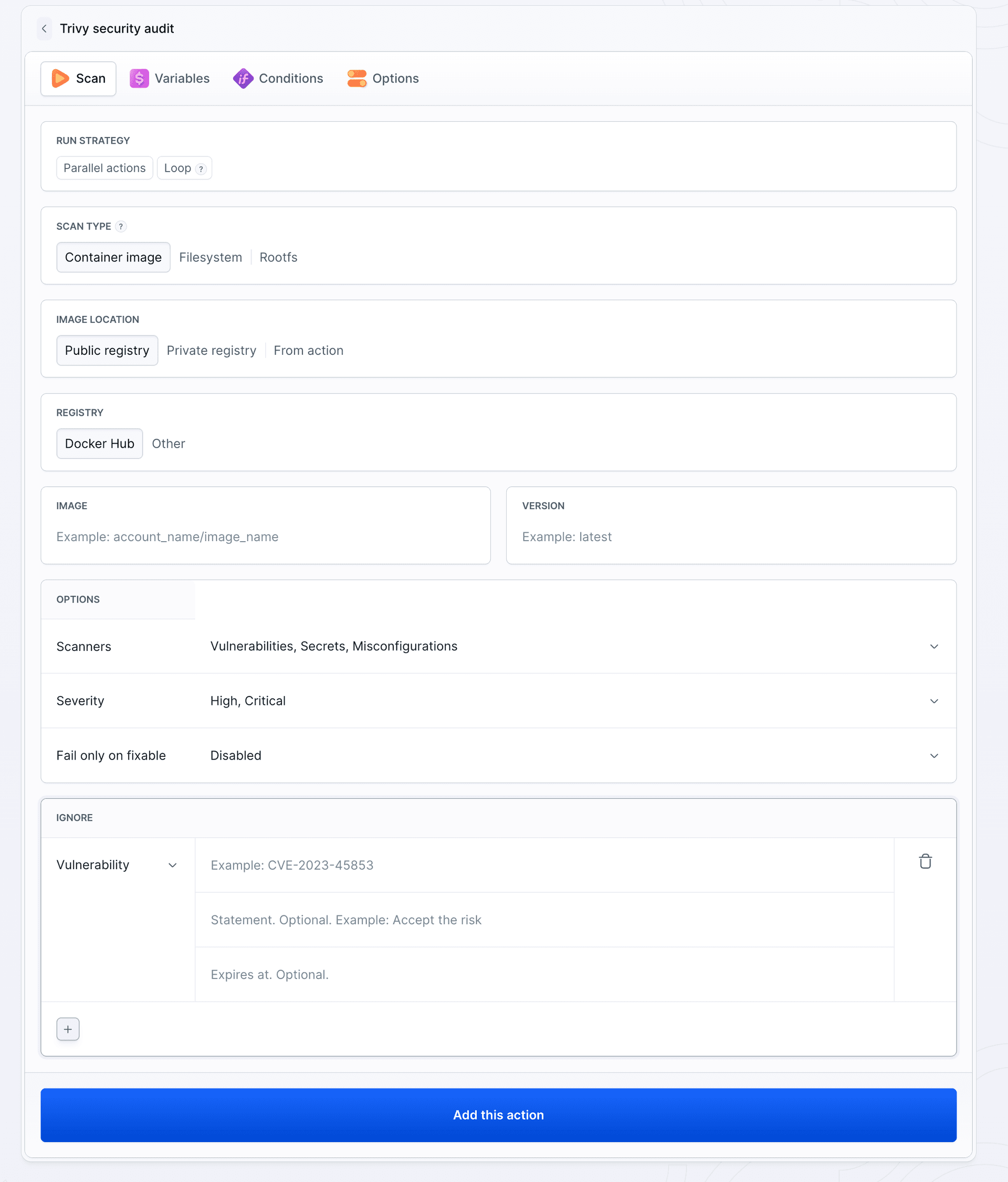
Pick the scan type based on the pipeline stage:
| Type | What it checks | When |
|---|---|---|
| Container image | OS packages and dependencies baked into the image | after the build, before the push |
| Filesystem | manifests and lockfiles in the repo (package-lock.json, pom.xml, go.mod), excluding .jar, .war, and .ear files | before the build |
| Rootfs | build output or an unpacked image, including binaries such as JARs | after the build |
The image can come from a previous action, a public or private registry, or the Artifact Registry.
If you prefer to write trivy commands yourself, use the Trivy CLI action. Security Audit needs no script and no .trivyignore file.
Demo
The project is an orders API on Express 4.17.1, built on node:18.12-alpine. The pipeline has three actions: image build, Security Audit, and push to the Buddy registry.
Image loading...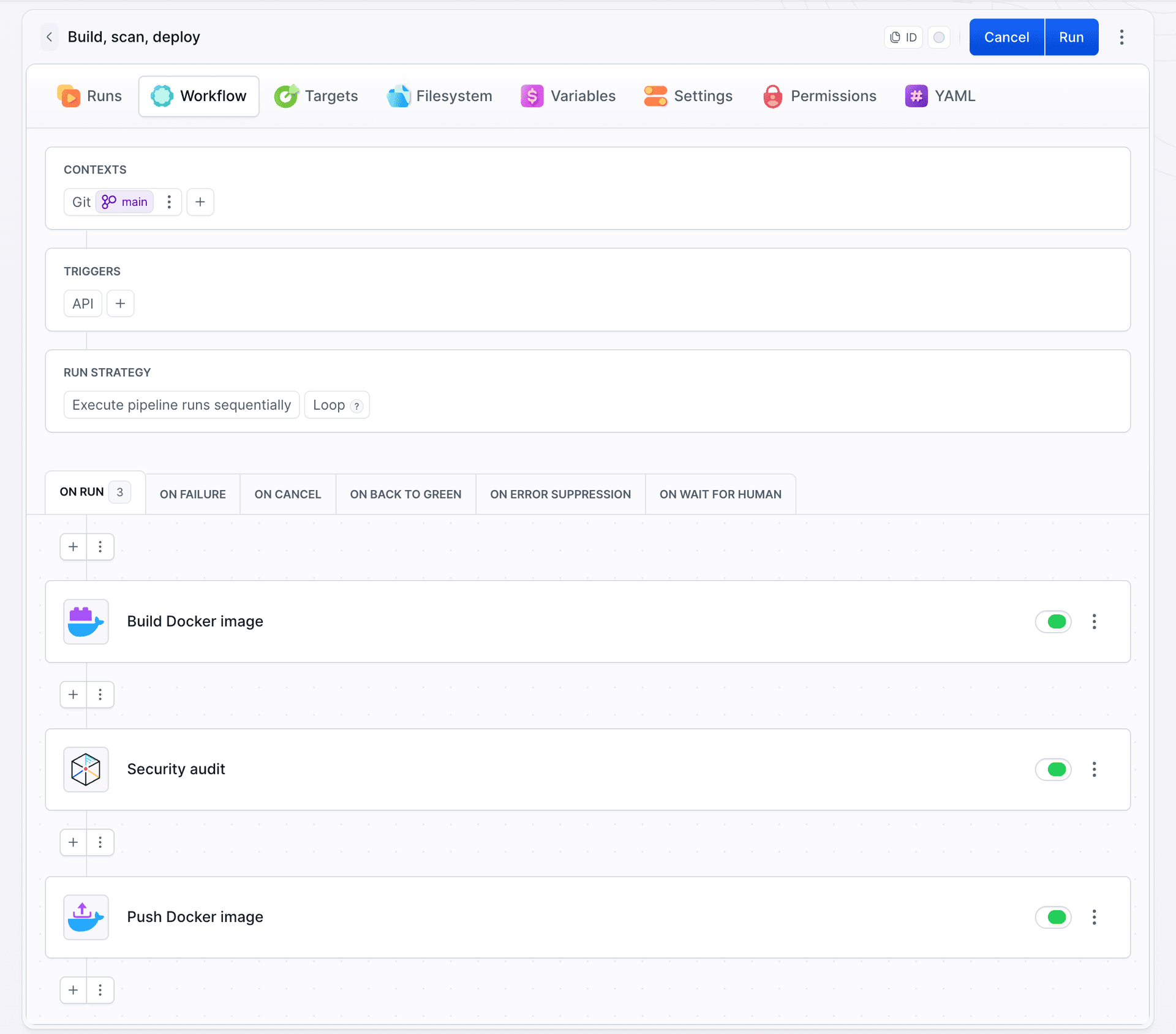
yaml- action: Build Docker image
  type: DOCKERFILE
  dockerfile_path: Dockerfile
  context_path: .
  docker_image_tag: $BUDDY_RUN_ID
- action: Security audit
  type: SECURITY_AUDIT
  scan:
    type: IMAGE
    image:
      image_location: ACTION
      from_action: Build Docker image
    scanners:
    - VULNERABILITY
    - SECRET
    severities:
    - MEDIUM
    - HIGH
    - CRITICAL
    fail_only_on_fixable: true
- action: Push Docker image
  type: DOCKER_PUSH
  docker_build_action_name: Build Docker image
  docker_registry: ARTIFACT_REGISTRY
  artifact: orders-api
image_location: ACTION scans the image built earlier in the same run, so the push only happens after the scan.
Image loading...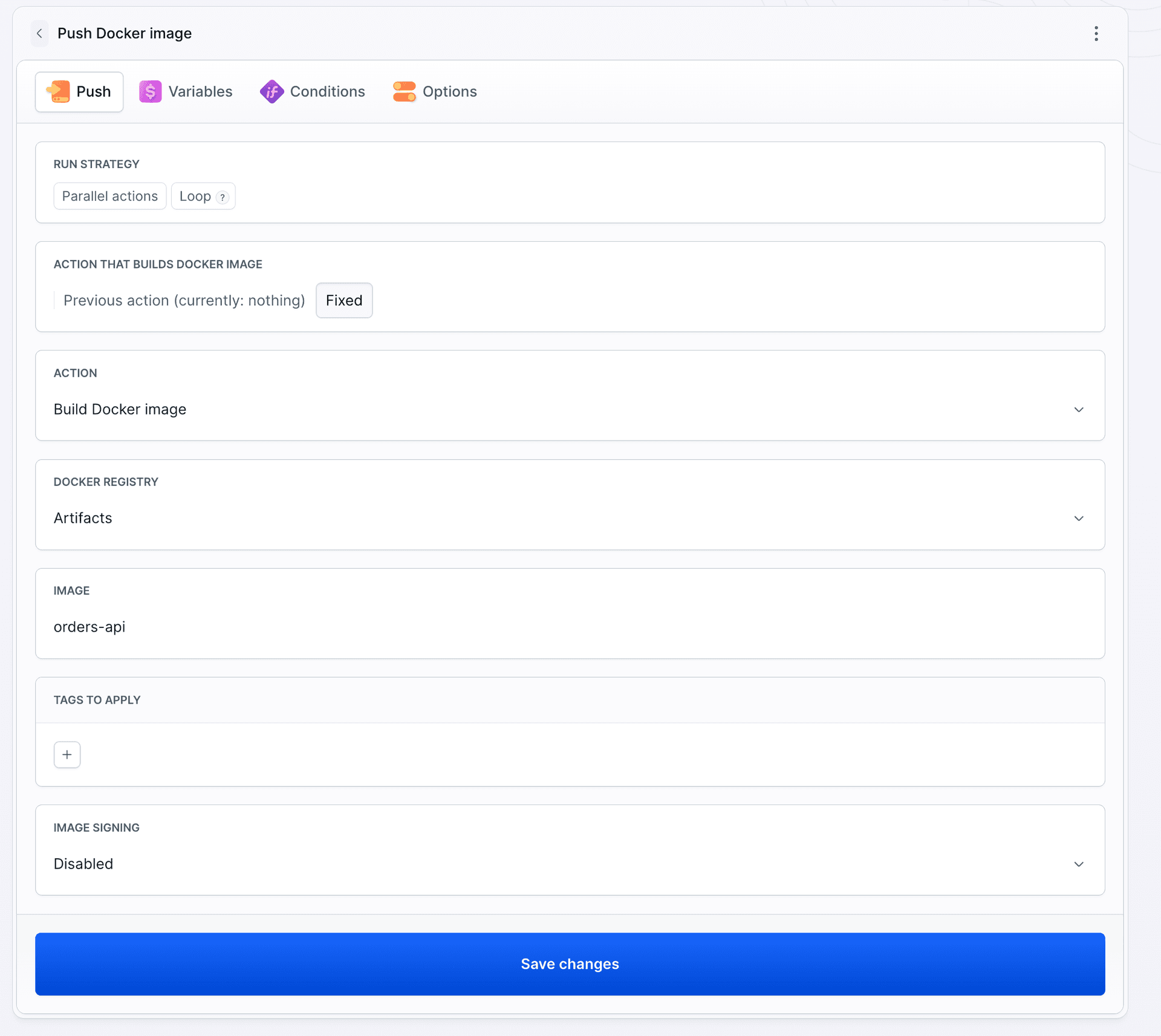
Run 1: push blocked
The scan reported dozens of vulnerabilities:
- base image: openssl, musl, busybox,
- app dependencies: express, body-parser, path-to-regexp, qs,
- npm bundled in the image: tar, including one CRITICAL.
The push never ran.
Image loading...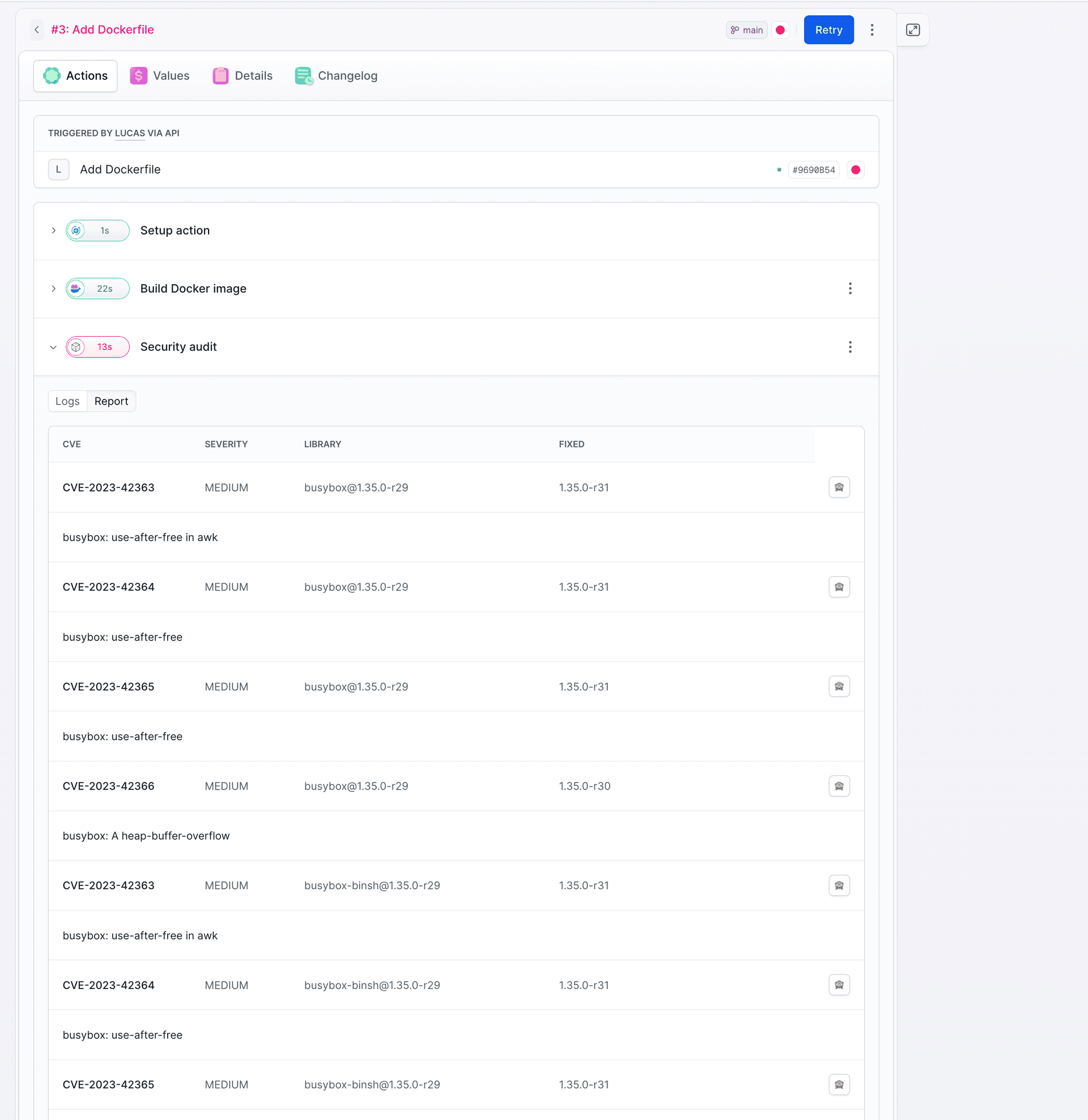
Vulnerabilities in ip and http-cache-semantics have no fix yet, so with fail_only_on_fixable: true they don't fail the run.
The fix
dockerfileFROM node:24-alpine

WORKDIR /app
COPY package.json ./
RUN npm install --omit=dev && rm -rf /usr/local/lib/node_modules/npm /usr/local/bin/npm /usr/local/bin/npx
COPY server.js ./

USER node
EXPOSE 3000
CMD ["node", "server.js"]
- newer base image,
- npm removed after installing dependencies, since the app doesn't need it at runtime,
USER nodeinstead of root,expressbumped to^4.21.2.
Run 2: one CVE left
After the fix, one finding remained: CVE-2026-85091 in zlib, MEDIUM, fixed in 1.3.2-r1. The node:24-alpine image still ships 1.3.2-r0, so the fix has to wait for an upstream rebuild.
Until then, the CVE goes into an ignore rule with a statement and an expiry date:
Image loading...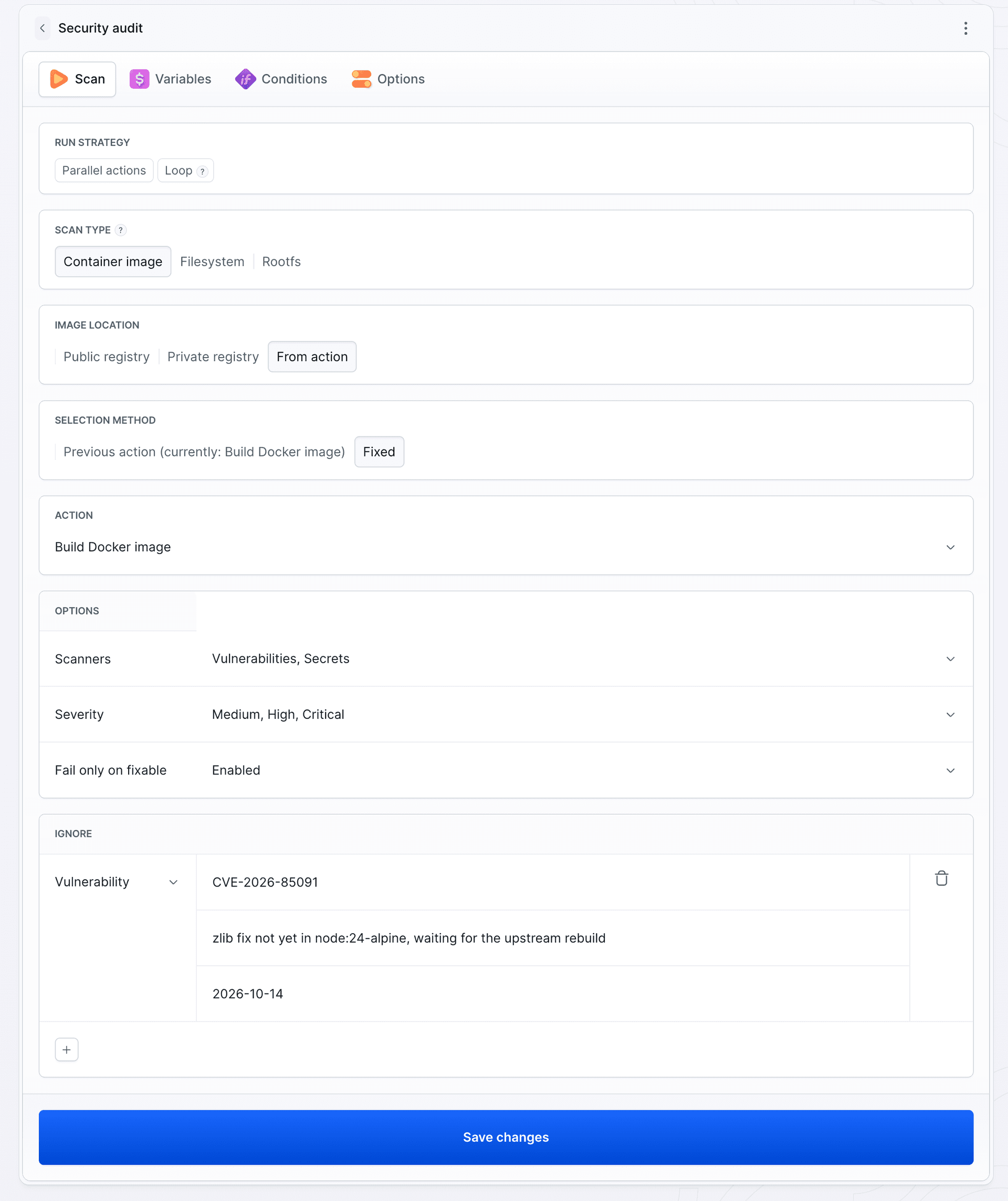
Ignore rules for misconfigurations, secrets, and licenses work the same way. In the first field, enter the rule ID or the license name instead of a CVE number.
Rule expiry
On the expiry date, the same commit failed on zlib again.
Image loading...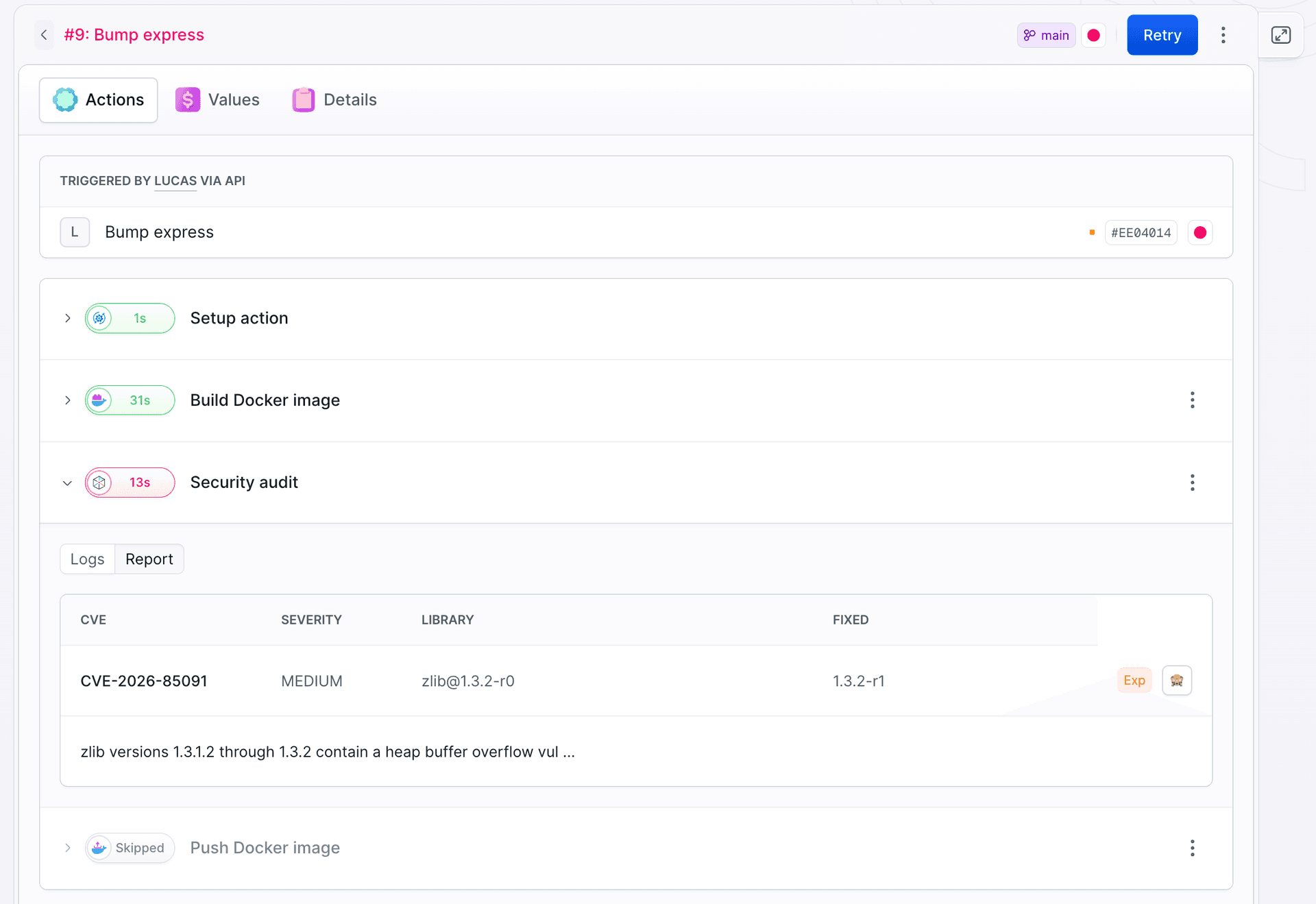
The base image still had no fix, so the rule was extended by a month:
yamlignore:
  vulnerabilities:
  - id: CVE-2026-85091
    statement: "zlib fix not yet in node:24-alpine, waiting for the upstream rebuild"
    expires_at: 2026-11-13
An entry in .trivyignore never expires. Here, every extension is a deliberate decision.
Run 3: green
Build, scan, and push take just over a minute. The orders-api image is in the Buddy registry.
Image loading...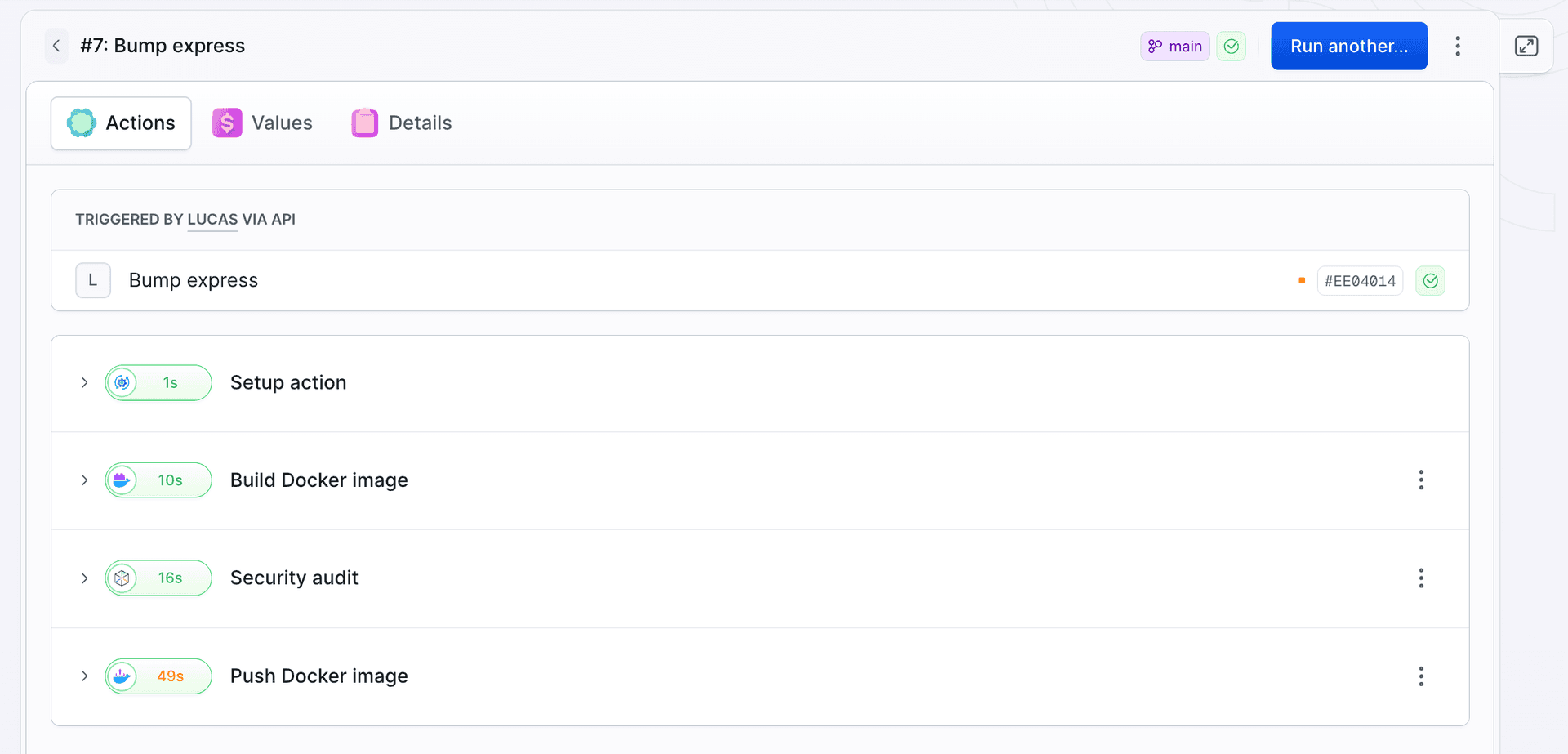
The JSONL report is saved to .buddy/output/trivy/, and its path is available in $BUDDY_ACTION_TRIVY_OUTPUT_FILE.
What's next
- Filesystem - lockfiles and secrets in the repo, before the build.
- Rootfs - JARs and WARs, after the build.
- Registry - scheduled scans of images already in the registry.
- Licenses - the LICENSE scanner with ignore rules per SPDX ID.
All fields are covered in the action docs.

Jarek Dylewski
Customer Support
A journalist and an SEO specialist trying to find himself in the unforgiving world of coders. Gamer, a non-fiction literature fan and obsessive carnivore. Jarek uses his talents to convert the programming lingo into a cohesive and approachable narration.