Buddy CLI action: run bdy commands in your pipeline
Buddy now has a Buddy CLI action. It runs bdy commands in your pipeline, already logged in through a Buddy integration, so the pipeline can create sandboxes and start other pipelines with the same commands you use in the terminal. The integration decides who the commands run as and what they can access.
How the Buddy CLI action works
Commands run in the pipeline's workspace and project out of the box.
Image loading...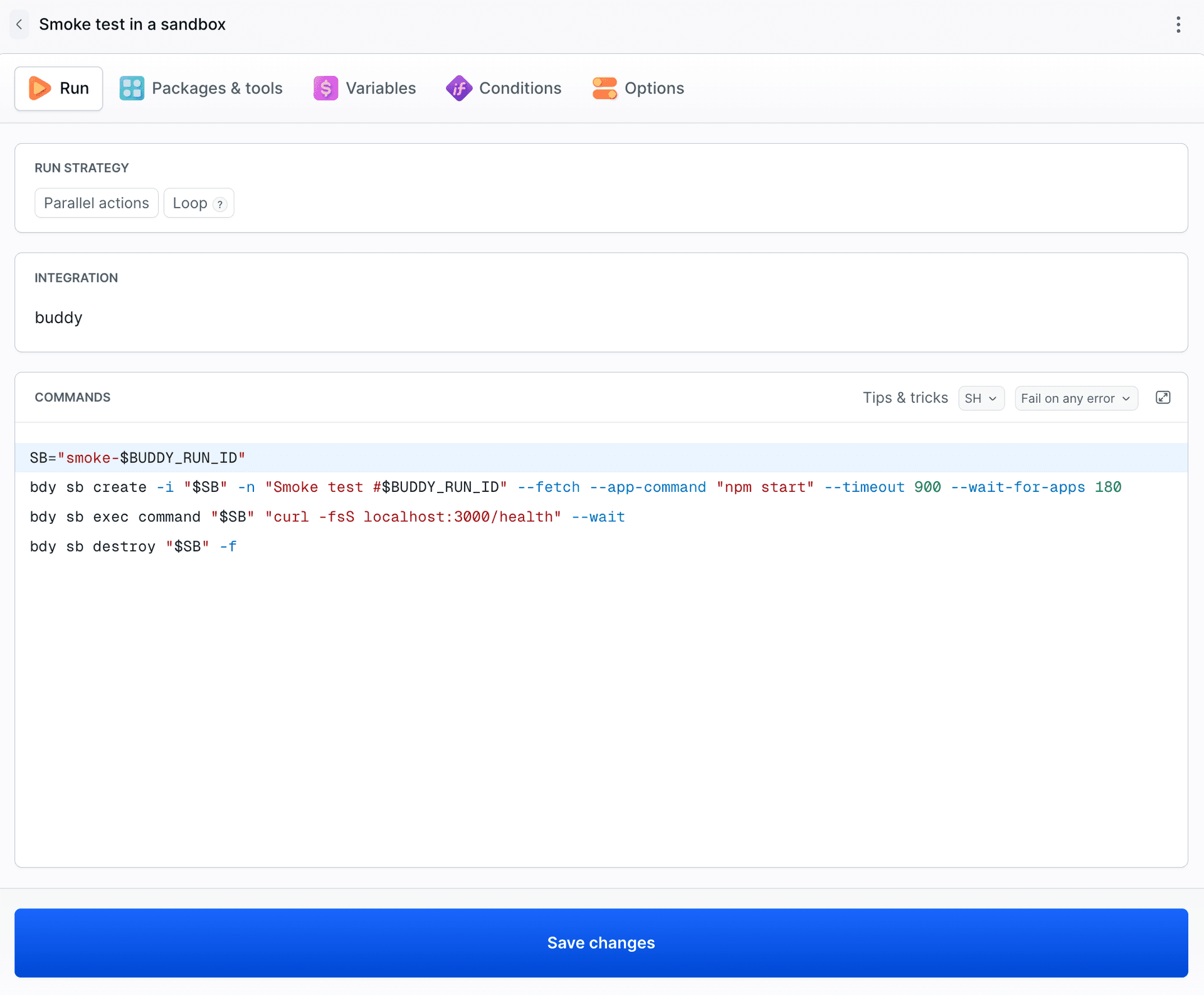
The action image is a minimal Ubuntu with bdy. Install any extra tools in setup_commands, which are cached between runs.
Buddy integration permissions
You authorize the integration with OAuth, which gives you these options:
- Authorize as - commands run as you or as an agent. An agent does not tie the pipeline to a specific person's account and works only in its own workspace, so you only pick its permissions.
- Workspace access - when you authorize as yourself: all your workspaces or only selected ones. Reaching outside them ends with a
401error. - Permissions - scope per resource, e.g. write access to projects or managing members.
Image loading...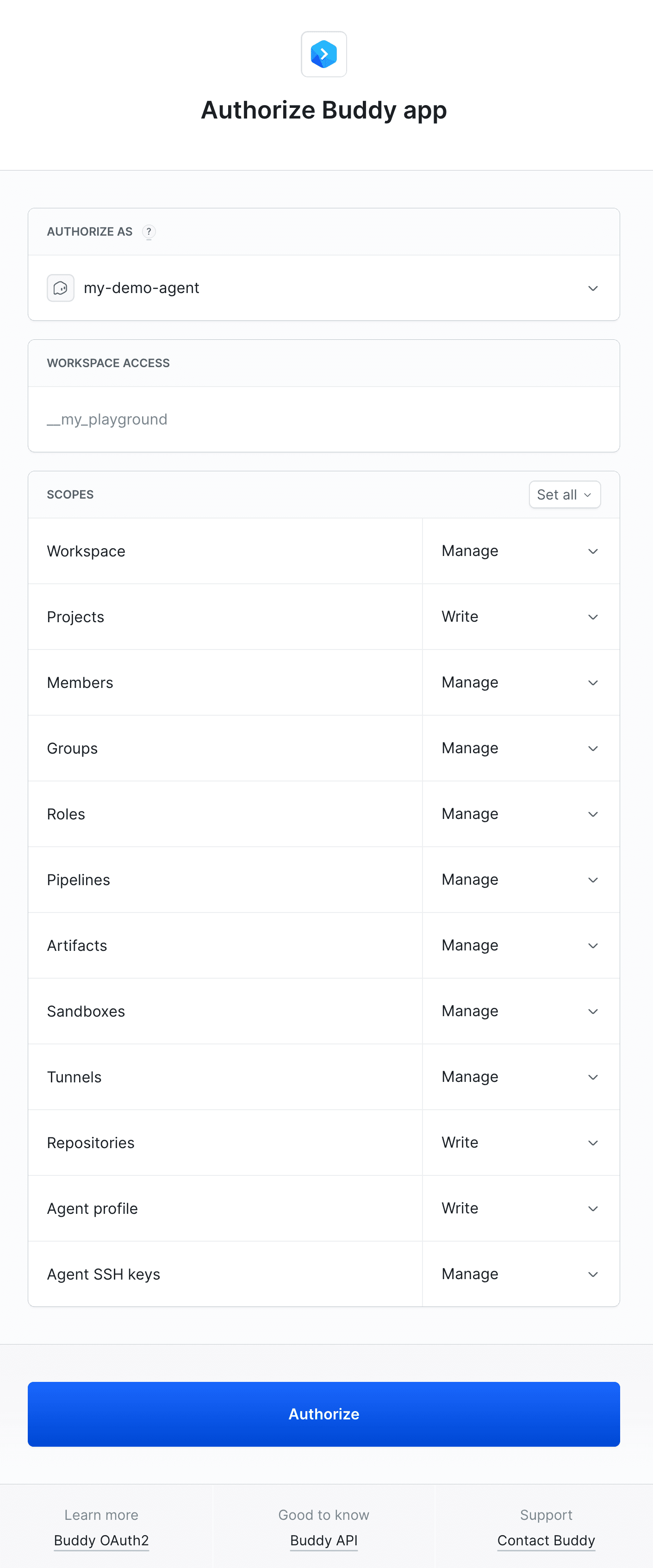
You can also use a personal access token. It acts on behalf of your account, within the scopes, expiration date, and IP restrictions set when you created it.
Smoke test in a throwaway sandbox
Every run gets a fresh sandbox with the current code, starts the app in it, checks its health endpoint, and removes the sandbox:
yaml- action: Smoke test in a sandbox
  type: BDY_CLI
  integration: buddy
  commands: |-
    SB="smoke-$BUDDY_RUN_ID"
    bdy sb create -i "$SB" -n "Smoke test #$BUDDY_RUN_ID" --fetch --app-command "npm start" --timeout 900 --wait-for-apps 180
    bdy sb exec command "$SB" "curl -fsS localhost:3000/health" --wait
    bdy sb destroy "$SB" -f
--fetchclones the project repository into the sandbox without copying any credentials there,--app-commandstarts the app in the sandbox, and--wait-for-appswaits until it is up,curl -fsSfails the action if the endpoint returns an HTTP error,--timeout 900removes the sandbox even if the run stops beforedestroy.
While the run is in progress, the sandbox shows up on the list with the app running:
Image loading...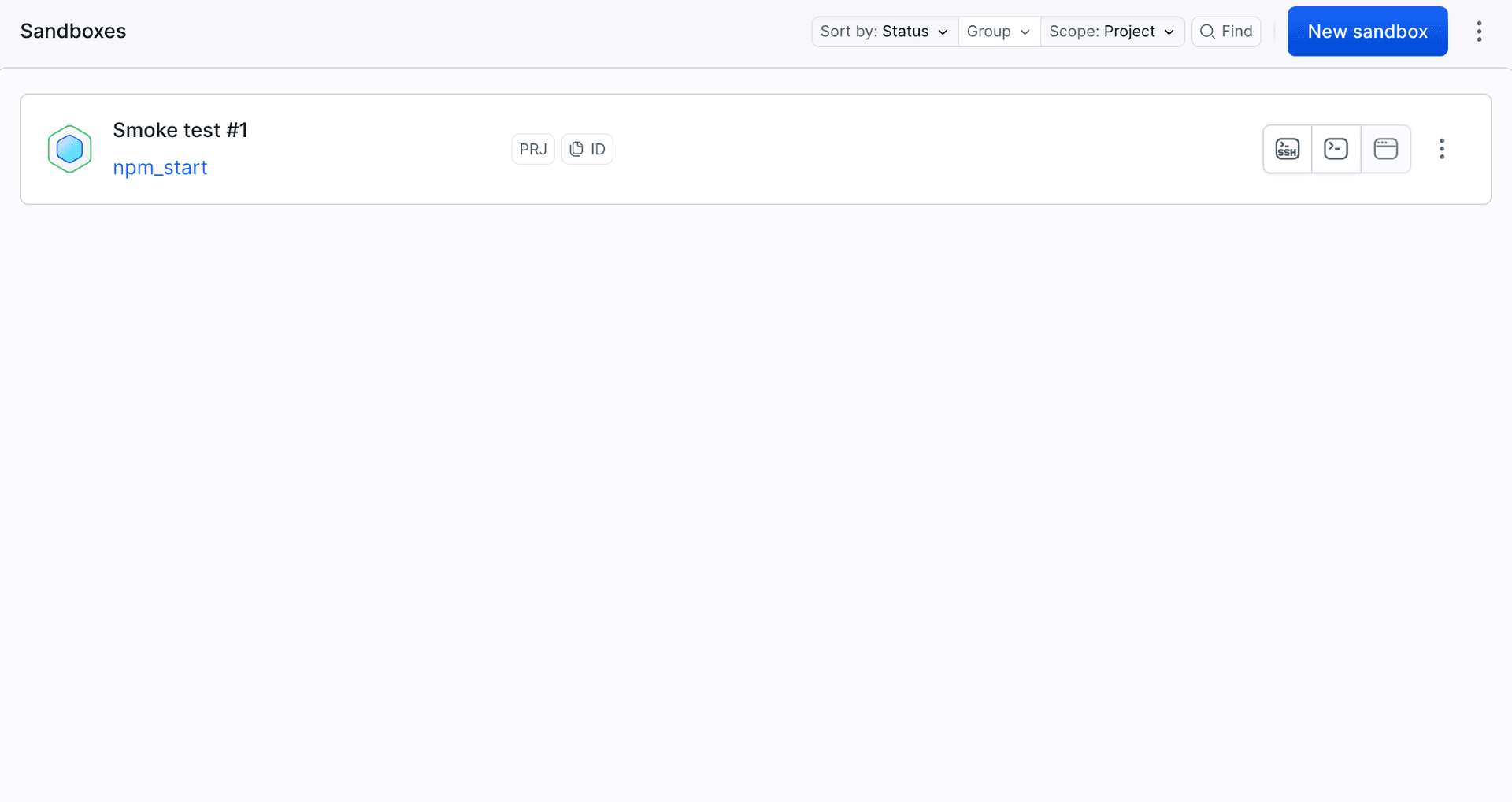
The whole action takes about 10 seconds:
Image loading...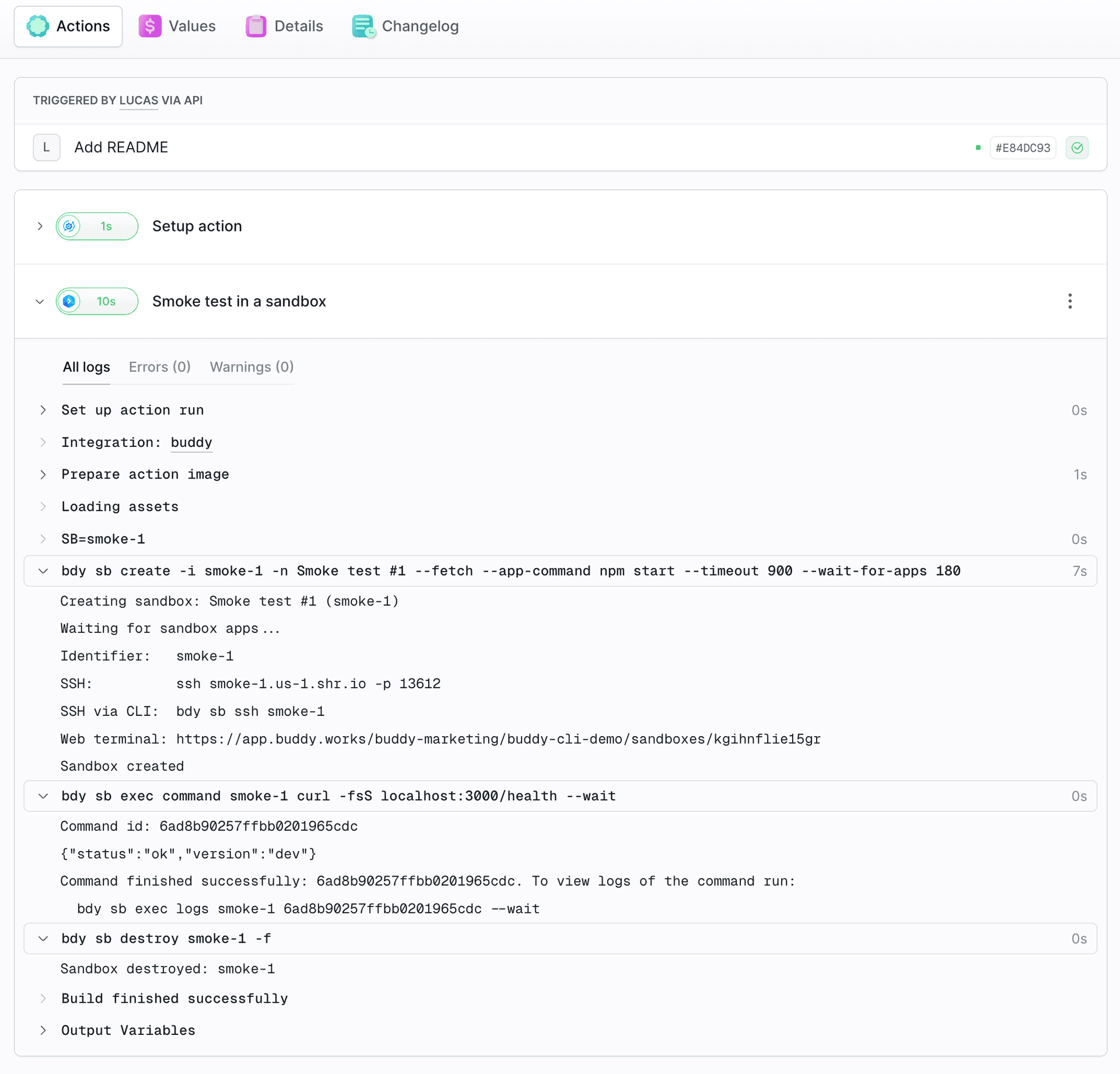
Handing files to another pipeline
bdy pipeline run start with the --payload option starts another pipeline and sends files to it:
yaml- action: Hand off to Release
  type: BDY_CLI
  integration: buddy
  commands: |-
    mkdir -p handoff/config
    echo "{\"version\": \"1.4.0\", \"source_run\": \"$BUDDY_RUN_ID\"}" > handoff/config/release.json
    cd handoff
    bdy pipeline run start release -b main --payload . --comment "Started from Prepare release #$BUDDY_RUN_ID"
The target pipeline gets config/release.json in its filesystem and reacts to it with the new payload conditions:
yamltrigger_conditions:
- trigger_condition: ON_PAYLOAD_AT_PATH
  trigger_condition_paths:
  - config/**
Actions waiting for other paths, e.g. Import content waiting for content/**, are skipped, and their logs say why:
Image loading...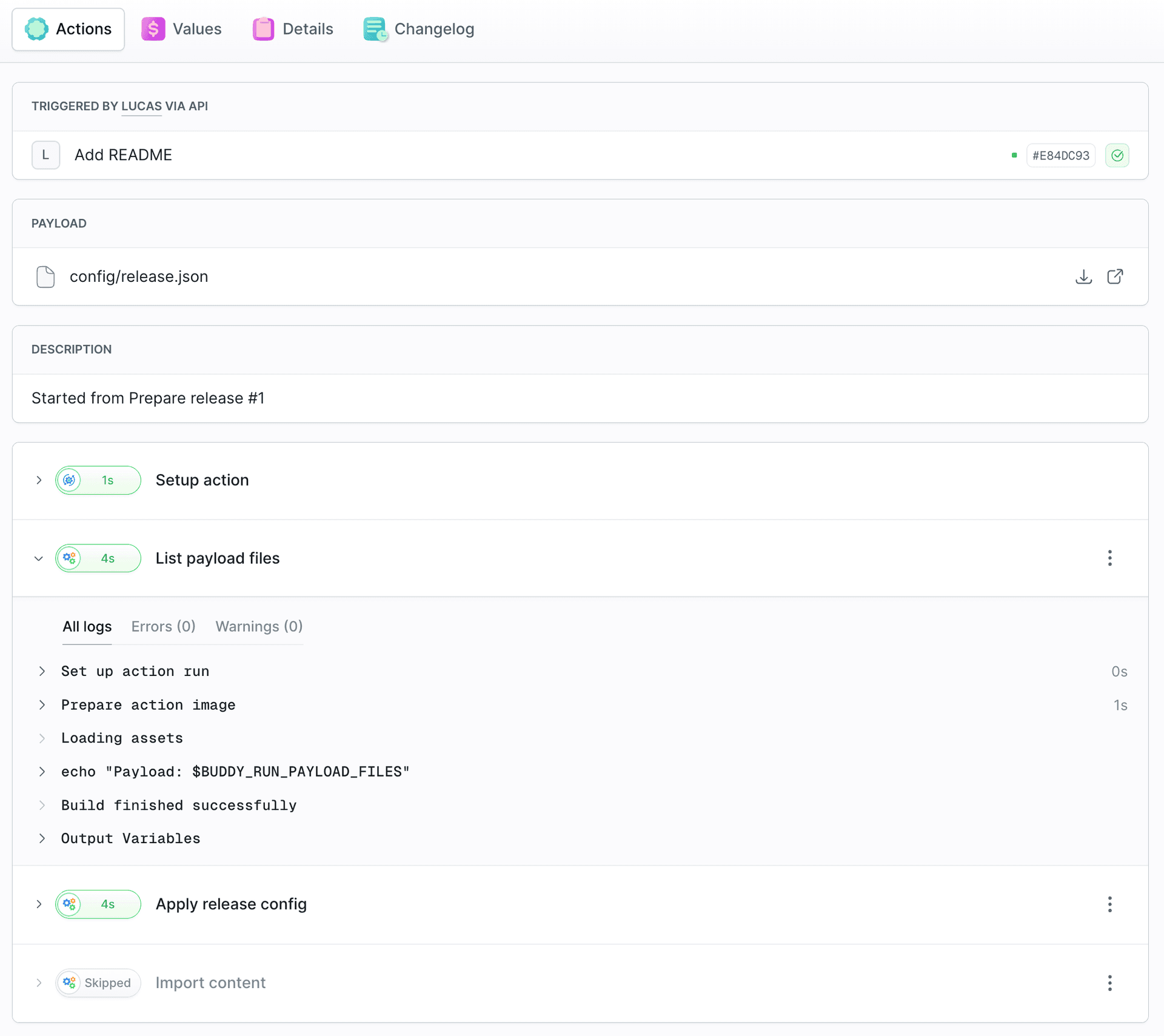
By default, bdy waits for the started pipeline to finish and shows its result.
Getting started
- Add a Buddy integration in Integrations.
- Add the Buddy CLI action to your pipeline and select the integration.
- Paste your
bdycommands.
What's next

Jarek Dylewski
Customer Support
A journalist and an SEO specialist trying to find himself in the unforgiving world of coders. Gamer, a non-fiction literature fan and obsessive carnivore. Jarek uses his talents to convert the programming lingo into a cohesive and approachable narration.