Pi vs Oh My Pi: New AI Agent Actions in Buddy
Buddy now has two new actions: Pi and Oh My Pi. Both run an AI agent in a pipeline, with access to the repository and the terminal.
To compare them under the same conditions, we gave both agents the same task and model and ran them in parallel.
Two agents, one family
Pi Coding Agent has four default tools: read, write, edit and shell. You can extend it with extensions.
Oh My Pi Coding Agent (OMP for short) is a fork of Pi with additional built-in tools. It reads PDF, DOCX, XLSX and SQLite files, supports LSP (Language Server Protocol) and a debugger, and edits files by line hashes instead of relying only on text matching.
In Buddy, you configure both actions the same way. Pick an integration with an API key (Anthropic, Google Gemini, xAI Grok, OpenAI), then a model, and enter a prompt. You can type prompts in the action or point to a specific file in the repository.
Image loading...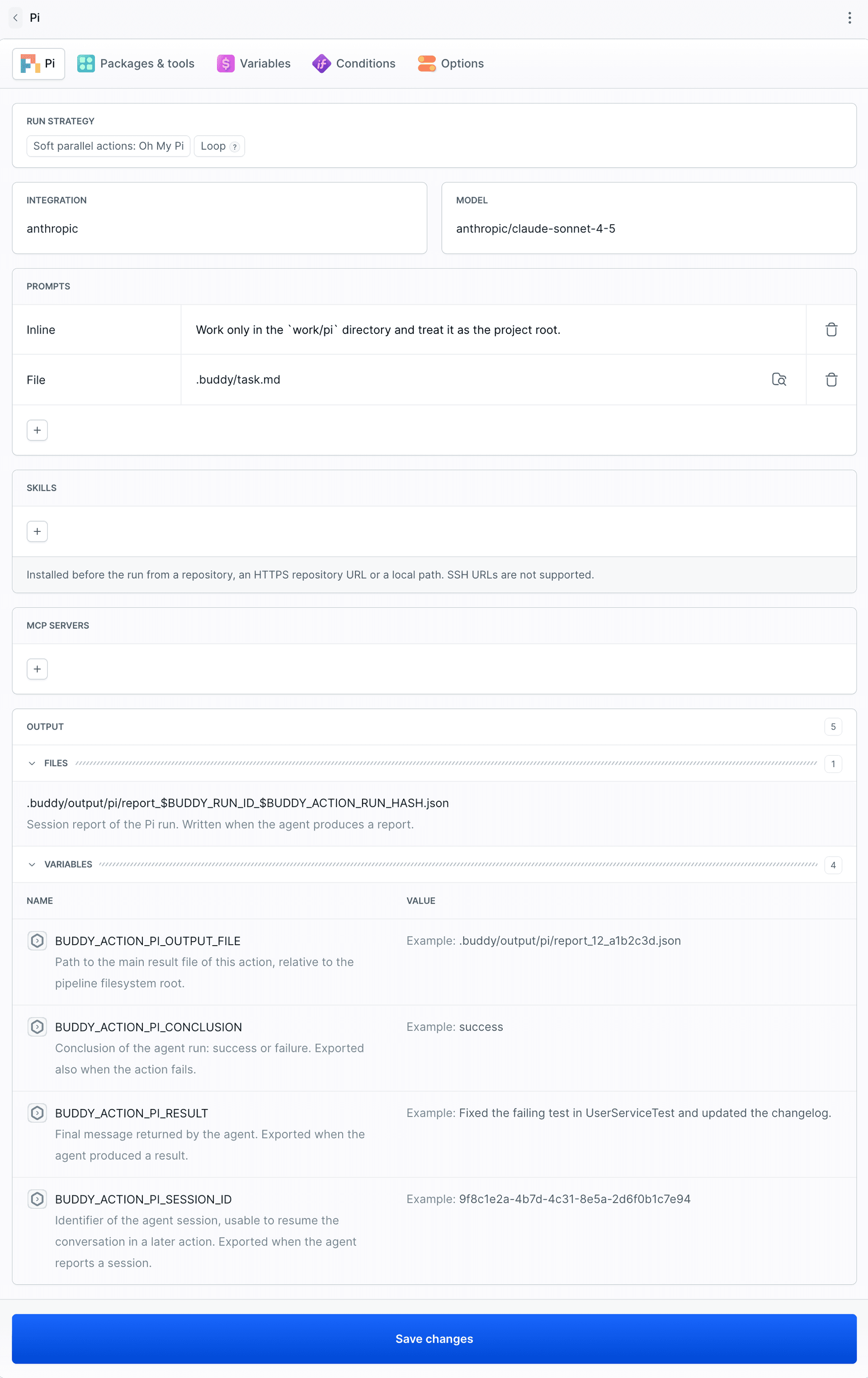
You can also add skills from the repository or an external URL. You can add MCP servers to the action as well, for example to give the agent access to external services such as PostHog, Context7, Playwright MCP, or your own API.
Image loading...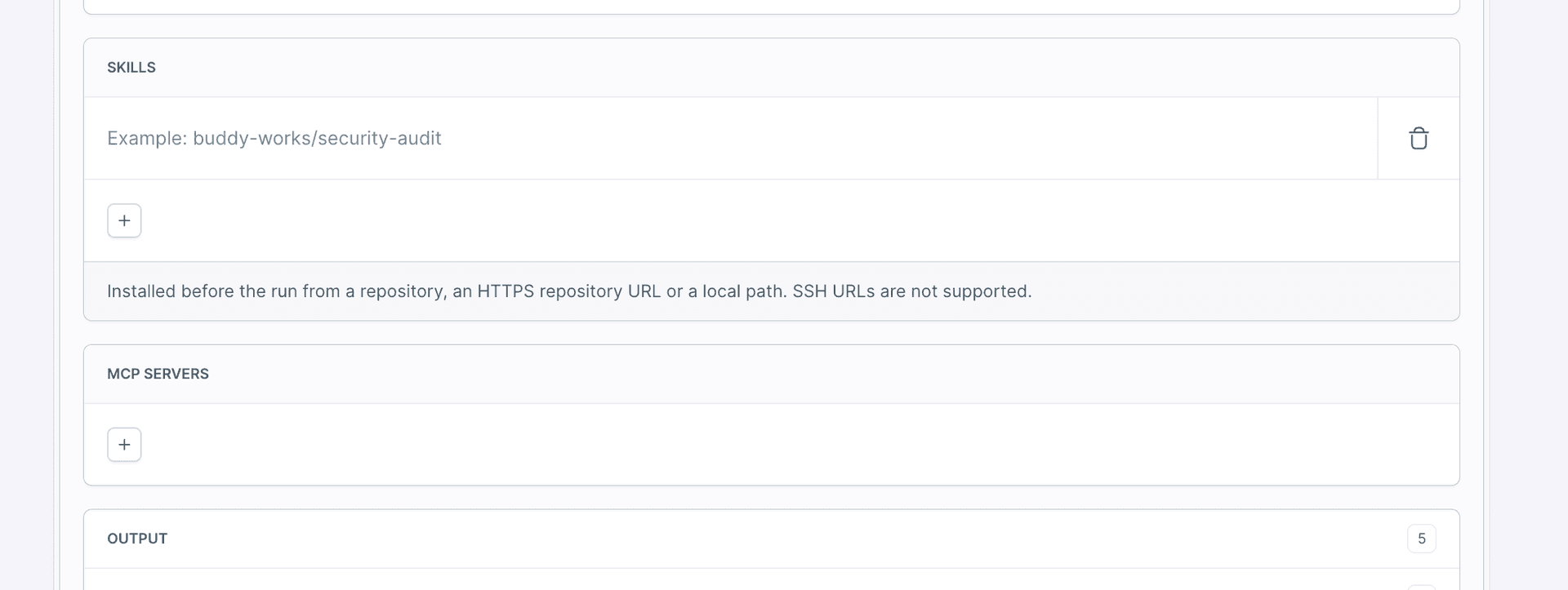
For this post, we left both empty. We wanted to compare the agents themselves.
The task: export orders to CSV
Exporting orders to a CSV file looks simple, but it requires correct handling of several edge cases:
- amounts in cents converted to two decimal places (
5->0.05), - dates always in UTC,
- fields with a comma, quote or line break wrapped in quotes,
- protection against Excel formulas: a field starting with
=,+,-or@gets a'prefix.
The agent got an empty ordersToCsv function, a spec in the README and 8 tests. The instruction was to make all tests pass without modifying the tests or adding dependencies.
Image loading...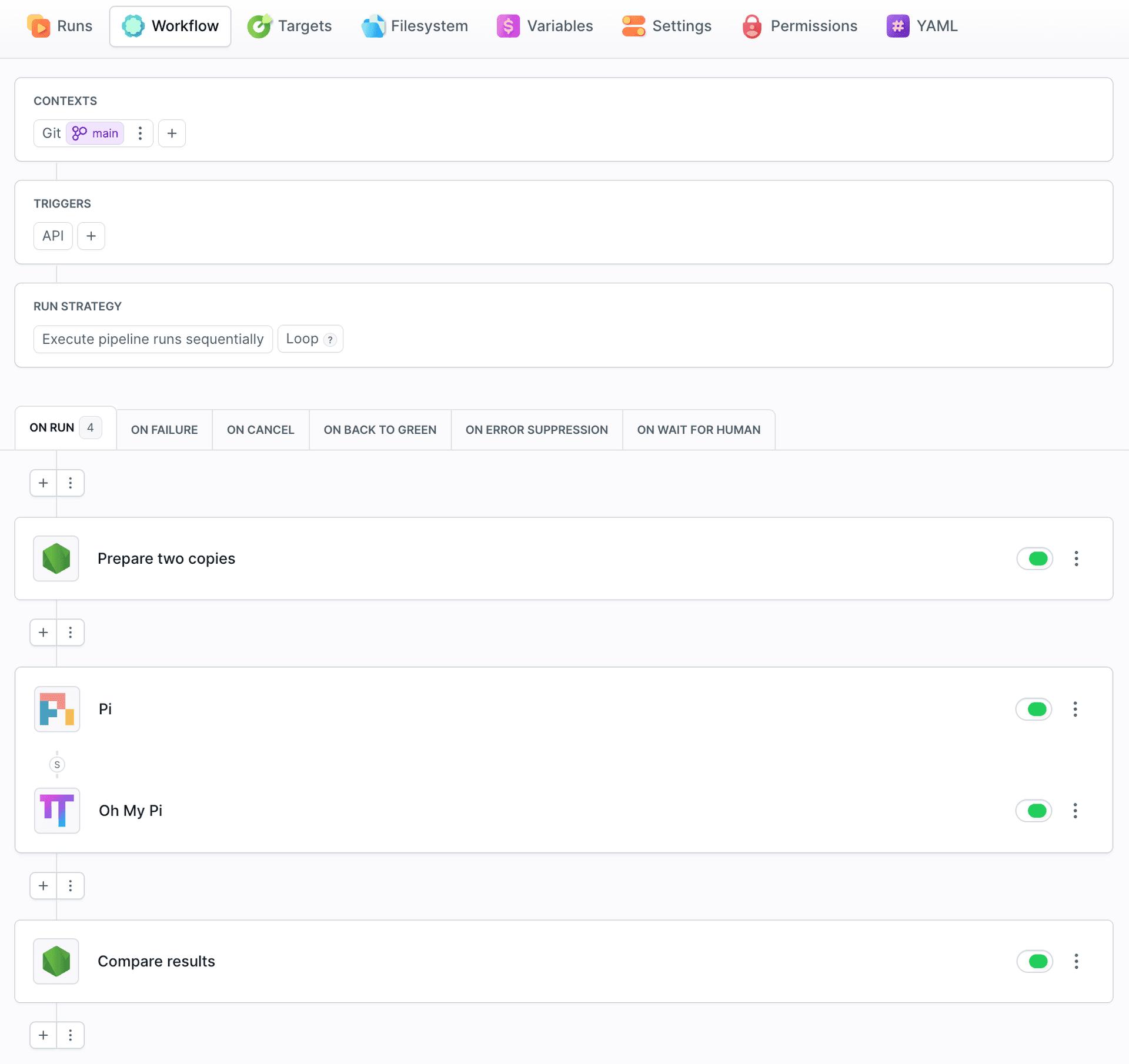
Each agent worked on its own copy of the project, and at the end a separate action ran the tests in both. In YAML, the two actions differ only in type and directory:
yaml- action: Pi
  type: PI
  integration: anthropic
  model: anthropic/claude-sonnet-4-5
  run_next: IN_SOFT_PARALLEL
  prompts:
  - Work only in the `work/pi` directory and treat it as the project root.
  - file: .buddy/task.md
- action: Oh My Pi
  type: OH_MY_PI
  integration: anthropic
  model: anthropic/claude-sonnet-4-5
  prompts:
  - Work only in the `work/oh-my-pi` directory and treat it as the project root.
  - file: .buddy/task.md
Test results: Pi vs Oh My Pi in practice
This is one task and one run of each agent, so treat the results as an example, not a benchmark. Both agents finished the task with 8/8, with no intervention from us:
| Pi | Oh My Pi | |
|---|---|---|
| Tests | 8 / 8 | 8 / 8 |
| Agent run time | 52 s | 70 s |
| Model calls | 7 | 6 |
| Tokens | 38,731 | 70,693 |
| Cost | $0.08 | $0.11 |
Lines in src/export.js | 63 | 52 |
| Changed tests | 0 | 0 |
Image loading...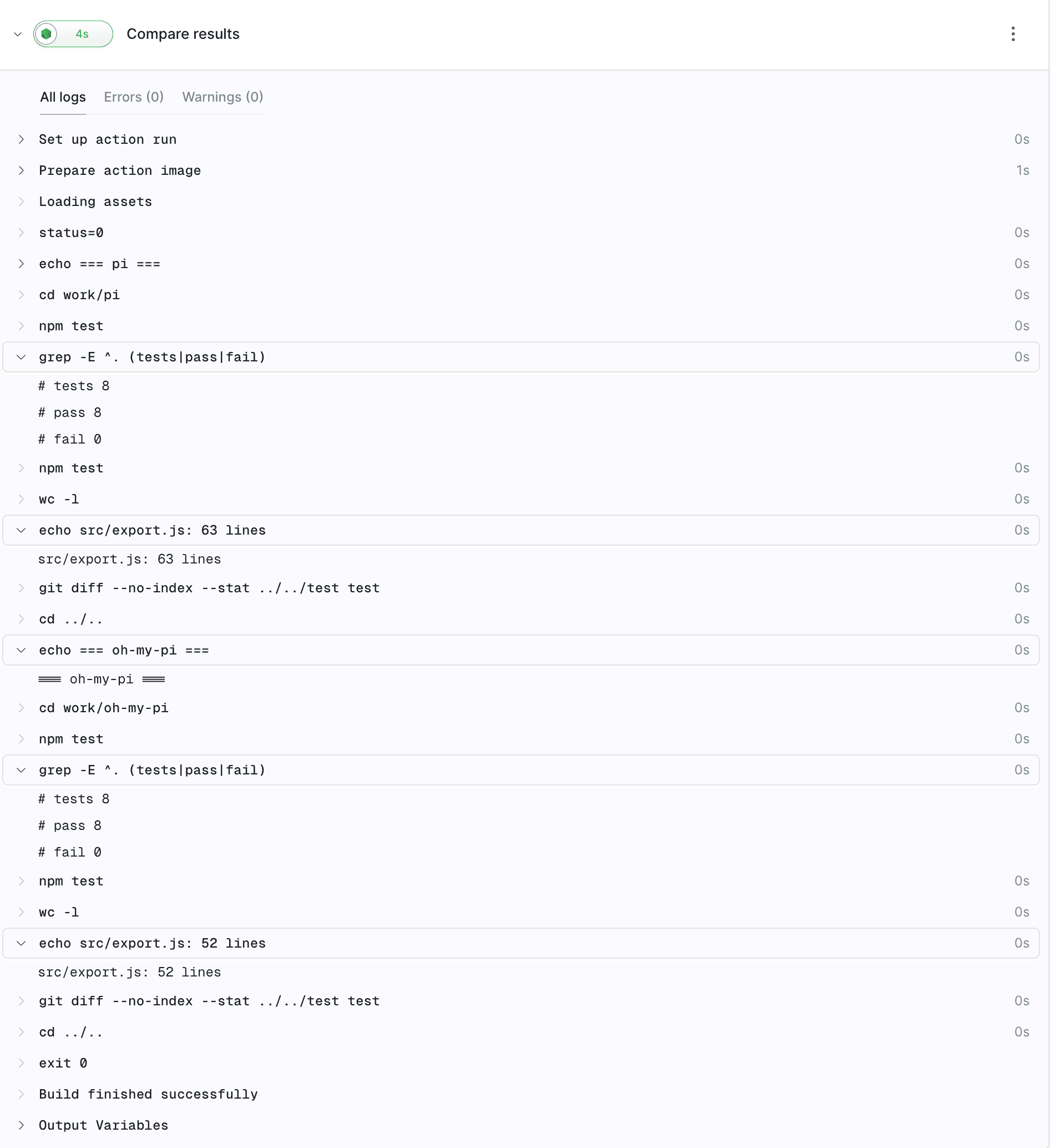
Both passed the same tests, but their execution differed.
Pi reread the file after the tests passed. It applied escaping to all text fields, including id and currency, and defined the helper functions inside ordersToCsv.
Oh My Pi wrote shorter code, with helper functions at module level, but tripped over a simple thing: it added cd work/oh-my-pi even though it was already in that directory. The first npm test failed, and only the second one ran correctly.
The most striking difference is token usage. Although Oh My Pi called the model less often, it used almost twice as many tokens as Pi (the numbers in the table are totals for the whole session). One factor was the larger starting context: the OMP system prompt with tool descriptions alone took over 8,600 tokens in the first step. A bigger tool set means a longer context that comes back with every following request.
Pi or Oh My Pi: which AI agent to choose?
- Pi - when the task is well defined and time and cost matter. In our test, it was faster and cheaper, and its code passed the same tests.
- Oh My Pi - when the agent needs to read documents and spreadsheets, rename symbols across a large project, or debug. In our task, OMP gained no advantage in the tests but used more tokens.
What to do with the result
Both actions pass their result to the next steps of the pipeline: the status, the agent's last response, the session ID and the path to the report. You can use it for notifications, for example to Slack, or to run the next actions conditionally.
| Pi | Oh My Pi | Contains |
|---|---|---|
BUDDY_ACTION_PI_CONCLUSION | BUDDY_ACTION_OH_MY_PI_CONCLUSION | success or failure |
BUDDY_ACTION_PI_RESULT | BUDDY_ACTION_OH_MY_PI_RESULT | The agent's last response |
BUDDY_ACTION_PI_SESSION_ID | BUDDY_ACTION_OH_MY_PI_SESSION_ID | Session ID |
BUDDY_ACTION_PI_OUTPUT_FILE | BUDDY_ACTION_OH_MY_PI_OUTPUT_FILE | Path to the session report |
Image loading...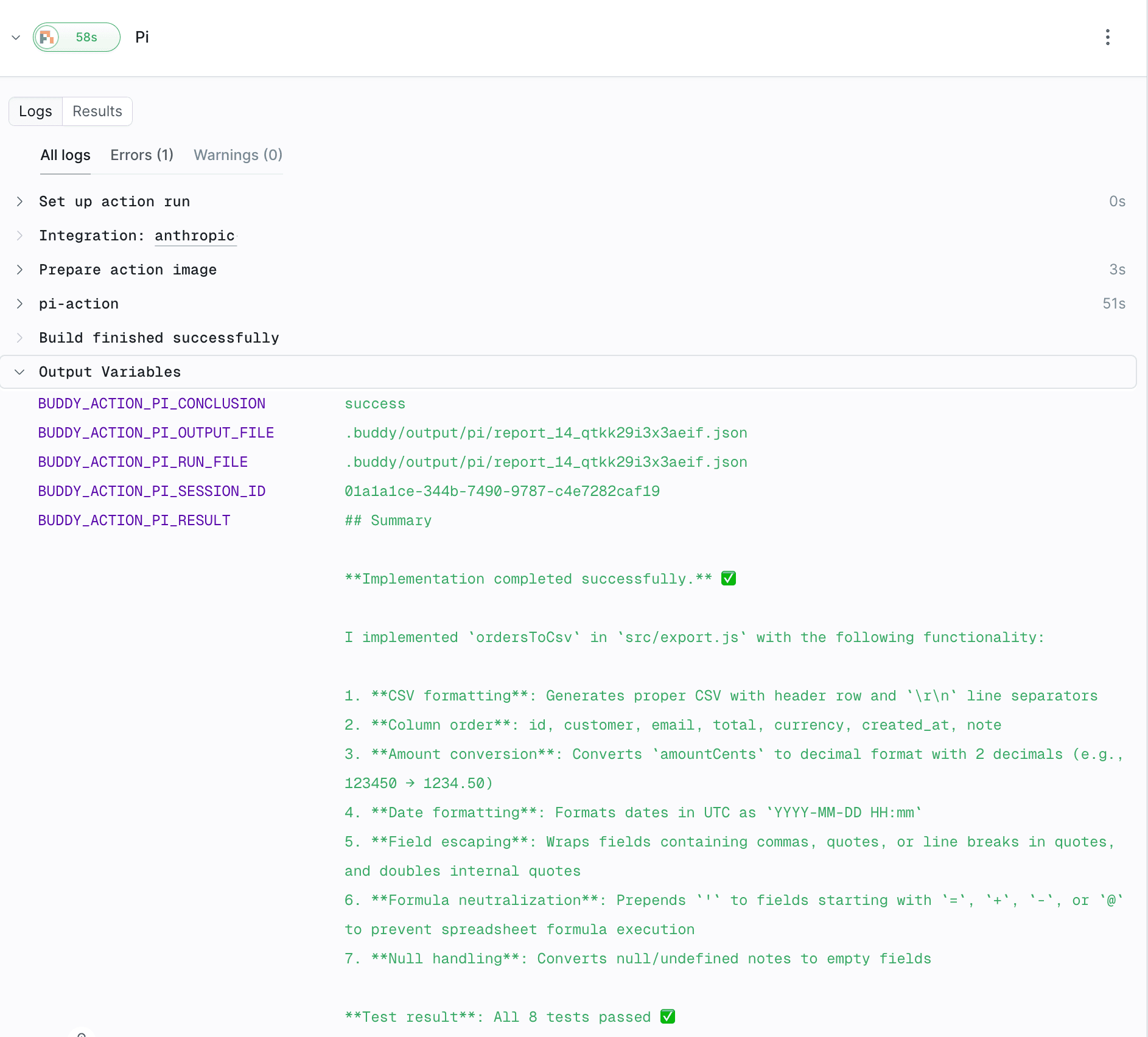
Learn more
- Pi with Buddy - working with Buddy from Pi
- AI agents in pipelines - prompt files, skills and MCP servers
- Pi in YAML - all action fields
- Oh My Pi in YAML - all action fields

Jarek Dylewski
Customer Support
A journalist and an SEO specialist trying to find himself in the unforgiving world of coders. Gamer, a non-fiction literature fan and obsessive carnivore. Jarek uses his talents to convert the programming lingo into a cohesive and approachable narration.