GitLab merge requests: test every change before it reaches main
The Pull request trigger now works with GitLab. Until now, it supported only Buddy and GitHub repositories. If your project is synchronized with GitLab or GitLab Enterprise, you can run pipelines when merge requests are opened, reopened, or updated.
Setting up the trigger
Add the Git: Pull request trigger to your pipeline and set two fields:
- Base branch - the branch merge requests target. It can be a single branch or a pattern, e.g.
release/*. - Events - Opened, Reopened, Updated, Closed, Merged, and the approval events: Approval, Unapproval, Approved, and Unapproved.
For basic merge request testing, select Opened, Reopened, and Updated. The pipeline then runs when a merge request is opened and when new commits are pushed to its source branch.
Updated also covers changes to the merge request itself, such as editing its title. Approved can be used to start selected actions after the merge request receives the required approvals.
Image loading...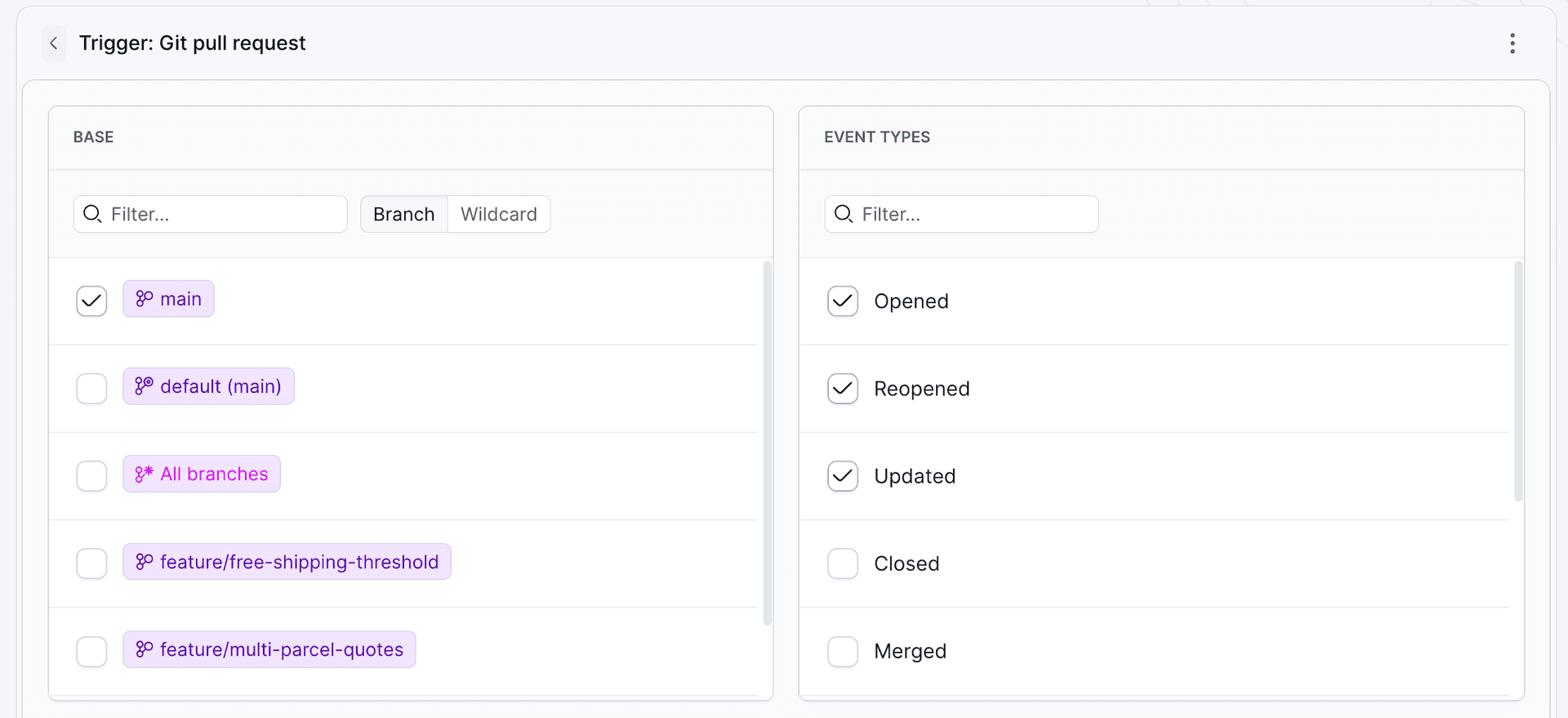
The same trigger in YAML:
yamlevents:
- type: PULL_REQUEST
  events:
  - open
  - reopen
  - update
  branches:
  - main
Example: shipping rates service
The demo project is a small Node.js service that calculates shipping rates. The pipeline has four actions: dependency install, lint with typecheck, unit tests, and build.
Image loading...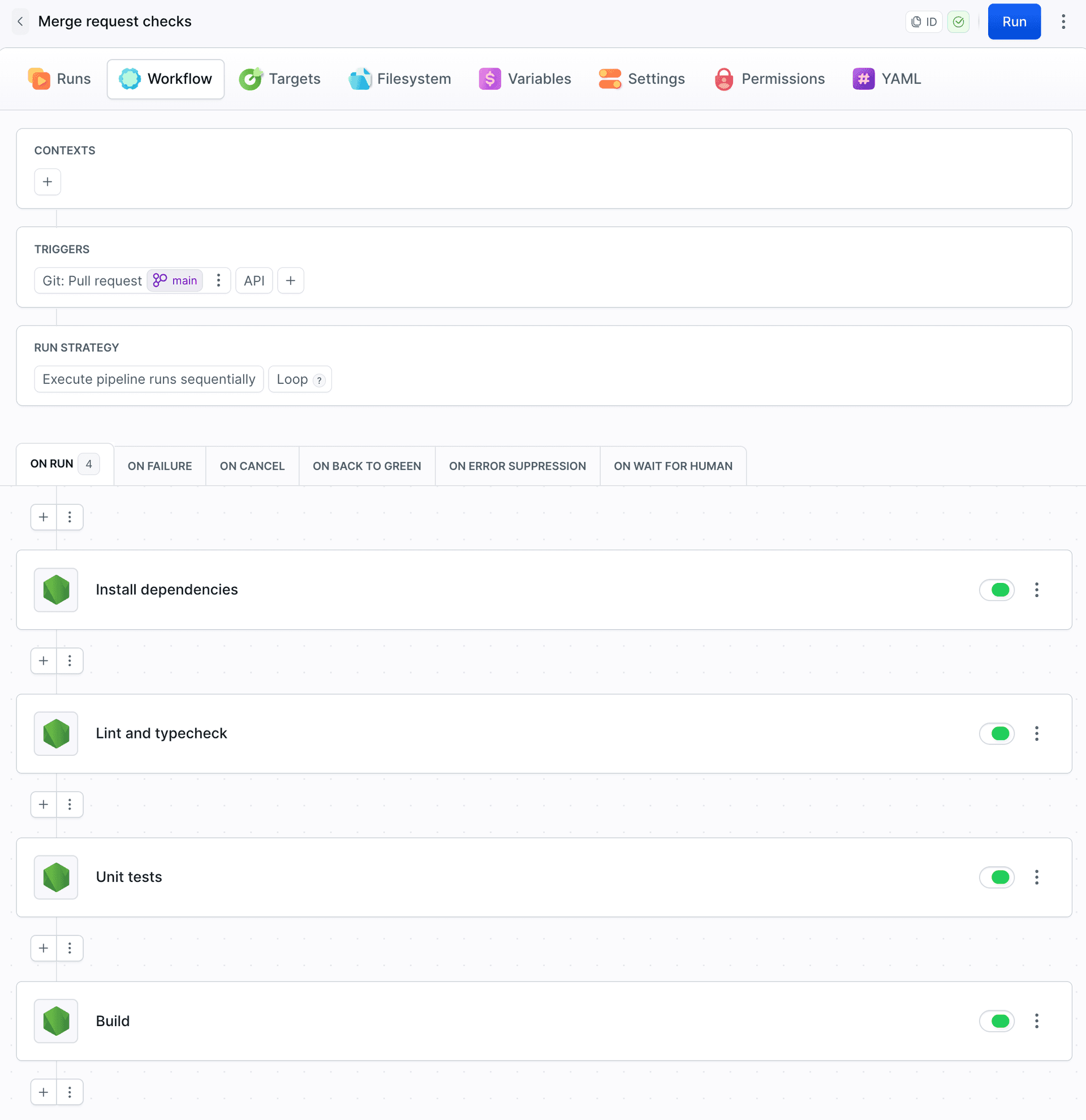
The demo has five open merge requests to main:
Image loading...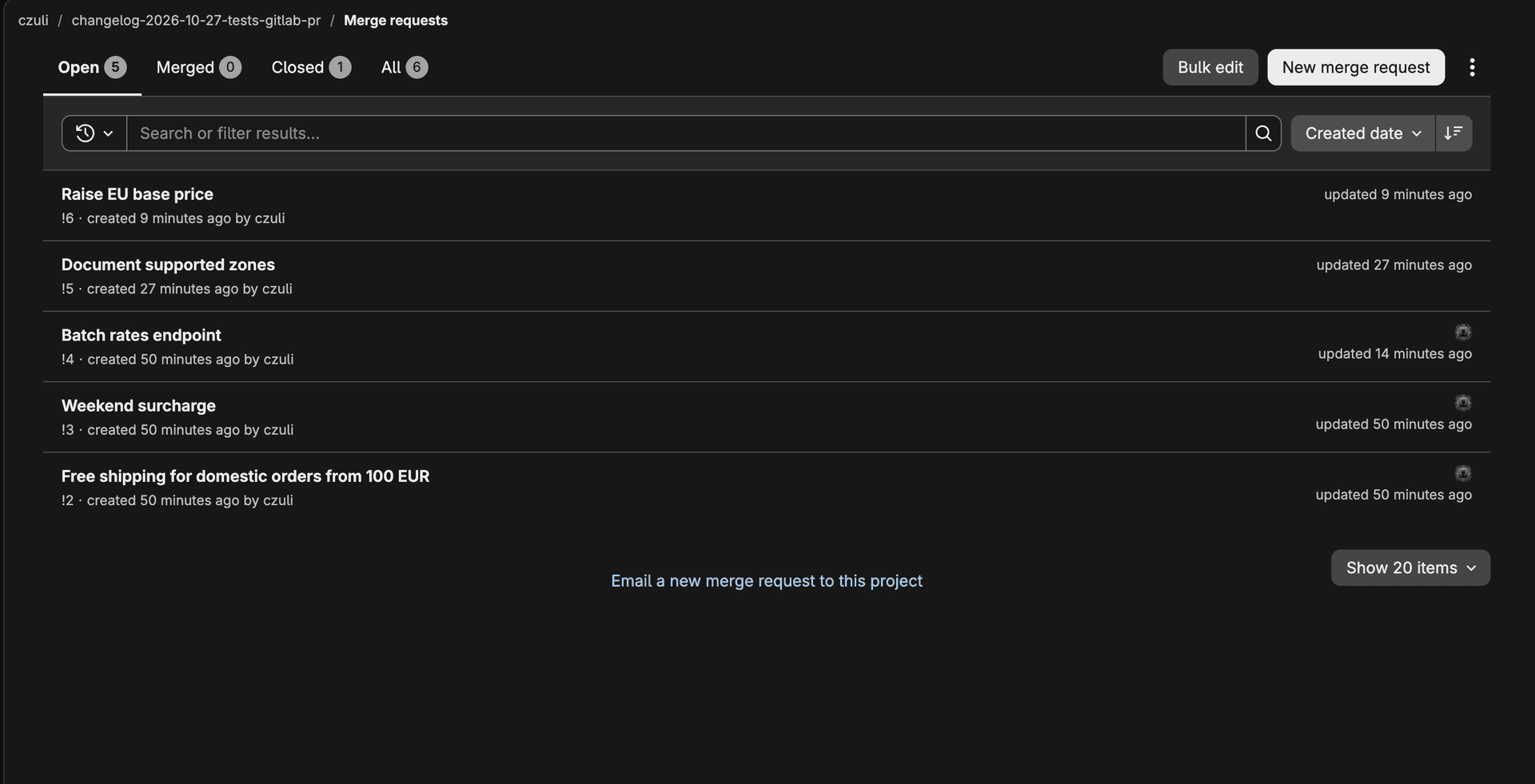
The run list shows the merge request number and the source branch:
Image loading...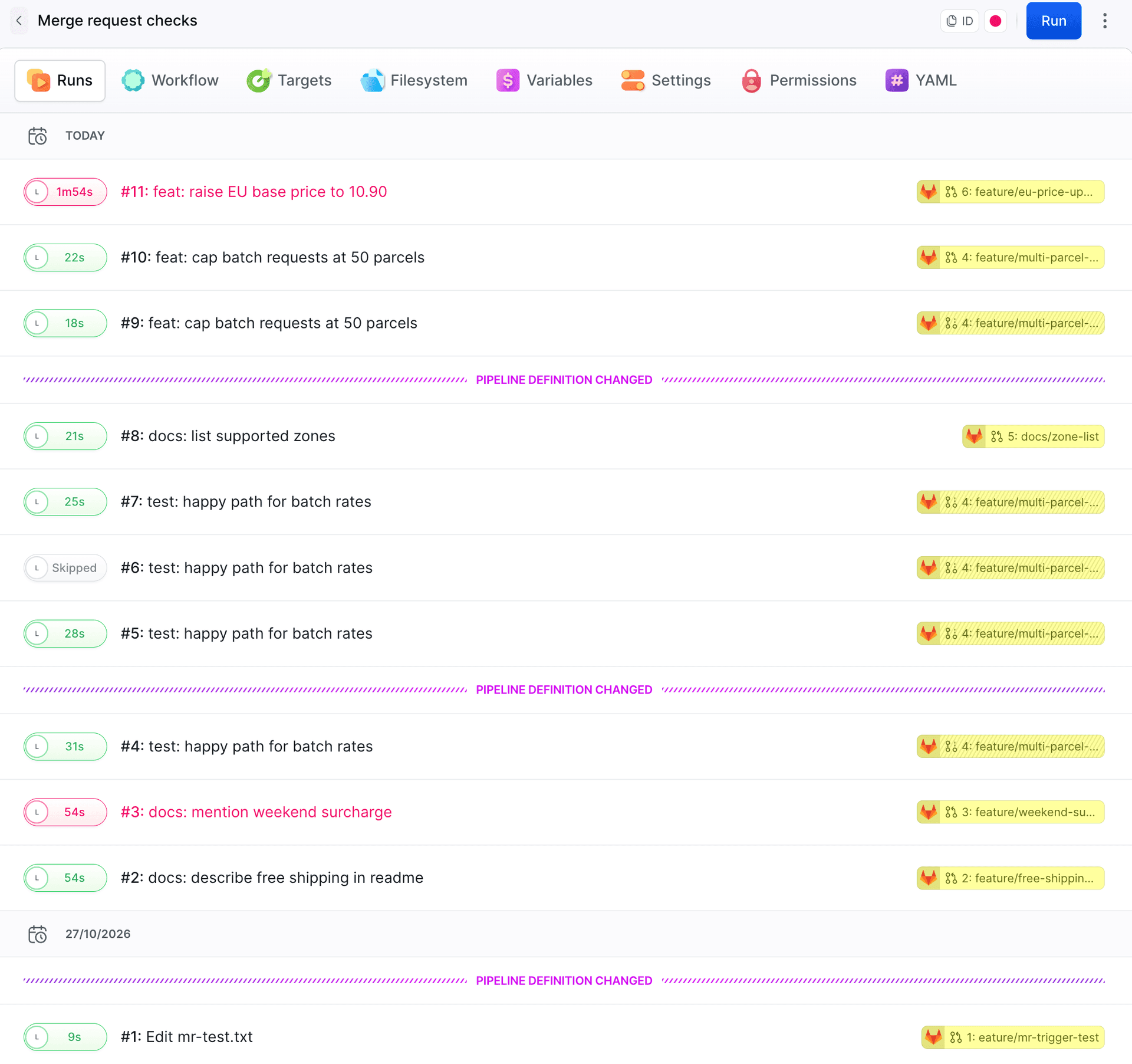
In the merge request that raises the EU base price, one test fails, so the run stops and Build is skipped. The log shows which assertion failed:
Image loading...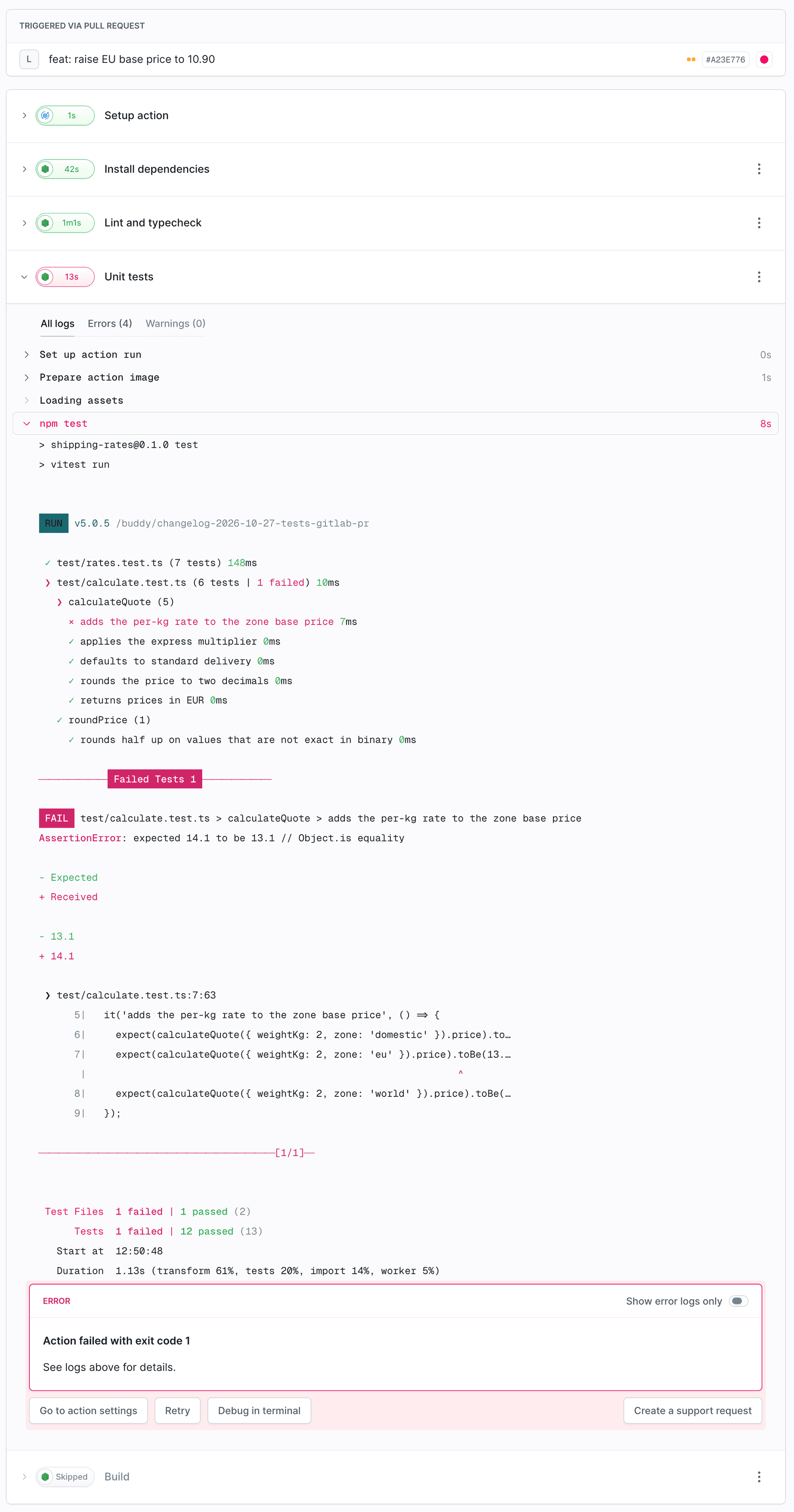
After you push a fix to the source branch, the trigger runs the pipeline again, this time on the Updated event.
Status in GitLab
Buddy sends the run result back to GitLab as an external commit status. GitLab shows it as a pipeline, but the tests ran in Buddy. This is the failed run from the EU price merge request:
Image loading...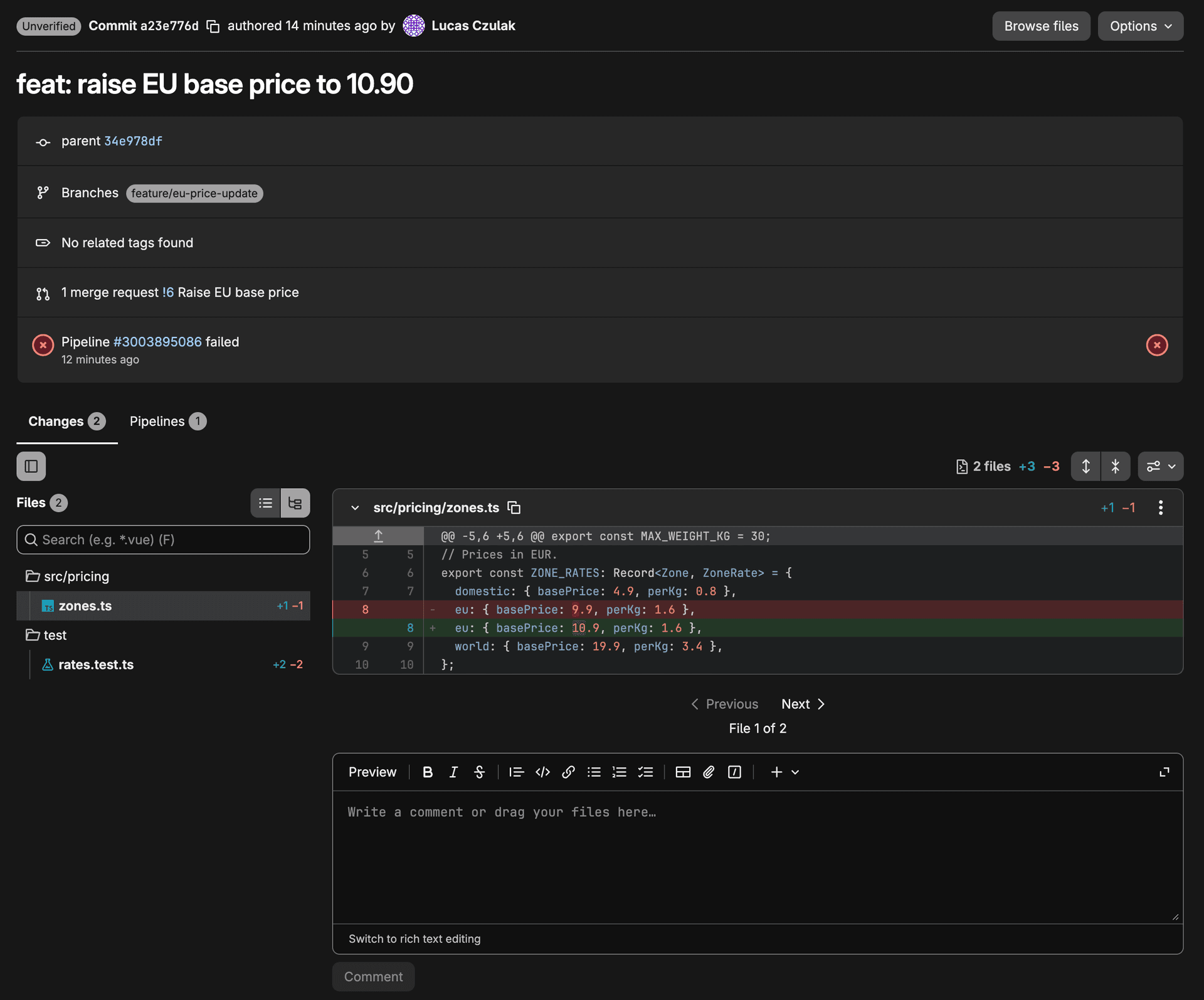
To disable commit status updates, open the pipeline's Settings tab and select Don't send pipeline run status to GitLab's commit status in the Status section:
Image loading...
In YAML, this is do_not_create_commit_status: true.
Merge request data in variables
Merge request data is available in every run through $BUDDY_RUN_PR_* variables, including $BUDDY_RUN_PR_NO, $BUDDY_RUN_PR_TITLE, $BUDDY_RUN_PR_HEAD_BRANCH, and $BUDDY_RUN_PR_BASE_BRANCH:
bashecho "MR !$BUDDY_RUN_PR_NO: $BUDDY_RUN_PR_HEAD_BRANCH -> $BUDDY_RUN_PR_BASE_BRANCH"$
Drafts
Drafts start the pipeline too, with $BUDDY_RUN_PR_DRAFT set to true. Add the condition $BUDDY_RUN_PR_DRAFT is not "true" to resource-intesive actions, e.g. Build, and Buddy skips them while the merge request is a draft. When you mark it as ready, Buddy starts a new run with all actions right away.
What's next

Jarek Dylewski
Customer Support
A journalist and an SEO specialist trying to find himself in the unforgiving world of coders. Gamer, a non-fiction literature fan and obsessive carnivore. Jarek uses his talents to convert the programming lingo into a cohesive and approachable narration.