Early Exit: Stop Pipeline Runs Without Failing
Buddy has a new action: Early Exit. It ends a pipeline run early with a Successful status and marks the remaining actions as Skipped. On success actions still run if their conditions are met.
The action has one field: Reason. Its value is written to the run log and exported as $BUDDY_ACTION_EARLY_EXIT_REASON, which On success actions can use. Configure the conditions in the Conditions tab, as you would for any other action.
Image loading...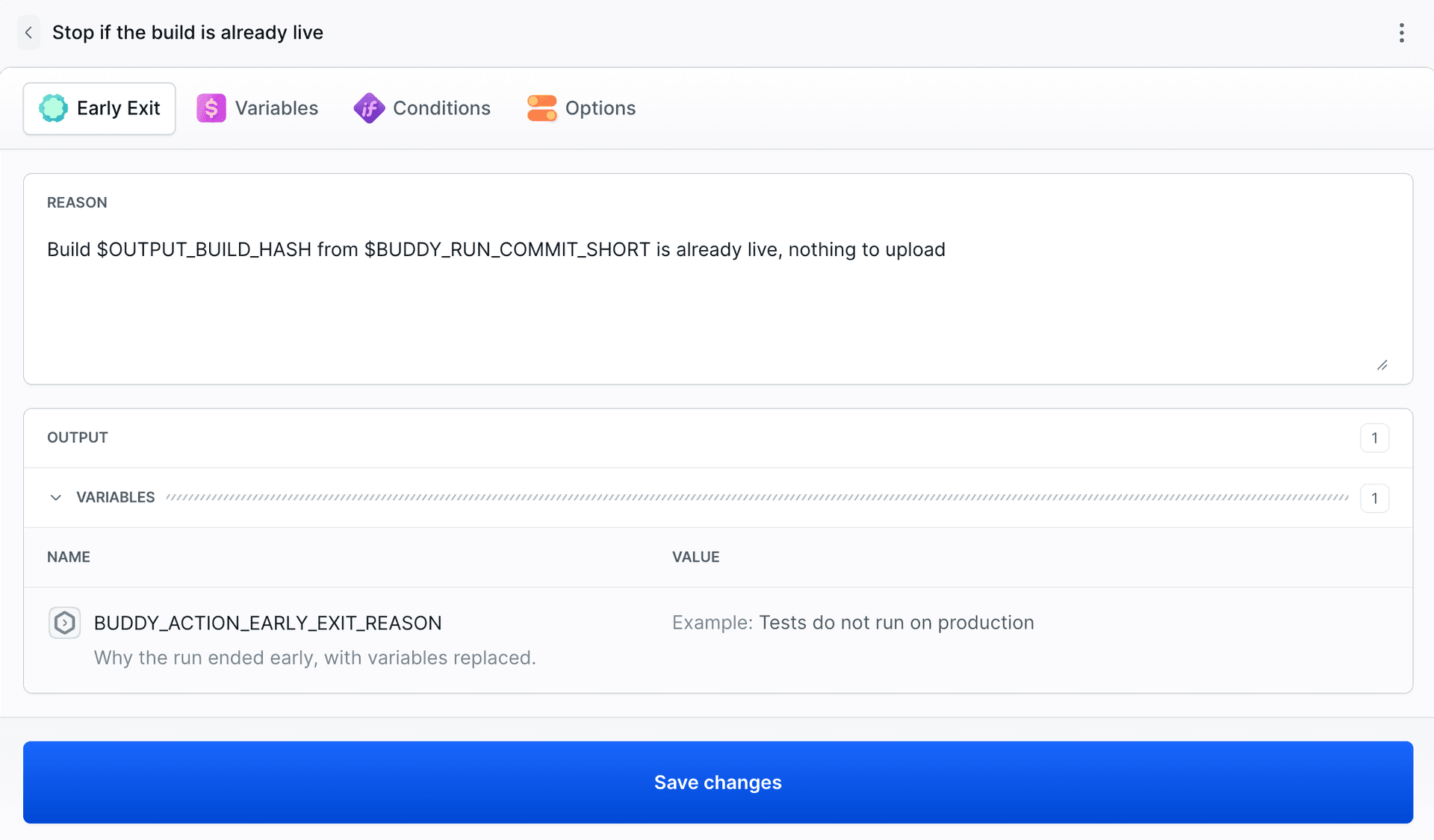
When to use Early Exit
Early Exit is useful when, partway through a run, the remaining actions are no longer needed and nothing has failed. Typical cases:
- There is no more work to do. The build is identical to production,
terraform planfound no changes, or a scheduled export found no new data. - The result already exists. The package version is in the registry, the image already has the target tag, or the release has been published.
- Deployments are paused. A weekend freeze is in place, or the Early Exit condition checks a
DEPLOY_FREEZEvariable set for the duration of an incident. - This branch isn't deployed to production. The pipeline tests every branch, but only
maincontinues to deployment. Early Exit removes the need to repeat the same condition on each deployment action.
Without Early Exit, the alternatives are:
- The same condition copied to each subsequent action. A pipeline with ten remaining actions requires the condition to be maintained in ten places.
exitin a script.exit 0ends only that action, and the pipeline keeps going.exit 1ends the run with the Failed status and triggers On failure actions, even though nothing broke.
Pipeline-level conditions are checked only before the run starts. Early Exit decides during the run, based on the result of an earlier action, and the reason can be passed on, for example to Slack.
Below are three examples from our workspace.
Don't publish a package version that is already in the registry
The Composer registry in Buddy does not accept the same version twice, and the Composer Publish action fails if the version already exists. The publish-if-new pipeline first fetches the published versions from the registry, compares them with the version in composer.json, and sets the OUTPUT_PKG_NAME, OUTPUT_PKG_VERSION, and OUTPUT_ALREADY_PUBLISHED variables. Early Exit ends the run before the publish action:
- action: "Stop if the version is already published"
  type: "EARLY_EXIT"
  reason: "Version $OUTPUT_PKG_VERSION of $OUTPUT_PKG_NAME is already published"
  trigger_conditions:
    - trigger_condition: "VAR_IS"
      trigger_variable_key: "OUTPUT_ALREADY_PUBLISHED"
      trigger_variable_value: "true"
The first run of the commit with version 1.3.0 published the package. The second run of the same commit ended with Early Exit:
Image loading...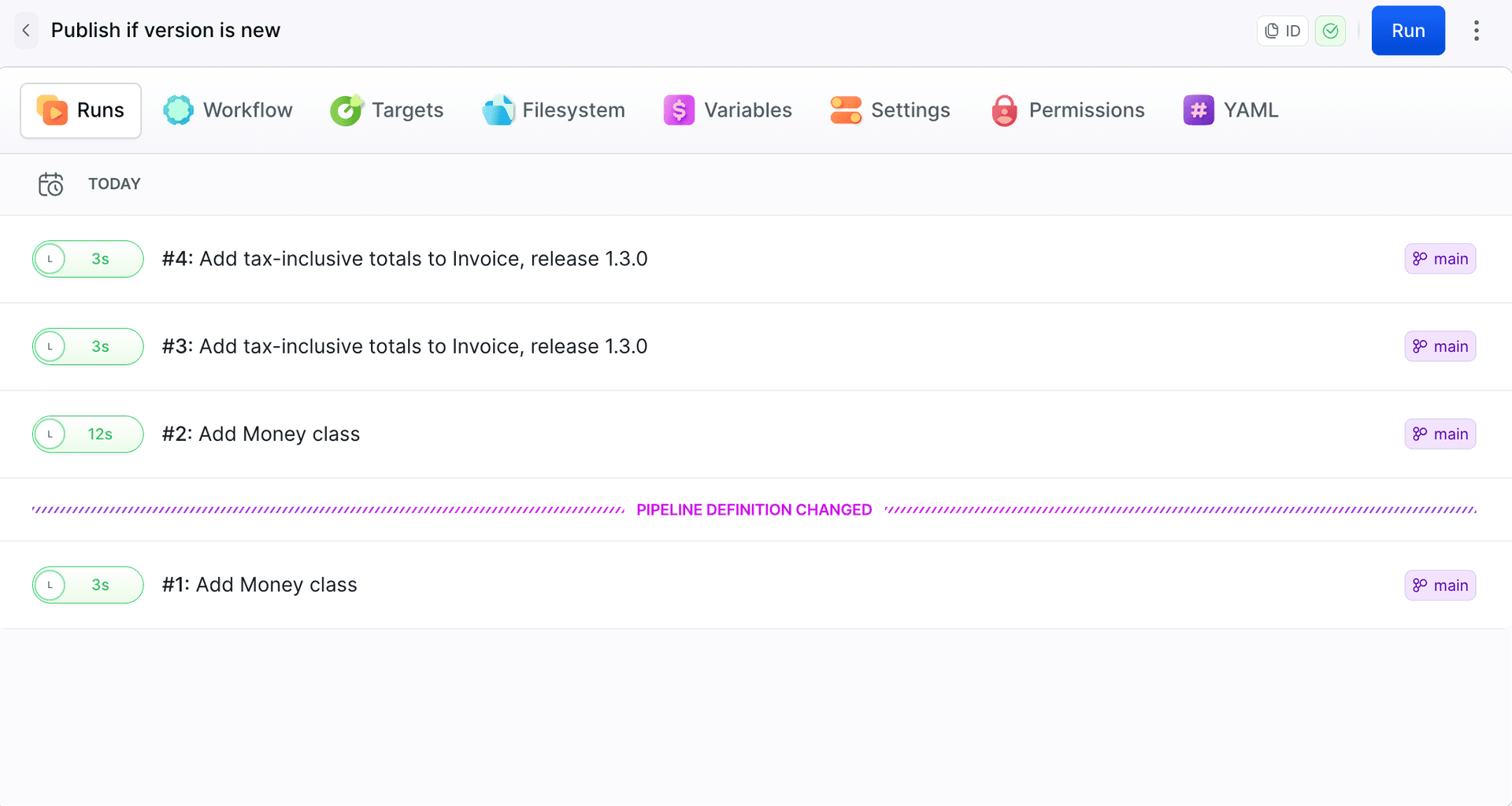
Image loading...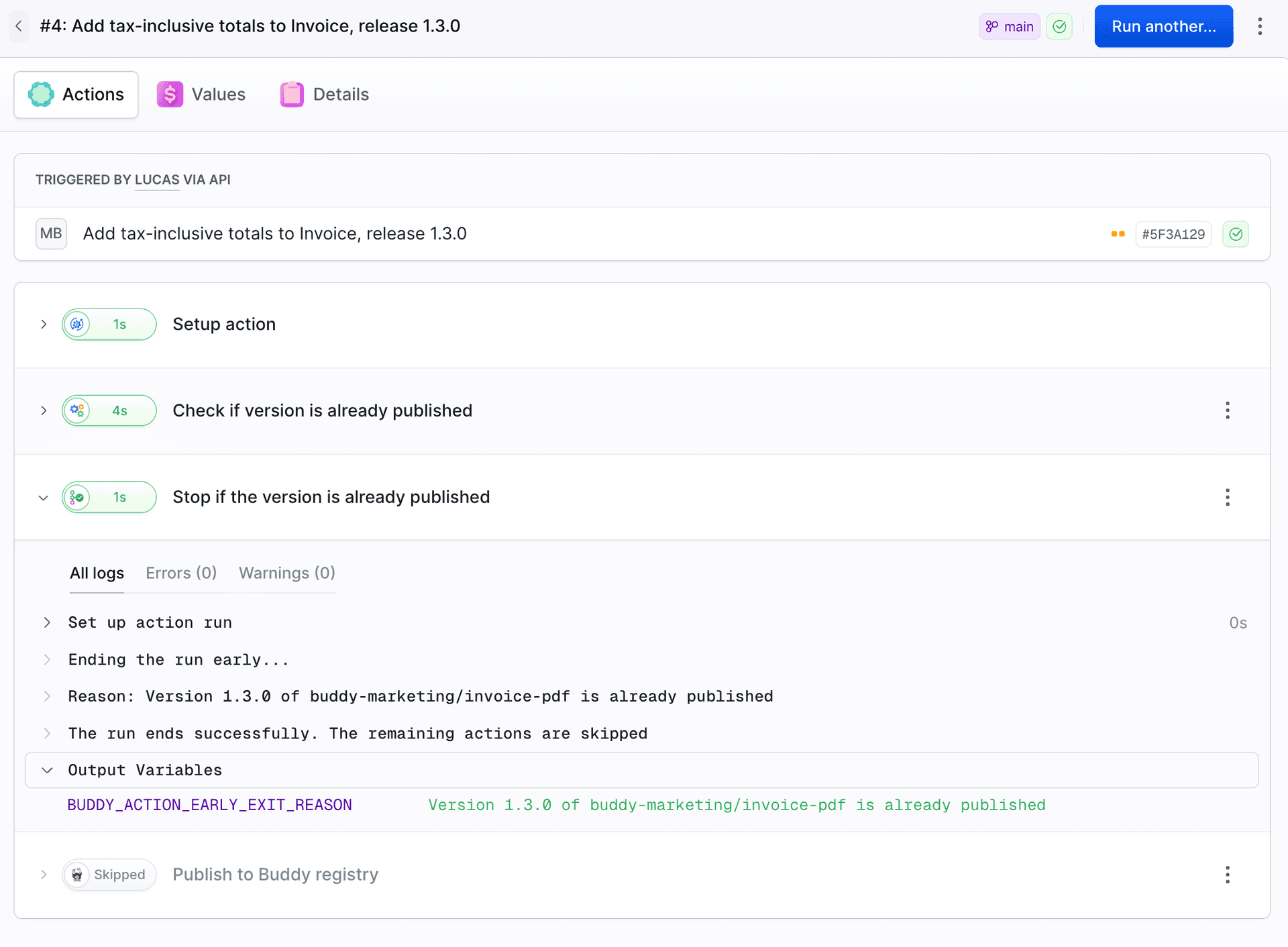
Don't upload a build that is already live
The deploy-landing pipeline builds a landing page with Vite and uploads dist/ to the server over SFTP. The build writes a SHA-256 hash of the paths and contents of the files in dist/ to dist/build-hash.txt, so the hash goes to the server together with the site. Before the upload, the pipeline compares the hash of the new build with the one production serves:
- action: "Build and compare with production"
  type: "BUILD"
  docker_image_name: "library/node"
  docker_image_tag: "22"
  commands: |-
    npm run build
    npm run hash
    BUILD_HASH=$(cat dist/build-hash.txt)
    CODE=$(curl -sS --max-time 10 -o /tmp/live-hash.txt -w '%{http_code}' "$SITE_URL/build-hash.txt?run=$BUDDY_RUN_ID") || exit 1
    if [ "$CODE" = "200" ]; then LIVE_HASH=$(cat /tmp/live-hash.txt); elif [ "$CODE" = "404" ]; then LIVE_HASH=none; else echo "Cannot read the live build hash (HTTP $CODE)"; exit 1; fi
    export OUTPUT_BUILD_HASH=$(echo "$BUILD_HASH" | cut -c1-12)
    if [ "$BUILD_HASH" != "$LIVE_HASH" ]; then export OUTPUT_BUILD_CHANGED=true; else export OUTPUT_BUILD_CHANGED=false; fi
- action: "Stop if the build is already live"
  type: "EARLY_EXIT"
  reason: "Build $OUTPUT_BUILD_HASH from $BUDDY_RUN_COMMIT_SHORT is already live, nothing to upload"
  trigger_conditions:
    - trigger_condition: "VAR_IS"
      trigger_variable_key: "OUTPUT_BUILD_CHANGED"
      trigger_variable_value: "false"
The previous action passes the comparison result to Early Exit using output variables with the OUTPUT_ prefix. A plain export only makes the value available within the current action. HTTP 404, for example on the first deployment, means there is no hash in production, so the pipeline uploads the build. Any other error stops the action before deployment. After the upload, the pipeline runs a smoke test, verifies the production hash, and runs a Lighthouse audit.
Image loading...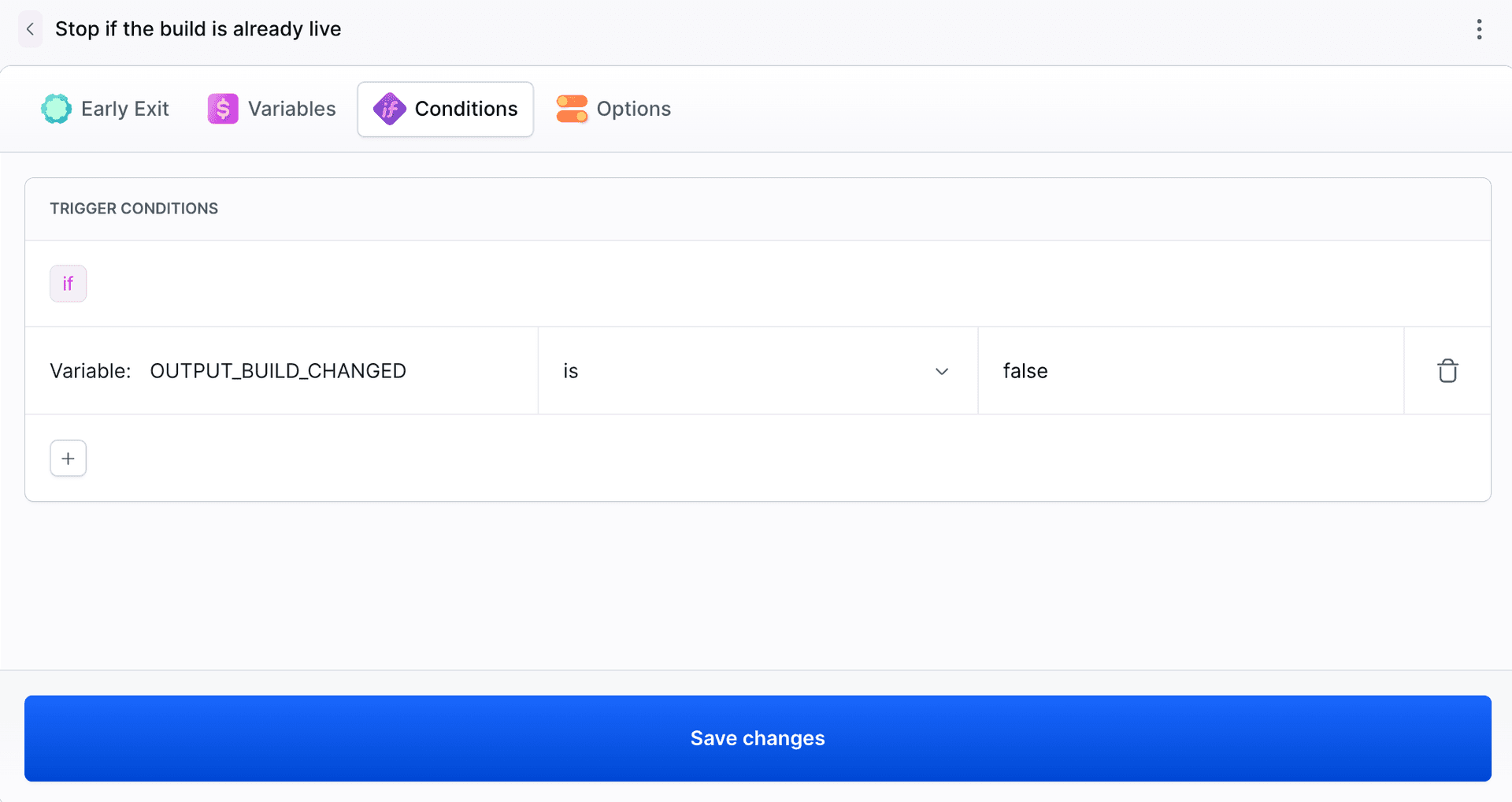
Image loading...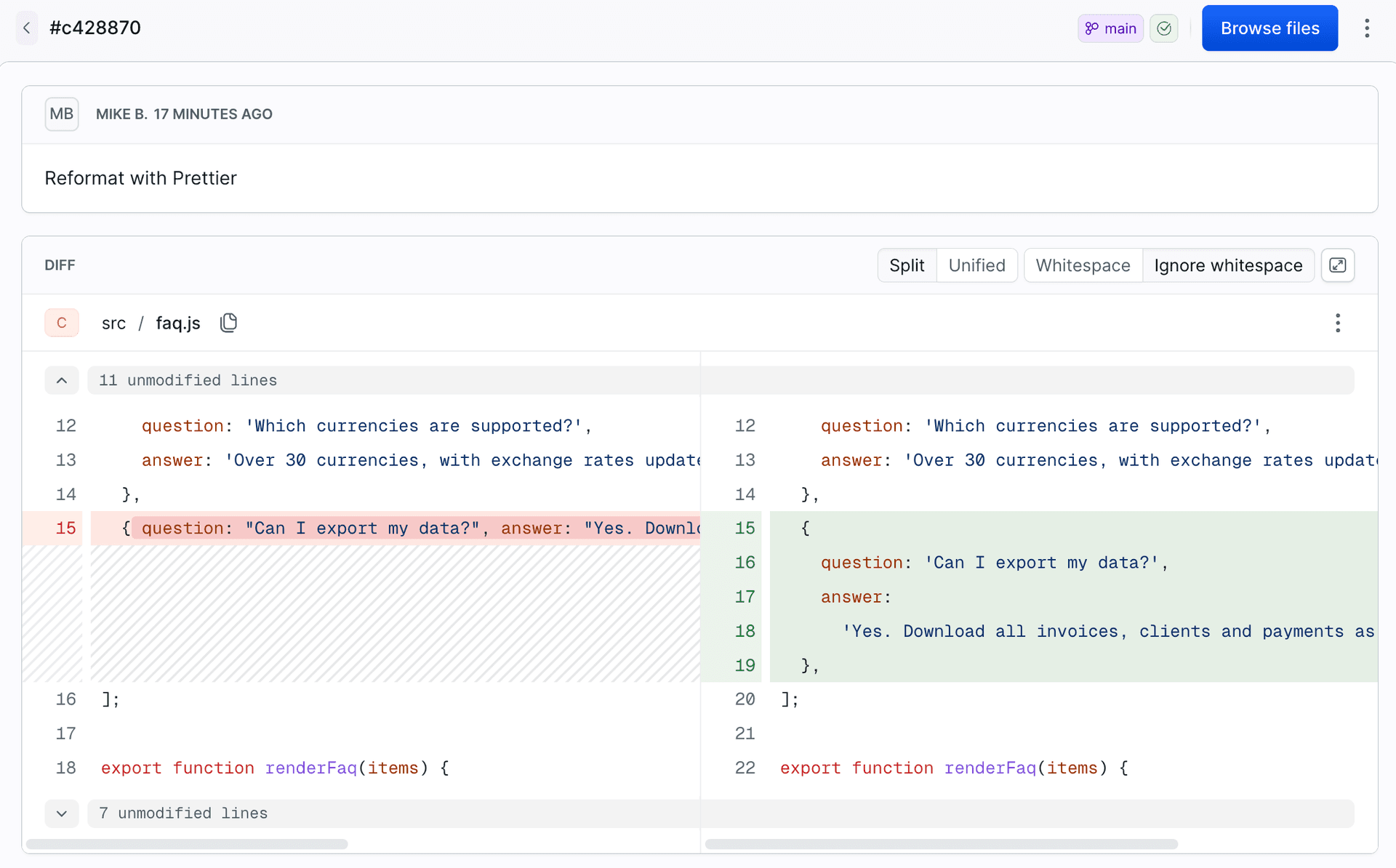
The "Reformat with Prettier" commit changed only formatting in src/. The generated files in dist/ were identical to those already deployed, so Early Exit ended the run before the upload:
Image loading...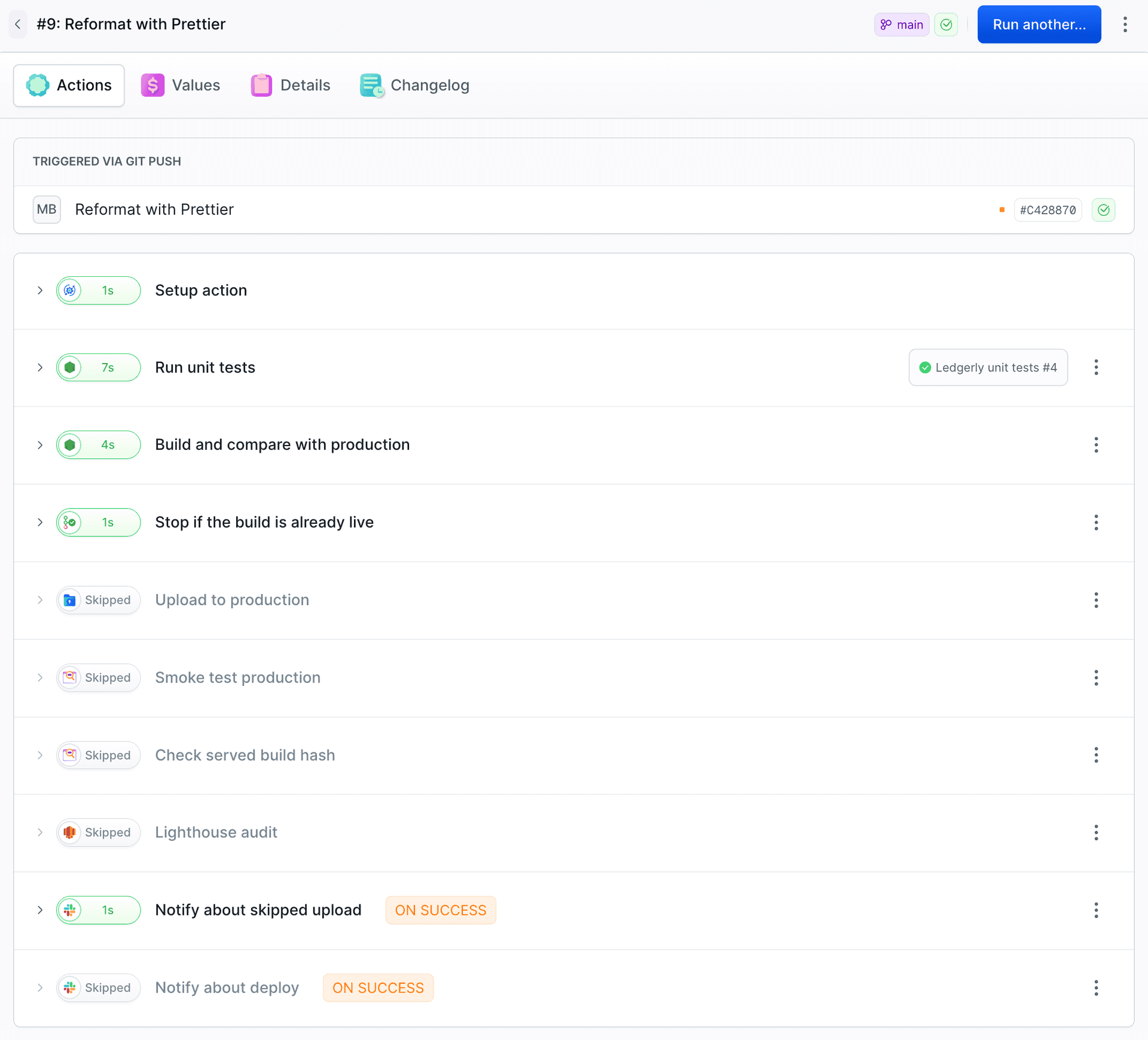
Image loading...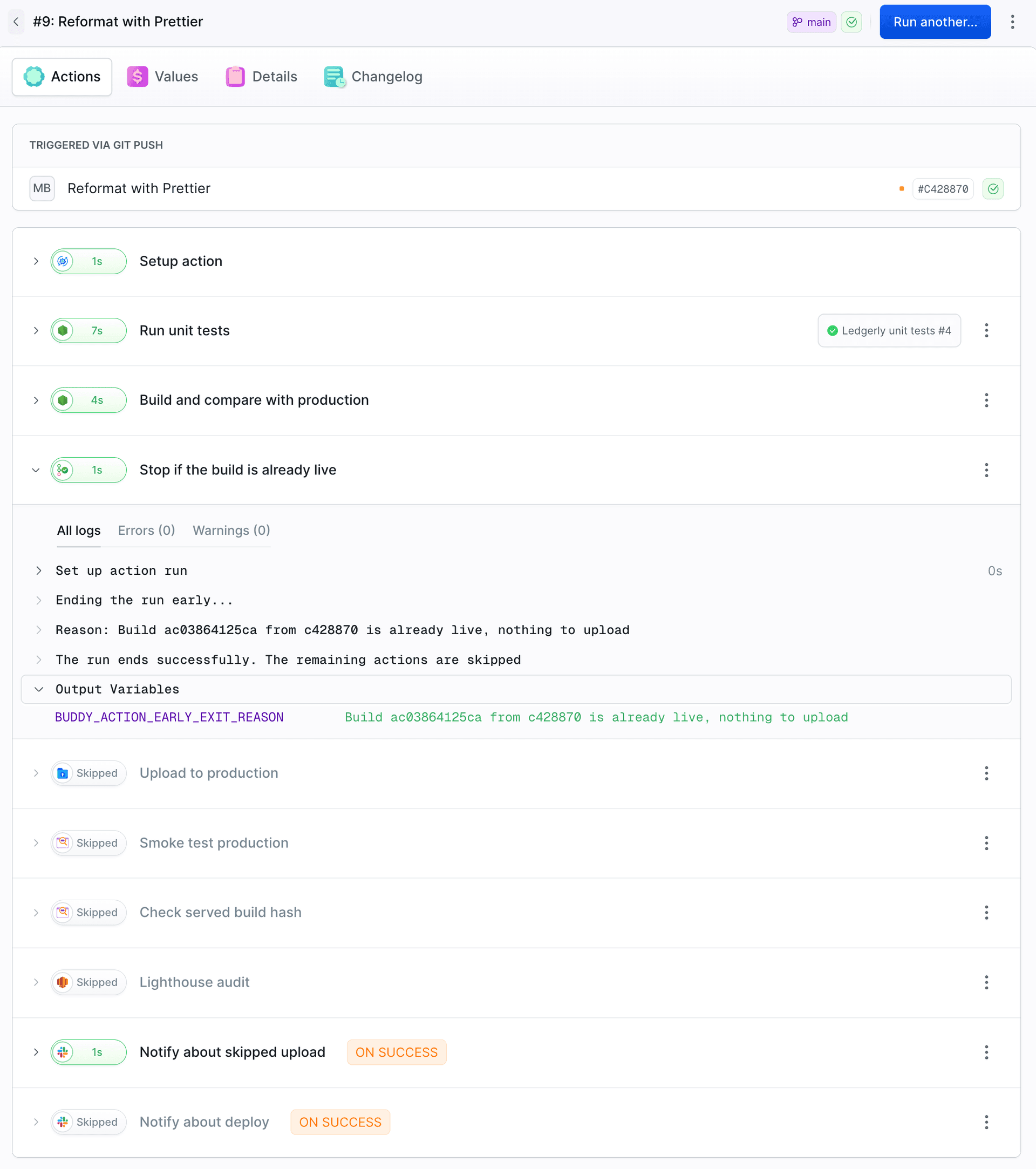
The next commit changed the price on the pricing page to $39. The hash was different, the condition was not met, and the pipeline uploaded the new version:
Image loading...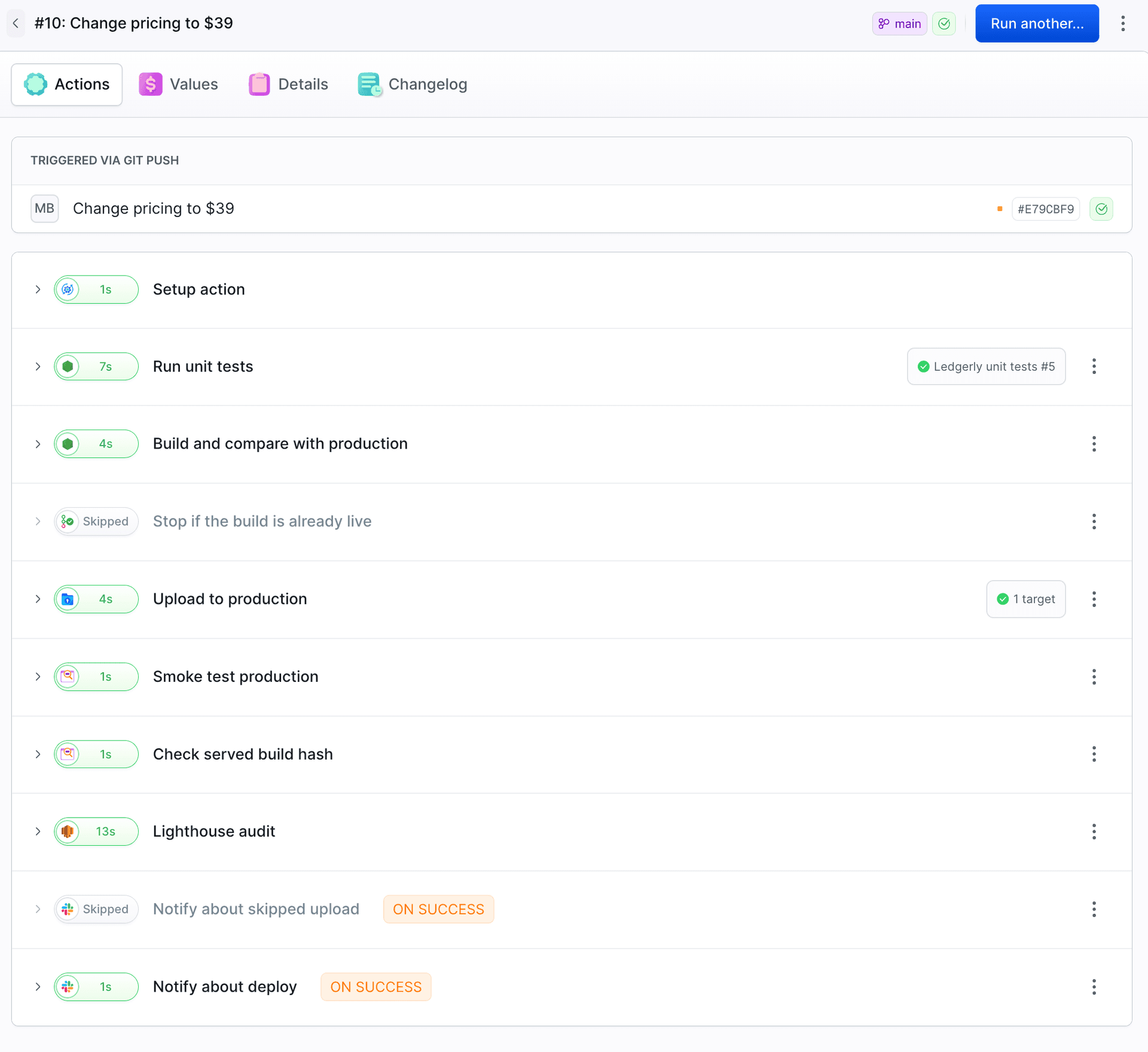
Notification with the exit reason
This action in the On success section sends the reason for the skipped upload to Slack:
- action: "Notify about skipped upload"
  type: "SLACK"
  trigger_time: "ON_SUCCESS"
  integration: "slack"
  channel: "#general"
  content: "Ledgerly landing: skipped upload. $BUDDY_ACTION_EARLY_EXIT_REASON"
  trigger_conditions:
    - trigger_condition: "VAR_IS"
      trigger_variable_key: "OUTPUT_BUILD_CHANGED"
      trigger_variable_value: "false"
Image loading...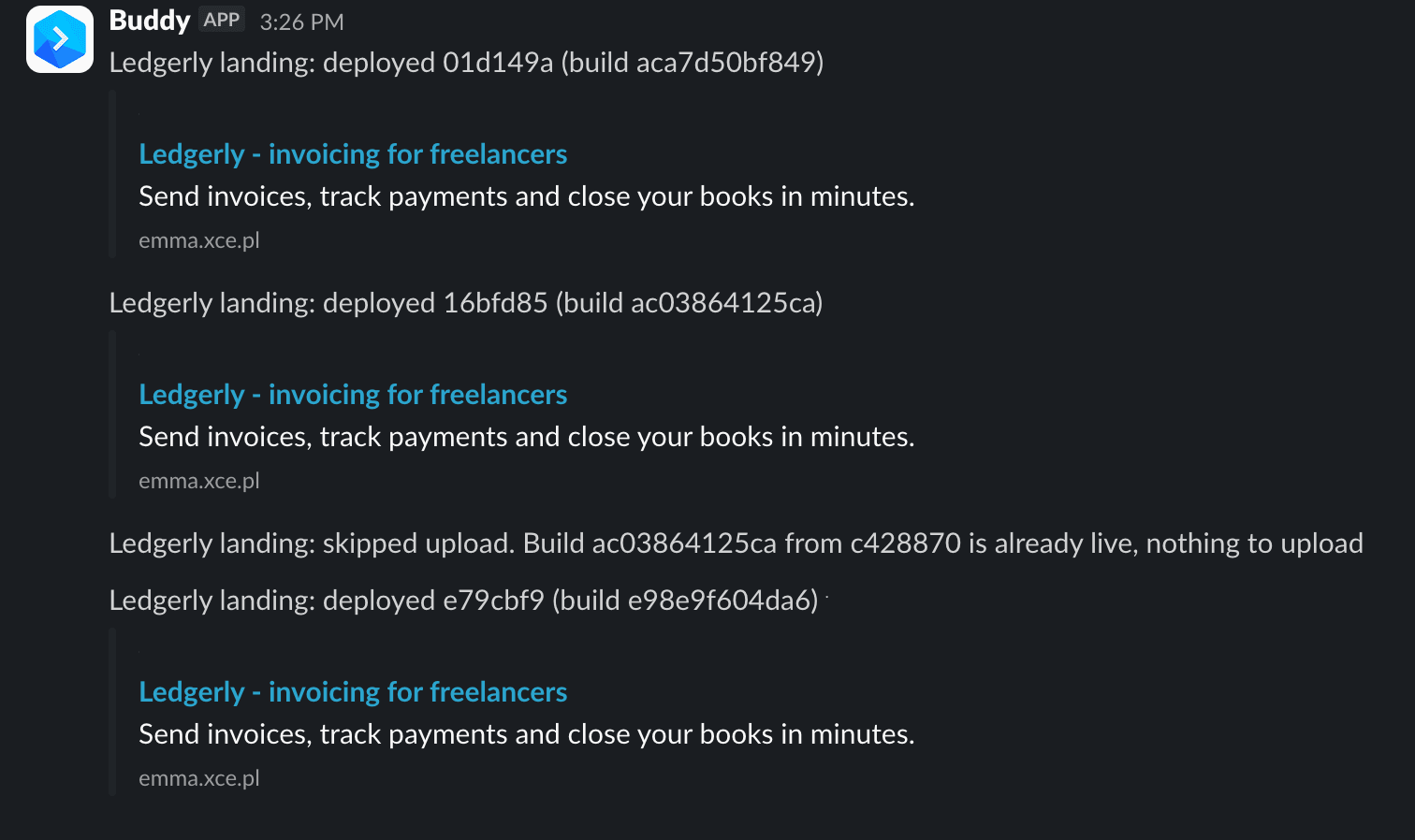
Weekend deploy freeze with a hotfix exception
Early Exit can use a day-of-week condition without an additional script. This pipeline skips deployment on Saturday and Sunday unless the run starts with HOTFIX=true. The variable is defined in the pipeline with a default value of false and can be changed when starting a run manually. The Reason field explains how to bypass the freeze:
Image loading...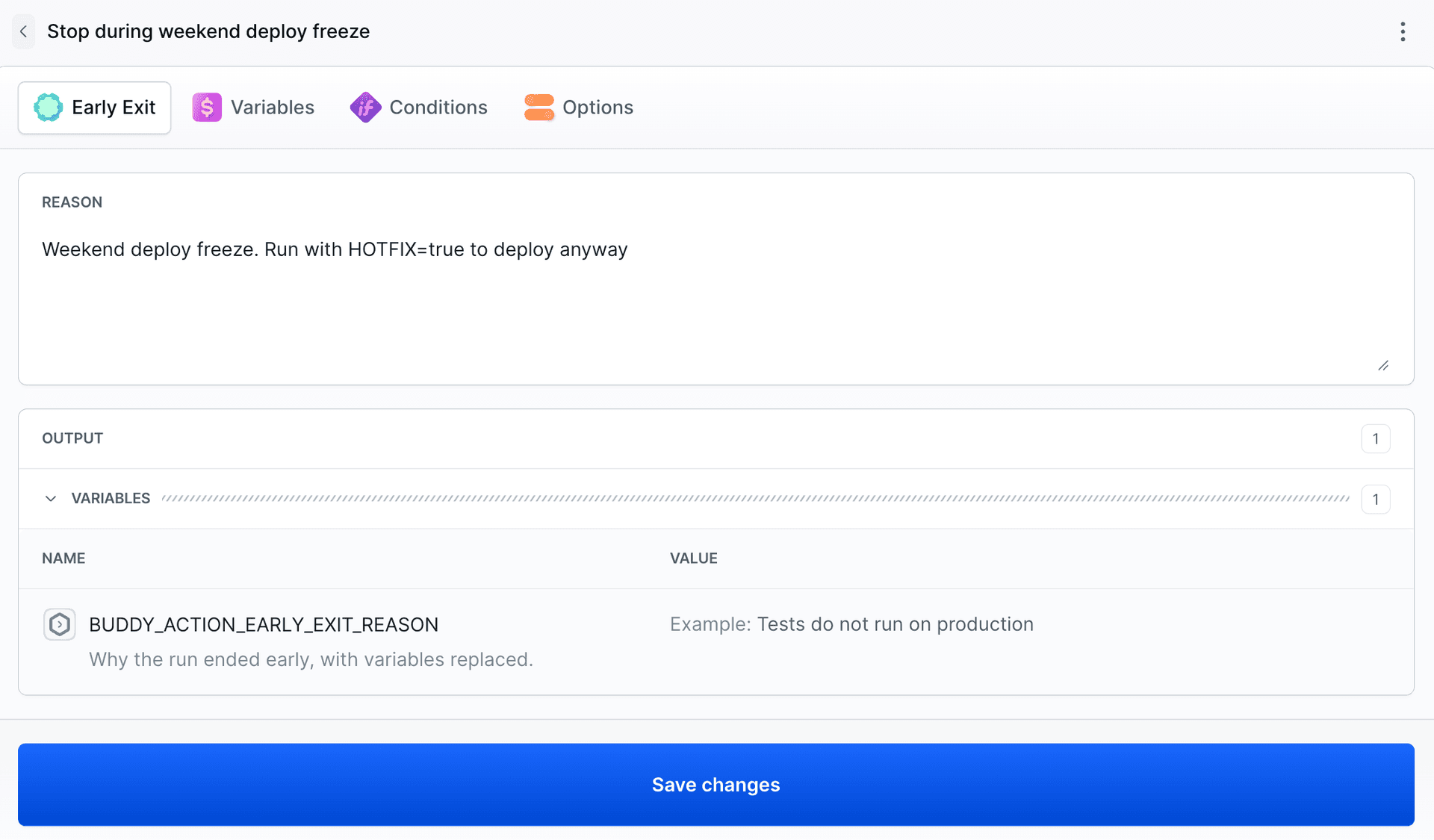
Image loading...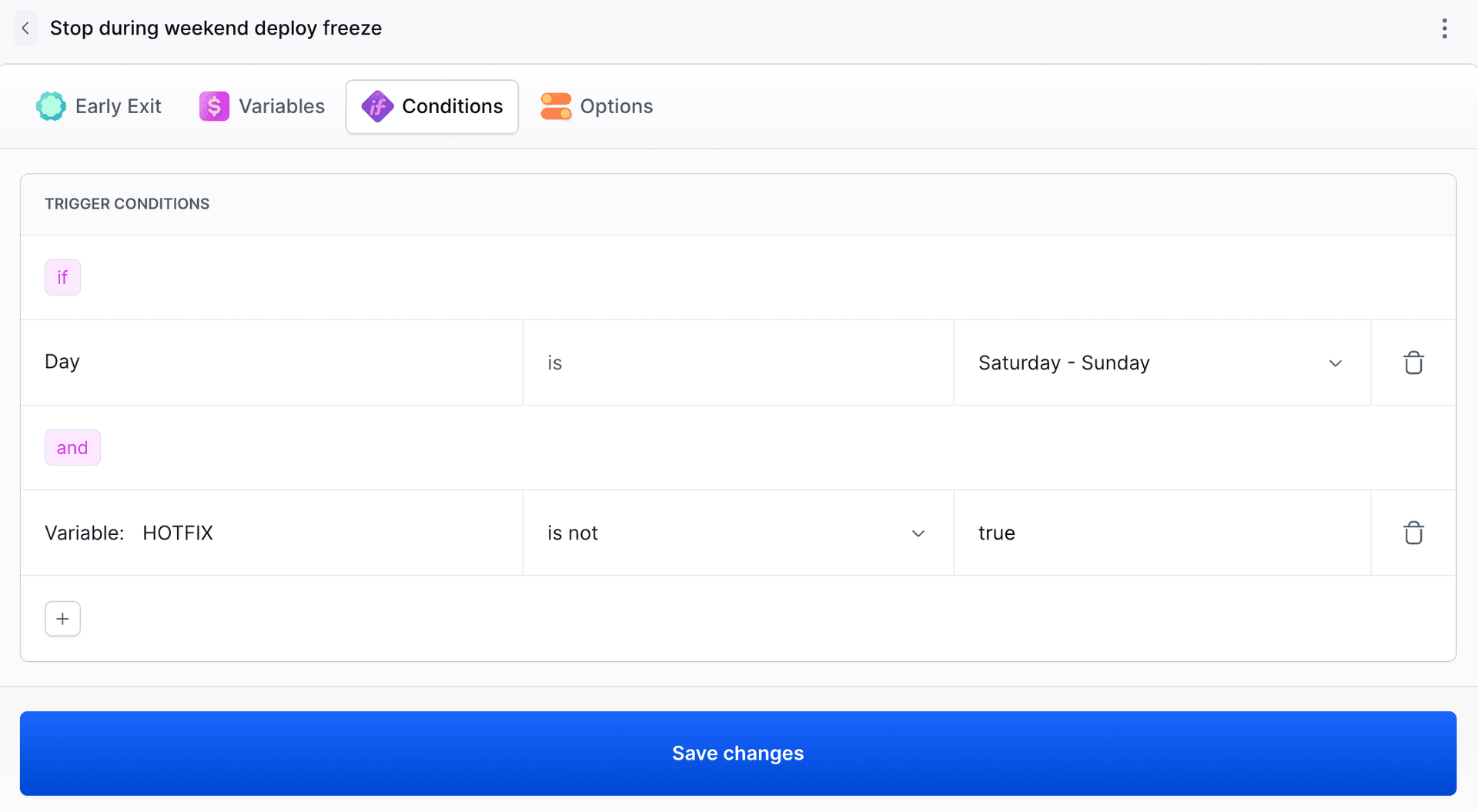
- action: "Stop during weekend deploy freeze"
  type: "EARLY_EXIT"
  reason: "Weekend deploy freeze. Run with HOTFIX=true to deploy anyway"
  trigger_conditions:
    - trigger_condition: "DAY"
      trigger_days: [6, 7]
      timezone: "Europe/Warsaw"
    - trigger_condition: "VAR_IS_NOT"
      trigger_variable_key: "HOTFIX"
      trigger_variable_value: "true"
A regular run on the weekend stops at Early Exit, and the deploy is skipped. A run with HOTFIX=true skips Early Exit and deploys the fix.
Image loading...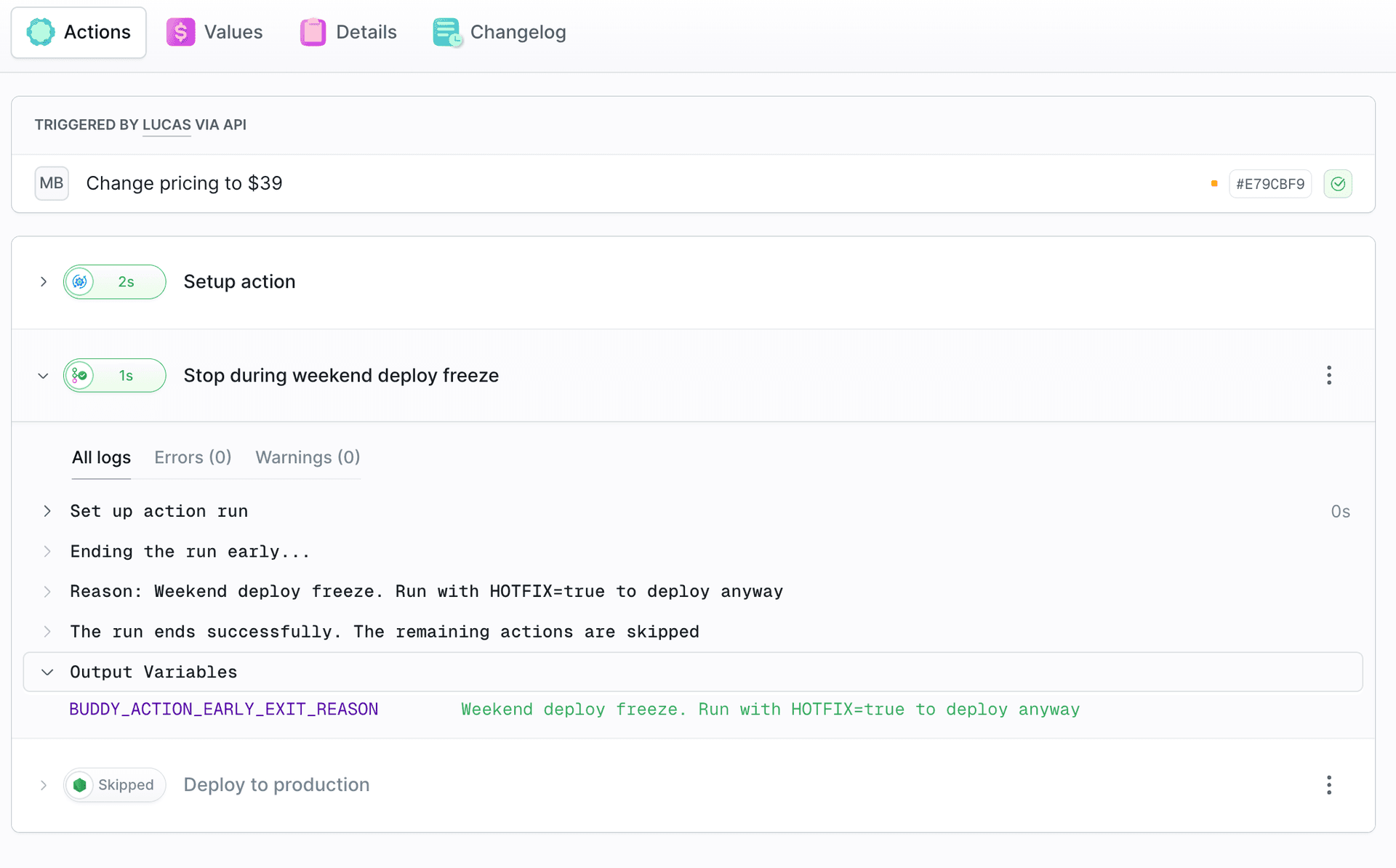
Early Exit doesn't reschedule the deployment for Monday. It ends the run without deploying. Deploying requires another run once the freeze ends.
For all fields and condition types, see the Early Exit action docs.

Jarek Dylewski
Customer Support
A journalist and an SEO specialist trying to find himself in the unforgiving world of coders. Gamer, a non-fiction literature fan and obsessive carnivore. Jarek uses his talents to convert the programming lingo into a cohesive and approachable narration.