Payload conditions: run actions based on payload files
A payload is a set of files sent together with a request to run a pipeline. The files are available at the start of the run, without being committed to the repository. This allows an AI agent to provide a generated config for deployment, an external system to send a data package for import, or one pipeline to pass build files to another.
Two conditions
- Payload is not empty - the run received any files.
- Payload contains path - at least one file matches a path or pattern, e.g.
config/**.
You can set them on the whole pipeline (Settings → Run if) and on a single action (the Conditions tab):
Image loading...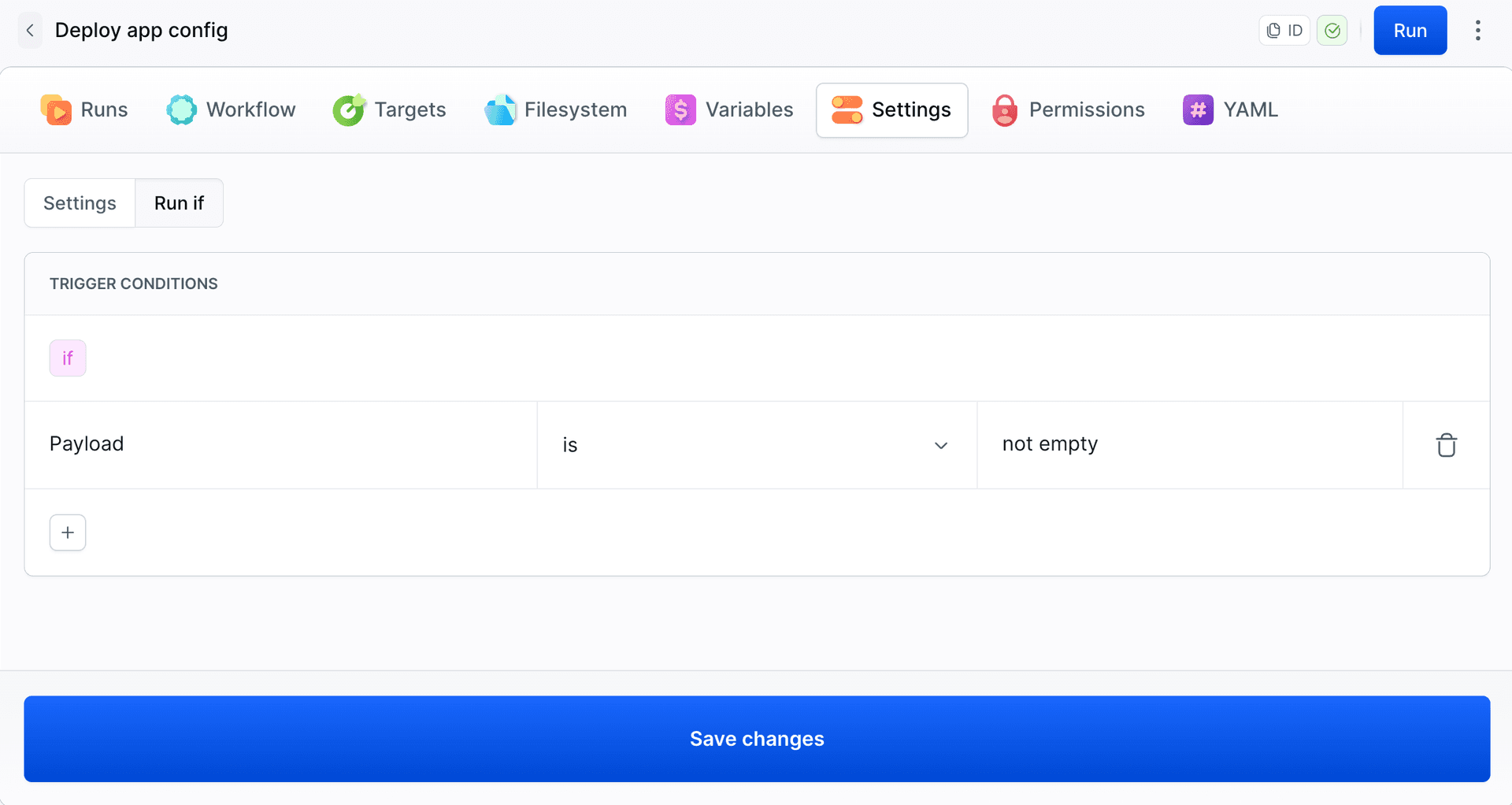
Image loading...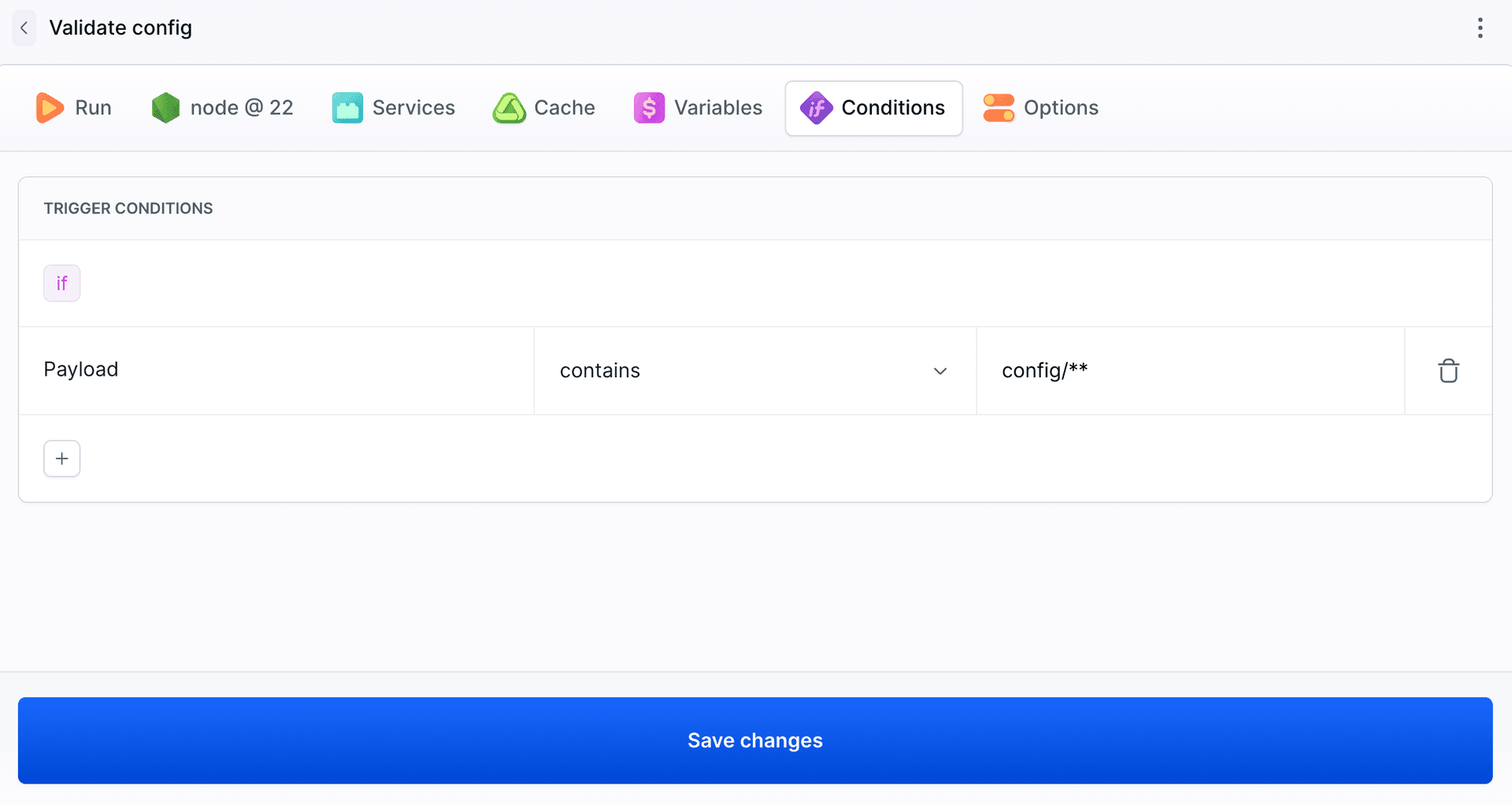
Example: app config and price list
An AI agent prepares a new app config and a price list, then runs the pipeline with these files. The pipeline runs only when a payload is present and has six actions:
- Build app - builds the app and creates an empty
uploaddirectory. - Validate config - for
config/**, checks the config and copies it toupload. - Import prices - for
data/**, converts the price list from CSV to JSON. - Upload to staging - sends
uploadto staging. - Approve deploy - waits for approval.
- Upload to production - sends the same files to production.
Image loading...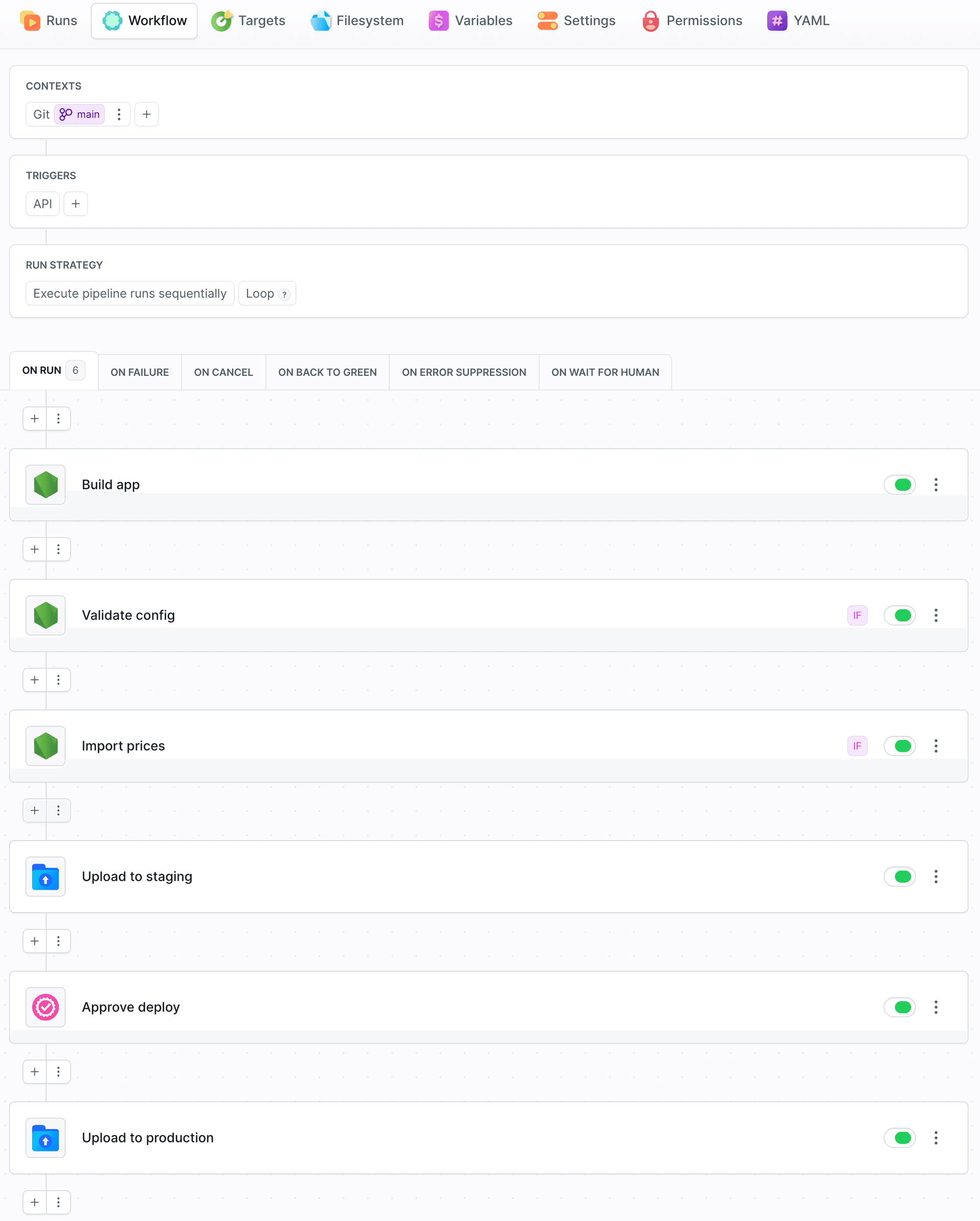
The Validate config condition in YAML:
yamltrigger_conditions:
- trigger_condition: ON_PAYLOAD_AT_PATH
  trigger_condition_paths:
  - config/**
Sending files
The agent uses bdy authenticated with a token to send the files. Paths inside the --payload directory are preserved, so ./release/config/app.json is available as config/app.json in the pipeline filesystem:
bashbdy pipeline run start deploy-app-config -b main --payload ./release$
You can also send the files through the REST API.
A run with only the config executes Validate config and skips Import prices. The run view lists the payload files:
Image loading...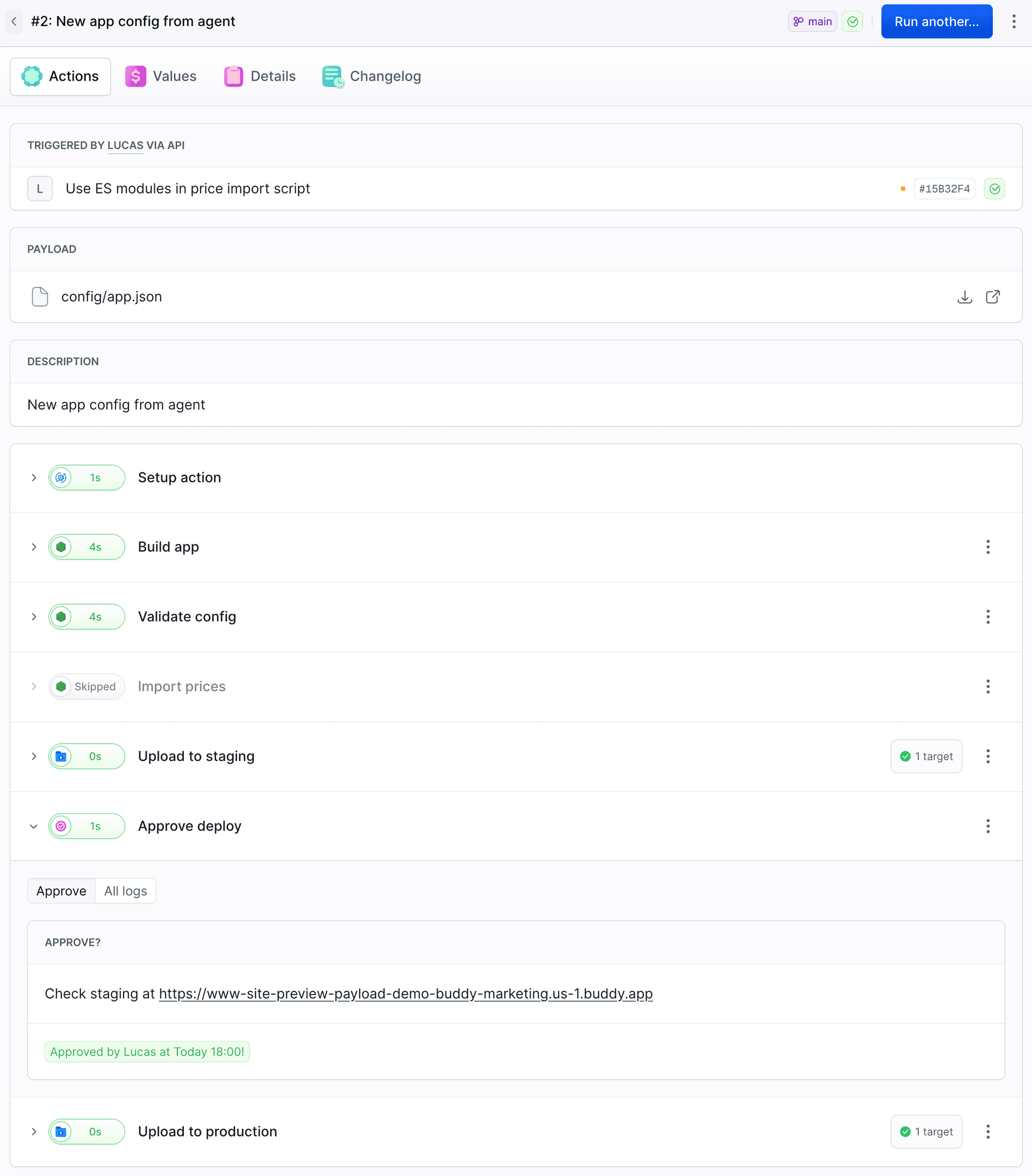
With only the price list, it is the other way around. With both the config and the price list, both actions run, and the run waits for approval before production:
Image loading...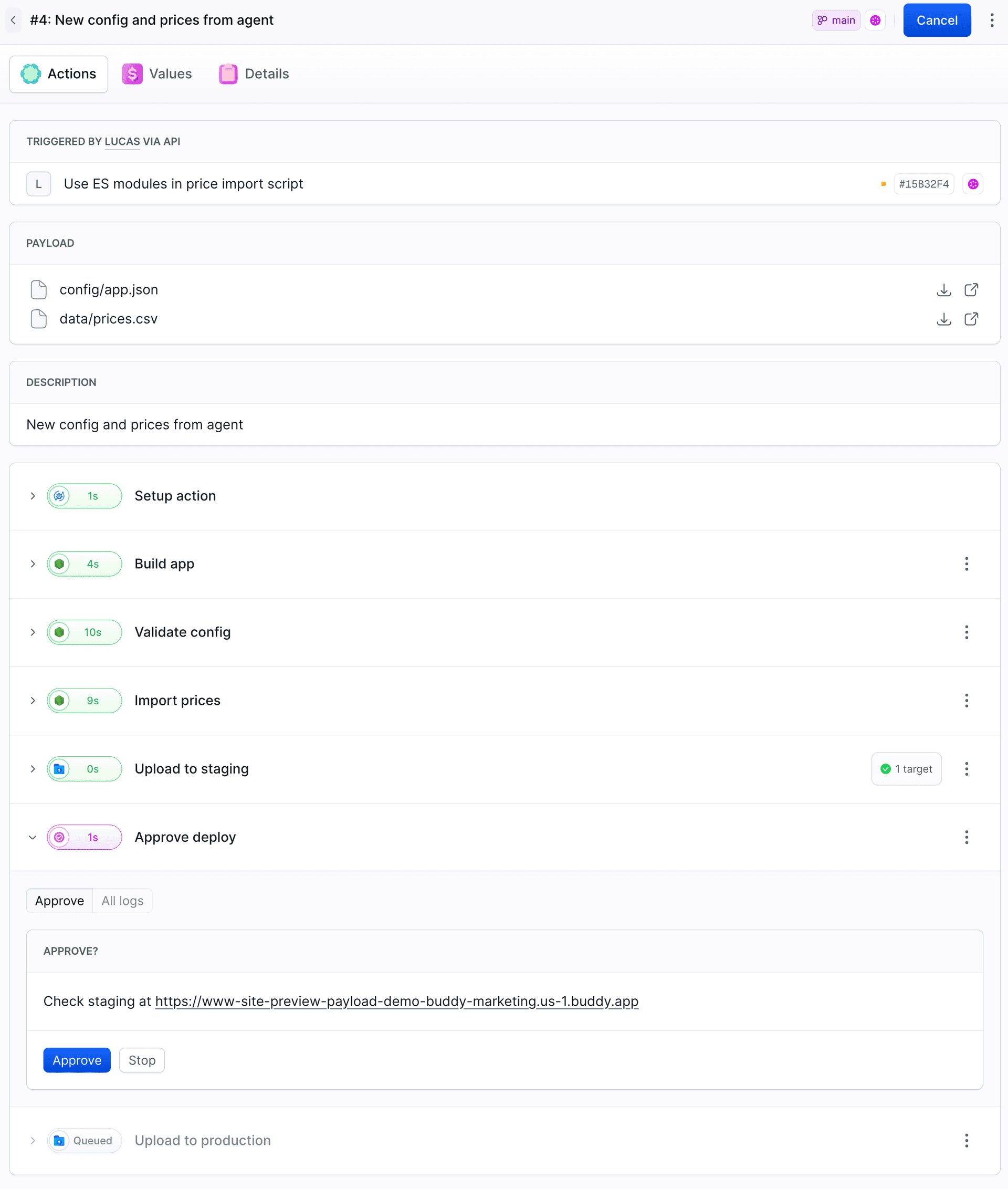
Only files from the current run
Payload files stay in the pipeline filesystem after the run ends. The conditions check only the current payload, but a script that scans config/ will also find older files. $BUDDY_RUN_PAYLOAD_FILES gives you the list of files from the current run:
jsconst files = (process.env.BUDDY_RUN_PAYLOAD_FILES || '')
  .split(/[\s,]+/)
  .filter((name) => /^config\/.+\.json$/.test(name));
What's next

Jarek Dylewski
Customer Support
A journalist and an SEO specialist trying to find himself in the unforgiving world of coders. Gamer, a non-fiction literature fan and obsessive carnivore. Jarek uses his talents to convert the programming lingo into a cohesive and approachable narration.