GitLab CI vs Travis CI
The clever alternative to Travis & GitLab
Buddy redefines the idea of DevOps with visual pipelines and no learning curve.
Lightning-fast
10-minute setup
No maintenance
No learning curve
Buddy vs Travis vs GitLab CI
FTP deployment
Limited / Plugin
Limited / Plugin
SFTP deployment
Limited / Plugin
Limited / Plugin
Manual deployment approval
Paid extra
Sandboxes (dynamic test environments)
AI coding agent actions (Claude Code, Codex, Gemini CLI)
Limited / Plugin
Paid extra
Terraform drift detection with plan approval
Limited / Plugin
Limited / Plugin
Database testing and services
Artifacts support
Multi-repo pipeline support
Dependency caching
Limited / Plugin
Limited / Plugin
Docker layer caching
Dedicated support for Android builds and deploy
Dedicated support for iOS builds and deploy
Trusted by the world's leading engineering teams
Integrates with tools you love
Git
AI Agents
Containers & IaC
Cloud
IaaS & PaaS
Build Tools & Task Runners
Tests
Databases
Collaboration
Monitoring & Performance
Work smarter, not harder
No more wasted time
10-minute configuration
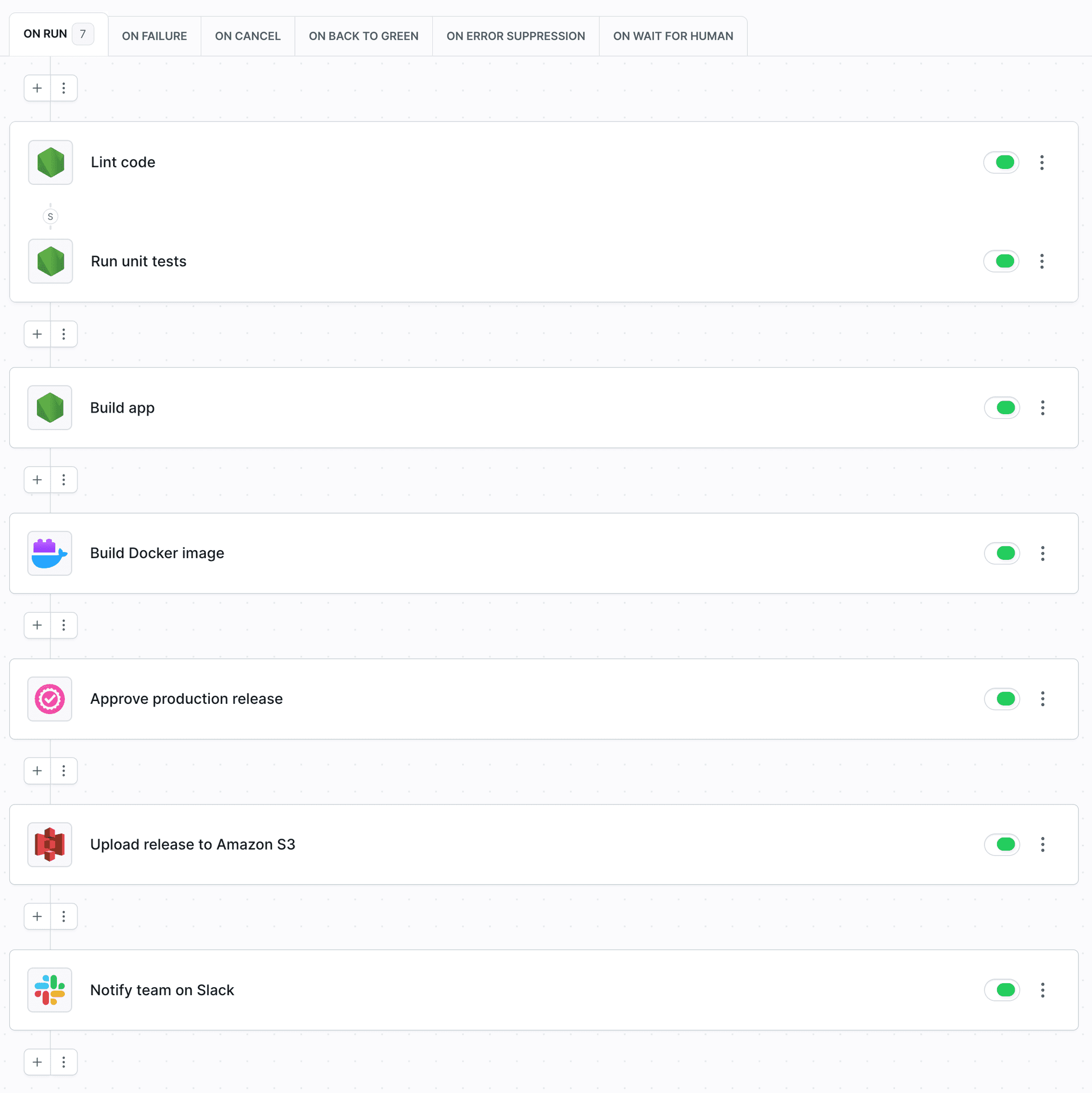
Build, test, and deploy code from GitHub and GitLab in a couple of minutes with fully visualized pipeline configuration.
Dynamic staging environments
Collect user feedback faster by staging websites directly from Git branches with no dedicated infrastructure.
GitHub friendly
Fine-tune permissions to your repos, manage organizations, trigger pipelines on PRs, and send status checks to secure code before merging – Buddy is the perfect match for GitHub.

A tool for years
Embrace newest tech
Build frontend and backend with your favorite framework, attach databases for tests, orchestrate containers on Kubernetes, develop Android and iOS apps – whatever you do, Buddy got you covered.
Control your budget
With Buddy you don't have to hire a full-time DevOps engineer to keep an eye on your CI/CD process. It's so easy even the office cat can do that.
Configuration-as-Code
If you prefer traditional scripting, you can define pipelines top-to-bottom in the terminal – or build a pipeline via the UI and export the configuration to YAML.
Your work is safe
Full control
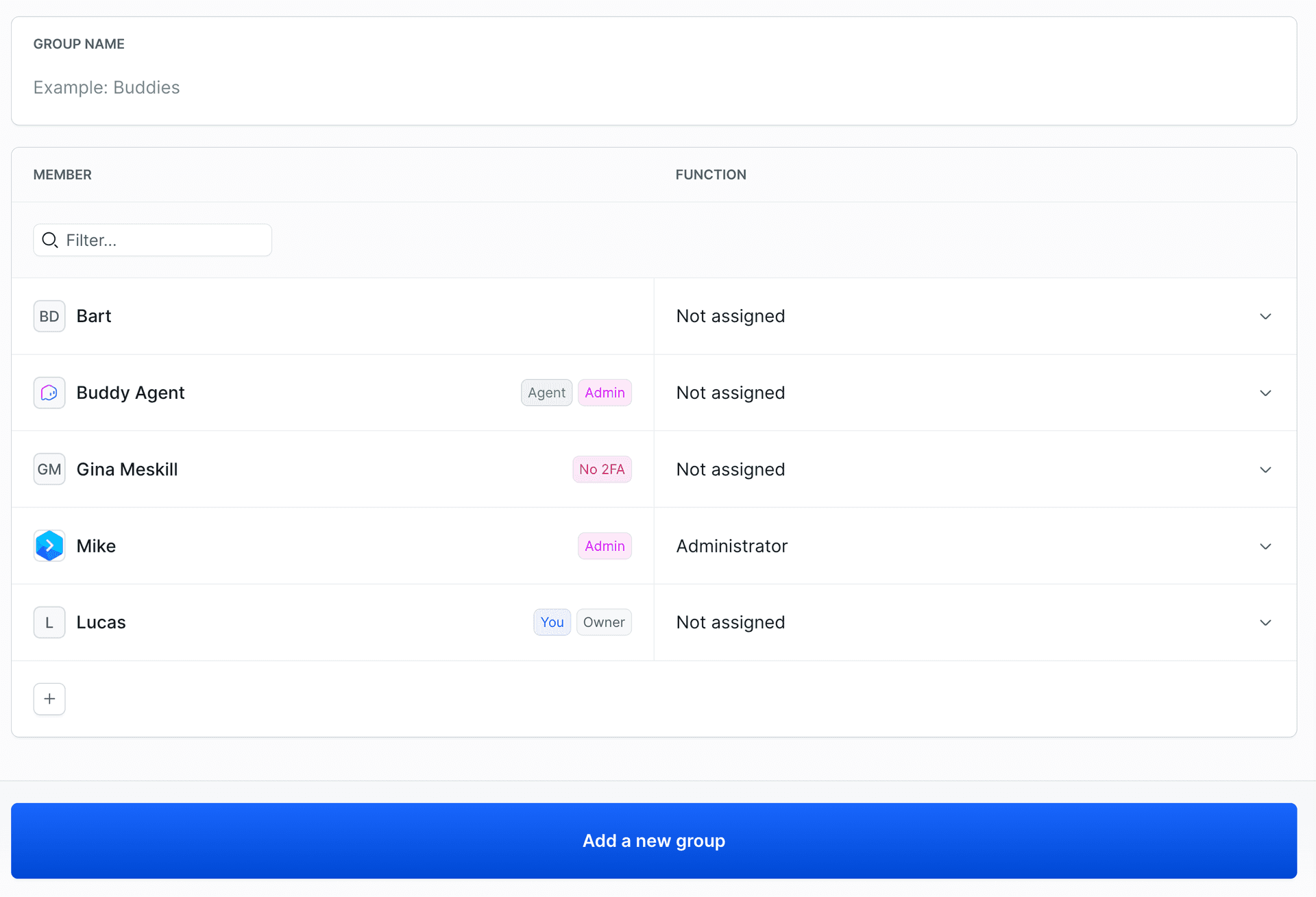
Define the scope of access to your source code and pipelines. Create developer groups and assign team managers to track progress.
SSO and 2FA
Secure your workspace by enforcing Single Sign-On and Two-Factor authentication.
SOC 2 Certified
Buddy is officially SOC 2 Type 2 certified and runs on PCI-compliant AWS architecture, with regular audits by SecurityMetrics.
"You won't find a DevOps cloud service that offers as many supported operations, actions and events as Buddy. I use their systems daily and have been thrilled with how well it works."
Joe P.
Senior Developer
Need more proof?
- 207+ reviews
"Buddy has one of the fastest CI that's I've worked with. Spinning up a task takes seconds at most. We saved several minutes on each task by switching to Buddy from GitLab pipelines."
Andrew F
Developer
- 176+ reviews
"Buddy was the first CI/CD tool that satisfied all of our needs while being extremely simple to use. It was easy to get up and running with our monorepo and custom triggers with webhooks. It is a joy to build pipelines with Buddy!"
Niklas R.
Product Manager
- 54+ reviews
"Buddy really does great in doing the advanced more simple. They make us play with it in a whole different way. Before you had to code your pipelines, now you just drag and drop your pipelines. What's more to ask for?"
Stemann
Developer
Frequently Asked Questions
What is the direct benefit of switching to Buddy?
In short, you get a service that:- Is fast as hell. No, seriously. Sign up and check.
- Can be used by anybody on the team regardless of experience.
- Helps you ship more software in shorter time.
- Requires no dedicated DevOps engineer.
- Supports all the newest tech, including serverless deployments, NoOps, ChatOps and Kubernetes.
- Has a support team that cares for you. ❤️
- Will serve you for years.
Does Buddy work with GitLab repositories?
Yes, you can hook up your existing GitLab repos and use Buddy as a build server and deployment tool without moving your code. The tool also works with GitHub, Bitbucket, and custom Git repositories.Does Buddy support open-source repositories?
Yes, Buddy supports both open-source and private projects. You can also enable read-only access to pipelines and executions and share it in your repository on GitHub.Does Buddy support microservices?
Buddy lets you attach all types of popular services and databases, such as MongoDB, MySQL, Redis, and Selenium. All services are available from the start in every build action. You can also orchestrate containers with docker-compose in the dedicated Docker CLI action.Is Buddy free to use?
Yes. The Free plan includes 1 seat, 2 concurrents, $1 of monthly usage credit for compute and storage, and 1 GB of pipeline cache. When you need more, upgrade to Pro or Team and pay only for the usage you consume. All new accounts start with a 14-day trial with $5 of usage credit and all Team features unlocked. See the pricing page for details.